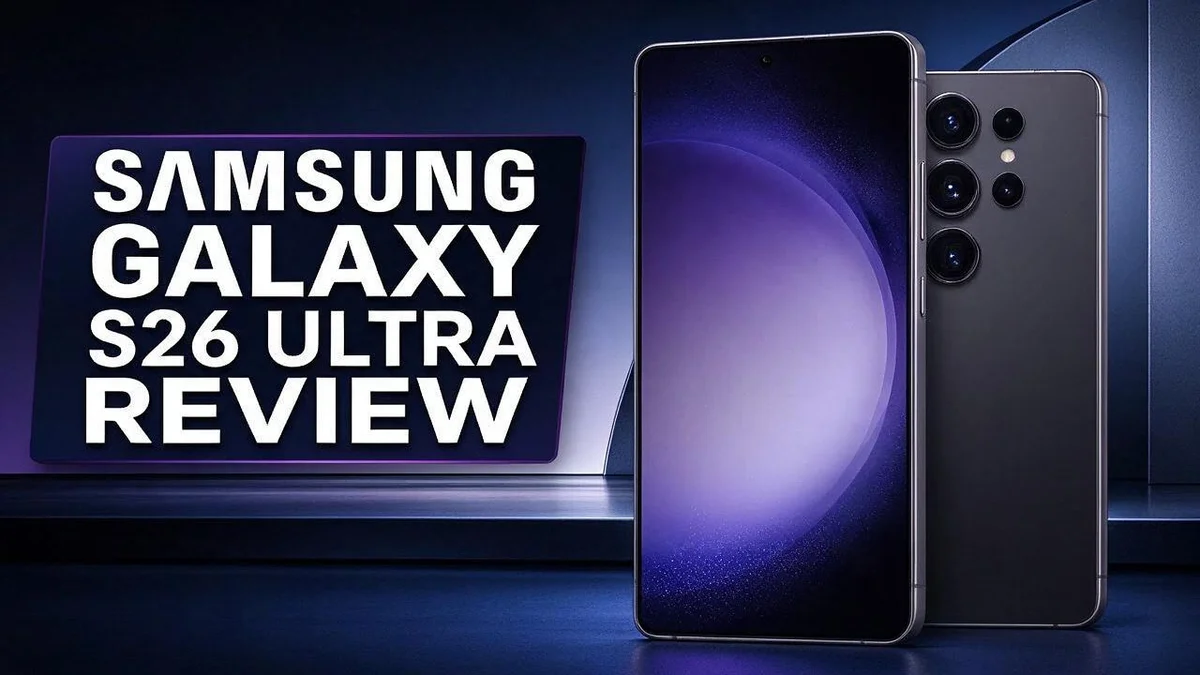
Samsung Galaxy S26 Ultra Review: Display, Cameras, Gaming, Battery and Verdict
Looking for a phone that does it all? The Samsung Galaxy S26 Ultra aims to be that device. It packs a serious camera setup and a built-in S Pen.
The star is the 6.9 inch QHD display. It looks vivid and sharp outdoors, even better than the iPhone 17 Pro Max.
The camera system includes a 200MP wide lens. There is also a 50MP ultrawide and two telephoto lenses. Zoom shots at 5x look clearer.
Privacy Display is another standout. It hides your screen from people sitting beside you. Gamers will also enjoy strong performance and a smooth interface.
Battery life gets mixed reviews. Some reviewers praise it, but others say it trails the iPhone 17 Pro Max and Oppo Find X9 Pro.
Keep reading to see if this phone fits your needs.
In a Nutshell
- Outdoor brightness stands out: Reviewers say the screen handles sunlight better than the iPhone 17 Pro Max.
- A built-in S Pen comes included: Note takers can jot ideas or sketch right on the phone without carrying a separate stylus.
- Gaming feels strong: Demanding games run well, and the interface stays smooth and packed with useful options.
- Zoom shots look sharp: The 5x telephoto lens captures clearer detail, so distant subjects still look crisp in photos.
- Wireless charging adds convenience: The 25W wireless charging lets you top up the phone without plugging in a cable.
- Opinions vary among buyers: One reviewer says it is not the automatic choice, and owner feedback on Reddit remains mixed.
Display and Privacy Features

- PRIVACY DISPLAY: Automatically hide your screen from those beside you. The built-in privacy display can be...
- TYPE IT IN. TRANSFORM IT FAST: Enhance any shot in seconds on your smartphone by using Photo Assist² with...
- NIGHTS, CAPTURED CLEARLY: From gigs to city lights, record and capture moments after dark with clarity using...

Last update on 2026-11-07 / Affiliate links / Images from Amazon Product Advertising API
Good screens make everyday tasks feel easier. The Galaxy S26 Ultra gives you a bright, detailed canvas for reading, browsing, and watching videos.
Text looks crisp in apps. Articles, emails, and messages stay clear even at small sizes. Your eyes stay comfortable during longer reading sessions.
Video feels immersive. Movies and clips fill the large 6.9 inch panel. Colors look rich, so streaming feels more engaging.
Dark mode feels rich. Deep blacks help content stand out at night. Late-night reading feels calmer for many people.
Privacy Display works like a shield. It narrows the viewing angle so people beside you struggle to read your screen.
This matters on crowded commutes. Train riders and coworkers see less of your messages, banking apps, or work emails.
Notifications stay private too. Sensitive alerts appear on screen during meetings. Privacy mode keeps those details away from curious eyes.
You can switch it on when needed. You can keep it on in busy places and turn it off at home. This flexibility suits changing daily routines.
Privacy comes with a tradeoff. People viewing the screen from the side may see it darker or less vivid. Sharing a screen with a friend may feel less easy.
Your daily habits shape the experience. Heavy readers, gamers, and streamers will notice the screen differences most. Light users may barely notice them.
Eye comfort matters too. Long sessions can tire your eyes. A sharp, well lit screen helps you stay focused for longer.
Try a quick check in person. Visit a store and view the screen from different angles. This shows you how the privacy mode feels in real use.
Bottom line for screen lovers. The display and privacy tools give you control over who sees your content. That control is a strong reason to consider this phone.
Camera System and Zoom Performance
The Galaxy S26 Ultra packs four rear cameras into one body. Each lens covers a different focal length. That range gives you options for almost any scene.
The 200MP wide lens handles most daily shots. Fine textures show up clearly in good light. Cropping later also keeps plenty of sharpness.
The 50MP ultrawide lens fits wide scenes into one frame. Group photos, big landscapes, and tight rooms all look natural. Reviewers call the camera setup strong and versatile.
The 10MP 3x telephoto lens sits in the middle. Portraits look natural at this focal length. You can frame a subject well without walking closer.
Many shooters skip this middle option. It fills the gap between wide views and long zoom. Switching lenses takes just a tap on the screen.
The 50MP 5x telephoto lens brings distant subjects closer. Its high pixel count keeps more fine detail for cropping. Sports fans and wildlife lovers can benefit most from this reach.
Quick lens switches help you catch fleeting moments before they pass. Keep the phone ready for kids, pets, and games.
Night shots need a bit more testing. The research did not highlight low light results. Try the phone in your own dim spaces before you decide.
Simple tip: Shoot the same scene with each lens. Compare the results side by side. You will learn which focal length suits your style best.
Photographers can mix lenses within one shoot. Start wide for the scene. Then zoom in for the details that matter most.
This flow helps storytelling. Each frame adds context to the one before it. Trips, weddings, and family days benefit from this approach. Your photo album ends up with more variety.
Keep the lens clean for the best results. A quick wipe removes smudges that can soften detail.
Good photos start with good light and steady hands. The four lenses give you options, so you can pick the right one for each moment.
Gaming Performance and Software Experience
Gaming on the Galaxy S26 Ultra suits players who enjoy longer sessions. Sustained play is where a flagship really shows its strength.
The research highlights strong performance, but it does not include detailed heat or frame rate tests. Check gaming reviews that run marathon sessions before you decide.
Rivals built for play, such as the RedMagic 11 Pro and OnePlus 15, focus heavily on games. The S26 Ultra takes a broader approach. It balances gaming with photos, video, and daily tasks.
Battery power matters more during long matches. Rivals like the Oppo Find X9 Pro earn praise for battery life, so keep an eye on charge levels during big gaming sessions.
Long matches also test comfort. A large phone can strain your hands after an hour, so try holding it before you buy.
The software side feels just as important. Samsung’s interface offers many options, so you can shape the phone around your habits. You control how the screen looks and responds.
Settings give you room to tweak performance and display behavior. Some people enjoy this freedom. Others may find the menus crowded at first.
Notifications can break your focus during play. Use the settings to limit alerts while gaming, so your match stays uninterrupted.
The included S Pen adds another layer to the experience. You can jot notes or sketch ideas right on the glass. It works well for quick reminders between matches.
Software updates matter as much as launch features. A phone that keeps getting improvements stays useful for years. Ask about support length before you commit.
Owner feedback is mixed, and that tells a useful story. Some owners love the smooth software. Others want a simpler layout. Test the menus yourself to see which side you fall on.
Serious gamers who also want a strong camera may find this phone a good match. Casual players might prefer a simpler device.
Top 3 Alternatives
Looking for a different flagship? These three phones give the Galaxy S26 Ultra a strong challenge. Each one offers its own mix of camera, display, and speed.
iPhone 16 Pro Max

- The large 6.9-inch display combines ProMotion 120Hz technology with advanced color calibration, giving movies...
Last update on 2026-11-07 / Affiliate links / Images from Amazon Product Advertising API
The iPhone 16 Pro Max suits people who love iOS. Its performance stays smooth for years. The camera system takes reliable photos in many lighting conditions.
Video fans will enjoy stable recording and easy editing tools. Apple also offers long software updates, which helps protect your investment over time.
Google Pixel 10 Pro XL

- 6.8" LTPO OLED, 486 PPI, 1344 x 2992 px, 120Hz, HDR10+, Bluetooth 6.0, 5200mAh battery, Android 16 w/ 7 Major...
- 256GB storage, 16GB RAM, Google Tensor G5 (4 nm), Octa-core (1x3.78 GHz Cortex-X4 & 5x3.05 GHz Cortex-A...
- Pixel’s pro camera system makes everything look amazing, even in low light; capture more of the scene...
Last update on 2026-11-07 / Affiliate links / Images from Amazon Product Advertising API
The Google Pixel 10 Pro XL focuses on smart features and photography. Its camera software works well in low light.
Pixel phones receive regular security updates. The clean Android experience feels fast and simple to use. Its large screen also makes streaming, reading, and gaming more enjoyable.
OnePlus 13

Last update on 2026-11-07 / Affiliate links / Images from Amazon Product Advertising API
The OnePlus 13 focuses on speed and battery life. It charges quickly, so you spend less time waiting.
Its display looks bright and smooth, with high refresh rates that help during gaming. It is a great choice for users who want power without a complicated setup. If you value performance above all else, this phone deserves a close look.
S Pen and Productivity
The built-in S Pen gives the Galaxy S26 Ultra a clear edge for people who work on the move. It stays tucked inside the phone, so you rarely lose it.
Pulling it out takes only a second. You can jot a quick reminder, sketch a rough idea, or mark up a file before the thought fades.
The large screen makes writing feel more natural than typing on a small keyboard. Long notes feel less tiring to create, especially during a full workday.
Markup work becomes simpler too. Use the pen to highlight contracts, circle key figures, or add comments to slides. Rather than printing and scanning, you can finish edits on the spot.
Work on the go often means quick edits between meetings. A stylus lets you fix a mistake or reply to a note without opening a laptop. Quick fixes save time and keep projects moving forward.
Wireless charging helps during busy days. The 25W wireless charging option lets you top up on a desk pad while you work. That keeps the phone ready for another round of notes.
The pen also suits students and creatives who like sketching ideas. Digital drawings and class notes can live in one place, so nothing gets lost in a stack of paper. Saved pen notes stay together, so you can find an old idea without digging through paper files.
Not everyone needs a stylus, though. People who type most of the day may never touch the pen. For them, the feature may feel like a bonus rather than a must.
Overall, the S Pen adds real value for hands-on users. It turns the phone into a small workspace that fits in a pocket.
Battery Life and Charging
Battery life often decides which phone people keep. The Galaxy S26 Ultra gets mixed signals from reviewers. Some praise its stamina, while others feel it trails key rivals.
The main gap shows up against the iPhone 17 Pro Max. Comparisons in the research place the Galaxy behind that model on battery. Apple fans may notice this most during a full day out.
The Oppo Find X9 Pro earns praise for battery life too. Many shoppers compare it side by side with Samsung. If endurance matters most, that rival deserves a close look.
Owner opinions add another layer. Reddit threads show mixed feelings about how the phone holds charge. Real experiences vary with habits, so look for posts from people with similar routines.
Your daily routine shapes how long the battery lasts. Heavy video streaming, bright screens, and constant navigation drain power faster. Light users may find the phone easily covers a full day.
Camera use adds to the load as well. Long video recording can take a noticeable toll on the charge.
Smart settings can stretch the charge further. Lowering screen brightness and limiting background apps help. Many phones offer power saving modes, and this one is no different.
Charging speed matters just as much as capacity. The 25W wireless option sets the pace for cordless top ups. Plan a short charge during lunch or while you read.
Think about your charging habits before you buy. A quick top up during breaks can keep the phone ready. A full overnight charge suits people who rest their phone at night.
Battery claims in reviews often reflect test conditions. Real results depend on signal strength, temperature, and apps. Use reviews as a guide, not a promise.
Overall, battery life is a mixed story. The phone impresses some users but lags behind certain rivals. Compare your daily use with these findings before you decide. Your needs matter more than any chart.
Pros and Cons
Pros
– Vivid QHD display that stays easy to read outdoors
– Privacy Display hides your screen from people nearby
– Clear 5x zoom from a versatile camera setup
– Smooth, feature-rich interface that feels simple to use
– Strong gaming performance for everyday play
Cons
– Not the automatic pick for every shopper
– Owner opinions are split across Reddit threads
– Some reviewers rank rivals higher overall
Who Should Buy It
This phone fits people who want one device for nearly everything. It brings a big screen, a flexible camera system, and a pen together in one body. Each feature serves a clear purpose for the right owner.
Photographers who want reach should look closely at this model. Concert goers and sports parents can frame distant action without carrying extra gear. The lens lineup gives them room to experiment with different distances.
Movie fans and video callers will enjoy the larger viewing area. Long episodes and family video chats feel more immersive on this panel. Streaming sports on the larger display also feels more exciting.
Frequent travelers and remote workers handle private files in busy places. Airports, trains, and coffee shops can expose sensitive details fast. Anyone handling client files there will appreciate the added caution.
Long time Samsung owners may feel right at home. The setup follows a familiar path, so switching takes less effort. Your old accessories and habits often carry over with little fuss.
Power users who multitask often switch between apps all day. A large canvas keeps split windows readable. Messaging and browser apps work side by side with less squinting.
Gift shoppers looking for a standout present may like this model. Its screen, camera, and pen give a wow factor on day one. Unboxing feels special. It also makes a thoughtful pick for people who love gadgets.
Who should look elsewhere? Shoppers who need the longest endurance should test the phone first. Try a full workday with your own apps before deciding. Real use reveals more than any spec sheet.
Final thought: this phone rewards people who use every feature. It suits buyers who want variety in one device. Match it to your daily habits, and the choice becomes clear.
Final Verdict
The short answer is simple. The Galaxy S26 Ultra suits people who care about screen quality and zoom.
It still leaves some buyers unsure. Reviews point in different directions, so your own priorities should decide.
Start with your daily habits. Watch how you use your phone for one full day. Note the apps you open most often.
Lighter users may never miss the extra features they skip. Heavier users may find the extra power worth it.
Compare in person before you commit. Hold the S26 Ultra beside the iPhone 17 Pro Max. Try the OnePlus 15 and RedMagic 11 Pro too.
Feel the weight and grip in your hand. Try the S Pen in a note app to see if it fits your style. Small details like grip and button placement matter more than specs.
Look at your charging routine. Some people plug in every night. Others top up during lunch or while they work. Pick the habit that matches your week.
Think about how long you will keep it. Ask yourself how many years you want this phone to last. A longer plan makes a stronger case for a flagship.
Watch for results in daily life. Lab tests show numbers, but daily use tells the real story. Read reviews from people with habits like yours.
Stay flexible until you decide. New models arrive each year. Compare the choices side by side before you buy.
Decide with confidence. The S26 Ultra rewards buyers who know what they want. Test it, weigh the pros and cons, and choose the option that fits your life.
In the end, this phone shines for people who want a sharp screen, strong zoom, and creative tools. Make your choice with clear eyes, and you will know if it fits.
Frequently Asked Questions
Does the built-in S Pen matter for everyday users?
The built-in S Pen helps people who take handwritten notes or sketch ideas. You never need to carry a separate stylus. Casual users may never touch it, and that is fine. The phone still works well without it.
How helpful is the 200MP main camera?
The 200MP main lens captures lots of fine detail. It helps when you crop photos or print large pictures. Most people will shoot with the default settings, so the camera works well with little effort.
Is the 6.9-inch screen comfortable to use with one hand?
This screen is large, so it may feel wide for small hands. Big screens suit video watching, reading, and browsing. Try the phone in a store before you decide. Your grip will tell you more than any spec sheet.
Which rival phones offer better battery life?
Some shoppers choose another phone for longer endurance. Reviewers point to the Oppo Find X9 Pro for better battery life. The OnePlus 15 and RedMagic 11 Pro also show up on many shortlists. Check battery tests from several sources before you choose.

Tian is a passionate technology enthusiast and reviewer who explores the latest in AI tools, gadgets, and digital innovations to help readers make informed tech decisions.