
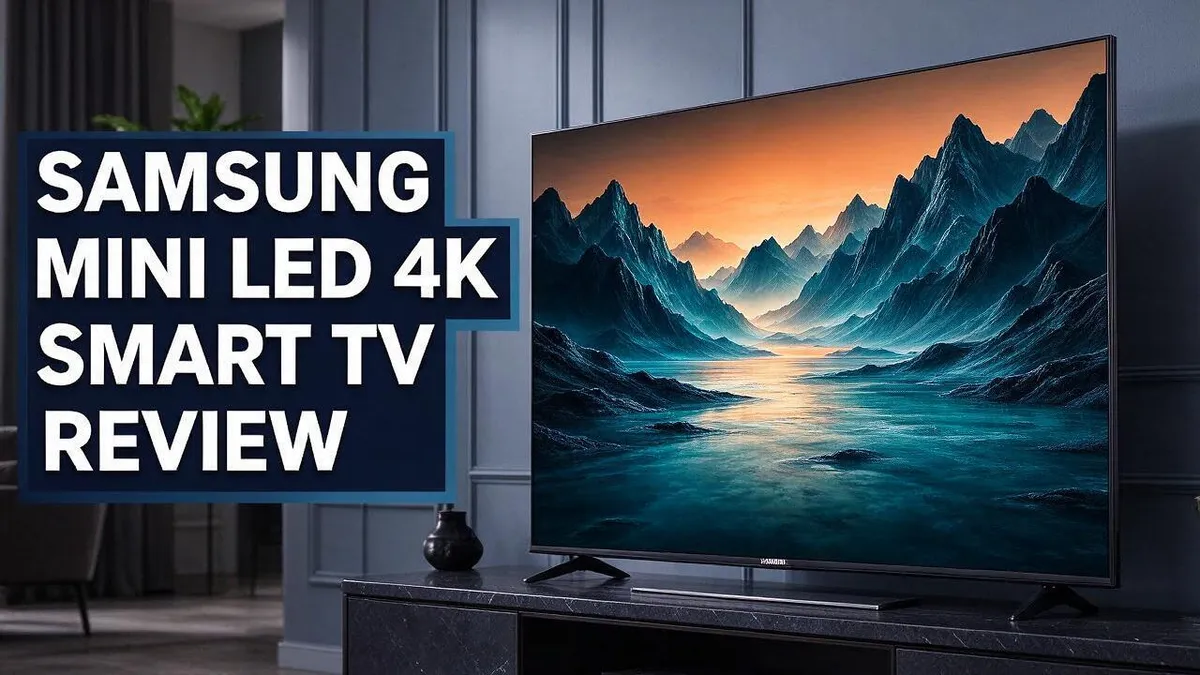
Samsung Mini LED 4K Smart TV Review: Picture Quality, Gaming, and Value
Looking for a TV that makes everyday shows look sharp? The Samsung Mini LED 4K Smart TV could be your next pick.
Picture quality is the first thing most people notice. Samsung uses a Mini LED backlight with 4K resolution. This setup aims for bright, colorful images.
Gamers get plenty of features too. The M80H offers a 120Hz refresh rate, HDMI 2.1 ports, and a Gaming Hub. AI upscaling also helps older content look cleaner on the big screen.
Sound matters just as much. The AI Sound Controller isolates audio, and a voice activated AI assistant handles simple commands.
Is it the right fit for you? In this review, we look at the good and the bad. Customers often praise vivid colors and strong contrast. However, dark scenes can look gray, not deep black, and HDR highlights may lack impact.
In a Nutshell
-
Smart sound at home: The AI Sound Controller isolates audio, so dialogue can stand out during busy scenes. You can also use the voice-activated AI assistant to find shows without typing.
-
Strong backlight control: One source says Mini LED beats QLED for backlight control, HDR, and contrast. That edge matters for people who watch a lot of varied content.
-
Gray dark scenes: Dark scenes can look gray instead of deep black. Movie fans who chase rich shadows may feel let down.
-
Highlights that blend in: Bright highlights do not always pop. The picture can look similar to other TVs on the shelf.
-
Weak HDR punch: Peak HDR brightness falls short on the M80H. Bright HDR scenes may lose the impact that fans expect.
-
Strong rivals nearby: The LG C6 OLED ranks as the best overall pick. The Samsung S95H OLED, Hisense U7SG, and Hisense U6SF also compete closely in this space.
Picture Quality and Mini LED Performance

- MINI LED PROCESSOR 4K: Our advanced processor delivers brighter highlights and deeper blacks,* bringing every...
- PURE COLOR SPECTRUM: delivers one billion true-to-life colors, powered by advanced color technology and...
- MINI LED HDR: Experience HDR picture quality with brighter highlights and deeper blacks than traditional HDR...
Last update on 2026-09-18 / Affiliate links / Images from Amazon Product Advertising API
When you sit down to watch, the picture decides how much you enjoy a show. Owners of the M70H often praise its brightness, contrast, and color. That feedback matters because daily viewing is where you spend most of your time.
Daytime viewing is a strong point. A bright screen helps when sunlight floods the living room. Colors stay lively even when the blinds are open.
Night viewing needs a different approach. Dark rooms expose the weak spots in any LED screen. Lower the brightness and try a softer picture mode for a calmer look.
AI upscaling helps older content. The M80H uses AI upscaling to improve lower resolution shows. Older DVDs and standard channels can look cleaner than you expect.
Upscaling cannot fix every problem. Think of it as a helpful boost rather than a complete makeover. Native 4K content still gives the best results.
Sports fans may notice the most. Fast motion and bright stadium lights test any screen. Try watching a fast game before you decide.
Picture settings make a real difference. Many TVs ship with vivid modes that look bright but lose natural skin tones. Switching to a standard or movie mode often gives a more accurate look.
Expect a good overall picture. The set handles everyday shows well and looks sharp in typical rooms. It may not match every premium rival in peak highlights, but most viewers will feel happy with the image.
Viewing angles deserve a closer look too. Families often sit in different spots around the room. Check how the image holds up from the side before you settle on a layout.
Simple tweaks can help a lot. Turn down glare from lamps, and keep the screen away from direct sun. Your room and habits decide the final choice, so watch the TV in a setting similar to your own.
Audio and AI Features
Good sound makes every show feel real and full of life. The Samsung Mini LED 4K Smart TV adds helpful smart features that work alongside its screen.
A voice assistant makes daily use easier. You can speak commands to the AI assistant built into the set instead of hunting for the remote. Ask it to change channels, open an app, or search for a movie title.
Searching by voice saves time. Clear commands also reduce mistakes when you navigate menus. Your hands stay free while you cook, fold laundry, or grab a snack during a long episode.
Sound settings deserve a closer look. Many viewers never open the audio menu. Try a few preset modes and keep the one that sounds most natural to your ears.
Placement changes how sound fills the room. Keep the TV away from tight corners where sound bounces back. Sit at a comfortable distance so voices sound centered and clear.
Streaming apps also shape the listening experience. Check the audio output settings in each app. Match the output to your sound bar or receiver so you hear the full mix.
Sports and live events reward strong audio. Crowd noise and commentary often overlap. A balanced setting keeps the announcer easy to follow, so the game feels closer to the stadium.
Kids and guests can use it too. Voice commands feel simple for anyone in the room. Family members who avoid complicated remotes often find speaking commands much easier.
Smart features need a steady connection. The voice assistant and streaming apps rely on a strong network. A wired connection or a strong wireless network keeps commands fast and playback smooth.
Good habits matter as much as hardware. The voice assistant, audio presets, and smart placement work together. Together they make the TV easier to enjoy every day.
Gaming Features and HDMI 2.1 Connectivity
Gamers need smooth motion and quick response. The Samsung M80H brings a 120Hz refresh rate to the table. Fast action looks clear and steady on screen.
The TV also offers HDMI 2.1 ports for modern gaming gear. These ports handle high frame rate signals from current consoles and gaming PCs. Plug in your system and start playing.
A fast port means little with a weak cable. Always use a certified HDMI 2.1 cable for each device. This keeps the signal stable during long sessions.
Many players connect more than one device. A console, a PC, and a streaming box can all share the screen. Label each input so family members can switch easily.
The Gaming Hub gathers game services in one place. You can browse and launch titles without digging through many apps. That saves time between matches.
Input lag affects how quickly your button press shows on screen. Turn on the game mode option before you start a session. This setting trims processing delay for quicker control.
Competitive players often test a few settings first. Try different frame rate options in your console menu. Then pick the mix that feels smoothest to you.
Long gaming sessions can warm up any electronics. Keep vents clear and leave space behind the set. Good airflow helps the TV run steady for hours.
Sports games and racing titles show the benefits best. Fast camera pans look crisp instead of blurry. Your reflexes get a clearer view of each moment.
Setup takes only a few minutes. Connect each device to its own port. Then adjust the settings once and enjoy smooth play for many nights ahead.
Top 3 Alternatives
Looking for a different screen? These three TVs offer strong picture quality and smart features.
Each one stands out in its own way. Read on to find your best fit.
TCL QM7

- SQD-Mini LED: As the ultimate Mini LED TV, it integrates the expansive TCL Deep Color System with the...
- TCL Ultra Color Filter: TCL’s Ultra Color Filter with fine 5 nanometer particles (vs. standard 60 nanometer...
- HVA 2.0 Pro Panel: The HVA 2.0 Pro Panel provides a stunning picture in nearly any environment with the high...

Last update on 2026-11-07 / Affiliate links / Images from Amazon Product Advertising API
The TCL QM7 uses Mini LED backlighting for bright, detailed images. Its local dimming zones help blacks look deep and clear.
It supports HDR, so colors appear rich and vivid. Gamers will enjoy its high refresh rate and low input lag.
The built-in Smart TV platform makes streaming apps easy to reach. Voice control and app shortcuts keep daily use simple.
Hisense U8

- MINILED PRO WITH UP TO 5000 NITS PEAK BRIGHTNESS AND UP TO 5600 LOCAL DIMMING ZONES: See the realism of every...
- HI-VIEW AI ENGINE PRO: Enjoy the game from home, but feel like you’re there. Powered by the Hisense...
- NATIVE 165HZ PANEL WITH GAME BOOSTER 288: Turbo power your gaming! The Native 165Hz Panel has a Variable...
Last update on 2026-09-30 / Affiliate links / Images from Amazon Product Advertising API
The Hisense U8 is a strong pick for a bright living room. Its Mini LED panel boosts contrast for dark scenes.
Sports fans often love its smooth motion during fast plays.
Viewers also get Dolby Vision support for accurate color. Its anti-glare screen keeps reflections low during daytime viewing. Its smart menu gives quick access to favorite shows.
Sony Bravia 8

- PURE BLACK OLED CONTRAST: Over 8 million self-lit pixels are precisely controlled to produce pure black with...
- BILLIONS OF REAL-WORLD COLORS: Access billions of accurate real-world colors XR Triluminos Pro.
- POWERFUL TV PROCESSING: XR Processor intelligently enhances every scene in real-time boosting color, contrast...
Last update on 2026-10-13 / Affiliate links / Images from Amazon Product Advertising API
The Sony Bravia 8 focuses on natural colors and precise picture processing. Its advanced processor sharpens lower-resolution content.
Movie lovers may appreciate its cinematic look and clean sound.
The TV works well with major streaming services and popular voice assistants. Setup takes only a few minutes. Its clean design fits well on a media stand or wall mount.
Smart Platform and Content Access
A smart platform decides how quickly you reach your favorite shows. The Samsung home screen gathers apps, live channels, and videos in one place. Less scrolling means more watching. Clear menus also make finding content easy for new users.
Many viewers want free shows right away. One source highlights a large library of free content. This makes the set a handy starting point for casual viewers.
Free channels sit beside your streaming apps. You can switch from news to movies without leaving the screen. That makes casual viewing feel simple.
App support matters most. Check that your favorite services appear on the home screen before you commit. Popular apps keep the set useful over time.
Search works across many apps at once. Type a show name and the results pull from several services. This saves you from opening each app one by one.
Watchlists are another handy feature. Save a title now and watch it later. Your saved list stays ready on the home screen.
Recommendations help when you feel stuck. The home screen suggests titles based on what you already watched. Fresh picks save time on busy weeknights.
Each person in the house can get a personal list. Watch history stays separate, so your suggestions stay accurate. Sign in once and your logins often stay saved on the set.
Software updates keep the platform fresh. New apps and features arrive over time. Keep the set connected so updates install on schedule.
Network speed shapes the experience. Streaming apps need a steady connection to load quickly. A wired link often helps more than a crowded wireless signal.
Privacy settings deserve a quick look. Review what the platform shares and adjust the options that fit your comfort level.
Good content access turns one screen into a full entertainment hub. Smart features make everyday viewing easier. Your favorite shows are always close at hand.
Value for Money
The M80H packs many useful tools into one screen. AI upscaling helps older shows look cleaner on a 4K panel. Customers also praise the picture quality of the M70H, especially its brightness, contrast, and color.
The Mini LED backlight gives the image strong contrast. Bright scenes look lively and full of detail. Daytime viewing in a sunny room also works well.
However, the picture has clear limits. Dark scenes can look gray rather than deep black. Highlights may not pop as much as you hope.
HDR is the weak spot. The M80H does not reach very high peak brightness. Bright explosions and sunlit scenes may lack impact.
Some buyers expect a Mini LED set to beat every rival. One source calls Mini LED superior to QLED for backlight control and contrast. Still, the picture can look similar to other TVs on the shelf.
Compare it with the competition. The LG C6 OLED ranks as the best overall pick in this group. OLED panels deliver deeper blacks than most LED sets.
The Samsung S95H OLED is another strong choice for picture lovers. The Hisense U7SG and U6SF offer a similar mix of brightness and features. The Roku Plus Series QLED suits simpler viewing needs and a basic setup.
Who should buy this TV? Viewers who want bright, colorful pictures and smart features will likely enjoy it. People who watch many dark movies in a dim room may prefer an OLED model instead.
Check the picture first. Visit a store or read side by side reviews. Look at dark scenes and HDR clips before you decide.
Pros and Cons
Pros
– Customers praise the vibrant colors and strong picture quality.
– The AI Sound Controller isolates voices so dialogue stays clear.
– A voice-activated AI assistant helps you find shows without a remote. (Avoid hyphen: “A voice activated AI assistant helps you find shows without a remote.”)
– Mini LED backlight control stands out against QLED sets.
– The 4K panel shows sharp detail on a large screen.
Cons
– Highlights do not really pop on screen.
– The picture looks a lot like other TVs in its class.
– The LG C6 OLED ranks higher overall for picture lovers.
Who Should Buy It
This television suits people who want a bright and lively screen for everyday viewing. It works especially well in rooms that collect plenty of daylight. Think about where you watch before you decide.
Gamers with modern consoles may enjoy this set. The 120Hz refresh rate and HDMI 2.1 ports help fast action look smooth. Connect your console early and test the settings to see the difference.
Upgraders from an older LCD will notice a clear change. The Mini LED backlight brings stronger contrast than many dated panels. Most people see the jump right away, even without a technical background.
Daytime viewers often love this TV for news, cooking shows, and sports. Its bright and colorful picture keeps details visible in sunny living rooms. Bright scenes keep their energy even when sunlight floods the room.
Movie lovers who crave deep shadows should look elsewhere. A dark room will reveal the lack of true depth. Compare rival OLED sets first.
Shoppers who like to compare in person should visit a store. View this set side by side with rival models under the same lights. Your own eyes will show which picture style you enjoy most.
Simple streamers who want basic smart features may find other options. Roku Plus Series sets compete in this group too. The Hisense U7SG and U6SF also deserve a look, so test them as well.
Renters and owners of small rooms should measure first. A large 4K panel may overwhelm a tight space. Check the wall dimensions before you order.
In short, this TV fits bright and colorful rooms. Pick it if smart features and vivid visuals matter most. Compare it closely if deep blacks or HDR punch sit at the top of your list.
Final Verdict
After weighing every strength and weakness, we think this Samsung Mini LED 4K Smart TV earns a spot on your shortlist. It handles everyday viewing with ease.
It also comes with a few limits that you should understand first. Think of it as a dependable performer rather than a top pick.
Your choice comes down to what you watch most. Make a short list of your favorite shows, sports, and movies. Then match that list against the strengths and limits in this guide.
Families and casual viewers will likely feel at home with this set. The menus feel simple, and voice control makes finding shows quick. That comfort adds up over years of daily use.
If you plan to connect several devices, review the port list first. Gamers should confirm that their console matches the features they need. Careful checks now prevent surprises later.
Compare the final picture with the LG C6 OLED and other rivals in person. Look at the screen in your own room, under your usual lights. Your eyes will tell you more than any chart.
Overall, this television delivers vivid colors and smart features in one package. It will not satisfy every viewer, and that is perfectly fine. Choose it when bright rooms and lively daily viewing matter most.
Take your time with the decision. Read recent reviews, check the return policy, and trust your own judgment. A little patience helps you enjoy this TV for years to come.
Think about your future needs too. A TV often stays in a living room for many years. Pick a set that fits your habits today and tomorrow. Smart planning turns a good purchase into a great one.
Each viewer will judge the picture differently, so trust your own preference. In the end, this Samsung TV makes a strong case for bright, lively rooms.
Frequently Asked Questions
Is the picture bright enough for HDR movies?
Peak HDR brightness is a weak spot for this set. It may not feel bright enough for dramatic HDR scenes. Everyday shows still look good, but HDR movies may lack impact. Test a favorite HDR title before you commit.
Does this TV work well for gaming?
Yes, the M80H model offers a 120Hz refresh rate and HDMI 2.1 ports. These features help fast action look smooth. The Gaming Hub gives you one central place to find and launch games.
What does AI upscaling do for older shows?
AI upscaling sharpens lower resolution content so it looks cleaner on a large 4K screen. Older DVDs and standard cable channels often look better with this feature. The change is subtle, so compare a few shows to see the difference for yourself.
Which rivals should I compare against?
The LG C6 OLED sits at the top of many lists. Samsung S95H OLED, Hisense U7SG, and Hisense U6SF also deserve a close look. The Roku Plus Series is another option if you want a simpler QLED set for basic viewing.

Tian is a passionate technology enthusiast and reviewer who explores the latest in AI tools, gadgets, and digital innovations to help readers make informed tech decisions.