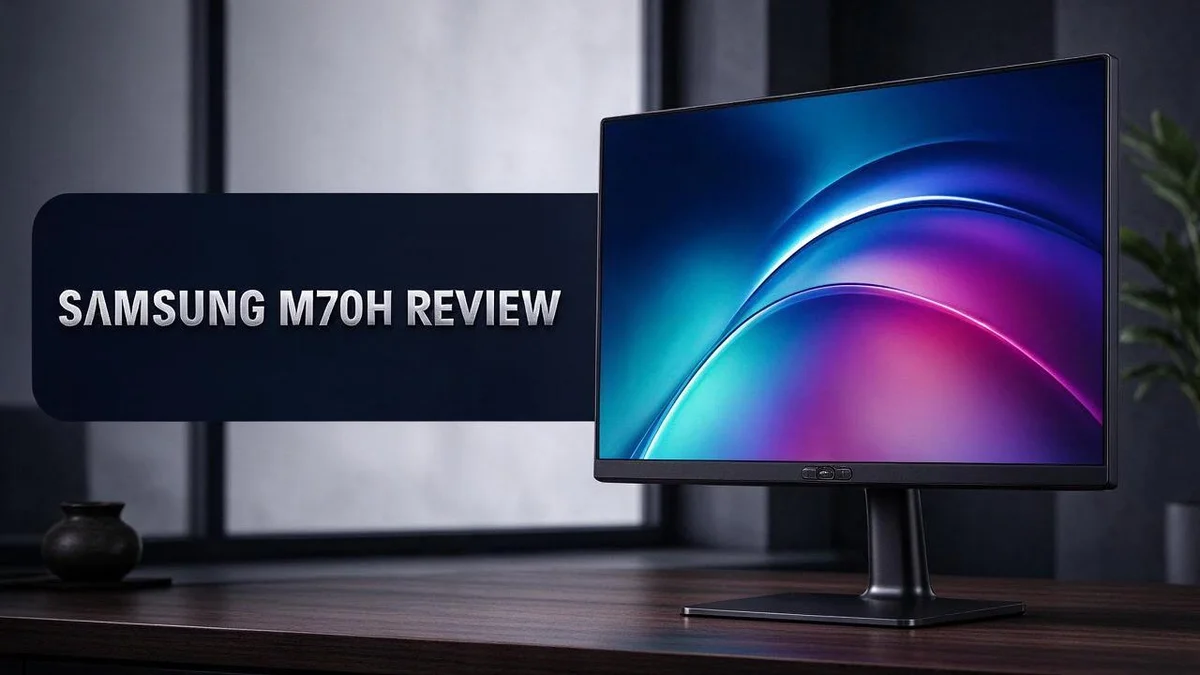
Samsung M70H Review: Mini LED 4K TV Picture, Gaming, and Streaming Tested
Are you looking for a TV that delivers sharp 4K visuals and smart features? The Samsung M70H could be the right pick for your living room. It is a Mini LED smart TV that arrived in 2026.
Picture quality is a big reason people notice this set. Reviewers say the image looks very good for its class.
Gamers will also feel at home. Reviewers call it excellent for gaming, and streaming apps run smoothly. Still, dark scenes can look gray rather than deep black.
The lineup comes in four sizes: 50, 55, 65, and 75 inches. Each model includes three HDMI ports, eARC, and Anynet+ for easy device control. Read on to see if this set matches your viewing habits.
In a Nutshell
-
Three HDMI ports for busy setups: The M70H includes three HDMI ports. Each one supports 4K at 60Hz. You can connect a console, a streaming box, and a sound system at the same time.
-
Audio through one cable: The eARC feature sends sound from the TV to a soundbar or receiver. Anynet+ lets you control linked devices with the TV remote.
-
A middle spot in the lineup: Samsung places this model above Crystal UHD and below Neo QLED. The M80H sits higher and offers 144Hz on every port.
-
Bluetooth for wireless audio: Bluetooth 5.3 connects wireless headphones and speakers. You can enjoy private listening without extra cables.
-
Dark scenes need a closer look: Some viewers notice that dark scenes look gray instead of deep black. Bright highlights also show a weakness, so read detailed reviews before you decide.
-
Strong rivals to compare: The TCL QM5K and the TCL FZ80/82 deserve a look. The FZ80/82 offers better 4K rendering and extra networking and touchscreen options.
Picture Quality and Mini LED Performance

- MINI LED PROCESSOR 4K: Our advanced processor delivers brighter highlights and deeper blacks,* bringing every...
- PURE COLOR SPECTRUM: delivers one billion true-to-life colors, powered by advanced color technology and...
- MINI LED HDR: Experience HDR picture quality with brighter highlights and deeper blacks than traditional HDR...
Last update on 2026-09-18 / Affiliate links / Images from Amazon Product Advertising API
Mini LED technology changes how light reaches the screen. Instead of a few large lamps, the M70H uses many tiny LEDs behind the panel.
Local dimming is the key idea here. The TV can switch off light in dark zones while bright zones stay lit. This creates better contrast than many older edge lit sets. Viewers often notice cleaner detail in mixed scenes.
Colors also benefit from this design. Bright objects can stand out without washing out nearby shadows. Skin tones look natural in most rooms, and channel logos stay crisp.
Viewing angle matters more than many people expect. Most families sit off to the side on a sofa. The panel keeps the picture steady from different seats, so everyone enjoys the movie.
Room lighting plays a big role. A bright living room can reduce contrast on any screen. Closing blinds during the afternoon helps the picture look its best. Choosing a movie or standard picture mode also helps.
Mini LED sets also handle reflections well in many cases. Higher brightness helps the picture stay visible when sunlight hits the glass. A room with less glare still gives the best results.
Fine textures show up well from a normal couch distance. Sports fans can enjoy clear player details during fast action. The 60Hz refresh rate keeps motion smooth for most everyday viewing.
Movie fans may appreciate the depth in night scenes. Stars, candles, and city lights can pop against a dark sky. The local dimming zones work hard here, so the image feels more dramatic.
Good settings make a real difference. Spend a few minutes adjusting brightness and contrast. Small changes can lift shadow detail and make the screen look more lifelike. Your eyes will thank you after a long evening.
Gaming Performance
Gaming is a big reason many people look at the Samsung M70H. Reviewers call it excellent for gaming, so players have good reasons to take a closer look.
The TV supports 4K at 60Hz on HDMI 1, HDMI 2, and HDMI 3. Your console or PC can send sharp images at a steady pace. Most fast action stays smooth on this set.
The frame rate limit matters for serious players. The M70H stops at 4K and 60Hz. The Samsung M80H supports 4K up to 144Hz on all ports, so it suits players who want faster motion.
Think about the games you play most. Racing titles and shooters need quick screen updates. Slower adventure and story games often look great at 60Hz.
Anynet+ makes daily gaming simpler. One remote can turn on your console and TV together. Your setup feels more like one system and less like a pile of separate gadgets.
Streaming apps also run well on this set. You can switch from a game session to a streaming app in just a few clicks. That makes it a good fit for game nights and movie nights alike.
Tip: Look for a game mode option in the picture menu. Turning it on can help reduce the delay between your button press and the screen response. Check your console settings too, because they affect how the image looks.
Bright scenes in games can wash out fine detail. Adjust brightness so explosions and dark corners both stay readable. A few small changes make a noticeable difference during long play sessions.
Who fits best? Casual players and families will enjoy this set. Competitive players who chase very high refresh rates should look at the higher model in the lineup instead.
Smart TV and Streaming Experience
The Samsung M70H runs on Samsung Vision AI. This system handles menus, apps, and everyday tasks. When you power on the set, the home screen shows your recent shows and suggestions.
Set up a profile for each person. Shared living rooms can get messy fast. Separate profiles help each person keep their own viewing history and recommendations.
Many Samsung remotes include a microphone button. Press it and speak a title or app name. The TV then searches across your apps. This saves time when typing with the remote feels slow.
Your internet connection matters most. The M70H uses Wi-Fi 5 for online content. Many streaming services suggest about 15 Mbps for smooth 4K video. A weak signal can cause buffering, so place your router close to the TV.
Arrange your home screen. Move your top apps to the first row using the arrow keys. This keeps your favorite shows one click away. Remove apps you never use to keep the menu clean.
Keep the software up to date. Updates bring new apps, bug fixes, and security patches. Turn on automatic updates in the settings menu. You can also check for updates any time from the same menu.
Screen mirroring works well for photos and short videos. Open the screen share option on your phone and pick the TV from the list. Mirroring can drain your phone battery faster, so keep a charger nearby.
Before you settle in, check that your favorite apps appear in the app store. Most major streaming services are available on Samsung smart TVs. If you use an external streaming stick, plug it into HDMI 2 or HDMI 3 and keep HDMI 1 free for other devices.
A little setup goes a long way. With profiles, voice search, and a steady connection, the M70H becomes a simple hub for movies, shows, and music. Spend an evening exploring the menus, and you will enjoy the experience much more.
Top 3 Alternatives
Looking for another screen? These three monitors are strong options. Each one suits a different type of user. Read on to find the best fit for your desk.
LG UltraFine Display

- Bundle Items Include: LG UltraFine 40U990A 40" 5K2K HDR 120 Hz Curved Ultrawide Monitor, HDMI Cable, Cable...
- Experience expansive multitasking and immersive editing on a 40 inch curved ultrawide display with a 5120 by...
- Enjoy exceptional color accuracy and contrast with a Nano IPS Black panel supporting 1.07 billion colors and...
Last update on 2026-09-14 / Affiliate links / Images from Amazon Product Advertising API
The LG UltraFine Display gives sharp, clear images. Its 5K resolution shows plenty of fine detail, so text and photos look crisp. A single USB C cable can charge your laptop, send video, and connect accessories. This keeps your desk tidy and simple.
It works well for Mac users and anyone who wants a clean setup. Some models also include a built in camera and speakers for video calls.
Dell UltraSharp Monitor

- For Creators: With 98% Display P3 coverage and factory-calibrated accuracy at Delta E less than 2, your...
- For Developers: Spread your editor, terminal, and browser across one continuous ultrawide canvas instead of...
- For Designers: The IPS Black panel brings a 2000:1 contrast ratio with deeper blacks, so shadows feel richer...

Last update on 2026-11-07 / Affiliate links / Images from Amazon Product Advertising API
The Dell UltraSharp Monitor is known for accurate colors. Its IPS panel offers wide viewing angles, so the picture stays clear from the side. Designers and office workers both appreciate this steady image.
The stand adjusts height, tilt, and rotation. You can set the screen to the right position for your eyes. Your neck and back will thank you after long workdays.
ASUS ProArt Display

- Calman Verified & Delta E < 2 Accuracy: Achieve true-to-life precision right out of the box for professional...
- 100% sRGB & 100% Rec. 709 Color Gamut: Ensure your creative projects match industry standards for vibrant...
- 27-inch WQHD IPS Display: Enjoy crystal-clear details with 2560 x 1440 resolution for graphic design and video...
Last update on 2026-09-20 / Affiliate links / Images from Amazon Product Advertising API
The ASUS ProArt Display is made for creative professionals. Each unit comes with factory calibration, so colors look true right out of the box. Photo editors and video makers often choose it for this reason.
It also supports HDR content and offers a useful range of ports. You can connect several devices without extra adapters. This makes it a smart pick for studio work.
Ports and Connectivity
The Samsung M70H offers three HDMI ports for your devices. Each port supports 4K video at 60Hz. That gives you room for a console, a cable box, and a streaming stick.
Plan your connections before you mount the TV. Count every device you plan to use. Then assign each one a port.
Connect a soundbar with eARC support to hear sound through one cable. Enhanced audio return sends rich sound from the TV to your speakers.
Tip: Look for an eARC label on your sound system. Then pick the matching output option in the sound menu.
Bluetooth 5.3 lets you link wireless headphones without a cable. You can also pair many game controllers and earbuds.
Wireless audio is handy for late night movies. Your family can watch quietly while others sleep.
Keep an eye on the port count. Three HDMI ports may fill up fast. A sound system, a console, and a streaming box can use all of them.
If you need more ports, add a small HDMI switch. It lets you connect extra devices and choose one at a time.
Label your cables. Use small tags on each end. This helps you swap devices without confusion.
Measure the space behind the TV before you buy cables. Short cables keep the wall neat and reduce strain on the ports.
Some older gadgets may need an adapter to fit the HDMI plug. Check each device before you shop.
Cable management also makes cleaning easier. Dust builds up behind a tangle of wires. Neat cables keep your room looking fresh.
The M70H works with many popular streaming boxes and consoles. Connect each one to a numbered port. Rename each input in the source menu so you know what is connected.
Ports and connections feel simple once you plan. A few minutes now saves time later.
Sizes and Room Fit
Room size shapes your choice more than anything else. The Samsung M70H comes in four sizes: 50, 55, 65, and 75 inches. Each size suits a different space in your home.
A 50 or 55 inch screen fits small rooms well. These sizes work in bedrooms, guest rooms, or compact apartments. They sit nicely on a low console without filling the wall.
The 65 inch model suits most living rooms. It gives a big picture without feeling overwhelming. Many families choose this size for shared spaces. Kids and adults can all see the screen from different spots on the couch.
The 75 inch model needs real space. Measure your wall and seating area first. Sit far enough back to see the full picture without turning your head.
Measure before you buy. Use painter’s tape to outline the screen size on your wall. Then sit on your couch and check how it looks from your normal seat.
Think about your stand or wall mount too. A stand footprint on a media unit can be wide on bigger sizes. A wall mount frees up floor space, but check the mounting pattern on the back of the TV first.
Viewing distance matters as much as screen size. Sitting about one and a half to two times the screen width away works well for most people. Larger screens look best from a little farther back.
Glare can ruin a good picture. Place the screen away from direct window light when you can. Close curtains during the day if sunlight hits the screen. This helps dark scenes look their best.
Do not forget the delivery path. Large boxes need wide doorways and clear hallways. Measure the route from the entrance to your living room before delivery day.
Quick check: Write down your wall width, cabinet depth, and seat distance. Compare these numbers with the screen size you like. This simple step prevents most room fit problems.
Pros and Cons
Pros
– Picture quality looks very good overall.
– Reviewers praise its gaming performance.
– Streaming apps perform well for everyday shows.
– Mini LED technology brings a sharper image.
– Samsung Vision AI gives you a modern smart TV experience.
Cons
– Dark scenes can look gray instead of deep black.
– Bright highlights show weakness in some scenes.
– The refresh rate tops out at 60Hz.
Who Should Buy It
The Samsung M70H suits people who want a sharp picture for daily viewing. It works well for families, couples, and anyone who watches a lot of shows.
Casual gamers often find it a strong match. It handles console games in 4K at 60Hz with ease. Players who chase very high frame rates may want the M80H instead.
Streaming fans can reach their favorite apps from one simple home screen. Families who stream shows every night will feel right at home.
Movie lovers who chase deep black levels may feel let down. Dark scenes can look gray, so night movie fans should weigh this carefully.
People upgrading from an older TV will notice a clear difference. Modern smart features make daily use simple and fun.
Parents and kids often share one screen for cartoons and family films. The clear image keeps younger viewers engaged during long sessions.
Students and learners also benefit. They can stream lessons and documentaries with ease. The apps make learning videos simple to find.
Buyers who value picture quality over extras will be happy. The M70H focuses on the basics that matter most. Good color and clear detail make everyday viewing pleasant.
Some buyers should look at other models. Players who need 144Hz for fast action will prefer the M80H. Buyers who want touch controls may like the TCL FZ80 or FZ82 more.
Compare both Samsung models before deciding. Matching the TV to your habits leads to a better result.
Final thought: The M70H works best for relaxed viewing with friends and family. Pick it when picture quality, streaming, and casual gaming matter most. Think about how you watch, then choose with confidence.
Final Verdict
Here is our final take on the Samsung M70H. It delivers a sharp, pleasing picture for everyday viewing. It does not try to be everything for everyone. That focus is its biggest strength.
Think of this set as a solid choice for the living room, not a race car for enthusiasts. Most people will be happy with what it does well. Yet it still has limits that buyers should accept before they commit.
Plan for the long run, too. A TV often stays in a home for many years. Wi-Fi 5 handles today’s streaming well, but newer standards may matter later. Think about how you will use the screen in five years.
The main compromise sits between this model and the Samsung M80H. The M80H supports faster refresh rates on every port. If your gaming setup demands smooth motion at high frame rates, look higher up the lineup. Otherwise, the M70H covers the needs of most households.
Competitor choices also matter. The TCL FZ80 and FZ82 offer stronger 4K rendering and extra options like touch features. Some shoppers may prefer those extras. The TCL QM5K is another option for buyers who want a similar experience from a different brand.
Keep your expectations realistic about dark rooms. Movie fans who watch in a dim space may notice grayish shadows. Pairing the screen with some light control can soften that issue.
Before you decide, ask yourself three simple questions. Do you play fast games often? Do you watch movies in a dark room? Do you need extra features beyond the basics? Your answers will point you to the right choice.
Our verdict is simple. Choose the M70H if you want a clear, bright picture for family shows, streaming, and casual play. Skip it if deep black levels or top level refresh rates sit at the top of your list.
Frequently Asked Questions
Which screen sizes does the M70H come in?
You can choose from 50, 55, 65, or 75 inches. Pick the size that fits your room layout and seating distance.
Can I connect a soundbar to this TV?
Yes. The M70H supports eARC, which sends high quality audio to a soundbar or AV receiver. Anynet+ also lets you control connected devices with one remote.
How many devices can I connect at once?
The set includes 3 HDMI ports. That gives you room for a game console, a streaming box, and a cable box. Each port supports 4K at 60Hz, so every device runs at the same top speed.
Is this TV good for fast competitive gaming?
It works well for casual play and most console games. Serious players may want more speed, though. The M80H supports 4K up to 144Hz on all ports, so it suits fast-paced shooters better.
How does it compare with TCL models?
Reviewers say the TCL FZ80 and FZ82 render 4K images better. They also offer touchscreen and extra wireless options. Choose the Samsung if you want a simple, familiar setup.

Tian is a passionate technology enthusiast and reviewer who explores the latest in AI tools, gadgets, and digital innovations to help readers make informed tech decisions.