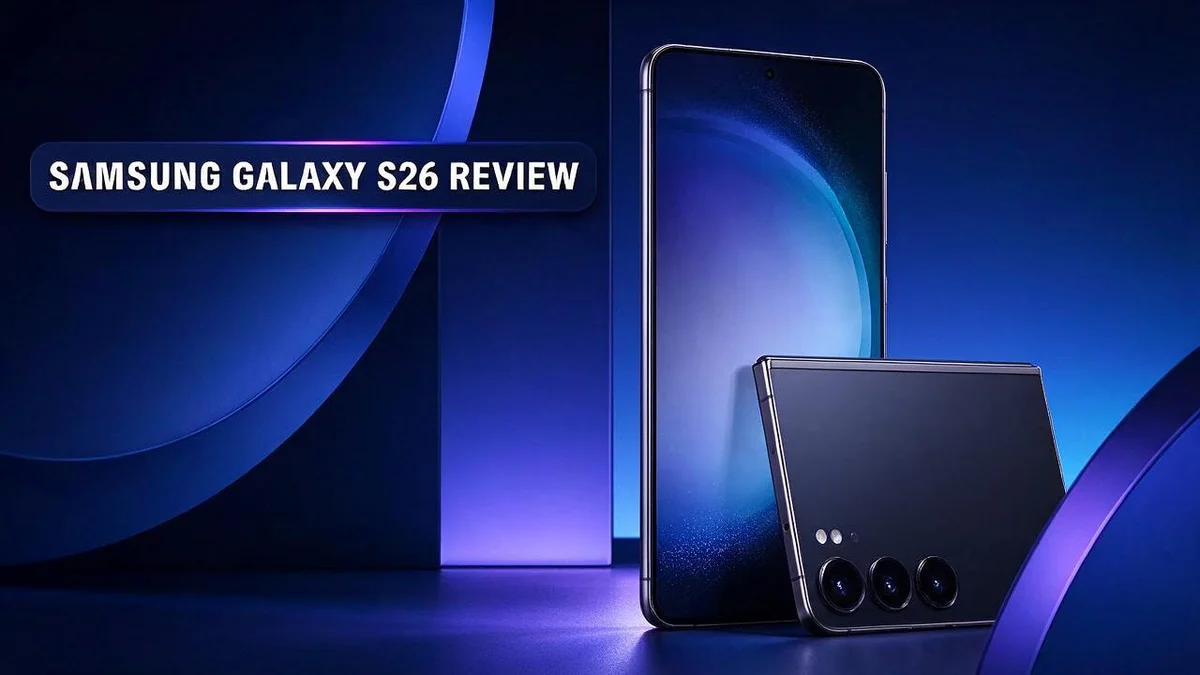
Samsung Galaxy S26 Review: Camera, Display, Battery and Performance Tested
The Samsung Galaxy S26 is here, and it looks ready to impress. Samsung keeps refining its flagship phones, and this one brings fresh upgrades to daily use.
Want to know if the Galaxy S26 deserves a spot in your pocket? Let’s take a closer look at what it offers.
The display is a real highlight. The base model features a 6.3 inch screen that feels bright and clear. The S26+ steps up to a 6.7 inch display for movies, games, and multitasking.
Design fans will enjoy the premium build and the Gorilla Armor glass.
Performance feels fast and smooth. Many AI features help with photos, writing, and everyday tasks. The stereo speakers also sound loud and full.
The camera setup offers triple lenses and 8K video. However, low light and zoom shots may disappoint some buyers. Charging speed is also modest compared with rivals.
In a Nutshell
-
Battery life stands out. The S26+ uses a 4,900 mAh typical battery. It offers about 31 hours of video playback, so it lasts through long days away from a charger.
-
Charging feels slow. Many owners find the charging speed underwhelming. Pack a cable and plan for longer stops at the wall. Fast charging fans may want to look elsewhere.
-
Software support runs long. One review points to 7 major OS updates. That means the phone keeps getting security patches and new features for years.
-
Storage starts higher. The entry level model gives you more room from day one. You can store more photos, apps, and files without deleting anything.
-
AI tools save time. Many built in features help with photo edits, writing, and quick searches. Users can edit photos, draft messages, and find things with ease.
-
Privacy Display protects your screen. This feature limits what people beside you can see. It helps when you check messages on a crowded train or in a busy cafe.
Camera Performance

- TYPE IT IN. TRANSFORM IT FAST: Enhance any shot in seconds on your smartphone by using Photo Assist¹ with...
- MAKE IT. EDIT IT. SHARE IT: Turn everyday moments into something personal with creative tools built right into...
- FAST. POWERFUL. AI-READY: Power through your day with AI-accelerated performance from our fastest, smoothest...

Last update on 2026-11-07 / Affiliate links / Images from Amazon Product Advertising API
Photos often decide whether a phone feels worth it. The Galaxy S26 delivers good camera results in everyday situations.
Daylight shots look clean and well balanced. Everyday moments turn into sharp memories with very little effort.
Night photos need extra care. The S26 has no dedicated Night mode. Steady hands or the main lens give better results after dark.
Selfie lovers get a helpful boost. The front camera supports autofocus, so faces stay sharp even when you move around.
Video shooters should keep their hands steady. A small stabilizer can smooth out clips taken while walking.
Camera hardware is the main concern. Some reviewers feel the sensors and lenses look a bit stale next to newer rivals.
Compared with the Galaxy S25 series, the S26 offers a modest step forward. Owners of older Samsung phones will notice a bigger change.
Google Pixel phones remain tough rivals for photo lovers. They often rely on smart software to handle tricky lighting.
Pick the S26 if you want reliable daylight shots. Choose a rival if night photography sits at the top of your list.
Quick tip: Tap the screen to lock focus before you press the shutter. This small step keeps busy scenes crisp.
Try different angles too. Get low or step closer to your subject for more interesting shots.
Zoom shots are a weaker point, so frame wide when possible. Cropping later often keeps quality good enough for social posts.
Lighting matters more than gear. Face a window or an open area when you can, since natural light brings out true colors.
Think about how you shoot most often. Daily snaps, group photos, and selfies suit this phone well. Low light fans may feel let down.
Overall, the camera suits casual photographers well. Serious night shooters may want to compare other options first.
Display and Design
Choosing a phone often starts with how it feels in your hand. The Galaxy S26 comes in two sizes, so you can pick the one that suits you best.
Small hands often prefer the base model. It slips easily into a pocket and works well for one hand use. Typing messages with your thumb feels natural on a smaller frame.
Bigger screens suit binge watchers. The S26+ offers a 6.7 inch display that makes videos and games feel more immersive. You can also read articles with less zooming.
Think about your daily carry. A larger phone may feel heavy after hours in a bag. Try holding it in a store if you can, so you know how it sits in your palm.
Color options let you show your personality. Lighter shades stand out in a crowd. Darker tones look more subtle and sleek.
Stereo speakers add fun to everyday moments. Two speakers fill a room with sound during video calls, music, or quick clips. You may reach for your phone instead of headphones at home.
Protect the camera bump. The triple lens layout sits on the back, so a case with a raised edge helps guard the lenses from scratches. Check the case fit before you buy one.
Grip matters more than many people think. A case with a textured back can help a slim phone feel secure. Hold the phone for a few minutes before you decide.
Clean lines fit both work and play. The phone looks polished at the office, yet it feels fun on the couch. A comfortable design also makes long sessions easier on your hands and eyes.
Performance and Battery Life
Performance is where the Galaxy S26 earns its place in your pocket. Apps open quickly, and switching between tasks feels effortless. Most people will notice the speed right away.
Heavy tasks run without much fuss. Multitasking, gaming, and video editing on the go all feel quick. Reviewers describe the speed as excellent, which keeps the phone useful for years.
Try opening a map, a messaging app, and a music player together. The phone keeps each one ready, so you never wait long to jump back.
Battery life depends on your habits. Streaming, gaming, and long camera sessions drain power faster than messaging or reading. Your daily routine decides how far each charge will stretch.
The S26+ reaches about 31 hours of video playback. That figure gives heavy streamers extra confidence. You can enjoy a long trip without hunting for an outlet.
Heat matters during long gaming sessions. Almost any phone warms up after an hour of intense play. Take short breaks, remove thick cases, and let the device cool down if it feels hot.
Simple settings can save power. Lower the screen brightness, turn on power saving mode, and close unused background apps. These small changes add hours to your day without hurting everyday speed.
Who benefits most from this strength? Commuters, students, and frequent travelers gain the most from strong endurance. Casual users may notice the difference less. Light users still enjoy smooth and quick performance.
Try a full day of your normal use before you decide. Check how much charge remains by evening. This simple test shows whether the battery fits your life.
Here is the bottom line. The S26 delivers speed and stamina for most daily routines. Pair it with smart habits, and it keeps pace with even your busiest days.
Top 3 Alternatives
Choosing a new phone can feel confusing, so here are three strong options to consider. Each one offers something useful for everyday life.
Google Pixel 10

- Google Pixel 10 is the everyday phone unlike anything else; it has Google Tensor G5, Pixel’s most powerful...
- Unlocked Android phone gives you the flexibility to change carriers and choose your own data plan[2]; it works...
- Unlocked Android phone gives you the flexibility to change carriers and choose your own data plan[2]; it works...
Last update on 2026-11-07 / Affiliate links / Images from Amazon Product Advertising API
Clean Android software makes the Google Pixel 10 easy to use. You get updates quickly and enjoy helpful features built right in. The camera takes sharp photos in low light, so night shots look bright and clear.
Smart tools like call screening and voice typing save you time. This phone suits people who want a simple and helpful experience.
Apple iPhone 17

- This phone is unlocked and compatible with any carrier of choice on GSM and CDMA networks (e.g. AT&T...
- Please check with your carrier to verify compatibility.
- When you receive the phone, insert a SIM card from a compatible carrier. Then, turn it on, connect to Wi-Fi...
Last update on 2026-11-07 / Affiliate links / Images from Amazon Product Advertising API
The Apple iPhone 17 runs on iOS, which feels smooth and simple to learn. It works well with other Apple devices like tablets and laptops. Sharing photos and messages across your devices feels effortless.
Strong privacy settings give you control over your personal data. Many people also love the long software support that keeps the phone fresh for years.
OnePlus 13

Last update on 2026-11-07 / Affiliate links / Images from Amazon Product Advertising API
The OnePlus 13 focuses on speed and battery life. Its fast charging gets you back to full power in a short time. The bright display shows colors well, even outdoors.
Great for heavy users, this phone handles games and video with ease. If you want strong performance in one device, this model deserves a close look.
Software, AI Features and Updates
Software shapes how a phone feels every day. The Galaxy S26 offers a fast and smooth experience. Menus respond quickly, and apps open without much delay.
Long update support is a major perk. One review reports seven major operating system updates for this phone. New features and security improvements can arrive for years. Your phone stays useful for longer.
Updates also help the phone keep pace with new apps. You may not need to replace it as soon as the next model launches.
Navigation stays simple, even for new users. Settings are grouped in clear sections. Finding a feature takes seconds rather than minutes.
AI features play a big role in the software. The S26 comes packed with many AI tools. Helpful options appear when you need them most.
Smart tools can make routine tasks feel lighter. Searching, organizing, and editing often take less effort. Users spend less time hunting through menus.
Smart tools work best when you practice. Try one feature each day for a week. You will soon know which tools fit your routine.
Privacy Display helps you guard your screen. This feature limits what people beside you can see. It works well on crowded trains or in shared offices.
Frequent updates also bring fresh security patches. Your data stays better protected against new threats. Install updates as soon as they arrive.
Quick tip: Spend a few minutes on setup after you unbox the phone. Turn on the AI features you like. Review app permissions so each app only gets the access it needs.
Keep the phone simple at first. Add new tools one at a time. This approach helps you learn each feature without feeling overwhelmed.
The software suits many kinds of users. Busy professionals, students, and families can all benefit. People who want a clean and steady system will likely enjoy it most.
Charging, Storage and Value
Storage gives you room to breathe. The Galaxy S26 starts with more storage than many older models. You can save more photos, videos, and apps without deleting files each week.
Heavy video shooters will notice the difference fast. Long 8K clips take up a lot of space. A bigger starting point means fewer storage warnings on busy trips.
Cloud storage can also help. Back up older photos to a cloud service. This frees up space on the phone without losing memories.
Charging speed is the weak spot. The S26 charges more slowly than many rivals. Plan a short top up during the day if you use the phone heavily.
Most people plug in overnight anyway. A full charge while you sleep covers most daily routines. Still, a fast charger on the desk helps during busy days.
A portable power bank is a smart companion. Pack one in your bag for long outings. This simple habit keeps your phone ready when you need it.
Long term use is where this phone shines. Ample storage, a bright screen, and steady support help it last for years. A phone that stays useful longer gives you more from every day.
Check your storage settings once a month. Remove large files you no longer need. A quick clean keeps the phone running smoothly.
How it stacks up against rivals. The Galaxy S25 series offers similar specs. Google Pixel and OnePlus phones also give strong choices. Compare storage, charging, and camera needs side by side before you decide.
Pick the phone that fits your habits. Heavy file savers will love the extra storage. Fast charging fans may want a model with quicker power. Your daily routine should guide your final choice.
Pros and Cons
Pros
– Bright, clear screen with loud stereo speakers for movies and games.
– Premium design and a good range of color options.
– Excellent performance for apps, games, and multitasking.
– Good camera results in everyday shots and bright light.
Cons
– Low light photos can look soft and grainy.
– Zoom shots lose detail compared with rival phones.
– No dedicated Night mode for dark scenes.
– Camera hardware feels a bit dated next to newer models.
Who Should Buy It
The Galaxy S26 suits people who want a reliable phone for daily life. It works well for users who value a polished and steady experience.
The base model suits people with smaller hands. Its 6.3 inch screen sits comfortably in one hand. A compact size also slips into a pocket with ease.
Students and commuters are a great fit. They often scroll, message, and watch videos on the go. A compact phone also fits neatly into a backpack.
Casual photographers will feel at home. Most snaps happen in daylight, at events, or on sunny walks. This phone handles those moments with ease.
Travelers can also benefit from this phone. Maps, translation apps, and ride services run without fuss. A dependable device matters when you explore a new city.
Families who already use Samsung gadgets may like it too. Tablets, earbuds, and watches from the same brand link together well. Staying in one ecosystem keeps setup simple.
Professionals who need a dependable work phone can rely on it. Email, calls, and calendar tools run smoothly throughout the workday. Steady performance keeps the focus on the job.
Upgraders who hold a phone for four or five years will gain the most. Older devices often slow down and lose their charm. A fresh start can make daily habits feel new again.
Shoppers who share many photos with friends will also enjoy the results. Images look crisp and bright on social apps. Sharing moments feels quick and fun.
Buyers who shoot many night scenes or distant subjects may want a different model. A rival phone could serve those needs better.
Skip this phone if you only need calls and texts. A simpler handset will cover those basics with less effort.
Choose the Galaxy S26 if you want a balanced phone that grows with you. It suits everyday life, travel, and steady use. Keep it simple and enjoy it.
Final Verdict
The Galaxy S26 earns a spot near the top of the shortlist. It offers a polished screen, quick performance, and a premium look. Most buyers will feel satisfied with their choice.
Still, this phone does not reinvent the formula. Samsung kept many familiar traits in place. Shoppers who want a major leap may feel a little let down.
Think of the S26 as a steady all rounder. It handles messages, streaming, gaming, and photos without fuss. That balance often matters more than one flashy feature.
Software deserves a special mention. Samsung promises seven major Android updates, which keeps the phone secure and useful for years. This support gives you lasting peace of mind.
Upgrading from an older model makes sense. Owners of much older phones will notice faster speeds right away. Owners of recent Galaxy models may prefer to wait for a bigger jump.
Every phone involves trade-offs. The S26 trades some camera excitement for smooth daily performance and strong support. Most people will happily accept that deal.
Try before you commit. Hold the phone in a store if you can. Feel the weight and grip, and test the screen with your own apps. Watch a few camera samples from real users too.
Our final recommendation is simple. The Galaxy S26 suits buyers who want a balanced, reliable phone. It may not win every test, but it rarely lets you down. In short, it is a dependable choice for most people.
Frequently Asked Questions
Is the Galaxy S26 good for taking photos?
Daylight shots look great. The triple camera handles everyday snaps, events, and sunny walks with ease. Low light and zoom shots are weaker, though. Night photos can look soft and grainy, so plan your shots carefully.
Which model should I pick, the base or the S26+?
The base model has a 6.3 inch screen that sits well in one hand. The S26+ offers a bigger 6.7 inch display and a 50 MP main camera. Pick the base model for comfort and the S26+ for a larger view.
How long does the battery last?
The S26+ carries a 4,900 mAh typical battery. It reaches 31 hours of video playback, which covers a full day of streaming. Charging speed feels slow, so keep that in mind for long charging sessions.
Does the phone have a Night mode?
There is no dedicated Night mode. Dark scenes need extra care from you, so try steady hands and good lighting for the best results.
How many software updates will I get?
One review reports seven major OS updates, which gives you years of fresh features. The software feels fast and smooth. Many AI tools come built in, so you can start using them right away.

Tian is a passionate technology enthusiast and reviewer who explores the latest in AI tools, gadgets, and digital innovations to help readers make informed tech decisions.