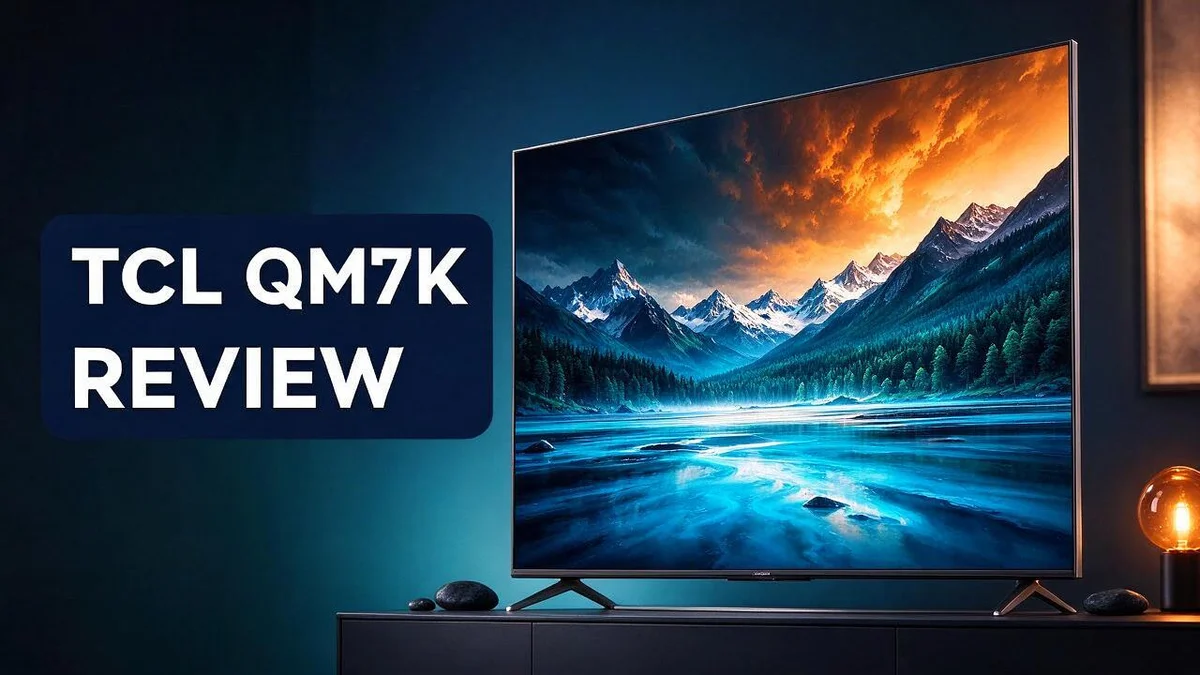
TCL QM7K Review: Picture Quality, Gaming Performance and Verdict
Looking for a TV that looks great and plays even better? The TCL QM7K could be the one. It brings bright, vivid pictures into your living room.
This 4K TV uses QLED technology and comes with Google TV built in. You get high brightness and sharp Precise Dimming control for lifelike scenes. Sizes range from 55 to 115 inches, so you can find a fit for almost any room.
Gamers will feel right at home here. Two HDMI 2.1 ports support 4K at 144Hz, and VRR keeps motion smooth. Reviewers also praise its wide contrast, punchy colors, and extremely low input lag.
Ready to see how it stacks up? Below, you will find a closer look at its design, picture quality, and gaming power, plus how it compares with rivals like the LG C5 and Samsung S90C.
In a Nutshell
-
Size options: Shoppers can pick from 55, 65, 75, 85, or 115 inch screens. That range fits almost any room, from a small bedroom to a large living room with a big sofa.
-
Sharp contrast: The panel delivers wide contrast with very little light bloom. Bright scenes stay clean, and dark scenes keep their depth and detail.
-
Vivid colors: Punchy colors and high brightness make movies and shows look lively. Daytime viewing also stays bright, so sunny rooms do not wash out the picture.
-
Gaming ports: Two HDMI 2.1 ports support 4K at 144Hz and 1080p at 288Hz with VRR. Fast refresh rates keep action smooth during long gaming sessions.
-
Quick response: Super fast response times and extremely low input lag help every button press feel instant. Fast moving scenes also look crisp and clear.
-
Strong rivals: The TV competes with the LG C5, Samsung S90C, and Sony Bravia 8. Many shoppers compare these models before they make a final choice.
Picture Quality and Contrast

- SQD-Mini LED: As the ultimate Mini LED TV, it integrates the expansive TCL Deep Color System with the...
- TCL Ultra Color Filter: TCL’s Ultra Color Filter with fine 5 nanometer particles (vs. standard 60 nanometer...
- HVA 2.0 Pro Panel: The HVA 2.0 Pro Panel provides a stunning picture in nearly any environment with the high...

Last update on 2026-11-07 / Affiliate links / Images from Amazon Product Advertising API
Picture quality is where the TCL QM7K truly shines. Great TVs must handle bright scenes and dark scenes with equal skill. This model works hard to do both.
Precise Dimming plays a key role in this process. The backlight adjusts across many small zones on the screen. Dark areas stay deep while bright areas glow with clear detail.
Mini LED technology supports this control. Tiny light sources sit behind the panel and work in fine groups. This gives the picture more depth and helps shadows keep their texture.
High dynamic range also makes a clear difference here. HDR adds extra detail to both highlights and shadows. Sunlit clouds, city lights, and night skies appear more natural.
Brightness matters too, especially during the day. The QM7K reaches high brightness levels, so it stays easy to watch in a sunny room. Shows and sports remain clear even with the lights on.
The 4K resolution adds another layer of clarity. Every image contains more pixels than standard HD. Text, grass, and fabric textures look crisp from a normal couch distance.
Dark room viewers gain the most from this set. Movie fans who watch at night will notice richer blacks. Bright room viewers benefit from the strong brightness instead.
Sports fans also get a lot from the picture. Fast moving players and balls stay sharp on screen. The field colors look lush and natural during live matches.
Many reviewers call the image quality impressive. They often say the picture looks better than they expected for this class of TV. That praise comes from both movie nights and fast action scenes.
For the best results, choose a movie or cinema picture mode. These modes tone down harsh settings and show colors in a balanced way. Small changes like this can make a big difference.
Overall, the QM7K blends deep contrast, strong HDR, and bright output into one package. Viewers get a sharp and lively image for movies, sports, and games. This section shows why picture quality ranks high on the list.
Gaming Performance and Input Lag
Gaming is a major reason many people look at this set. The TCL QM7K packs features that help players stay sharp during fast action.
Refresh rate plays a big role in how motion looks on screen. This TV supports up to 144Hz at 4K, which gives smoother movement in fast games.
The 288Hz option at 1080p serves a different group. Players who focus on esports titles often prefer lower resolutions with higher frame rates.
Variable refresh rate keeps the picture in step with the console or PC. When frame rates dip or jump, VRR helps reduce screen tearing and stutter.
AMD FreeSync adds another layer of support. Gamers with compatible AMD graphics cards can enjoy a steadier image without extra setup work.
Game Mode matters a lot. Turning it on lowers the processing the TV applies to each frame. This helps keep the picture responsive.
Smart players should enable Game Mode before they start a session. A quick check in the settings menu takes only a minute.
Two HDMI 2.1 ports give room for a console and a gaming PC at the same time. Each port handles high refresh signals, so you can switch between systems without swapping cables.
Response speed rounds out the gaming picture. Fast pixel changes help motion stay clear, so busy scenes avoid heavy blur.
Frame rate matters as much as the screen. A console that outputs 60 frames per second will not show the full benefit of 144Hz. Pairing the right source with the right settings gives the best results.
Some gamers also value how the TV handles dark scenes. Strong contrast helps enemies and objects stand out in shadowy areas, which can give a real edge.
Many gamers ask whether this TV can keep up with competitive play. The answer depends on the game, the frame rate, and the connected device.
Players who want the smoothest experience should match their console or PC output to the TV. Set the resolution and refresh rate that suit the panel.
Design, Built-In Speaker and Google TV
The TCL QM7K has a clean, modern look. Its slim frame keeps attention on the screen. Most of the front stays open, so the picture feels bigger in any room.
The edges are very thin. This helps the set blend into a living room wall. Viewers notice less distraction around the image during movies and games.
Placement matters with a large screen. Measure your wall space before you pick a size. Plan for a stand or a wall mount, and check where the cables will run.
The built in speaker gives you a handy option for daily viewing. It works well for news, cooking shows, and casual evening TV. Nobody needs extra gear to start watching.
Many people still add a soundbar later. A soundbar can deliver deeper bass and fuller sound. The built in speaker is still a good choice for quick setups or a bedroom.
Google TV gives the set a familiar home screen. You open apps and shows from one place. The layout feels clear, even for people new to smart TVs.
Search saves time. Voice search helps you find a movie without typing. Simply speak a title, an actor, or a genre.
Recommendations also appear on the home screen. These suggestions use your past viewing habits. Families can discover new favorites faster this way.
Each person can sign in to a personal profile. This keeps watch history and suggestions separate for everyone at home.
Overall, the design, speaker, and Google TV platform make the QM7K easy to live with. Clean looks, simple audio, and smart navigation work well together.
Top 3 Alternatives
Looking for a different TV? These three options deliver strong picture quality for movies, sports, and gaming.
Hisense U7N

- HI - QLED MINILED PRO: Thousands of MiniLED backlights deliver pinpoint control for vibrant, lifelike...
- NATIVE 165HZ REFRESH RATE: Advanced motion technology handles gaming, sports and action at high speeds...
- ANTI-REFLECTION & GLARE-FREE: Bright windows, overhead lights, afternoon sun—your screen handles it all. The...
Last update on 2026-11-20 / Affiliate links / Images from Amazon Product Advertising API
The Hisense U7N uses mini LED backlighting. This helps it deliver bright highlights and deep contrast. It works well in rooms with plenty of natural light. Colors look vivid, so streaming shows and action films feel exciting. Gamers also enjoy its smooth motion.
Samsung Q60D

- DUAL LED: Get a natural, realistic picture and accurate contrast that adapts automatically to match your...
- 100% COLOR VOLUME w/ QUANTUM DOT: Take in breathtaking color that stays true at any level of brightness...
- QUANTUM PROCESSOR LITE w/ 4K UPSCALING: Automatically transform your content into 4K and improve your sound...
Last update on 2026-11-07 / Affiliate links / Images from Amazon Product Advertising API
The Samsung Q60D is a QLED TV with quantum dot color. It offers clear 4K detail and lively, bright images. It is a great pick for everyday viewing. The smart features are easy to use, so you can switch between apps quickly. Its clean design also fits nicely in most living rooms.
LG QNED80
No products found.
The LG QNED80 combines quantum dot color with mini LED technology. This mix gives you rich color and solid brightness. Movies look full of depth and detail. The webOS platform keeps menus simple and supports popular streaming apps. Sports fans will appreciate how fast motion looks on screen.
Each option suits different needs and room setups. Compare the features that matter most to you before you decide.
Screen Sizes and Room Fit
The TCL QM7K comes in five sizes, from 55 inches up to a massive 115 inches. Each size suits a different room. Choosing the right one starts with your space and how far you sit from the screen.
Start with your seating distance. A popular guideline suggests sitting about 1.5 to 2.5 times the screen diagonal away. This range keeps the picture sharp without straining your eyes.
The 55 inch model suits bedrooms, small offices, and apartments. It sits well on a short media console. Viewers in tight spaces get a full picture without feeling crowded.
The 65 inch size works for most average living rooms. It offers a good balance between screen presence and wall space. Many households find this size easy to place and enjoy.
The 75 and 85 inch sizes need more room. They fill a wall and draw everyone into the picture. Plan for a longer sofa distance, or the screen can feel overwhelming up close.
The 115 inch model belongs in a dedicated theater or a very large open room. It needs a sturdy stand or wall mount. Measure the doorway before delivery day.
Check the stand width before you buy. A wide base can crowd a narrow console or block nearby devices. Measure the cabinet top and leave a few inches on each side.
Look at your wall and ceiling height too. The center of the screen should sit near eye level when you sit down. Tall ceilings or low furniture can change this height, so test the spot first.
Think about glare and windows. A big screen catches more reflections from sunny windows. Position the set so the light falls from the side, not directly onto the glass.
Overall, pick the size that matches your room and your sitting distance. A smaller set feels cozy and intimate. A larger set creates a bigger, more immersive experience for the whole family.
Setup and Ease of Use
Setting up the TCL QM7K takes less time than many people expect. The first startup guides you through each step.
Lift the TV with help. A large screen can be heavy and awkward to move alone. Attach the stand on a soft surface so the panel stays safe. Two people make the job much easier.
Wall mounting takes a bit more planning. Use a VESA mount that matches the back of the set. Ask a friend to hold the panel while you tighten each bolt.
Power up and follow the prompts. Plug the power cable into a wall outlet and press the power button. The onscreen setup guide appears within seconds. Choose your language, country, and network.
Connecting to a wireless network is quick. Select your home network from the list and enter the password. A stable connection helps streaming apps load fast. A wired Ethernet connection also works if you prefer it.
Sign in with your Google account. The setup flow asks for your account at this stage. You can skip it, but signing in syncs your apps and saved logins. Keep your account details handy.
Remote control pairing is simple. The remote usually pairs during setup. Point it at the screen if the pairing prompt does not appear. Replace the batteries if the buttons stop responding.
Connecting devices takes just a few steps. Label each HDMI cable as you plug it in. Note which port holds your console, streaming stick, or soundbar. This habit saves time when you switch inputs.
Software updates run in the background. Let the TV finish any update before you start watching. A fresh system runs smoothly and includes the latest fixes.
Picture presets help beginners. Choose a preset that suits your room and viewing habits. You can adjust brightness later in the settings menu. Most people find a good look within minutes.
Overall, the setup process feels simple and direct. Follow the onscreen steps in order. Then you can enjoy your shows without a long wait.
Pros and Cons
Pros
– Wide contrast makes dark scenes look deep and rich.
– Little light bloom keeps bright objects sharp on screen.
– Punchy colors bring movies and shows to life.
– Super fast response times keep action smooth.
– Extremely low input lag helps gamers react quickly.
Cons
– Only two HDMI 2.1 ports may crowd a busy gaming setup.
– Several consoles may need an HDMI switch box.
– Long term durability data is not available yet.
Who Should Buy It
Gamers who play fast action titles will find plenty to like. The QM7K keeps motion steady during racing games and shooters. Players chasing high scores will appreciate how fluid everything feels.
Sports fans and bright room owners gain a lot here. Sunny rooms can wash out weaker screens. The high brightness of this set keeps game day details clear, so you never miss a play.
Families with mixed viewing habits make good matches too. Kids, parents, and grandparents can all find something to watch on one screen. Movie nights feel special when the picture looks this vivid. Casual viewers can enjoy it without tweaking many settings.
Streamers and binge watchers gain a strong companion. Sharp detail keeps long shows easy on the eyes. This set suits people who watch several episodes in one sitting.
Many people want a picture that looks good without endless menu tweaks. This set aims to deliver that for everyday viewing.
Some buyers should compare other options first. People who watch mostly in a pitch dark room may want deeper blacks. It makes sense to compare rivals like the LG C5, Samsung S90C, and Sony Bravia 8 before deciding. Shoppers who like to compare features side by side should read a few reviews first.
Anyone who wants a big, vivid screen will be happy. Buyers who value fast motion, bright rooms, and a smooth gaming feature set should put this on their list. Shoppers who want one TV for many jobs will find that mix useful.
Ask yourself a few quick questions. Do you game often? Do you watch in bright rooms? Do you want a big screen for sports and movies? If you answer yes to most, this model fits your needs well.
Final Verdict
The TCL QM7K earns a strong place on the shortlist. It delivers a sharp picture and a rich gaming feature set. Most viewers will feel happy with what they see.
Think of it as a dependable everyday set. It handles movies, sports, games, and streaming without fuss. Few sets in this class cover so many habits well.
The lineup of sizes from 55 to 115 inches gives you room to choose. A smaller model fits a bedroom or a compact den. The largest size turns a living room into a home theater.
The bezel-less frame also helps the set blend into modern decor. Without thick edges, the screen looks like a window on the wall.
Google TV gives you a simple home screen for shows and apps. Many people like having one menu for streaming services and live channels.
Shoppers who compare this set with the LG C5, Samsung S90C, or Sony Bravia 8 should look closely at black levels and the apps they use most. Those details often decide the winner.
Buy this set if you want a bright, lively picture with strong gaming tools. It suits people who value a clean look and easy access to apps.
Skip it if you need the deepest blacks or a large number of HDMI ports. Those needs point to other models.
Take a moment to check your wall space, seating distance, and the ports you plan to use. A little planning helps you get the most from the set.
In short, the QM7K offers a strong mix of picture and features. Pick the size that fits your space, and you will likely enjoy many evenings of great viewing.
Frequently Asked Questions
What does Game Mode do on the TCL QM7K?
Game Mode lowers the processing delay on the screen. This helps your controls respond faster during play. Turn it on before you start a gaming session, and the set handles the picture settings for you.
Can the QM7K handle high frame rate gaming?
Yes, the set supports 4K at 144Hz on its HDMI 2.1 ports. It also includes AMD FreeSync, which keeps motion smooth when the frame rate changes. For the best results, connect your fastest console or PC to an HDMI 2.1 port.
Do I need a special cable for 144Hz?
Yes, you need a cable rated for HDMI 2.1. An older cable may limit the picture to a lower refresh rate. Check the cable label before you connect your device.
What does HDR add to the picture?
HDR stands for high dynamic range. It makes bright highlights shine while keeping shadow areas detailed. Explosions, sunsets, and car headlights often look more lifelike with HDR content.
Is the built-in speaker good enough for everyday TV?
The built-in speaker handles news, chats, and casual shows well. Movie fans who want deeper bass and a wider sound stage may enjoy a soundbar later. A soundbar is an add-on, not a requirement.

Tian is a passionate technology enthusiast and reviewer who explores the latest in AI tools, gadgets, and digital innovations to help readers make informed tech decisions.