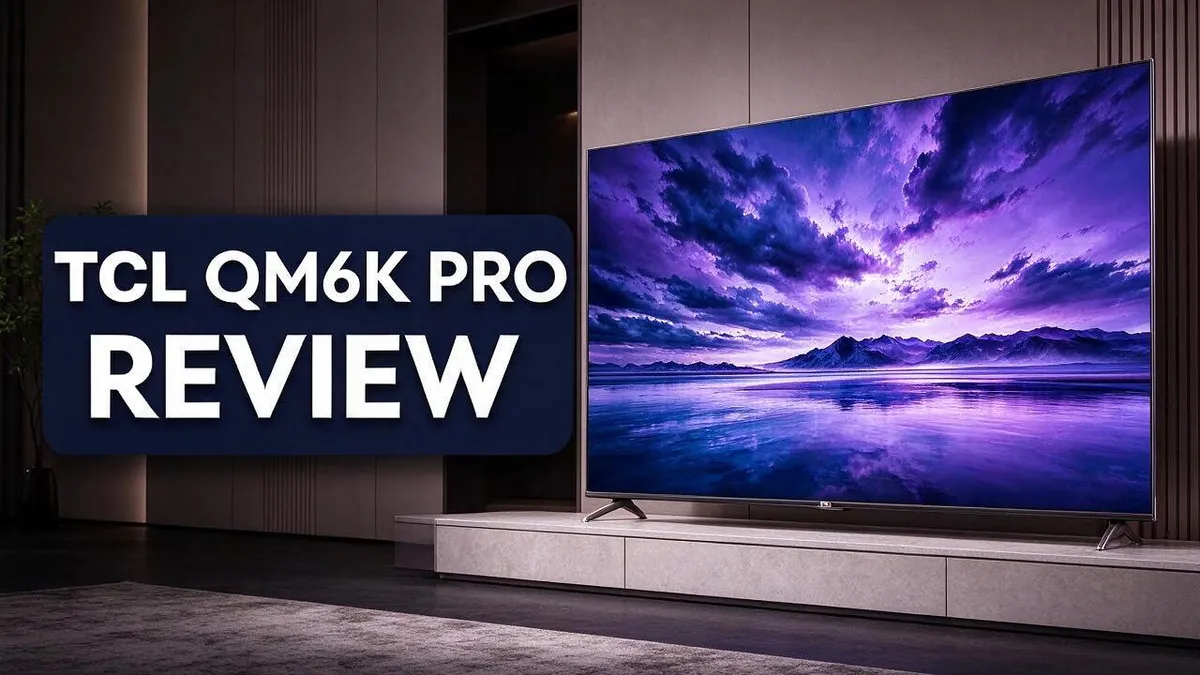
TCL QM6K Pro Review: Picture Quality, Gaming Performance and Google TV
Are you looking for a TV that makes movies and games look their best? The TCL QM6K Pro might be the answer you need. This model packs a lot of useful features into one sleek screen.
Picture quality stands out right away. The QD Mini LED panel delivers deep blacks and bright colors. The PRO AI processor helps every scene look sharp and clear.
Gamers will also feel at home here. The set supports high refresh rates and offers low input lag. Two HDMI 2.1 ports make it easy to connect modern consoles.
Ready to see if this TV fits your living room? Keep reading for a full look at its features, performance, and top alternatives.
In a Nutshell
- Sound fits the big picture: The set supports Dolby Atmos and DTS:X. These formats add height and depth to movie scenes. Action films feel more immersive and alive.
- Smart home viewing: Google TV gives you a clean, quick menu. Finding shows takes just a few clicks. Apps load fast, so you spend less time waiting.
- Ready for modern consoles: Two HDMI 2.1 ports let you connect next generation devices. Your setup stays future friendly. Both ports suit a full entertainment center.
- Dark scenes look sharp: The Pro model handles shadowy horror scenes well. Fine details stay visible in the gloom. Viewers can enjoy spooky movies without squinting.
- Multiple sizes available: You can pick 55, 65, 75, or 85 inches. A 98 inch Costco version also exists. Choose the size that fits your room.
- Other models to compare: The TCL QM7K, QM6L, and QM64L are strong options. The QM64L is the Fire TV version of this set. Compare each model before you decide.
Picture Quality and Dark Scene Performance

- TCL QM6K QD-MINI LED TV SERIES - AFFORDABLE PREMIUM PERFORMANCE FOR SPORTS, GAMING & STREAMING. Experience...
- QD-MINI LED. IT’S MINI LED PLUS QLED COLOR - BREATHTAKING BRIGHTNESS AND COLOR IN ANY LIGHT. Combines...
- TCL HALO CONTROL SYSTEM - BETTER BLACKS. SHARPER DETAIL. NO BLOOMING. Advanced local dimming eliminates...

Last update on 2026-10-13 / Affiliate links / Images from Amazon Product Advertising API
The PRO AI processor does more than sharpen the image. It also manages upscaling and backlighting, so each part of the picture gets careful attention.
This helps most with older shows and standard streams. Lower resolution footage looks cleaner, with smoother edges and clearer detail.
Backlighting plays a big role in dark scenes. The processor adjusts light levels based on what appears on screen, so shadows stay deep while bright highlights still pop.
Dolby Vision IQ adds another helpful layer. It reads the light in your room and adjusts the picture to match. A dim living room and a sunny afternoon both look balanced.
HDR support covers a lot of ground too. HDR10, HDR10+, HLG, and Dolby Vision work with many streaming apps and discs. That means your favorite titles can show their full range.
Night movie fans will notice the difference. Shadow detail stays visible, so you can follow a chase scene without squinting at the screen. Dark rooms feel less murky.
Glare is a common problem with TVs in bright rooms. This set pairs its brightness with a strong processor, so colors stay vivid even when sunlight hits the screen.
Screen size changes the experience as well. The 98 inch Costco model uses the Crysglow HVA panel, which adds a special option for buyers who want the biggest screen.
Sports fans will also appreciate clear detail on fast moving players and crowds.
Tip: Try a movie or dark picture mode when you watch at night. Lower room light helps the blacks look even richer.
Overall, the picture quality holds up across many types of content. Dark scenes, fast action, and bright daytime shows all look strong on this set. You do not need to change many settings to get good results.
Gaming Performance and Input Lag
Gamers want quick response and smooth motion. The TCL QM6K Pro focuses on both needs. Its gaming tools help fast action feel direct and clear.
The Game Accelerator 288 feature supports high speed play. Racing games and shooters look crisp during quick camera turns. Your eyes can track moving targets with less strain.
Dolby Vision Gaming adds another layer of detail. This support brings bright highlights and rich shadows into game worlds. Dungeons, space battles, and night stages look more lifelike.
The PRO AI processor also helps older consoles. It can upscale lower resolution game feeds, so the image looks cleaner on the screen. Retro titles and indie games benefit most from this boost.
Online matches reward quick reactions. A TV that responds fast gives you a fair chance against tough opponents. Every split second counts when enemies appear from the side.
Story games look great on this set too. Cutscenes show vivid color and clean edges. Watching a game world unfold feels almost like a film.
Good gaming starts with the right settings. Spend a few minutes in the picture menu before your first session. Small changes can make controller play feel more natural.
Many TVs add extra processing that can slow down responses. Test your favorite game and watch how the controls feel. Your own hands tell the real story better than any spec sheet.
Plan your gaming corner with care. Place consoles within reach of the HDMI ports so cables stay short and tidy. A clean setup makes it easier to start playing quickly.
Long sessions can tire your eyes. Lower the brightness a little during late night gaming. Your eyes will thank you after a few hours of play.
Casual players will enjoy smooth visuals and easy setup. Competitive gamers should still check response speed in person. This approach gives you the clearest idea of fit.
Google TV and Everyday Usability
Google TV makes daily use simple. Everyday tasks feel easy on the QM6K Pro. You can move between channels, apps, and inputs with very little effort.
The interface responds right away when you press a button. Scrolling through apps feels smooth, even when you switch quickly. This matters most on busy evenings when everyone wants something different.
Voice search saves time. Say the title of a show, and the system finds it across streaming services. You do not need to type letters with the remote. Older family members often find this especially helpful.
Profiles keep viewing habits separate. Each person sees their own recommendations and watchlist. This stops the home screen from filling up with shows you never watch.
Picking up where you left off is easy. Recent titles appear near the top of the home screen. You can resume a movie in just a few steps.
Streaming apps stay organized on one screen. You can add or remove apps to match your favorites. Sports, news, and kids channels all sit in one place.
Parents can set up a kids profile with limits. This gives younger viewers their own safe space. Adults keep full access on their own accounts.
Software updates arrive over the air. This keeps the TV current without extra work from you. Check the settings menu now and then to confirm the latest version is installed.
Remote setup takes only minutes. Pair the remote, sign in, and start watching. Most people finish the process without reading a manual.
Everyday comfort also comes from the layout. Rows of suggestions stay easy to read from across the room. Text looks clear even at a distance, so you can browse without leaning forward.
Casual viewers will appreciate the balance here. The TV handles quick checks of the weather or news. It also works well for long movie nights without any fuss.
Top 3 Alternatives
Hisense U8K

- MINILED PRO WITH UP TO 5000 NITS PEAK BRIGHTNESS AND UP TO 5600 LOCAL DIMMING ZONES: See the realism of every...
- HI-VIEW AI ENGINE PRO: Enjoy the game from home, but feel like you’re there. Powered by the Hisense...
- NATIVE 165HZ PANEL WITH GAME BOOSTER 288: Turbo power your gaming! The Native 165Hz Panel has a Variable...
Last update on 2026-09-30 / Affiliate links / Images from Amazon Product Advertising API
The Hisense U8K is a strong pick for bright living rooms. It handles glare well, so it fits rooms with big windows. Its Mini-LED backlight delivers bold highlights that make HDR shows pop.
Sports fans and daytime viewers often like this set. Gamers also enjoy its quick response time.
Samsung S90D

- OLED TECHNOLOGY: Discover pure blacks, bright whites and Pantone-validated color; Combined with detail and...
- OLED HDR+: Enjoy powerful brightness and rich contrast; Your TV analyzes each scene to boost brightness and...
- MOTION XCELERATOR 144Hz: Play games and content with ultra-smooth motion and virtually no lag or blur; Get...
Last update on 2026-11-07 / Affiliate links / Images from Amazon Product Advertising API
The Samsung S90D uses QD-OLED technology. Its true blacks make dark movie scenes look deep and clean. Colors stay vivid without looking fake.
This set suits movie nights and gaming. Motion stays smooth, and input lag stays low for fast-paced play.
Sony Bravia 8

- Stunning OLED display with XR OLED Contrast and wide viewing angles
- XR Processor optimizes brightness, contrast, and color in real-time
- 120Hz refresh rate and HDMI 2.1 support ideal for smooth gaming and sports
Last update on 2026-09-14 / Affiliate links / Images from Amazon Product Advertising API
The Sony Bravia 8 focuses on natural color and smooth motion. Its XR processor helps the picture look lifelike. Sony tunes its sets for film fans who want accurate tones.
It works well in dark rooms and for detailed scenes. Many viewers also notice the clear sound from its built-in speakers.
Sizes, Panel Options and Warranty
Choosing the right size starts with your room. The QM6K Pro comes in four main sizes: 55, 65, 75, and 85 inches.
A 55 inch set fits well in a bedroom or small den. A 65 inch model suits most living rooms. Larger screens feel more immersive in open spaces.
Measure your wall before you buy. Check the width of the spot where the TV will sit. Leave room for the stand and any cable box.
Viewing distance matters too. Sit farther back from larger screens so the image fills your view without strain. Smaller sets work well when you sit closer. Find a comfortable middle ground for your room.
Want the biggest screen possible? Costco offers a 98 inch version too. This model brings a theater feel to large family rooms. Plan for extra space and a sturdy wall mount.
Panel options shape the picture you see. The 98 inch Costco model uses a Crysglow HVA panel. Panels like this aim to keep colors steady when people sit off to the side.
Look at the panel details for each size. Specs can vary between sizes and retailers. Read the product page closely so you know exactly what you get.
Mounting and stand choices matter. Wall mounts keep the screen flush and save floor space. Stands work well for shallow shelves and entertainment units. Measure your stand width against the TV base before you order.
The warranty adds real peace of mind. The Costco version includes a two year warranty. Coverage helps if a problem shows up early on.
Keep your receipt and packaging. Support teams often ask for proof of purchase. Saving these items makes any claim much smoother.
Check doorways before delivery. Large boxes can be hard to move. Measure your entry path ahead of time.
Still deciding between sizes? Compare the QM6K Pro with the TCL QM7K. Each option offers a different mix of features and panel choices.
Sound and HDMI 2.1 Connectivity
Good sound completes the picture. The TCL QM6K Pro supports Dolby Atmos and DTS:X. These formats place sound all around you.
Movie scenes feel bigger when sound moves overhead and behind you. Rain, footsteps, and engine noise seem to come from every direction.
Music sounds more open too. Vocals and instruments get room to breathe, so songs feel more alive.
The QM6K Pro includes two HDMI 2.1 ports. These ports carry high bandwidth signals from modern devices.
Plug in a game console and a streaming box at the same time. Each device gets a clear signal.
Cable quality matters. Use certified Ultra High Speed HDMI cables for full HDMI 2.1 performance. Older cables may limit resolution or refresh rate.
Gaming sound benefits as well. Directional audio helps you locate footsteps in shooters and racing games.
Use the TV settings menu to choose your audio output. Select the option that matches your soundbar, so the right format plays.
Dialogue clarity deserves attention too. Many people turn up the volume to hear speech in dark scenes. A good sound setup can reduce that need.
Think about room layout too. Place speakers at ear level when possible. Keep the front speakers near the screen for a natural sound stage.
Many shoppers ask whether they need extra speakers. A soundbar often gives a strong upgrade over the built in TV audio. Surround speakers add more depth for larger rooms.
Test a movie with a known Dolby Atmos mix. Listen for sounds that move across the room. If the effect feels flat, check your settings.
A clean setup takes less time. Label each cable, so you know which port does what. Test each device after you connect it, and fix any issues right away.
Bottom line: the sound and HDMI 2.1 setup make the TCL QM6K Pro a strong choice for home theater fans. A few simple steps help you get the most from both.
Pros and Cons
Pros
– The QM6K Pro offers strong gaming features and low input lag.
– It supports a high refresh rate, which helps fast action look smooth.
– The picture shows deep blacks and bright highlights.
– It handles dark horror scenes better than the base QM6K.
– It supports Dolby Vision and HDR10+ for rich colors.
Cons
– The 98 inch model is sold only through Costco.
– Shoppers who want a higher tier may look at the TCL QM7K instead.
– The TCL QM6L was not yet released when this information was gathered, so buyers may want to wait.
– Casual viewers may not use many of the advanced gaming features.
Who Should Buy It
Busy households with many streaming apps will find this set easy to use. The Google TV system responds quickly, so people can move between apps without waiting. Parents can find kids’ shows, while adults jump straight to their own favorites.
Upgraders with an older set will notice a clear change. Older TVs often lack newer HDR formats and fast refresh rates. This model brings those features into one package, so the jump in picture quality feels real.
People who want one screen for everything should look closely. Built-in Google TV can reduce the need for a separate streaming stick. Your entertainment stand stays tidy, and your remote stays simple.
Future-minded buyers also gain peace of mind. Consoles and streaming devices keep getting upgraded. Having two HDMI 2.1 ports and modern HDR support helps the set keep up with new equipment for years to come.
Sports fans make another strong group. Fast action looks smooth during live games. Friends gather around the screen, and the picture keeps everyone focused on the play.
Beginners to home theater also benefit from the setup. Turn on the set, sign in, and start watching. You can explore picture modes later as your confidence grows.
Viewers who mostly watch older shows may not need every feature. Standard definition programs do not show off HDR or fast refresh rates. A simpler set could serve them well.
In short, this set suits people who want one strong screen for streaming, gaming, and movies. Think about your daily viewing habits first. Then decide if these features fit your home.
Final Verdict
The TCL QM6K Pro makes a strong case as a main television. It brings together good picture quality, smooth motion, and a simple interface. Most households will feel at home with it quickly.
Viewing distance matters more than many buyers expect. A large screen looks best when it fills your natural field of view. Measure your seating spot before you choose a size.
Gamers get the most from this set. Fast matches feel more responsive, and the picture stays clear during quick movement. Competitive players will likely appreciate that balance.
The two year warranty on the Costco model adds protection for longer ownership. Buyers can enjoy the set with fewer worries in the early years.
Setup takes only a few minutes for most people. The Google TV menu guides you through network and account steps. Keep your streaming logins ready to speed things up.
Lighting plays a big role in how the screen looks. A bright room can wash out dark scenes, so think about window placement. Test the picture in your own room whenever possible.
Store demos can help, but they rarely match your home setup. Bring a favorite movie or game on a USB drive if you can. Familiar content shows the true strengths and weaknesses.
Compare the QM6K Pro with the TCL QM7K before you decide. Look at which features you will use each week. Pick the model that fits your habits, not the one with the longest feature list.
In the end, this set rewards people who watch and play often. It fits a family room that handles movies, sports, games, and streaming in one place. It earns a confident recommendation for those who want one flexible screen.
Frequently Asked Questions
What is QD-Mini LED technology?
The QM6K Pro uses QD-Mini LED backlighting. This setup places many tiny LEDs behind the panel. It helps the picture look controlled in both bright and dark scenes.
What does the PRO AI processor do?
The PRO AI processor handles picture quality, upscaling, and backlighting. It works in the background. Lower quality videos often look cleaner as a result.
What sizes does the QM6K Pro come in?
The QM6K line comes in 55, 65, 75, and 85 inch sizes. Choose the size that fits your wall and your seating area. The best size is the one that suits your space.
Does it have enough HDMI ports?
The set includes two HDMI 2.1 ports. These ports can connect a game console, a streaming box, or a sound bar. Plan your cable setup before you mount the screen.
What smart platform does it use?
The set runs on Google TV. The menu responds quickly when you move between apps. You can find most of your favorite services from the home screen.

Tian is a passionate technology enthusiast and reviewer who explores the latest in AI tools, gadgets, and digital innovations to help readers make informed tech decisions.