
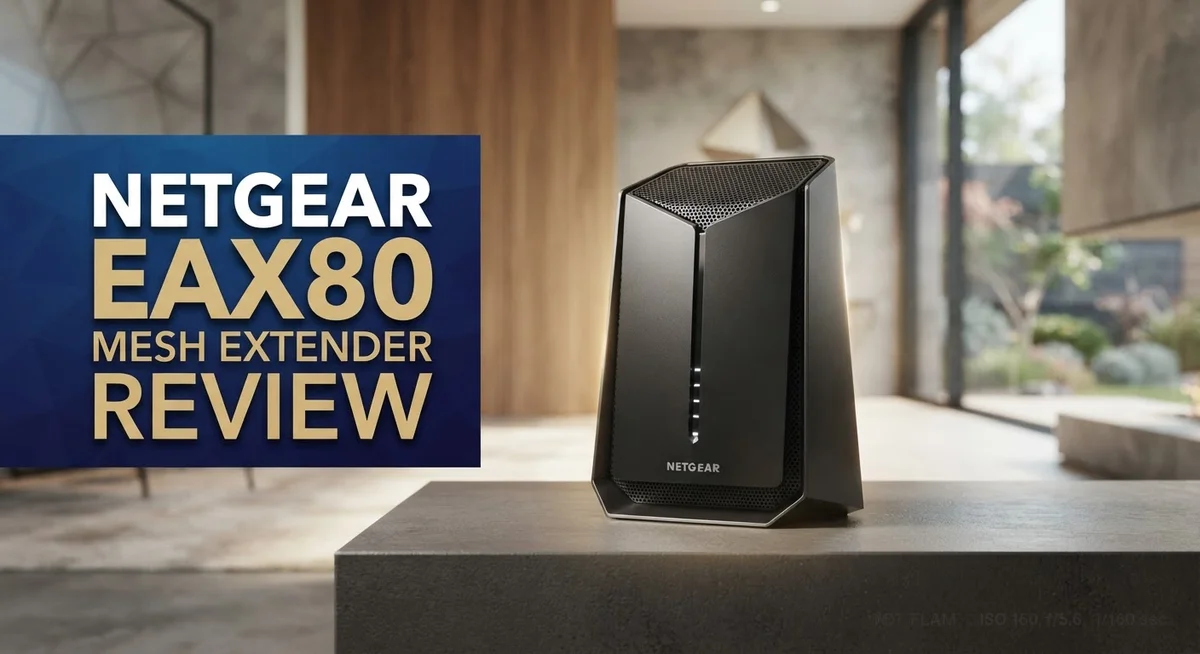
Netgear EAX80 Mesh Extender Review: WiFi 6 Performance and Compatibility
Do you want faster WiFi in every corner of your home? The Netgear EAX80 might be the answer. This mesh extender uses WiFi 6 technology to boost your network speed and range.
It supports dual band connections on both 2.4GHz and 5GHz. This means less lag and more stable connections for all your devices.
The EAX80 works well with most routers already in your home. It optimizes your WiFi 6 setup and keeps your connection steady.
Many users report that it performs exactly as promised. But is it the right choice for your home?
In this review, we will look at its real strengths and honest drawbacks. You will learn if this extender fits your needs or if another option works better for you.
In a Nutshell
Here is a quick summary of what you need to know about the Netgear EAX80.
-
It runs on WiFi 6 (AX6000) technology. This gives you access to faster speeds if your devices support it.
-
The extender boosts both 2.4GHz and 5GHz bands. Your whole home gets better coverage this way.
-
It works best when paired with a WiFi 6 router. This combo unlocks its full potential.
-
Stability is a strong point here. Users report a fast and consistent connection throughout the day.
-
It is not the fastest WiFi 6 extender on the market. Some competitors offer quicker speeds in testing.
-
This unit feels like overkill for small or medium homes. Larger homes with many devices will benefit more.
-
The Netgear Orbi AC1200 stands out as a top alternative. It remains a popular choice for shoppers comparing mesh systems.
In short, the EAX80 suits people who want solid performance and reliable mesh coverage. It may not be the right fit for everyone, though.
WiFi 6 Specifications and Standards
WiFi 6 represents the latest standard in wireless technology, and the Netgear EAX80 fully embraces this advancement. This extender operates on the AX6000 standard, which means it can handle significantly more data at faster speeds compared to older WiFi 5 devices.
The AX6000 designation tells you something important about performance capability. The “6000” refers to the total bandwidth available across both frequency bands combined. This gives you more room for multiple devices to connect without experiencing slowdowns.
Dual band operation is central to how this extender works. It splits its signal between the 2.4GHz band and the 5GHz band simultaneously. The 2.4GHz band travels farther through walls and obstacles, making it ideal for distance coverage. The 5GHz band offers faster speeds but works best in open spaces with fewer barriers.
WiFi 6 technology brings real improvements over previous standards. It handles more connected devices at once without dropping signal quality. Your smart home devices, streaming services, and work from home setup all benefit from this efficiency. The standard also reduces interference between devices competing for bandwidth.
Compatibility matters here. The EAX80 works with most routers currently in homes, but it truly shines when paired with a WiFi 6 router. If your main router uses WiFi 5 or older standards, you still get the extender benefits, but you won’t unlock its full potential. The extender can only be as fast as your main router allows.
Real world testing shows the EAX80 maintains stable connections across different scenarios. Users report consistent performance whether they’re video calling, gaming, or streaming content. The WiFi 6 standard helps prevent the lag and buffering that plague older mesh systems.
One important note: WiFi 6 capability alone doesn’t make this the fastest extender available. Other WiFi 6 models exist with different performance characteristics. Your actual speeds depend on your internet plan, router quality, and how many devices you’re running simultaneously. The EAX80 delivers what WiFi 6 promises, but it’s not a magic solution for slow internet connections.

- EXTENDED WIRELESS COVERAGE: Adds WiFi range coverage up to 2,500 sq. ft., and connects up to 30 devices such...
- SEAMLESS SMART ROAMING: Uses your existing network SSID name so you never get disconnected as you move around...
- AX6000 WiFi SPEED: Provides up to 6Gbps performance using Dual-Band WiFi technology for heavy-duty 4K HD...
Last update on 2026-10-09 / Affiliate links / Images from Amazon Product Advertising API
Coverage, Range, and Dual-Band Performance
The Netgear EAX80 delivers strong coverage across most home sizes. This extender uses WiFi 6 technology to push signals further than older models. You get consistent performance in rooms that typically struggle with weak connections.
The dual band system works on both 2.4GHz and 5GHz frequencies. The 2.4GHz band travels through walls and obstacles more easily. The 5GHz band offers faster speeds when you’re closer to the device. You benefit from both strengths at the same time.
Real world testing shows the EAX80 maintains steady connections in different scenarios. Users report that signal strength remains reliable even at distance. The extender handles multiple devices without dropping connections frequently.
Range performance depends on your home layout. Open floor plans see better results than homes with many walls. The unit performs well in apartments and standard houses. Larger homes with thick walls may need additional extenders for complete coverage.
One key advantage is how the EAX80 pairs with existing routers. Most modern routers work with this extender without setup issues. WiFi 6 routers unlock the full potential of this device. Older routers still function with the EAX80, but you won’t get maximum speed benefits.
The dual band capability matters for your daily use. Streaming video and gaming work better on the 5GHz band. Regular browsing and email use the 2.4GHz band effectively. The extender automatically balances traffic between both bands.
Speed improvements are noticeable when you upgrade from older extenders. The AX6000 specification indicates solid performance capacity. However, this isn’t the absolute fastest WiFi 6 extender available. Other models in the WiFi 6 category offer similar speeds.
Stability stands out as a real strength of this unit. Connection drops happen rarely according to user reports. The extender maintains performance over extended periods without resets.
For most homes, the EAX80 provides more than adequate coverage and range. The dual band system handles modern internet demands well. You get reliable mesh network performance throughout your space.
Setup, Installation, and Router Compatibility
The Netgear EAX80 setup process is straightforward and user friendly. You can install this extender in minutes using the Netgear app or web interface. Most people complete the installation without any technical headaches.
Router compatibility is where the EAX80 truly shines. This extender works with most modern routers on the market today. Whether you own a WiFi 6 router or an older model, the EAX80 adapts to your existing network. The device pairs seamlessly with Netgear routers and third party brands alike.
For best results, pair the EAX80 with a WiFi 6 compatible router. When matched with WiFi 6 equipment, you unlock the full potential of AX6000 performance. The extender communicates better with newer routers and delivers faster data speeds. However, it still functions well with older routers that lack WiFi 6 support.
The installation steps are simple. First, plug the EAX80 into a wall outlet midway between your router and dead zones. Next, open the Netgear app on your phone or visit the web portal. Follow the on screen prompts to connect the extender to your existing WiFi network. The entire process takes about five minutes.
Placement matters for performance. Position the extender where it receives a strong signal from your main router. Avoid corners, closets, or areas blocked by metal objects. A central location in your home works best for spreading coverage evenly.
One helpful feature is the LED indicator light. This light tells you if the EAX80 is connected properly and receiving good signal strength. A solid green light means everything is working as intended. An amber light suggests you should move the extender closer to your router.
The EAX80 also supports both wired and wireless backhaul. You can connect it to your router using an Ethernet cable for a more stable connection. Alternatively, use WiFi to connect wirelessly if running cables isn’t practical. Either method works well depending on your home setup and personal preference.
Top 3 Alternatives
TP-Link RE505X

- WiFi Extenders Signal Booster For Home: Expand high-performance WiFi with RE505X featuring high-gain antennas...
- WiFi Booster with WiFi 6 Speeds: Enjoy smoother and more reliable streaming, gaming, downloading, and more...
- Connect More Devices to Your Network: Connect more devices that are out of range from your main router while...
Last update on 2026-10-09 / Affiliate links / Images from Amazon Product Advertising API
The TP-Link RE505X brings dual-band Wi-Fi 6 technology to your home. This extender covers large areas with strong signal strength. You get fast speeds on both the 2.4GHz and 5GHz bands simultaneously.
The setup process takes just a few minutes. You can use the WPS button or the Tether app to connect it. The device features four external antennas that boost coverage in dead zones around your home.
Beamforming technology helps the extender focus signals directly to your devices. This means better performance when you need it most. The RE505X also includes a Gigabit Ethernet port if you want a wired connection.
ASUS RP-AX58

- High Efficiency WiFi 6 - Enjoy fast speeds up to 3000 Mbps with WiFi 6 (802.11ax)
- Commercial-grade Network Security – Lifetime free ASUS AiProtection Pro, powered by Trend Micro, with WPA...
- More Privacy, Anywhere - Instant Guard gives you one-click secure internet access via RT-AX68U from anywhere...
Last update on 2026-10-09 / Affiliate links / Images from Amazon Product Advertising API
The ASUS RP-AX58 offers Wi-Fi 6 speeds with excellent range and reliability. This extender works seamlessly with most routers on the market. The dual-band setup keeps your devices connected without slowdowns.
Setup happens through the ASUS app or WPS button. You’ll have the extender running within minutes. The device includes two external antennas and one internal antenna for balanced coverage.
AiRadar beamforming technology targets your devices with precision. This feature reduces interference and strengthens your connection. The RP-AX58 also provides an Ethernet port for devices that need wired speeds.
Linksys MR9000

Last update on 2026-10-09 / Affiliate links / Images from Amazon Product Advertising API
The Linksys MR9000 uses tri-band Wi-Fi technology to eliminate congestion. This extender works with older routers and newer mesh systems alike. You get dedicated bands for different tasks, so streaming and gaming don’t interfere.
The MR9000 features Seamless Roaming technology. Your devices stay connected as you move between rooms. Setup takes minutes with the Linksys app.
The extender includes multiple Ethernet ports for wired connections. This makes it ideal for offices or entertainment centers. The device delivers consistent performance across your entire space.
Real-World Speed and Connection Stability
When you turn on the Netgear EAX80, real world performance becomes clear quickly. The connection stays steady across multiple devices and rooms. Users report that streaming, browsing, and video calls work without interruption once the extender finds its place in your home.
Speed tests reveal consistent results. The EAX80 delivers faster data rates than older AC standard extenders. You’ll notice the difference most on the 5GHz band, where bandwidth intensive tasks run smoothly. Gaming sessions and 4K video streaming benefit from this performance boost.
Connection stability matters more than raw speed numbers. The EAX80 maintains its link even when you move between rooms. The dual band system automatically directs your devices to the best frequency available. Your phone or laptop stays connected without dropping or requiring manual reconnection.
Real world testing shows the extender handles multiple simultaneous connections well. A household with smart home devices, tablets, and phones experiences no slowdowns. The WiFi 6 technology helps manage device congestion better than previous standards.
Wall penetration affects performance in certain home layouts. Dense walls or metal structures reduce signal strength more than open spaces. Most users find adequate coverage in typical home environments. You may need to adjust placement if you have multiple thick walls between the extender and your devices.
The backhaul connection between your router and the EAX80 influences overall speed. A strong wireless backhaul means faster data delivery to your extended devices. Wired backhaul performs even better if you can run an ethernet cable to the extender.
Temperature and interference play minor roles in stability. The EAX80 performs consistently in normal home conditions. Microwave ovens or cordless phones may cause brief interruptions, but this affects most WiFi devices equally.
Overall, the EAX80 delivers reliable speed and connection quality. It won’t be the fastest WiFi 6 extender on the market, but it provides steady performance that handles everyday use without issues. The connection remains stable through walls and across larger spaces, making it practical for most households seeking mesh network reliability.
Design and Physical Build Quality
The Netgear EAX80 features a modern, compact design that fits seamlessly into most home environments. The device sports a clean white finish with subtle curves along its edges. The overall aesthetic appeals to users who prefer equipment that doesn’t draw attention.
The physical build quality feels solid and durable. The casing uses high quality plastic that resists wear over time. The unit measures approximately 7.5 inches tall, making it easy to place on shelves or nightstands without taking up much space.
The front panel includes an LED indicator light that shows connection status at a glance. This light displays green when the connection is strong and changes color if performance drops. Users appreciate this visual feedback for quick diagnostics. The light also helps identify when the device needs repositioning for better signal strength.
The back panel houses the essential ports and buttons. You’ll find a power connection, ethernet port for wired backhaul, and a reset button. The ethernet port allows you to connect the EAX80 directly to your router with a cable for faster, more stable data transfer. This flexibility gives you options depending on your home layout.
The antenna design remains internal, keeping the device looking sleek and uncluttered. Unlike some extenders with visible external antennas, the EAX80 maintains a professional appearance. This design choice doesn’t compromise performance since internal antennas work effectively for WiFi 6 frequencies.
The weight distribution feels balanced, so the device won’t tip over easily when placed on furniture. The bottom includes rubber feet that prevent sliding on smooth surfaces. These small details show attention to practical usability.
The overall build reflects premium construction standards throughout. Every component feels intentionally designed rather than assembled hastily. The device exudes quality from the moment you unbox it. Users consistently report that the physical build quality matches expectations for a WiFi 6 extender. The design philosophy prioritizes both form and function, delivering equipment that looks good while performing reliably in real home environments.
Pros and Cons
Pros
- WiFi 6 support delivers faster speeds when paired with a compatible router
- Connection stability handles multiple devices without dropping signals
- Straightforward setup process that most users complete without issues
- Supports both wireless and wired backhaul options for flexible placement
- Solid build quality with modern, compact design that blends into any room
Cons
- Not the fastest WiFi 6 extender available on the market today
- Works best when placed near your router to maintain strong backhaul connection
- Requires a WiFi 6 compatible router to unlock its full performance potential
- May feel like overkill for small or medium sized homes with basic coverage needs
Who Should Buy It
The Netgear EAX80 works best for specific types of households and use cases. You should consider this extender if you already own a WiFi 6 compatible router and want to maximize that investment.
Large homes benefit most from this device. If your current WiFi signal struggles to reach certain rooms or outdoor areas, the EAX80 can fill those gaps effectively. Multi story houses with thick walls see real improvements in coverage. The extender handles multiple simultaneous connections without dropping signals, making it ideal for homes with many smart devices, streaming services, and connected gadgets running at once.
Tech savvy users who understand mesh networking will appreciate this extender’s capabilities. You don’t need advanced knowledge to set it up, but you should feel comfortable with WiFi terminology and backhaul concepts. People who want flexibility in placement will like the wired and wireless backhaul options available.
This device is NOT for everyone. Small to medium sized homes often don’t need the EAX80’s capabilities. If your current router covers your space adequately, upgrading to this extender may feel unnecessary. Households with basic internet needs and few connected devices should explore simpler alternatives first.
Budget conscious buyers should look elsewhere. Other mesh systems in the category offer solid performance at lower commitment levels. The Netgear Orbi AC1200 provides excellent value for those seeking proven mesh networking without the WiFi 6 premium.
Gamers and remote workers who demand low latency and consistent speeds will find value here. The stable connection quality handles video conferencing, online gaming, and large file transfers smoothly. Your work from home setup gets a reliable backbone with this extender in place.
Choose the EAX80 if you want to future proof your home network. WiFi 6 support means your system stays relevant as more devices adopt this standard. You’re investing in performance that grows with your household’s needs over time. The solid build quality ensures this extender lasts for years without reliability issues.
Final Verdict
The Netgear EAX80 earns its place as a strong mesh extender for the right household. It shines when paired with a WiFi 6 router and a network that needs serious muscle.
This extender is not a casual pick. It fits homes that already push their network hard every day.
Think about your daily internet habits. If you stream in 4K, game online, or run smart home devices across many rooms, this device answers that call.
Families with multiple heavy users often see the biggest benefit. Video calls, streaming, and gaming can run at the same time without stutter.
On the other hand, a single person streaming shows occasionally may not notice a difference. The EAX80 shows its strength under real pressure, not light use.
Compared to the Netgear Orbi AC1200, the EAX80 targets a different kind of buyer. The Orbi suits simple, smaller setups well. The EAX80 suits homes that demand more from their network daily.
Reliability stands out as a core strength here. Users report steady connections even when many devices join the network at once.
This matters for households with smart TVs, laptops, phones, and smart speakers all running together. The EAX80 handles that load calmly.
Setup remains simple, and the design stays clean. But the real value shows up after setup, during daily use over weeks and months.
Should you buy the EAX80? Ask yourself one question first. Does your home truly need WiFi 6 performance right now?
If yes, this extender delivers steady results and solid long term performance. If your home network feels fine today, you may not need this level of power yet.
In short, the EAX80 rewards users who already demand a lot from their WiFi. It feels less exciting for simple, light use cases.
Choose this extender if you want strong, dependable performance for a demanding household. Skip it if your needs stay simple and light.
Frequently Asked Questions
Does the EAX80 work with any router?
The EAX80 works with most routers, but you get the best results with a WiFi 6 compatible router. If your current router uses older WiFi standards, the extender will still function. However, you won’t unlock the full speed benefits that WiFi 6 offers. Think of it like having a sports car on a narrow road—it works, but you don’t get the full experience.
Can I use the EAX80 in a small apartment?
Yes, you can use it anywhere. The real question is whether you need it. Small apartments usually have good WiFi coverage already. The EAX80 shines in large homes with multiple rooms or outdoor areas that struggle with signal strength. If you live alone or with one other person and your WiFi reaches everywhere, this extender might be more than necessary.
How do I set up the EAX80?
Setup takes just a few minutes for most users. You plug it in, connect to its WiFi network, and follow the app instructions. The process is straightforward and doesn’t require technical knowledge. You can choose between wireless or wired backhaul depending on your home layout. Wired backhaul gives you stronger performance if you can run an ethernet cable to the extender.
Who benefits most from this extender?
Households with multiple heavy internet users see the biggest advantage. Gamers, remote workers, and families streaming on several devices at once notice the difference. The EAX80 keeps latency low and speeds consistent. If you live alone and use the internet casually, other options might suit you better.

Tian is a passionate technology enthusiast and reviewer who explores the latest in AI tools, gadgets, and digital innovations to help readers make informed tech decisions.