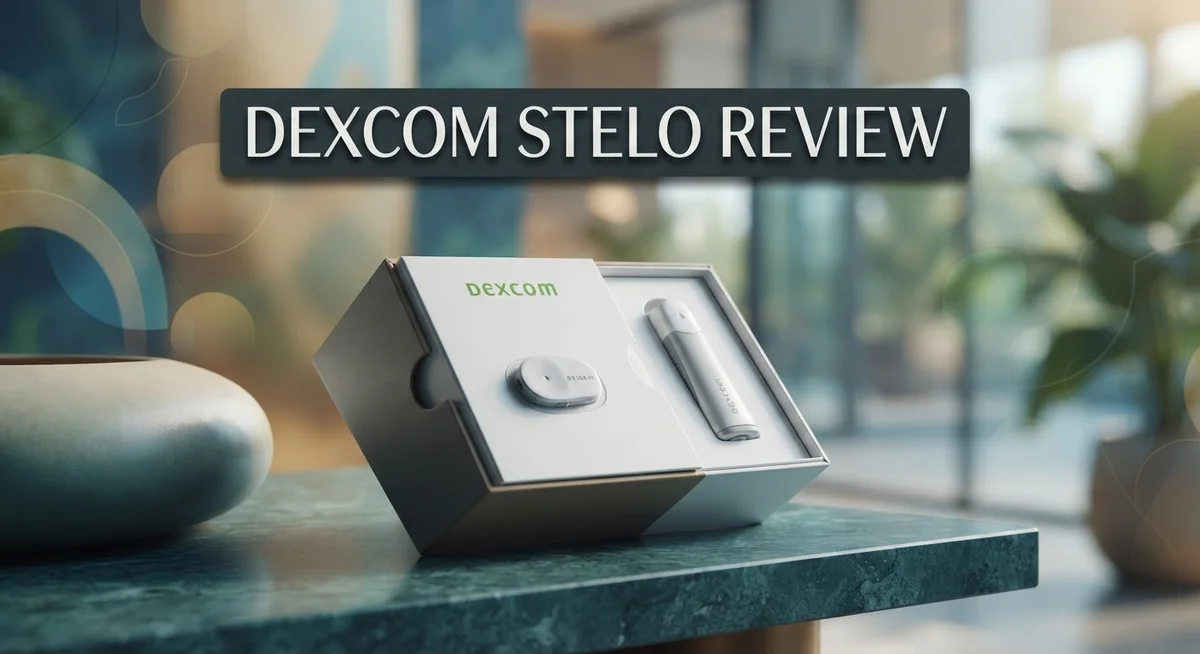
Dexcom Stelo Review: Is It Worth Your Money?
Curious about your blood sugar without a doctor’s visit? The Dexcom Stelo makes this possible.
This wearable biosensor tracks your glucose levels all day and night. You simply wear it and check an app for updates.
Stelo works for adults who are not using insulin. It skips the need for a prescription, so you can start tracking right away.
Many users love how easy it is to set up. The data feels clear and useful for daily choices about food and activity.
But is it perfect? Not quite. Stelo lacks alerts for high or low glucose. This makes it a poor fit for anyone who needs urgent warnings.
In this review, we break down what Stelo does well. We also cover where it falls short. You will learn if this device fits your health goals.
In a Nutshell
Here is a quick summary of what you need to know about the Dexcom Stelo.
- Wear time beats the Dexcom G7, so you change sensors less often.
- It gives you actionable data, but it skips alerts or alarms for high and low glucose.
- The app has limited features. Dexcom Clarity offers a more complete view of your trends.
- Stelo isn’t built for insulin users. It has no hypoglycemia warnings, which makes it risky for that group.
- Some users report technical failures and inaccurate readings. Customer service reviews are also weak, with a low trust score.
- Compared to the Dexcom G7 or Abbott Lingo, Stelo trades some safety features for simplicity.
In short, Stelo works well for casual glucose tracking. It won’t replace a prescription CGM if you need alerts or insulin support. Think of it as a starting point for glucose awareness, not a full medical tool.
Sensor Technology and Accuracy
Dexcom Stelo uses enzyme based glucose sensing technology to measure your blood sugar every five minutes. The sensor sits just under your skin and reads interstitial fluid, which closely mirrors your actual blood glucose levels.
The accuracy of Stelo depends on several factors. Sensor placement matters. You wear it on your abdomen, and proper insertion helps the sensor function correctly. The device shows results with a lag time of about five minutes, which is normal for continuous glucose monitors.
Most users report that Stelo readings align well with fingerstick tests during normal blood sugar ranges. However, some users have experienced inaccurate readings, particularly during rapid glucose changes. This happens because the sensor measures fluid under your skin, not blood directly. When your glucose drops or spikes quickly, the sensor may lag behind your actual numbers.
The sensor’s wear time extends beyond the Dexcom G7, meaning you get longer continuous tracking before changing it. This extended duration helps you spot patterns in your glucose behavior over time. More days of data equals better insights into how food, activity, and stress affect your levels.
One important limitation is the lack of real time alerts. Unlike prescription CGMs, Stelo does not warn you when glucose goes too high or too low. This design choice reflects its purpose as a casual tracking tool rather than a medical device for insulin users.
Some users report occasional technical failures where the sensor stops reading prematurely. Connection issues between the sensor and app can also interrupt data flow. These problems appear to affect a subset of users rather than everyone.
The Clarity app provides detailed reports on your glucose patterns, trends, and time in range. This gives you actionable insights beyond what the basic app shows. Understanding your trends helps you make smarter choices about meals and activity.
For people not on insulin, Stelo’s accuracy is generally sufficient for understanding your glucose behavior. Just remember that rapid changes may show a slight delay. If you need real time alerts for safety, this sensor may not meet your needs.

- ✅ For people NOT using insulin, ages 18 years and older
- ❌ Don’t use if: On insulin, on dialysis, if you have problematic hypoglycemia, are modifying medication without HCP...
- YOUR SUCCESS, OUR COMMITMENT: Should you experience an issue with your biosensor before its 15-day wear is up...

Last update on 2026-09-13 / Affiliate links / Images from Amazon Product Advertising API
Wear Time and Comfort
The Dexcom Stelo sensor sits on your skin and stays put for an extended period. You wear it continuously for 24/7 glucose tracking without daily interruptions.
Most users find the sensor comfortable during everyday activities. The device is small and discreet, so it doesn’t interfere with your routine. You can shower, exercise, and sleep while wearing it. The adhesive holds firmly even during physical activity.
Comfort varies from person to person. Some users report no issues at all. Others mention mild skin irritation at the sensor site. This typically happens if you have sensitive skin or leave the sensor on the same spot repeatedly. Rotating where you place the sensor can help reduce irritation.
The insertion process is simple and quick. A spring mechanism applies the sensor to your skin automatically. Most people experience minimal discomfort during insertion. The needle retracts immediately, so you only feel a quick pinch.
One major advantage is that you change the sensor less frequently than older models. The extended wear time means fewer disruptions to your routine. You don’t have to remember to swap it out as often. This convenience appeals to people who dislike frequent sensor changes.
The sensor’s design keeps it secure during normal movement. It won’t fall off during workouts or daily tasks. However, rough handling or constant pressure on the sensor site can cause it to loosen.
Sleeping with Stelo is generally comfortable. The low profile means it doesn’t dig into your skin when you lie down. Side sleepers and back sleepers both report good experiences. Front sleepers may notice slight pressure, but most adapt quickly.
Adhesive longevity is solid throughout the wear period. The sensor stays attached reliably until the end of its cycle. If adhesive fails early, this falls under the technical issues some users have reported.
Overall, comfort and wear time are strengths for the Stelo. The extended duration between sensor changes reduces hassle. The small size and secure fit work well for active lifestyles. Most users appreciate wearing it without constant worry about it slipping off.
App Interface and Data Insights
The Dexcom Stelo app keeps your glucose data organized and easy to understand. You can view your current reading, recent trends, and historical patterns all in one place. The interface feels intuitive, so you don’t need to spend time learning how to navigate it.
Real time glucose readings appear on your phone every five minutes. You see your number, a small arrow showing direction, and a simple graph of recent trends. This setup helps you spot patterns without overwhelming you with too much information at once.
The app tracks your time in range, which tells you how many hours your glucose stayed in your target zone. You also get daily summaries showing your average glucose level and overall stability. This data helps you understand your patterns over days and weeks.
One key limitation stands out: the app lacks alerts and alarms. You won’t get notifications if your glucose goes too high or too low. This design choice makes Stelo simpler, but it means you must check your phone manually to stay informed.
Many users find the Clarity reports more useful than the main app. Clarity provides deeper analysis, showing detailed breakdowns of your glucose trends and patterns. It’s a separate tool that gives you the bigger picture when you want it.
The app syncs smoothly with your sensor, so data transfers automatically. You don’t need to manually input anything or worry about losing information. This seamless connection keeps your records complete and current.
Navigation between screens feels smooth and responsive. Buttons are large enough to tap easily, and text is readable without squinting. The design prioritizes simplicity over fancy features.
Data insights focus on what matters most: your glucose stability and time in range. The app avoids clutter and unnecessary statistics. You get the information you actually need to understand your glucose behavior.
The lack of predictive alerts is worth noting. Unlike some other systems, Stelo won’t warn you before a glucose spike or drop happens. You rely on checking your readings and recognizing patterns yourself.
Top 3 Alternatives
FreeStyle Libre

Last update on 2026-09-14 / Affiliate links / Images from Amazon Product Advertising API
FreeStyle Libre offers continuous glucose monitoring without fingerstick calibrations. You wear a small sensor on your arm that reads glucose levels every minute. The system stores up to eight hours of glucose data and displays real-time readings through a handheld reader or compatible smartphone.
Key features include fast glucose readings, a 14-day wear period, and water resistance up to one meter. The sensor is discreet and easy to apply yourself. Many users appreciate the simplicity of the system and the absence of required fingerstick tests for calibration.
Medtronic Guardian

- Long-Lasting, 100% Compatible with Medtronic Guardian Patch: Hold your CGM device firmly to your skin and extend its...
- Waterproof and Sweatproof, stays on through anything - Waterproof adhesive of our Medtronic Patch keeps your device...
- Comfortable, Skin-Friendly & Pre-Cut to Fit Your Device: Our breathable overpatches are made of 100% medical-grade...
Last update on 2026-09-14 / Affiliate links / Images from Amazon Product Advertising API
Medtronic Guardian provides real-time glucose monitoring with predictive alerts that warn you before highs or lows occur. The sensor transmits data wirelessly to a dedicated receiver or compatible insulin pump. You can set custom alert thresholds based on your specific glucose targets.
This system excels at helping you anticipate glucose trends before they become problems. The sensor lasts up to seven days and requires two fingerstick calibrations daily for accuracy. Many people find the predictive features particularly helpful for preventing dangerous blood sugar swings.
Eversense CGM

- HSA/FSA eligible. No prescription needed.
- 24/7 GLUCOSE TRACKING. See your glucose response to food, exercise, sleep, and other lifestyle factors via the Lingo...
- OPTIMIZE YOUR NUTRITION. Discover which foods work for you and those that don't. The Lingo app shows you how specific...
Last update on 2026-09-13 / Affiliate links / Images from Amazon Product Advertising API
Eversense CGM uses a small sensor inserted under your skin for up to 90 days of wear. This longer duration means fewer sensor changes compared to other systems. The wearable transmitter attaches magnetically to your arm and communicates glucose data to your smartphone every five minutes.
Notable advantages include an extended wear period, vibration alerts for highs and lows, and smartphone integration. The sensor requires a quick insertion procedure performed by a healthcare provider. Users often prefer the extended wear time and the convenience of fewer sensor replacements throughout the year.
Prescription Requirements and Accessibility
Dexcom Stelo stands apart from other continuous glucose monitors because it requires no prescription. You can purchase it directly without visiting your doctor first. This makes getting started faster and simpler than traditional CGM options.
The device is available over the counter, which means pharmacies and online retailers can stock it. You walk in, buy it, and start using it the same day. This accessibility removes a major barrier that many people face with prescription CGMs.
However, Stelo has specific eligibility requirements. The sensor is designed for adults 18 years and older who do not use insulin therapy. If you take insulin, Stelo is not suitable for you. The device lacks hypoglycemia warnings and real time alerts, which are critical safety features for insulin users.
This eligibility restriction matters because it shapes who benefits most from Stelo. People with type 2 diabetes managed through diet, exercise, or non insulin medications are the primary users. If your treatment plan includes insulin injections or pumps, you need a prescription CGM like the Dexcom G7 instead.
The over the counter status also means insurance coverage differs from prescription models. Many insurance plans don’t cover OTC devices. You should check your specific coverage before purchasing. Some people find this arrangement works well for their budget and situation.
Accessibility extends beyond just getting the device. Customer support is important too. Some users report challenges with service and technical issues, so research support options before buying.
The lack of prescription requirements democratizes glucose monitoring for certain populations. People who previously felt excluded from CGM technology now have an option. You don’t need a doctor’s approval or a formal diabetes diagnosis to use Stelo.
This accessibility also means fewer barriers to starting continuous monitoring. You can experiment with the device and see if it fits your lifestyle. If you’re curious about your glucose patterns but don’t use insulin, Stelo offers a straightforward entry point into continuous glucose tracking without navigating the prescription process.
Alert System and Safety Features
The alert system is where Stelo differs most from prescription CGMs. Stelo does not send alerts or alarms for high or low glucose levels. This is a critical distinction you need to know before purchasing.
If you take insulin, this limitation makes Stelo unsuitable for your needs. People on insulin therapy require real time warnings to prevent dangerous blood sugar drops. Stelo simply cannot provide this protection.
For adults not using insulin, the lack of alerts works differently. You check your glucose readings actively through the app instead of receiving automatic notifications. This requires more personal responsibility and awareness throughout your day.
The app shows your current glucose number every five minutes. You can see trends and patterns to understand your glucose behavior. However, you must remember to look at your phone regularly to catch concerning readings.
Many users appreciate this approach because it reduces notification fatigue. Constant alerts can feel overwhelming and disruptive. Stelo keeps things quieter while still giving you the data you need.
The tradeoff means you stay in control of how often you check readings. Some people prefer this active monitoring style. Others find it stressful to remember checking frequently throughout the day.
Stelo’s safety features focus on data accuracy and sensor reliability rather than automated warnings. The sensor tracks your glucose continuously and records the information for later review. You can spot patterns when you open the app or review Clarity reports.
Customer reports indicate some concerns about accuracy and technical failures. A few users experienced inaccurate readings or sensor malfunctions. This affects the overall safety picture since you rely on accurate data for decision making.
The lack of hypoglycemia warnings remains the biggest safety consideration. If low blood sugar happens suddenly, Stelo will not alert you. You must recognize symptoms yourself or check your reading at the right moment.
This system works best for people who monitor their glucose actively and understand their own patterns. It suits adults managing prediabetes or type 2 diabetes without insulin. If you need automatic protection against dangerous glucose swings, a prescription CGM with alerts would serve you better.
Pros and Cons
Pros
- No prescription needed; you can buy it directly from pharmacies and online retailers
- Tracks your glucose every five minutes with real time readings on your phone
- Works well for adults not taking insulin who want continuous monitoring without constant alerts
- Longer wear time compared to other over the counter options
- Gives you control over how often you check readings instead of being interrupted by frequent alarms
Cons
- No alerts or alarms for high and low glucose levels, making it unsuitable if you use insulin
- App has limited features; many users find the Clarity reports more helpful than the main app
- Reports of technical failures and inaccurate readings from some users
- Customer service has received poor ratings, which may frustrate you if you need support
Who Should Buy It
Dexcom Stelo works best for adults 18 and older who do not take insulin. This is the primary requirement for using this device safely and effectively.
If you manage your glucose through diet and exercise alone, Stelo fits your lifestyle well. The continuous monitoring helps you see how different foods and activities affect your blood sugar throughout the day. You gain real insights without needing a doctor’s prescription or insurance approval.
People who want glucose tracking without constant interruptions benefit from Stelo’s design. Since the device has no alerts or alarms, you check your readings on your own schedule. This approach suits those who find frequent notifications stressful or distracting.
Stelo works for individuals seeking a simpler monitoring experience. You get your glucose number every five minutes directly on your phone. The straightforward data display appeals to users who prefer clarity over complex features.
Those interested in identifying glucose patterns over time find value here. The Clarity reports show trends and averages that help you understand your body’s responses. This information guides better food and lifestyle choices moving forward.
Stelo is not suitable if you take insulin. The absence of high and low glucose alerts creates safety risks for insulin users. You need immediate warnings when your blood sugar drops dangerously low or climbs too high. Prescription CGMs like Dexcom G7 include these critical safety features for insulin-dependent people.
You should skip Stelo if you rely on app-based alerts to manage your health. The app offers limited functionality compared to other glucose monitors. The main app doesn’t provide the detailed alerts and customizations that some users need.
Consider alternatives if you need hypoglycemia warnings. Stelo cannot alert you when your glucose falls into dangerous territory. This missing feature makes it unsuitable for anyone requiring automatic low glucose notifications.
Stelo works best as a personal glucose awareness tool rather than a medical alert system. If you want to understand your body’s glucose patterns and make informed decisions independently, this device serves that purpose well. Your ability to check readings whenever you choose puts you in complete control of your monitoring experience.
Final Verdict
Dexcom Stelo stands out as a simple tool for glucose awareness. It works best for people who want data without noise.
This device shines for adults who manage health through lifestyle choices. It gives clear numbers without extra complexity.
However, some reviews raise concerns. Customer feedback shows a low trust score, with reports of technical glitches and inconsistent readings.
Some users also mention slow responses from customer support. These issues matter if you depend on the sensor for daily decisions.
Reliability is important for any health device. If you notice sensor errors often, it may affect your confidence in the readings.
Still, many people find real value in Stelo’s core function. It tracks glucose trends and helps you spot patterns over weeks.
If you want a no fuss way to observe your body’s response to food and activity, Stelo fits well. It removes constant alerts and gives you space to think.
Compared to the Dexcom G7, Stelo skips alarms and prescription steps. This makes it a lighter option for general wellness tracking.
Against Abbott Lingo, Stelo offers a similar OTC approach but with its own quirks in app design and support quality.
Before you decide, weigh your comfort with occasional technical hiccups. If steady performance matters most, read recent user feedback first.
For most non insulin users focused on awareness, Stelo remains a solid pick. It keeps things simple and puts control in your hands.
Just remember that no device is perfect. Stelo works well for casual tracking, not for medical alerts or emergencies.
In short, choose Stelo if you want ease and independence. Skip it if you need dependable alarms or flawless technical performance every single day.
Frequently Asked Questions
Does Dexcom Stelo work if I take insulin?
No, Stelo is not the right choice for insulin users. The device lacks high and low glucose alerts, which are critical if you depend on insulin injections. You need real time warnings to prevent dangerous blood sugar swings. Insulin users should choose a prescription CGM like Dexcom G7 instead, which sends urgent notifications to your phone.
Can I get Stelo without a prescription?
Yes. Stelo is available over the counter, so no doctor’s order is needed. You simply buy it and start using it. This makes getting started faster and easier than prescription options.
What happens if my glucose drops dangerously low?
Stelo will not alert you. The device has no alarm system for hypoglycemia or high glucose events. You must check your readings manually through the app. This is why Stelo works best for people who manage glucose through diet and exercise alone, not for those who need automatic safety warnings.
How does Stelo’s app compare to other CGM apps?
The Stelo app has limited features. Many users find the separate Clarity reports more useful than the main app interface. If you want a feature rich app experience with lots of tracking tools, you might feel disappointed. The app focuses on simple glucose viewing rather than advanced analytics.
Is Stelo reliable based on user reviews?
Some users report technical failures and inaccurate readings. Customer service response times have been slow for certain customers. While many people find real value in Stelo’s core tracking function, reliability concerns exist. Read recent reviews carefully before deciding.

Tian is a passionate technology enthusiast and reviewer who explores the latest in AI tools, gadgets, and digital innovations to help readers make informed tech decisions.