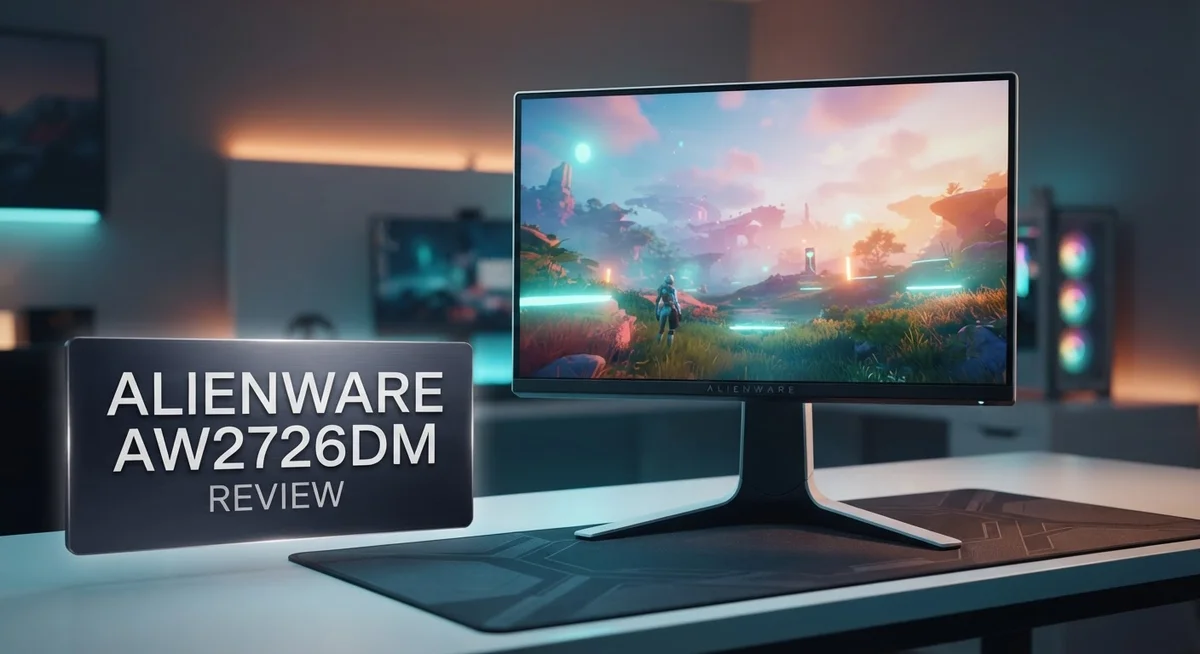
Alienware AW2726DM Review: QD-OLED Gaming Monitor
Gaming monitors rarely combine speed and stunning visuals in one package. The Alienware AW2726DM aims to change that.
This 26.5 inch QD-OLED display brings sharp QHD resolution to your desk. It pairs this with a blazing 240Hz refresh rate for silky smooth gameplay.
We put this monitor through real world testing. Our goal was simple: check if the picture quality and speed match the hype.
The 0.03ms response time and deep contrast ratio caught our attention immediately. Colors pop and motion stays crisp during fast paced games.
Sunlight can challenge this display, like most OLED panels. But indoors, it delivers a stunning visual experience.
Ready to see if this monitor deserves a spot on your desk? Let’s break down every detail in this review.
In a Nutshell
The Alienware AW2726DM packs serious gaming power into a compact frame. Here’s what makes this monitor stand out.
-
Stunning QD-OLED Panel: You get a 26.5 inch screen with QHD resolution. Colors look vibrant and details stay sharp.
-
Blazing Fast Refresh Rate: This monitor runs at 240Hz. Fast paced games feel smooth and fluid on screen.
-
Incredible Contrast Ratio: The 1,500,000:1 contrast ratio creates deep blacks. Bright highlights pop against dark scenes beautifully.
-
Wide Viewing Angles: You get 178 degree viewing angles on both axes. Colors stay accurate no matter where you sit.
-
Smart Connectivity Options: AMD FreeSync Premium works with HDMI and DisplayPort. Your games run tear free and responsive.
-
Impressive User Satisfaction: Real users rate this monitor 4.8 out of 5 stars. Gamers seem thrilled with their purchase.
This monitor shines brightest in dim or controlled lighting setups. It struggles a bit in sunlit rooms, like most OLED displays do.
Display Technology and Resolution
The Alienware AW2726DM uses QD-OLED technology to deliver exceptional image quality. This display type combines quantum dots with organic light-emitting diodes. The result is a monitor that produces colors with stunning accuracy and depth.
The 26.5 inch screen runs at 2560 x 1440 resolution, known as QHD. This resolution strikes a balance between sharp detail and smooth performance. You get crisp text and clear visuals without taxing your graphics card too hard.
The 240Hz refresh rate makes this monitor ideal for fast paced games. Every frame renders quickly and smoothly on screen. Combined with the 0.03ms response time, you experience virtually no lag between your input and what appears on your monitor.
The contrast ratio reaches 1,500,000:1, which is exceptional. OLED panels emit their own light, so blacks appear truly black rather than dark gray. This creates stunning visual separation between light and dark areas in games and movies.
Viewing angles measure 178 degrees both horizontally and vertically. You can view the screen from extreme angles without color shift or brightness loss. This matters if multiple people watch your screen or if you sit at odd angles to your desk.
Brightness sits at 200 cd/m², which works well in standard indoor settings. The display performs best in rooms with controlled lighting conditions. Direct sunlight can wash out the image, as sunlight overwhelms the panel’s brightness output. This is a common limitation of OLED technology rather than a flaw specific to this model.
The monitor connects via HDMI and DisplayPort. AMD FreeSync Premium synchronizes your graphics card’s output with the display refresh rate. This eliminates screen tearing during gameplay.
Overall, the display technology here prioritizes image quality and gaming responsiveness. The QD-OLED panel delivers the visual punch that gamers seek. The 240Hz refresh rate keeps motion smooth and competitive. Just remember this monitor performs optimally away from direct sunlight and bright environments.

- Alienware 27 240Hz QD-OLED Gaming Monitor – AW2726DM
Last update on 2026-09-20 / Affiliate links / Images from Amazon Product Advertising API
Refresh Rate and Response Time
The refresh rate and response time work together to create smooth, responsive gameplay. The Alienware AW2726DM delivers a 240Hz refresh rate, which means your screen updates 240 times every second. This speed matters most when you play competitive shooters or fast action games where every millisecond counts.
What really sets this monitor apart is the 0.03ms response time. This measurement tells you how quickly pixels change color. At 0.03ms, pixels shift almost instantly, eliminating ghosting and motion blur during intense gaming sessions. You get crisp, clear visuals even when your character moves rapidly across the screen.
The combination of 240Hz and 0.03ms response time creates what gamers call “input lag elimination.” Your mouse movements appear on screen almost instantly. You see your actions happen immediately, giving you a competitive edge in online games. This responsiveness feels noticeably different from standard 60Hz monitors.
The QD-OLED technology amplifies these speed advantages. OLED pixels emit their own light, so they don’t need a backlight to turn on or off. This makes response times naturally faster compared to traditional LCD panels. You get superior color accuracy without sacrificing speed.
For esports titles like Valorant, CS2, or Apex Legends, this monitor excels. The 240Hz refresh rate pairs perfectly with high refresh rate graphics cards. If your GPU can push 240+ frames per second, this display shows every single frame. You won’t experience screen tearing with AMD FreeSync Premium enabled.
Even in single player games, the smooth performance shines. Story driven games feel more immersive when motion looks fluid and natural. The combination of refresh rate and response time eliminates stuttering and jittering.
One important note: these speeds only work when your graphics card can keep up. If your GPU produces fewer frames than 240Hz, you’ll still see smooth gameplay, but you won’t reach the monitor’s full potential. Pairing this display with a modern graphics card unlocks the complete experience this monitor offers.
Color Accuracy and Contrast
The Alienware AW2726DM delivers exceptional color accuracy thanks to its QD-OLED panel. This technology reproduces colors with precision that rivals professional-grade displays. You’ll notice the difference immediately when viewing photos, videos, or color critical work.
The contrast performance here is genuinely outstanding. With a 1,500,000:1 contrast ratio, blacks appear truly black rather than dark gray. This creates a massive visual separation between light and dark areas on screen. Games and movies feel more immersive because of this depth.
Color gradients display smoothly across the entire range. You won’t see banding or color stepping that lesser displays produce. This matters especially in scenes with subtle color transitions. The 178 degree viewing angles mean colors stay consistent even when viewing from the side.
One important limitation exists with OLED technology. Brightness tops out at 200 cd/m², which is lower than standard LCD monitors. In bright rooms or direct sunlight, the screen becomes harder to see. This is an inherent OLED trade off you should know about.
For indoor gaming and content creation, the color accuracy shines. The monitor handles HDR content beautifully. Dark scenes reveal detail that other displays miss completely. Bright highlights don’t wash out or lose color information.
The QD-OLED panel also excels at color response speed. Colors shift instantly without ghosting or trailing effects. Fast moving objects maintain color accuracy even during rapid motion. This combination of speed and accuracy is rare in gaming monitors.
Calibration tools work well with this display. Professional users can fine tune colors to their exact specifications. The wide color gamut supports DCI P3 and sRGB standards. This makes it suitable for both gaming and creative work.
Control lighting conditions for best results. Dim your room or use bias lighting behind the monitor. This approach maximizes what the display can achieve. You’ll get the most vibrant, accurate colors possible when you manage your environment properly.
Top 3 Alternatives
ASUS ProArt PA248QV

- Accurate and Vivid Color Reproduction: Experience true-to-life color accuracy with the ASUS ProArt Display featuring...
- High Color Fidelity for Truly Expressive Hues: Experience precise and accurate color reproduction with 100% sRGB/Rec...
- WUXGA Resolution Display: Enjoy sharp images and vivid colors with this monitor display featuring a WUXGA resolution of...

Last update on 2026-09-19 / Affiliate links / Images from Amazon Product Advertising API
The ASUS ProArt PA248QV serves professionals who need accurate color reproduction. This monitor delivers 99% sRGB coverage, making it ideal for photo and video editing work. The 24-inch IPS panel provides consistent viewing angles and sharp image quality from any position.
Factory calibration comes standard with this model. You get a USB-C connection that simplifies cable management. The adjustable stand lets you find your perfect viewing height and angle. Built-in colorimeter support ensures your display stays accurate over time.
BenQ SW240

- [Show Mac Colors] Calibrated for MacBook with BenQ’s exclusive color tuning, offering a vibrant P3 wide color gamut...
- [Expand MacBook with USB-C] Connect and expand your MacBook display with a single USB-C cable.
- [Integrated MacBook Controls] Adjust brightness and volume directly from your MacBook keyboard.
Last update on 2026-09-20 / Affiliate links / Images from Amazon Product Advertising API
The BenQ SW240 focuses on color-critical tasks with its 24-inch screen and 99% Adobe RGB coverage. Photographers and designers appreciate its hardware calibration capability. The monitor includes a factory calibration report so you know exactly how your display performs.
Dual USB inputs make it easy to connect multiple devices. The stand offers full ergonomic adjustment for comfortable long work sessions. Thunderbolt connectivity provides fast data transfer speeds alongside display output. This model handles both Mac and Windows systems seamlessly.
Dell UltraSharp U2424H

- Fit your work style: Tilt, swivel, pivot and adjust the height of your monitor to work your way
- Reduced eye strain: Built-in Ambient Light Sensor intelligently optimizes brightness and color temperature based on your...
- Connect with ease: Simply plug in accessories and devices with a quick-access USB-A port and a USB-C port that delivers...
Last update on 2026-09-20 / Affiliate links / Images from Amazon Product Advertising API
The Dell UltraSharp U2424H combines professional features with everyday usability. Its 24-inch IPS screen shows 99% sRGB colors accurately for creative work. The USB-C port delivers power, video, and data through a single cable connection.
Height adjustment and pivot rotation give you complete control over your workspace setup. The anti-glare coating reduces reflections during extended viewing sessions. Dell’s warranty support provides peace of mind for long-term reliability. This monitor works well for both content creation and general office tasks.
Gaming Performance and Input Lag
When you sit down to play competitive games, every millisecond matters. The Alienware AW2726DM handles this demand with 0.03ms response time, which is among the fastest you’ll find in gaming monitors. This speed means your actions on screen happen almost instantly after you move your mouse or press a button.
The 240Hz refresh rate pairs perfectly with that lightning quick response time. Together, they eliminate the stuttering and ghosting that slower monitors create. Fast paced shooters like CS2 and Valorant run incredibly smooth on this display. Even in demanding titles like Cyberpunk 2077, the frame delivery feels fluid and responsive.
Input lag stays virtually non existent on this monitor. Your graphics card must deliver enough frames to match the 240Hz refresh rate for you to see the full benefit. If your GPU pushes 200+ frames per second, you’ll experience the smoothest possible gameplay. Lower frame rates still look great, but you won’t unlock the monitor’s full potential.
The QD-OLED technology contributes to this performance advantage as well. OLED pixels respond faster than traditional LCD panels because they emit their own light. This means no backlight delays occur between your input and the visual feedback you receive. The result is gaming that feels more connected and immediate.
Single player games benefit from this responsiveness too. Exploring open worlds, navigating menus, and aiming feel snappier than on standard monitors. The smooth scrolling and cursor movement make everyday tasks feel pleasant as well.
One key point: input lag performance depends on your entire setup. Your graphics card, cable connection, and game settings all play a role. DisplayPort connections typically deliver lower latency than HDMI. Make sure your GPU can handle the games you play at high refresh rates to get the most from this monitor’s speed capabilities.
Brightness and Room Lighting Considerations
The Alienware AW2726DM has a brightness level of 200 cd/m², which performs well in typical indoor environments. This brightness handles standard office lighting and moderately lit gaming rooms without any issues.
However, bright sunlight creates a real challenge for this monitor. OLED technology has a known limitation in very bright spaces. If your room gets direct sunlight or receives intense natural light, you’ll notice the image becomes harder to see. The display won’t match the brightness of standard LCD monitors in these conditions.
For most users, this limitation doesn’t matter much. Indoor gaming setups work perfectly fine with this brightness level. Your eyes adjust naturally to the display output in controlled lighting. Content creators working indoors also find the brightness sufficient for color work.
The key consideration involves where you place your desk. Avoid positioning the monitor directly opposite windows or in rooms with skylights. North-facing windows work better than south-facing ones. If you control your room’s lighting through curtains or blinds, you gain much more flexibility with this display.
Evening and nighttime gaming show no brightness concerns whatsoever. The 200 cd/m² output feels comfortable during these hours. You won’t experience eye strain from excessive brightness at night. The OLED panel actually excels in darker environments, delivering deeper blacks and richer colors.
Room lighting control becomes important if you want the best experience. Dimming overhead lights or using indirect lighting helps the monitor shine. Many gamers use bias lighting behind their displays anyway, which complements OLED performance.
If you work in a bright office with large windows, consider this limitation seriously. For basement setups, dark rooms, or well-controlled lighting environments, the brightness presents zero problems. The monitor delivers excellent image quality in these spaces.
Think about your specific room before purchasing. Test the display in your actual space if possible. Most users find the brightness perfectly adequate for their needs. The OLED picture quality makes up for any brightness limitations in standard indoor settings.
Pros and Cons
Pros
- QD-OLED panel delivers stunning picture quality with exceptional color accuracy and outstanding contrast
- 0.03ms response time and 240Hz refresh rate create virtually lag-free competitive gaming
- Smooth performance shines across esports titles like Valorant, CS2, and Apex Legends
- Fast color response speed from the OLED technology enhances visual smoothness
- 4.8/5 star user rating reflects strong real-world satisfaction
Cons
- Bright sunlight creates significant visibility challenges due to OLED panel limitations
- 200 cd/m² brightness struggles in well-lit rooms with large windows
- Poor performance in high-brightness environments makes outdoor or sun-facing desk placement problematic
- Requires careful room lighting control to achieve best visual experience
Who Should Buy It
Competitive gamers will love this monitor. If you play fast-paced titles like Valorant, CS2, or Apex Legends, the 240Hz refresh rate and 0.03ms response time give you a real edge. Your opponents won’t see you coming.
Esports players benefit most from the lightning-quick input lag performance. Every frame counts in competitive play. This monitor delivers the speed you need to stay ahead.
Single-player enthusiasts also gain from the responsive display. Story-driven games and immersive titles feel smoother and more fluid. The QD-OLED panel makes every scene look stunning with incredible color accuracy and contrast.
Creative professionals should consider this option too. The 2560 x 1440 resolution gives you sharp detail for photo editing and design work. Color accuracy on OLED panels is exceptional for anyone who cares about visual precision.
Content creators appreciate the large 26.5-inch screen. You get plenty of workspace without needing multiple monitors. The vibrant colors make video editing and color grading more enjoyable.
This monitor is NOT ideal for certain situations. If your desk sits in a bright room with large windows or direct sunlight, skip it. The 200 cd/m² brightness struggles in high-light environments. This is an OLED limitation you cannot fix.
Office workers in well-lit spaces should look elsewhere. The screen becomes hard to see when sunlight floods the room. Evening and nighttime work present no problems whatsoever.
Night-shift gamers and creators will have no complaints. The monitor shines in controlled indoor lighting. Room lighting control becomes your best friend if you want the perfect setup.
Budget-conscious buyers looking for QD-OLED technology find real value here. Larger OLED monitors cost significantly more. You get premium panel technology in a practical 26.5-inch size.
Summary: Buy this if you game competitively, work creatively at night, or want OLED quality without breaking the bank. Skip it if you work in bright sunlight or can’t control your room’s lighting. The monitor excels in controlled environments where its speed and picture quality truly shine.
Final Verdict
This Alienware AW2726DM earns its place among top gaming monitors today. The build quality feels solid, and the sturdy stand offers smooth height and tilt adjustments.
Alienware’s signature design adds a premium touch. The sleek bezels and AlienFX lighting give this monitor a distinct gaming personality on any desk setup.
Port selection covers essential connections well. You get modern HDMI and DisplayPort options, making cable management simple for most gaming and work setups.
Overall performance stands out as a strong recommendation for dedicated gamers. The picture quality and speed combination rarely disappoints in daily use.
This monitor suits specific lifestyles best. People who game after dark or work in dim rooms will notice zero drawbacks from the OLED technology.
Warranty support from Alienware adds peace of mind. Their customer service reputation helps back up this purchase decision with confidence.
Think about your daily gaming schedule before deciding. Someone who mostly plays at night gets the full benefit without any compromise.
Streamers and content creators working in controlled lighting setups will appreciate the vibrant colors this panel produces consistently.
The 240Hz refresh rate combined with OLED clarity creates a viewing experience that feels noticeably smoother than standard LCD panels.
Casual gamers switching from older monitors will notice immediate improvements in motion clarity and color depth right away.
This monitor rewards patience during setup. Taking time to position your desk properly pays off with stunning visuals every single session.
Final thought: this display delivers where it matters most for gaming enthusiasts. The OLED panel technology combined with fast response times makes it a smart pick for anyone prioritizing performance over daytime brightness needs.
Choose this monitor if your gaming happens mostly indoors or after sunset. The visual quality and speed will exceed expectations for most users seeking a genuine upgrade.
Frequently Asked Questions
Is the Alienware AW2726DM good for competitive gaming?
Yes, absolutely. The 240Hz refresh rate and 0.03ms response time create lightning-fast performance. Your inputs register instantly on screen. Esports titles like Valorant and CS2 run beautifully here. The OLED panel delivers smooth motion that competitive players demand.
Can I use this monitor in a bright room?
Not really. The 200 cd/m² brightness struggles in well-lit spaces. Large windows or direct sunlight will wash out the display. OLED panels have natural limitations in high-brightness environments. If your desk sits near windows, this monitor may frustrate you. Night-shift gamers and those in dim rooms face zero issues.
What makes the picture quality stand out?
The QD-OLED technology produces exceptional contrast and color accuracy. You get a 1,500,000:1 contrast ratio that makes blacks truly black. Colors pop with natural vibrancy. The 178° viewing angles mean the image stays clear from different positions. Creative professionals appreciate this visual fidelity for content work.
How does this compare to other OLED gaming monitors?
The AW2726DM sits between smaller and larger OLED options. The 26.5 inch screen offers a sweet spot for most gamers. Larger 39 inch alternatives exist, but they cost significantly more. This monitor delivers premium OLED quality at an accessible entry point. You get the same exceptional panel technology without the extreme price tag.
Who should avoid this monitor?
Office workers in bright, sun-facing spaces should look elsewhere. People who need maximum brightness for daytime use will struggle. If your setup includes large windows or outdoor placement, consider a different option. Everyone else will find this monitor delivers outstanding performance.

Tian is a passionate technology enthusiast and reviewer who explores the latest in AI tools, gadgets, and digital innovations to help readers make informed tech decisions.