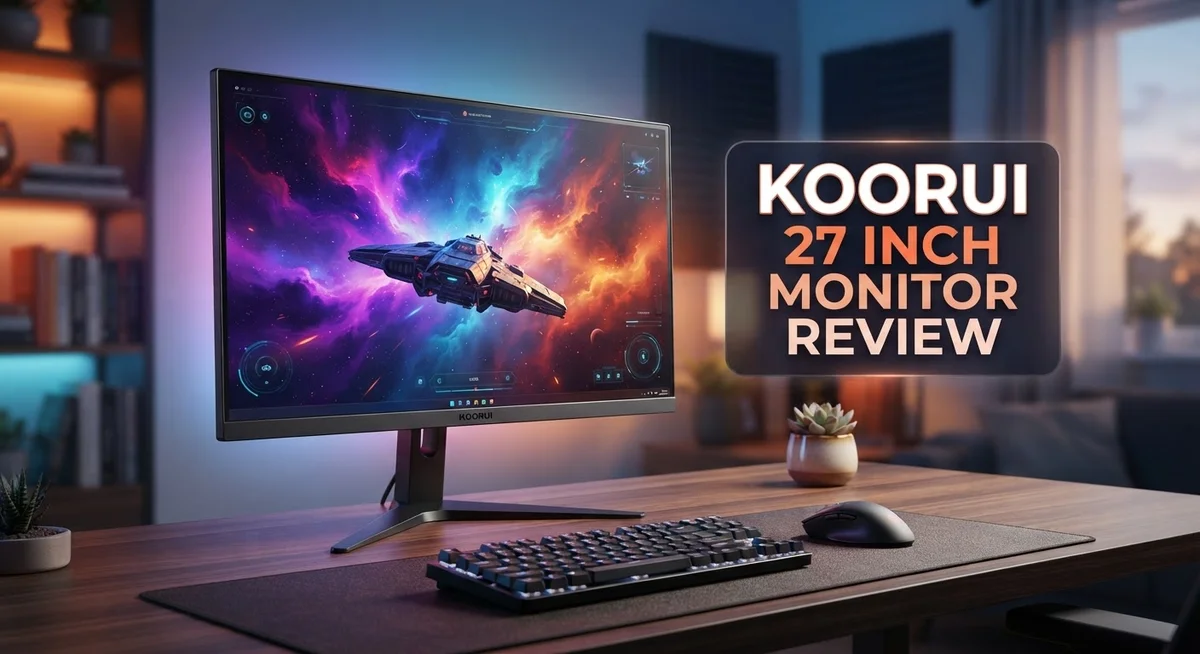
Koorui 27 Inch Monitor Review: Is It Worth Your Money?
Looking for a reliable 27 inch monitor for gaming or work? The Koorui 27 Inch Monitor might be your answer.
This monitor comes with a big 27 inch screen. You can choose between 1440p or 1080p resolution options.
Gamers will love the 200Hz refresh rate on the FHD model. It also has a super fast 1ms response time.
These specs make it great for fast paced games like FPS titles. Every movement looks smooth and clear on screen.
We tested this monitor to see how it performs in real life. This review covers its strengths and areas where it falls short.
You will learn if this screen fits your gaming setup. We also check if it works well for daily tasks and streaming.
Let’s dive into what makes this monitor stand out.
In a Nutshell
Here is a quick summary of what you need to know about the Koorui 27 Inch Monitor before you decide.
-
Sharp visuals: The 1440p option gives you crisp text and clear images. This makes it a solid pick for work tasks and casual streaming.
-
Fast response time: A 1ms response time cuts down motion blur. Movement stays smooth during fast scenes or quick gameplay.
-
Everyday versatility: This monitor is not just for gamers. It handles office work, video calls, and movie nights with ease.
-
Simple setup process: You can plug it in and adjust settings within minutes. No complex menus or confusing controls here.
-
New QD-OLED variant: The S2721XO model offers richer colors and deeper blacks. Keep in mind that fewer reviews exist for this newer version online.
-
Balanced performance overall: This screen mixes speed and clarity well. It suits many different users, from casual browsers to competitive gamers.
If you want a screen that handles both work and play, this monitor deserves a spot on your shortlist. Its mix of features covers most common needs without much fuss.
Display Quality and Resolution Options
The Koorui 27 inch monitor gives you two resolution paths to choose from. You can pick the 1440p option for sharper text and clearer images, or go with the 1080p variant if you want maximum refresh rates.
The 1440p resolution delivers extra pixel density. Your eyes will notice the difference when you read documents or view detailed graphics. Text appears crisp. Images pop with clarity. This makes the 1440p model excellent for content creators and office work.
The 1080p FHD model takes a different approach. It prioritizes speed over resolution. You get the 200Hz refresh rate, which keeps motion extremely smooth. Fast paced games like shooters benefit most from this setup. The trade off is slightly less detail on screen, but many gamers find the smoothness worth it.
The 1ms response time works across both options. This fast pixel switching reduces ghosting and motion blur. Your crosshairs stay sharp during quick camera movements. Competitive players will appreciate how responsive the screen feels.
Color accuracy matters too. The newer QD-OLED variant (S2721XO) brings superior color reproduction. This model shows richer blacks and more vibrant hues compared to standard LCD panels. If you edit photos or watch movies, the QD-OLED technology makes a real difference.
Brightness levels stay consistent across the display. You won’t see dark corners or washed out edges. The panel maintains uniform lighting from top to bottom, left to right.
Viewing angles are wide enough for multiple people to watch comfortably. You can tilt or adjust your seating position without color shifting. This matters if your desk setup doesn’t face the monitor straight on.
The resolution choice ultimately depends on your main use. Pick 1440p if clarity matters most. Choose 1080p if you play competitive games and want maximum refresh rates. Both deliver solid performance in their own right. The Koorui 27 inch monitor handles either path well.

- TRUE COLOR VIVID DETAIL : The 27 inch 144hz computer gaming monitor cover 99% of the SRGB color gamut and 10bit gray...
- EXTREMELY VIEWING COMFORT: Find your best viewing position and stay comfortable by tilting the screen up to 5 degrees...
- ULTRA SLIM DESIGN: The 27" pc monitor feature three-sided slim bezels and a compact footprint, 178°wide viewing angle...
Last update on 2026-09-30 / Affiliate links / Images from Amazon Product Advertising API
Refresh Rate and Response Time Performance
The Koorui 27 inch monitor delivers impressive speed for competitive gaming and fast paced work. The 200Hz refresh rate on the FHD model ensures smooth motion during intense gameplay sessions. You will notice fewer stutters when playing shooters or action games.
Response time plays a huge role in gaming performance. This monitor achieves a 1ms response time, which means pixels change color almost instantly. The result is cleaner motion and reduced ghosting during quick camera movements.
Let’s compare how these specs work together. A 200Hz refresh rate paired with 1ms response time creates a powerful combo for gamers. Your monitor can display 200 frames per second while keeping up with your mouse movements without lag.
Real world performance matters more than specs alone. Fast paced games like FPS titles benefit from this combination. You will see smoother crosshair tracking and sharper visual feedback when aiming or turning quickly.
The 1440p option also maintains the 1ms response time. This means you don’t sacrifice speed for higher resolution. Gamers who want crisp text and sharp details can still enjoy quick responsiveness.
Motion clarity improves significantly with these settings. When you’re moving through game environments, the screen refreshes faster than slower monitors. This gives you a competitive edge in timing sensitive situations.
Professional work also benefits from fast response times. Video editors and designers notice smoother cursor movement and cleaner animations. The 200Hz refresh rate prevents screen tearing during scrolling and dragging operations.
One important note: refresh rate performance depends on your graphics card. You need sufficient GPU power to actually push 200 frames per second. Pairing this monitor with a capable graphics card unlocks its full potential.
The combination of 200Hz refresh rate and 1ms response time positions this monitor as a solid choice for anyone serious about smooth visuals. Whether you’re gaming competitively or working with fast moving content, these specs deliver noticeable improvements over standard 60Hz displays.
Design and Build Quality
The Koorui 27 inch monitor features a clean, modern design that fits seamlessly into gaming setups or professional workspaces. The display panel sits on a sturdy base that provides solid stability without taking up excessive desk space.
The build quality reflects solid construction throughout. The bezels are relatively thin, which maximizes screen real estate. The stand offers tilt adjustment, allowing you to find your ideal viewing angle. Cable management ports sit at the rear, keeping wires organized and out of sight.
The chassis uses a combination of plastic and metal components. These materials feel durable during regular use and daily adjustments. The power button integrates cleanly into the design without protruding awkwardly. On screen menus are accessible and straightforward to navigate.
Connectivity options include HDMI and DisplayPort inputs, giving you flexibility with different devices. USB ports may be available depending on your specific model variant. The cable routing is thoughtful, preventing tangling and making setup quick.
The monitor’s overall footprint is reasonable for a 27 inch screen. It doesn’t demand an unusually large desk area, though you should still measure your space beforehand. The weight is manageable, making repositioning simple if needed.
Heat dissipation appears adequate during extended gaming sessions. The monitor stays cool during normal operation without fan noise. Ventilation slots are strategically placed to maintain proper airflow.
The S2721XO QD-OLED variant introduces a slightly different aesthetic with its premium positioning. This model maintains the same design philosophy while featuring more sophisticated panel technology beneath the surface.
Durability seems solid based on the construction approach. Regular dust can be wiped away easily from the display surface. The stand resists wobbling even with keyboard and mouse activity nearby.
Overall, the Koorui 27 inch monitor prioritizes function over flashy aesthetics. You get a no frills design that focuses on delivering what matters: a stable platform for your display with practical features and clean lines. The build quality supports daily use without concerns about longevity.
Top 3 Alternatives
ASUS VP28UQG Monitor

- High-Resolution QHD Gaming Display: 27-inch QHD (2560 x 1440) gaming monitor with 180Hz refresh rate designed for...
- ASUS Extreme Low Motion Blur Sync Technology: ELMB Sync technology enables ELMB and variable-refresh-rate technologies...
- Advanced Synchronization Technologies: FreeSync Premium, G-Sync compatible and AdaptiveSync technology delivers a...

Last update on 2026-09-20 / Affiliate links / Images from Amazon Product Advertising API
The ASUS VP28UQG offers a 4K resolution display that brings sharp visuals to your desk. This monitor features a 28-inch screen, making it ideal for professionals who work with detailed content. The panel delivers accurate colors, which matters if you edit photos or videos.
Response time on this model reaches 1ms, so fast-moving scenes appear smooth. Gamers appreciate this feature during intense gameplay. The monitor also includes HDR support, which enhances contrast and makes images pop.
BenQ EW2880U Monitor

- 【SIMULATE PAPER TEXTURE ON-SCREEN】Nano Matte Panel with TUV anti-reflection certification ensures the high quality...
- 【Enchanting Visual Symphony】 Immerse yourself in an enchanting visual symphony with the BenQ SW272U. Every pixel...
- 【Emotional Depth in 4K UHD】 Elevate your emotional connection to your work with the SW272U's 4K UHD resolution...
Last update on 2026-09-30 / Affiliate links / Images from Amazon Product Advertising API
BenQ’s EW2880U is a color-accurate choice for creative professionals. This 28-inch monitor comes with factory calibration, meaning colors arrive ready to use straight out of the box. The 4K resolution ensures you see every detail in your work.
The display includes USB-C connectivity, which simplifies cable management at your workspace. You can charge devices and transfer data through one cable. The monitor also offers excellent brightness levels, making it suitable for bright rooms.
Dell S2721DGF Monitor

- Elevated entertainment: The QHD resolution and 1500:1 contrast ratio bring astounding depth and vivid detail, while a...
- Hear the audio difference: Immerse yourself in sound with integrated dual 3W speakers delivering a wider range of...
- Eye comfort: Prioritize visual comfort with this 4-star TÜV-certified display. Reduce harmful blue light emissions...
Last update on 2026-09-19 / Affiliate links / Images from Amazon Product Advertising API
The Dell S2721DGF brings high refresh rates to a 27-inch package. This monitor delivers 165Hz refresh rates, which appeals to competitive gamers seeking smooth performance. The 1440p resolution balances clarity with performance, letting your graphics card breathe.
Adaptive sync technology reduces screen tearing during gameplay. The monitor features a fast 1ms response time, keeping motion sharp. Dell’s design includes an adjustable stand, so you can position the screen at your preferred height and angle.
Gaming Performance and Suitability
Gaming on the Koorui 27 inch monitor puts you in a strong position for competitive play. The 200Hz refresh rate on the FHD model eliminates screen tearing during intense firefights and fast action sequences. Your eyes see smooth motion that gives you a real advantage in FPS titles and battle royales.
The 1ms response time is where this monitor truly shines for gaming. When you flick your mouse or turn a corner, the pixels respond instantly. This speed matters most in games where split second reactions decide victory or defeat. You won’t experience ghosting or motion blur that could cost you a kill.
The combination of high refresh rate and fast response time works together seamlessly. Your graphics card pushes frames to the screen, and the monitor displays them without delay. This creates a responsive experience that competitive gamers crave. Whether you play Call of Duty, Valorant, or Apex Legends, you get the performance foundation these games demand.
The 1440p option presents an interesting choice for gaming. You gain sharper visuals and more detail in your game world. However, you need a more powerful graphics card to maintain high frame rates at this resolution. The trade off is worth it if you have the hardware to support it. The 1ms response time stays consistent, so responsiveness never suffers.
Esports players will appreciate the monitor’s speed advantage. The 200Hz refresh rate keeps up with professional level gameplay. Casual gamers benefit too, experiencing smoother gameplay than standard 60Hz monitors provide. Your aim feels more natural, and tracking enemies becomes easier.
The monitor handles different gaming genres well. Strategy games and MMOs look crisp at 1440p. Fast paced shooters thrive on the high refresh rate. Even single player story games feel more immersive with smooth frame delivery.
One thing to remember: your graphics card determines what frame rates you actually achieve. The monitor can display up to 200Hz, but your GPU must deliver those frames. Pair this display with appropriate hardware for the best results. The Koorui 27 inch monitor gives you the tools to experience gaming at a competitive level.
Connectivity and Compatibility
The Koorui 27 inch monitor connects to your devices through multiple input options. You get both HDMI and DisplayPort ports available on the back panel. This dual connectivity setup means you can switch between different sources without constantly unplugging cables.
DisplayPort delivers the best performance for high refresh rate gaming. If your graphics card supports DisplayPort, use this connection to reach the full 200Hz refresh rate on the FHD model. HDMI ports work well for secondary devices or when you need a simpler setup. Both connection types support the monitor’s resolution options.
The monitor works with most modern graphics cards from NVIDIA and AMD. Your GPU needs to support the resolution and refresh rate you want to use. For 1440p gaming, ensure your card can push enough frames. The 200Hz refresh rate on the FHD variant requires a capable graphics card to see real benefits.
Compatibility extends beyond just gaming PCs. You can connect laptops, workstations, and other devices through the available ports. The monitor adapts well to different work environments. Professional users benefit from the multiple input options when switching between machines.
Cable management becomes easier with the rear port layout. The ports sit in a convenient position that keeps your desk area clean. You won’t struggle with awkward cable angles or tight connections. The spacing between ports allows standard cable connectors to fit without interference.
The S2721XO QD-OLED variant maintains the same connectivity standards. This ensures compatibility remains consistent across different Koorui 27 inch models. Whether you choose the standard or premium version, your connection options stay reliable.
Setup takes just a few minutes once you have the right cables. The monitor recognizes your device automatically in most cases. Windows and Mac systems both work without special driver installations. Your graphics card settings determine the actual performance you experience, so configure your display settings after connecting the monitor for optimal results.
Pros and Cons
Pros
- Delivers 200Hz refresh rate with 1ms response time for competitive gaming advantage
- Excellent performance balance for FPS games and esports titles
- Clean, modern design fits seamlessly into gaming and professional setups
- Solid construction using plastic and metal components throughout
- Multiple connectivity options (HDMI and DisplayPort) work with most modern graphics cards
Cons
- Newer QD-OLED model (S2721XO) has limited online reviews available for research
- Specific long-term durability data remains scarce in current sources
- Graphics card performance determines your actual frame rates, not the monitor alone
Who Should Buy It
The Koorui 27 inch monitor works best for specific types of users. Competitive gamers benefit most from this screen. The 1ms response time and 200Hz refresh rate give you a real edge in fast-paced shooters and esports titles.
If you play FPS games regularly, this monitor matches your needs perfectly. The speed advantage matters when milliseconds decide matches. Your reflexes get the support they deserve from the hardware.
Professional users also find value here. The 1440p resolution option sharpens your work. Photo editors, designers, and content creators appreciate the clarity for detail-focused tasks. The screen size gives you plenty of workspace without feeling cramped.
Streamers should consider this monitor too. The high refresh rate keeps your gameplay smooth while streaming. Viewers see fluid motion during your broadcasts. The multiple connectivity options let you run different devices simultaneously.
Casual gamers fit this category as well. You don’t need professional skills to enjoy smooth performance. Regular gaming sessions feel noticeably better with 200Hz refresh rates compared to standard monitors.
Budget conscious buyers get strong performance without compromise. The monitor delivers features typically found in much more expensive options. You get competitive specs without paying premium prices elsewhere.
Students working with graphics or video benefit from the resolution options. Your projects render with better clarity. The screen real estate helps when managing multiple windows during study sessions.
Esports enthusiasts should definitely look at this model. Tournament play demands speed and precision. This monitor provides both. Your training setup mirrors what you’d use in professional competitions.
However, you should avoid this monitor if you need curved displays or specific ergonomic features. The design focuses on performance over aesthetics. If you prioritize premium build materials or extensive customization options, other models might suit you better.
Ultimately, the Koorui 27 inch monitor targets gamers and professionals who value speed and clarity. You get reliable performance for competitive play and serious work. The monitor proves itself through consistent delivery of what matters most: responsiveness and visual quality.
Final Verdict
The Koorui 27 inch monitor delivers exactly what it promises. Fast refresh rates and quick response times make it a strong pick for gamers who want smooth action on screen.
This display shines brightest in competitive gaming scenarios. Players who need every frame to count will notice the difference right away.
The build quality feels solid for everyday use. Plastic and metal parts work together to create a display that survives daily wear without falling apart.
Review data remains thin for the newer QD-OLED version. This makes it harder to predict how that specific model performs over months of use.
Still, the core FHD version has enough track record to earn trust. Its performance numbers speak for themselves in most gaming setups.
Who should buy this monitor? Gamers focused on speed will love it. Professionals who need clear visuals for work also benefit from the resolution choices.
Who should skip it? Buyers who want curved screens or advanced ergonomic adjustments should look elsewhere. This monitor keeps things simple and flat.
Streamers and content creators get solid value from the crisp visuals and quick refresh rates. The screen handles fast motion without blur, which helps during live broadcasts.
Casual users who just want a reliable screen for daily tasks will also find satisfaction here. The monitor doesn’t overcomplicate basic functions.
The lack of curved options might disappoint some buyers. But the tradeoff comes with fewer distortion issues at the edges of the screen.
Overall, this monitor fits a specific type of user well. Gamers, streamers, and professionals who value speed over fancy extras will feel satisfied with their choice.
If you fall into that category, this monitor deserves a spot on your desk. It handles the essentials without unnecessary complications getting in the way.
For anyone outside that group, other displays might serve better. But for speed focused users, this option checks the right boxes.
Frequently Asked Questions
Does the Koorui 27 inch monitor work with my graphics card?
Yes, it works with most modern graphics cards. The monitor includes both HDMI and DisplayPort connections. Your graphics card likely has at least one of these ports. Just plug in the cable that matches your GPU.
Your graphics card determines the actual frame rates you get. The monitor itself simply displays what your card sends to it. A powerful GPU helps you reach the 200Hz refresh rate on FHD models.
What resolution should I choose between 1440p and 1080p?
The 1080p FHD option pairs well with the 200Hz refresh rate. This combination suits competitive FPS gaming perfectly. You get smooth, fast gameplay without needing an ultra powerful graphics card.
The 1440p option gives you sharper images. It works better for professional tasks like video editing or graphic design. You’ll need a stronger GPU to maintain high frame rates at this resolution.
Is the build quality reliable for daily use?
The monitor uses plastic and metal components throughout its construction. The solid construction feels durable for everyday gaming and work sessions. However, long-term durability data remains limited in current sources, especially for the newer QD-OLED model.
Most users report consistent performance during regular use. The display handles extended gaming sessions without issues.
Can I adjust the monitor for ergonomic comfort?
The Koorui 27 inch monitor has standard adjustment options. However, if you need curved displays or extensive ergonomic features, you should look at other models instead.
The fixed design works fine for most desk setups. Just position your desk and chair to match the screen height.
Who should actually buy this monitor?
Competitive gamers get the most value here. Esports players benefit from the fast refresh rate and quick response time. Streamers and content creators also find solid value from the crisp visuals.
Casual users who want a reliable screen for daily tasks will find satisfaction too. Students working with graphics or video editing appreciate the resolution options.

Tian is a passionate technology enthusiast and reviewer who explores the latest in AI tools, gadgets, and digital innovations to help readers make informed tech decisions.