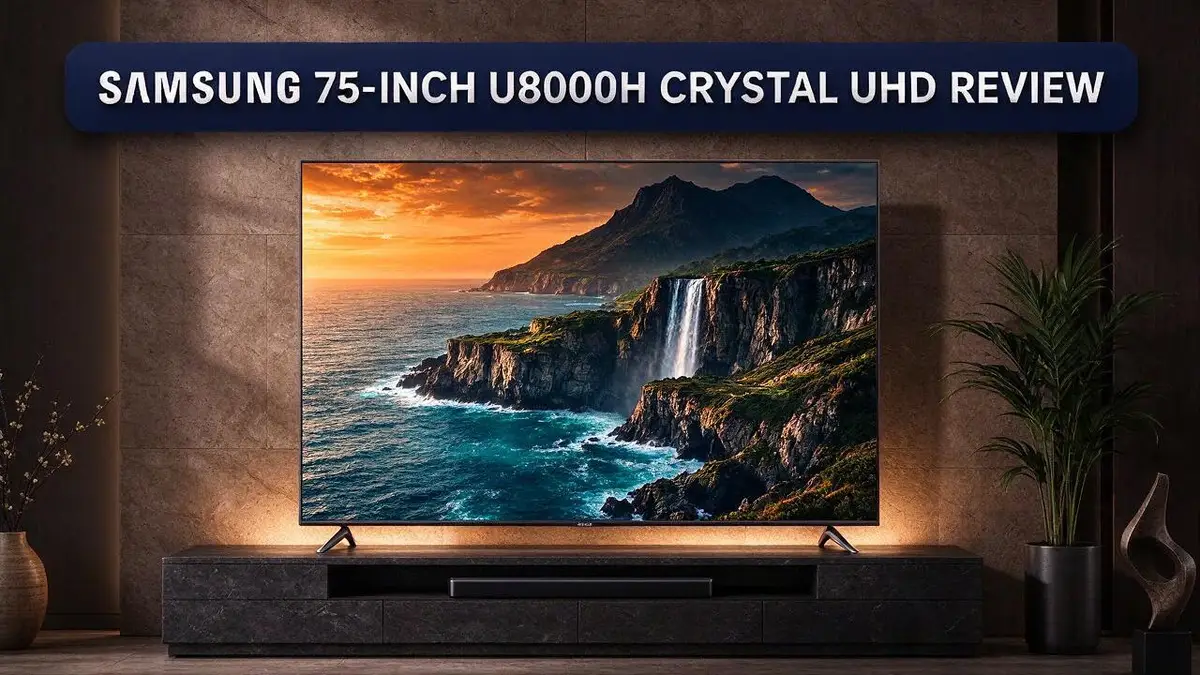
Samsung 75-Inch U8000H Crystal UHD TV Review: Picture Quality, Smart Features and Verdict
Looking for a big screen that fits your living room? The Samsung 75 inch U8000H Crystal UHD could be the one.
It brings sharp 4K picture quality to your home. Its AirSlim design gives it a thin profile.
Samsung Vision AI runs the show. The TV uses Tizen OS for its smart features.
You can also control it hands free. Alexa, Google Assistant, and Apple AirPlay all work with it.
Crystal Processor 4K upscaling helps older shows look cleaner. HDR and Dolby Digital add depth to movies and games.
Still, reviews are mixed. Some viewers say the picture looks like looking through glass. Keep reading to see if this 2026 model fits your space.
In a Nutshell
- Slim design: The AirSlim profile gives this TV a clean, thin look. It suits modern walls and minimal living rooms.
- Smart platform: Tizen OS runs the menus and apps. Wi Fi, Google Cast, and Apple AirPlay make streaming from your phone simple.
- Color and brightness: One promotional review praises the brightness and contrast. The color range also looks wide, though one reviewer says the picture feels like looking through glass.
- Sound and HDR: Dolby Digital and HDR add depth to movies. Your favorite films gain extra richness on a screen this large.
- Voice control: Alexa and Google Assistant both connect to the set. Some sources, however, report no voice control, so confirm this feature before you commit.
- Other options: The 43 inch U8000 Series offers a smaller size in the same line. Rivals like the LG Evo C5 OLED and Samsung S95H OLED offer premium picture alternatives.
Picture Quality and Brightness
No products found.
Picture quality often decides whether a big screen feels worth the space in your home. This model aims to deliver a clear image in everyday living rooms.
Bright daylight can make any screen look dull, so room light matters here. One promotional review praises the brightness, which may help near sunny windows. Room light also affects how bold colors appear, so a dim den may show a different result than a sunny lounge.
Colors look lively on this set. Samsung lists a wide color range for rich tones. That range helps nature shows and animated films, where greens and reds stand out.
Fine detail in textures, like fabric or hair, shows how sharp the panel really is. Viewing angles are another point to test, since picture quality can shift when you sit off to the side.
One reviewer describes the image as looking through glass, which shows how opinions differ. That quote highlights a key question for buyers: does the picture feel natural to you?
Mini LED models like the Samsung M70H often suit bright rooms with strong light output. OLED options such as the Samsung S95H and LG Evo C5 focus on deep black levels. Those deeper blacks can make movies feel more like a cinema at night.
Hisense and TCL also offer larger 85 inch sets for buyers who want more screen. Still, the 75 inch size strikes a balance between space and detail for most rooms. Use this check to compare the 75 inch model against those 85 inch options.
Gamers and sports fans may also care about motion, so watch a fast scene during your test. Sports fans often want smooth movement without blur.
Test before you buy. Bring a favorite movie to a store and watch the same scene on several models. Check how the picture looks in your own light, at your seat, and at night.
Clear priorities make the final choice easier. Your answer will show whether this model fits your viewing habits.
Smart TV Features and Voice Control
Voice control sounds simple on paper, but the reports do not fully agree. Some sources list strong Alexa support. Another source lists no voice control at all. This gap matters, so test it yourself.
Start with the devices you already own. If you use an Alexa speaker or a Google Nest device, set it up first. Then check that the TV appears in the app.
Casting can be a helpful backup. The TV supports Google Cast and Apple AirPlay. You can send videos, photos, and music from your phone or tablet. Casting often feels more reliable than spoken commands for streaming apps.
Think about where you sit. Voice commands depend on the microphone hearing you clearly. A TV across a large living room may struggle with background noise. Fans, dishwashers, and street traffic can all cause missed commands.
Create a short test list before you decide. Ask the TV to change the channel, raise the volume, and open a favorite app. Then ask it to search for a movie title. Note how many commands work on the first try.
Review the privacy settings early. Smart TVs can listen for wake words, so check the microphone options in the settings menu. You can turn off voice features if you want a quieter setup. The remote still handles every basic task.
Your internet connection also shapes the experience. A weak wireless signal can slow down voice replies and app loading. If your router sits far from the living room, move it closer or extend the signal. A steady connection keeps the smart features feeling fast.
Treat voice control as a bonus, not a promise. Test it in your own room with your own devices. Your results will tell you more than any single review. Trust what you see and hear during your own trial.
Design and AirSlim Profile
Size matters when you choose a TV for your living room. The 75 inch screen fills a large wall, so measure twice before you buy. Take the width and height of your wall space, then check the exact spot where the set will sit.
Viewing distance shapes the experience. Many people sit about two to three times the screen width away from the TV. For a 75 inch screen, that means a seat that feels comfortable, not too close. Move your sofa or chair first, then test the view.
The thin frame helps the set blend into a room. Dark walls make the edges almost disappear. Light walls can show the frame more clearly, so think about your wall color too.
Wall mounting is a popular choice for a screen this size. A mount keeps the TV close to the wall and frees up floor space. Confirm that the mount matches the VESA pattern on the back before you drill any holes.
Always ask a helper to lift the screen. A 75 inch panel is heavy and awkward to hold alone. Safety comes first, so take your time.
If you prefer a stand, measure the stand base against your media unit. A wide base needs a wide surface. Keep the stand on a flat floor so the screen does not tilt.
Cable planning keeps the setup tidy. Decide where your game console, soundbar, and streaming box will sit. Short cables stay neat behind the set. A cable cover can hide the wires for a clean finish.
Leave some space behind the TV for air flow. Heat can build up in tight corners.
Room layout matters too. A window facing the screen can cause glare on sunny afternoons. Move the TV to a side wall if reflections bother you, and use curtains or blinds to control light.
Finally, plan for delivery day. Check that doorways and stairs are wide enough for a large box. Ask the delivery team about setup help. A calm plan makes your first day with the new screen much easier.
Top 3 Alternatives
Hisense U7 Series

- HI - QLED MINILED PRO: Thousands of MiniLED backlights deliver pinpoint control for vibrant, lifelike...
- NATIVE 165HZ REFRESH RATE: Advanced motion technology handles gaming, sports and action at high speeds...
- ANTI-REFLECTION & GLARE-FREE: Bright windows, overhead lights, afternoon sun—your screen handles it all. The...
Last update on 2026-10-13 / Affiliate links / Images from Amazon Product Advertising API
The Hisense U7 Series delivers bright, vivid colors for everyday viewing. It uses mini LED backlighting for deep blacks.
Movies and sports look sharp, even in a sunny living room. The set supports HDR formats like Dolby Vision.
Gamers will enjoy its low input lag and smooth motion. This model suits families who want big screen performance with easy setup.
TCL Q65 Series

- TCL QM6K QD-MINI LED TV SERIES - AFFORDABLE PREMIUM PERFORMANCE FOR SPORTS, GAMING & STREAMING. Experience...
- QD-MINI LED. IT’S MINI LED PLUS QLED COLOR - BREATHTAKING BRIGHTNESS AND COLOR IN ANY LIGHT. Combines...
- TCL HALO CONTROL SYSTEM - BETTER BLACKS. SHARPER DETAIL. NO BLOOMING. Advanced local dimming eliminates...

Last update on 2026-10-13 / Affiliate links / Images from Amazon Product Advertising API
The TCL Q65 Series uses quantum dot technology for rich, lifelike color. Its local dimming zones keep bright and dark scenes well balanced.
Viewers often notice clean details in shadowy action scenes. The Q65 runs Google TV, so streaming apps are easy to find.
Many shoppers choose this set for its strong brightness and simple menus. It works well for anyone who streams a lot of shows.
Sony Bravia X90L

- Sony Bravia XR 85 inch X90L 4K HDR Full Array LED Smart TV 2023
- LIFELIKE PICTURE– The intelligent and powerful Cognitive Processor XR delivers a picture with wide dynamic...
- FULL ARRAY LED CONTRAST AND COLOR– See enhanced contrast with high peak brightness and billions of accurate...
Last update on 2026-11-07 / Affiliate links / Images from Amazon Product Advertising API
The Sony Bravia X90L focuses on natural motion and crisp detail. Its processor upscales standard content so it looks cleaner on screen.
Sony’s picture tuning gives skin tones a lifelike look. This TV works well with gaming consoles and supports 4K at high frame rates.
Sound is solid for a flat panel, though a soundbar adds more depth. Choose this model if you value premium picture processing and a clean, modern design.
Sound Quality and Audio Formats
Sound matters just as much as the picture. Many shoppers focus on the screen first. The audio side deserves a close look too, especially in a large room.
The set lists support for Dolby Digital audio. This format often appears on streaming apps, cable channels, and disc movies. When a show uses it, the TV can send clear, layered sound to your speakers.
Audio formats work together with HDR. HDR improves the picture, while Dolby Digital shapes the sound. Your content needs both to deliver the full effect, so check the format labels on your favorite shows.
Public details do not list speaker power or sound tuning for this model. That gap matters. Read a few real user reviews before you assume the built-in speakers will fill a big room.
A soundbar often makes the biggest difference. Many people pair a 75 inch screen with a soundbar. It sits below the panel and adds depth to dialogue, music, and action scenes.
Check your connections before you buy. Look for an HDMI port with audio return support on the TV, and confirm your soundbar uses the same port type. Good planning avoids a surprise at setup.
Late night viewing needs care. Loud action scenes can clash with quiet dialogue. Use a night or volume leveling setting if your TV offers one, and keep the volume comfortable for everyone in the room.
Try a test with your own content. Play a movie scene with rain, crowds, or soft voices. Listen for clear speech and balanced sound. Adjust the sound mode in the settings menu until it feels natural.
Source devices also shape sound. A game console, streaming box, or cable box may send different audio formats. Set each device to output the format your TV supports so you hear the best result.
Audio is a key part of your decision. Pair the picture with sound that fits your room, and you will enjoy movies and sports much more.
Pros and Cons
Pros
– Strong brightness and contrast help the picture stand out.
– A wide color range makes colors look rich and full.
– The Crystal Processor upscales lower resolution shows to look sharper.
– Samsung Vision AI and Tizen OS make the menus easy to use.
Cons
– One review says the picture can feel like looking through glass.
– One source says the set is not built for top picture quality.
– It sits in Samsung’s entry-level 4K lineup, so premium features may be limited.
– Sources disagree on some features, so check the specs before you buy.
Who Should Buy It
This TV suits a shopper who wants a big screen for everyday fun. Many households want a picture that fills the wall. This model gives families a large view for shows, sports, and movie nights.
Hands free fans may enjoy it most. Some people prefer to speak to their TV. Research lists Alexa support, but one source disagrees. Confirm this feature before you buy.
Casual viewers who mostly stream shows fit the profile well. They want a clean look for a busy living room. Simple menus help them relax after a long day.
Families with kids may also like this set. A large screen lets everyone see the action from the couch. Kids can watch cartoons or sports without crowding around a small display.
Picture perfectionists should look elsewhere. Some reviewers say the picture feels like looking through glass. One source says it is not built for top picture quality. Serious film fans may prefer a higher tier model.
Shoppers who want a sharper, richer image can compare other options. The Samsung S95H OLED and M70H Mini LED sit higher in the lineup. The LG Evo C5 OLED is another strong rival.
Sports fans want bright, colorful images during fast action. This model offers a wide color range that suits game day. Try a live match clip on your own device to see how it looks.
Buyers with a smaller room might prefer a different size. The 43 inch U8000 Series shares the same series name. It fits desks, bedrooms, and compact flats better.
Renters who plan to move soon should think about transport. A screen this size needs careful packing. Keep the original box if possible.
Shoppers should weigh their room and habits first. Measure the wall, test the picture if possible, and confirm the features that matter most. Read recent reviews, compare sizes, and ask about return rules. A clear plan leads to a happy choice.
Final Verdict
The final verdict is clear. The Samsung 75 inch U8000H gives you a large, easy screen for everyday viewing. It suits households that want a versatile TV without chasing the best picture on the market.
Think of this set as a practical choice. It brings 4K resolution, HDR, and voice support together in one slim frame. It does not aim at the top tier of Samsung’s lineup, so it skips some premium extras.
Its biggest strength is practicality. You get a big display that works with Alexa, Google Assistant, and Apple AirPlay. For many homes, that mix of features matters more than a perfect image.
Its biggest weakness is picture ambition. Reviewers describe a glass-like feel, and some sources question the picture quality. If image precision drives your decision, this model may fall short of your expectations.
Compare it with other models before you commit. Samsung’s S95H OLED and LG’s Evo C5 OLED aim for richer, more striking images. Those choices suit viewers who care most about fine detail and deep blacks.
Shoppers who look at the Hisense U6SF Pro or the TCL 85QM8L will find bigger screens in those lines. Their feature sets differ, so place the spec sheets side by side. Look closely at voice control, panel type, and gaming options.
Use a simple checklist before you buy. Confirm your voice control setup with your phone or smart speaker. Measure your wall space and your seating distance. Make sure your ports match your devices, and check that your streaming apps load smoothly.
Bottom line: choose the Samsung 75 inch U8000H if you want a large, practical TV for everyday fun. Choose a premium OLED or Mini LED model if picture detail sits at the top of your list.
Frequently Asked Questions
What does the AirSlim design mean for my wall?
The AirSlim profile keeps the frame thin. A slim set can sit close to the wall when you use a compatible mount. Measure your wall and check cable space before you buy.
Can I cast videos from my phone to this TV?
Yes, the TV supports Google Cast and Apple AirPlay. You can send videos from supported apps straight to the big screen. Keep your phone and TV on the same home network for the best results.
Is there a smaller Samsung option in the same line?
Yes, the 43 inch U8000 Series shares this line but comes in a smaller size. It suits a bedroom, a study, or a small desk setup. Choose it if the 75 inch screen feels too large for your space.
How does this model compare with other Samsung TVs?
The Samsung M70H Mini LED and the S95H OLED are other choices from Samsung. Mini LED sets use a backlight behind the screen. OLED sets light each pixel on their own, which can give deeper blacks. Compare these options if picture depth matters most to you.

Tian is a passionate technology enthusiast and reviewer who explores the latest in AI tools, gadgets, and digital innovations to help readers make informed tech decisions.