
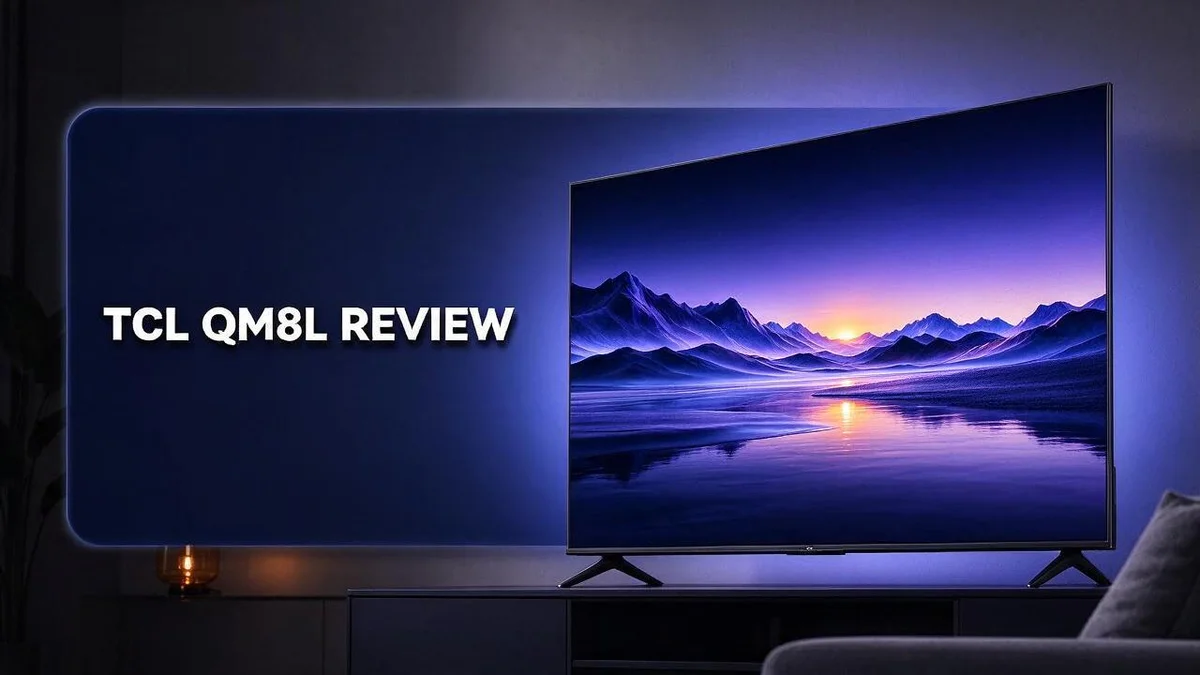
TCL QM8L Review: Mini-LED QLED TV Picture Quality, Gaming & Value
Looking for a TV that wows you from the first scene? The TCL QM8L might be the answer. It brings bright, vivid pictures that make movies and shows pop off the screen.
This set uses a Mini LED panel with up to 4,000 dimming zones. It reaches up to 6,000 peak nits, so highlights look bold and real. Blacks stay deep, and glow around bright objects stays low.
Gamers will love it too. The 144Hz panel and VRR support keep motion smooth at 120 or 144 frames per second.
Google TV makes streaming simple. Best of all, there is no black bezel to distract from the picture.
In this review, we break down the key specs, real world performance, and who should buy it. Keep reading to see if the TCL QM8L fits your living room.
In a Nutshell
-
Bright scenes look stunning. The panel reaches up to 6,000 peak nits. Highlights pop in sunny living rooms, so daytime viewing feels lively and clear.
-
Dark scenes look rich. Near zero blooming stops bright objects from spilling light into dark areas. Night movies feel more immersive as a result.
-
Colors look more natural. Reviewers note improved color across many scenes. Skin tones and nature shots often look more lifelike than on older sets.
-
Gaming feels smooth. The 144Hz native panel and VRR support keep fast action clean. Gamers get a responsive experience on both 120Hz and 144Hz content.
-
The screen looks modern. There is no black frame around the display, so the picture seems to run edge to edge. This clean look fits well in most living rooms.
-
Rivals offer useful comparisons. Buyers often compare it with the TCL QM8K, the TCL X11L, and Hisense models. Each option brings different strengths to the table.
Mini-LED Backlight and Dimming Zones

- SQD-Mini LED: As the ultimate Mini LED TV, it integrates the expansive TCL Deep Color System with the...
- TCL Ultra Color Filter: TCL’s Ultra Color Filter with fine 5 nanometer particles (vs. standard 60 nanometer...
- High Static Contrast: Experience exceptional picture quality driven by a high 7000:1 contrast ratio for...

Last update on 2026-09-13 / Affiliate links / Images from Amazon Product Advertising API
The backlight is the engine behind every picture. It sits behind the panel and sends light through each pixel.
The QM8L uses a Mini LED backlight with many tiny lights. Those lights form a grid that handles brightness across the whole screen.
The grid splits into dimming zones. Each zone can glow at its own level.
Think of each zone as a small lamp. It can brighten or dim without waiting for its neighbors.
Why does this matter? Many shows mix bright and dark areas inside one frame. Good zone control keeps both sides looking right.
Sports fans notice this most. A white jersey on a dark field needs careful light handling, and zones help keep faces and crowds visible.
Zone count is only part of the story. The software decides how zones switch and blend. Smart tuning can make a set look clean or messy.
Content type changes the result. Movies with night scenes often benefit the most. Daytime shows with flat lighting show less difference.
Room setup matters too. Bright lights in the room can make the grid look more visible. A dim room lets the zones work quietly in the background.
Quick tip for better results. Check the picture settings for local dimming options. Use a scene with both bright and dark parts. Then compare the changes side by side.
Viewing distance also shapes what you notice. Sitting close can reveal more detail in the light pattern. Sitting farther back often gives a smoother look.
In short, Mini LED zone control helps many viewers enjoy richer contrast. It works best with mixed light scenes and a calm room.
Shadow detail is another benefit. Zones can lift dim areas just enough. Hidden details appear without washing out the rest of the scene.
Check your settings after setup. Small changes in brightness and local dimming can shift the look. Take time to tune it for your room.
Picture Quality, Brightness and HDR
Picture quality is where the TCL QM8L earns its place in the living room. Many TVs look fine in a dim store but fade once daylight hits the screen. This set holds its punch in brighter rooms.
Daytime viewing becomes easier. Strong brightness keeps the picture clear near windows. You can watch the news in the afternoon without closing every blind. Colors still look lively, which keeps the mood fun.
HDR shines with the right content. High dynamic range adds extra detail to highlights and shadows. Movies, nature shows, and many streaming originals use this format well. Regular cable channels often look flatter, so expect a noticeable gap.
Fire, sunsets, and explosions pop. Bright highlights gain sparkle without looking harsh. Small glowing details, like candles or city lights, stand out clearly at night. Faces usually keep natural skin tones in most scenes.
Fast motion looks cleaner. The Motion Rate 480 rating helps reduce blur during car chases and sports. Panning shots across a stadium look sharper. Action films and live sports benefit most here. Some viewers may still notice slight motion smoothing, so test a few options.
Picture modes make a big difference. Start with a movie or cinema mode for film nights. Sports and games often look better in a brighter mode. Change one setting at a time, then compare the results side by side.
Room lighting shapes the final look. Soft lamps behind the TV can add a gentle glow that many people find comfortable. Direct glare from a window can reduce contrast in dark scenes. Placing the TV away from harsh sun helps it look its best.
Viewing position matters for group watching. Friends sitting far to the side may notice shifts in color. Sitting near the center gives the most even picture. Plan your seating before you mount the set on the wall. Good seating keeps everyone happy during movie night.
Gaming Performance and Refresh Rates
Gaming is a big reason many players choose the TCL QM8L. Its panel supports fast refresh rates. A good setup helps you enjoy every frame.
Start with the right output on your console. Set your PlayStation, Xbox, or PC to its top refresh mode. The source must send a matching signal first.
Use a cable that handles the bandwidth. An older cable can limit your picture to lower frame rates. Check the label and pick one rated for high speed.
Pick a target frame rate for each game. Fast shooters and racing titles benefit most from 120 frames per second. Slower story games often look great at 60.
Turn on game mode for quicker response. Game mode reduces extra processing. Fast menus and quick button presses feel more direct.
Use a steady frame cap. A cap keeps the picture even when a scene gets busy. Choose a number your system can hold most of the time.
Watch for uneven frame pacing. Stutter can appear even at high numbers. Lower a few graphics settings to smooth things out. A steady 90 frames often looks better than a choppy 120.
Check the input labels on your TV. Some ports support gaming features while others do not. Plug your console into the port that offers the best signal support.
Keep firmware up to date. Updates can improve compatibility with new consoles and graphics cards. Look for the update option in the system menu now and then.
Test several games before you settle. Each title handles the panel in its own way. Play a fast action game, then a slower adventure, and compare how each feels.
Small changes add up over time. Your room light and seating distance also shape how motion looks. Keep adjusting the settings until the screen feels right for you.
Top 3 Alternatives
Looking for a different TV? These three options offer strong picture quality and useful smart features.
Hisense U8N

- MINILED PRO WITH UP TO 5000 NITS PEAK BRIGHTNESS AND UP TO 5600 LOCAL DIMMING ZONES: See the realism of every...
- HI-VIEW AI ENGINE PRO: Enjoy the game from home, but feel like you’re there. Powered by the Hisense...
- NATIVE 165HZ PANEL WITH GAME BOOSTER 288: Turbo power your gaming! The Native 165Hz Panel has a Variable...
Last update on 2026-09-30 / Affiliate links / Images from Amazon Product Advertising API
The Hisense U8N is a strong pick for bright rooms. It uses mini-LED backlighting to deliver punchy colors and high brightness.
Gamers often like its fast response and gaming features. Its sleek design also fits well on most TV stands.
Samsung QN90D

- QUANTUM MATRIX w/ MINI LEDs: Catch every detail in dark to bright scenes; Precise lighting from Mini LEDs...
- NEO QUANTUM HDR+: See sensational contrast, stellar brightness & vivid color—just as the director intended...
- DOLBY ATMOS & OBJECT TRACKING SOUND+: Put yourself in the middle of the action with built-in Dolby Atmos; When...
Last update on 2026-10-09 / Affiliate links / Images from Amazon Product Advertising API
The Samsung QN90D uses Neo QLED technology. It handles reflections well, so it works in living rooms with lots of windows.
Its contrast and color volume look rich for movies and sports. Smart features are easy to use, and streaming apps load quickly.
Many viewers find it a good overall choice for daily viewing.
Sony Bravia 8

- PURE BLACK OLED CONTRAST: Over 8 million self-lit pixels are precisely controlled to produce pure black with...
- POWERFUL TV PROCESSING: XR Processor intelligently enhances every scene in real-time boosting color, contrast...
- EVERYTHING YOU STREAM. ALL IN ONE SCREEN: Get access to all your favorite streaming apps in one place with...
Last update on 2026-11-07 / Affiliate links / Images from Amazon Product Advertising API
The Sony Bravia 8 focuses on natural, accurate images. Sony’s processor helps colors and motion look smooth during fast scenes.
Viewers who want a cinematic look will enjoy its deep blacks and clean detail. It also suits dim rooms where shadows matter.
Sound from the built-in speakers is a helpful extra.
Each option fits a different viewing style. Compare how you watch, then choose the one that matches your room and habits.
Design and Build
The TCL QM8L has a clean and modern look. Its screen sits inside a frame that feels almost invisible. Many people like this style because it keeps the focus on the picture.
The no bezel design makes a real difference. Most TVs show a dark border that pulls the eye away from the image. This model skips that border, so the screen looks wider than it is.
Thin edges also suit modern living rooms. A slim frame fits well beside bookshelves, art, or a gallery wall. It keeps the room feeling open and uncluttered.
Check the stand before you unbox. The TV ships with a stand that attaches to the base of the panel. Measure your TV unit first. Make sure the stand base fits with room to spare for cables and a soundbar.
A wall mount gives you more freedom. Many TVs of this size use a standard VESA pattern on the back. Look up the exact measurements in the manual, then pick a bracket that matches.
Ask someone to help you lift it. A screen this size can feel awkward to carry alone. Two people can move it safely. Set it on a soft blanket to protect the panel while you work.
Think about port access. Ports on the back or side should face where you can reach them easily. If the TV hangs on a wall, plan the cable path before you mount it. A cable cover gives you a tidy finish.
Good cable planning helps your setup last. Strong cables and clean routing reduce strain on the plugs. Leave a small loop of slack behind the TV so it can move a little when you clean.
Build quality feels solid for daily use. The materials feel sturdy when you touch the frame and stand. Gentle handling during setup and regular dusting will keep the surface looking fresh for years.
Overall, the design fits most homes with ease. The clean edges, simple stand, and flexible mounting options help it blend into many rooms. Take a few minutes to plan, and the setup will feel smooth.
Pros and Cons
Pros
- Very bright picture works well in rooms with lots of daylight.
- Near zero blooming keeps bright scenes clean around the edges.
- Colors look richer than many older TV models.
- Google TV built in makes streaming apps easy to find.
- Variable refresh rate keeps gameplay smooth when frame rates change.
Cons
- One review note mentions a narrow drawback, so check viewing angles first.
- Few reviews list full drawbacks, so test the picture in person when you can.
- A 65 inch screen can overwhelm a small living room.
- Rivals like Hisense offer similar features, so compare before you decide.
Who Should Buy It
This TV suits some viewers better than others. Knowing your habits helps you decide. Here is who should take a close look at the TCL QM8L.
Home theater fans get a lot from this set. Dim rooms let bright highlights pop off the screen. Action movies and dramas look bold and dramatic.
Sports fans form another strong group. Fast moving players stay sharp during quick plays. A large panel makes every match feel more immersive.
Gamers with a current console can use its full potential. Fast action games look crisp from start to finish. The set rewards players who like to customize their settings.
Streaming fans will also enjoy the picture. Many shows and films now use HDR. Bright highlights and rich colors stand out on modern releases.
Upgraders moving from older TVs will notice the change right away. Older LCD and plasma sets look dull by comparison. This model brings a fresh and lively look to the room.
Busy families need one screen for everything. Cartoons, movie nights, and game day can all share the same set. Everyone can gather around and enjoy the same picture.
Viewers who sit very close may find the screen too intense. Sitting a little farther back usually feels more comfortable. Measure your seating distance before you buy.
Shoppers who need a small TV should look elsewhere. Bedrooms, offices, and dorms often suit smaller screens better. A compact model fits those spaces with less effort.
Frequent movers should plan the trip with extra care. A large screen takes time to pack and transport. Choose a moving plan that protects the panel from start to finish.
Ask yourself three quick questions. Do you have space for a large screen? Do you often watch movies, sports, or games? Do you want a sharp and bright picture for daily viewing? If you answered yes to all three, this TV could be a smart fit for your home.
Final Verdict
The TCL QM8L earns a strong place on any shortlist. It combines a bright picture, deep contrast, and smooth motion. Most people who buy it will feel pleased with what they see.
The best way to judge this TV is by how well it matches your room. Think about light, seating, and daily habits. A great picture means little if the set does not fit your life.
Dark rooms bring out its best side. Mini LED zones help bright highlights stand out against deep shadows. Night movies and space scenes look especially striking here. Pick a spot with controlled light for the best result.
Gaming setups get a real lift. Fast refresh rates keep action clear during busy scenes. Set the picture mode before you start playing, since small tweaks can make dark game scenes look even better.
Everyday viewing feels simple too. Streaming apps sit close at hand, and menus stay easy to follow. Family members can pick up the remote without a long lesson.
Shop around before you commit. Visit a store, view the QM8L beside other sets, and watch the same clip on each screen. Your eyes will tell you more than any spec sheet can.
Who may want something else? Anyone who wants a perfectly neutral look right away may need to tweak a few settings. A quick calibration can help.
Think about the long run. A set like this can serve for years of movies, games, and sports. Strong brightness and deep contrast keep the picture looking fresh as your habits change.
Plan your setup before delivery day. Measure the wall or stand space, check the door width, and confirm your outlet location. Good planning saves stress and keeps the big day smooth.
The bottom line is simple. The QM8L suits people who want a bold picture and strong gaming features. It can be a great long term companion for the right viewer. Test it in person, measure your space, and trust what you see.
Frequently Asked Questions
Does the TCL QM8L work well in bright rooms?
Yes, this set gets very bright. Its strong peak brightness helps highlights stand out during daytime viewing. Sunny living rooms are a good match for this TV.
Does the QM8L have blooming problems?
Blooming stays very low on this set. The glow around bright objects on dark backgrounds is minimal. Night scenes look cleaner as a result.
How does the QM8L compare with the QM8K?
Reviewers often put these two sets side by side. Both focus on picture quality, so the choice often comes down to your personal taste in color. Watch the same clip on each model to see which one you prefer.
Is the QM8L good for HDR movies?
Yes, its HDR performance earns strong praise. Bright highlights and rich colors show up well when a film uses HDR content. Try a favorite movie with HDR to see the difference for yourself.
Does the QM8L look good on a wall mounted setup?
The set has no black bezel, so the edges look clean and modern. This helps the screen blend into a media wall. Wall mounting also frees up floor space in smaller rooms.

Tian is a passionate technology enthusiast and reviewer who explores the latest in AI tools, gadgets, and digital innovations to help readers make informed tech decisions.


