
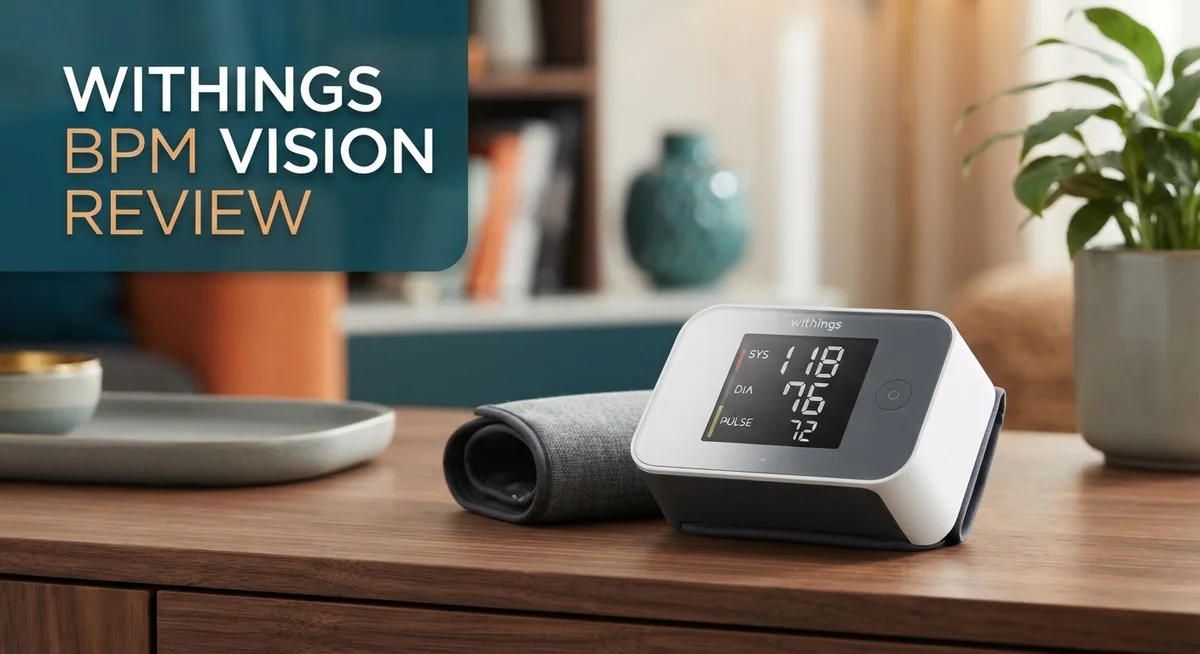
Withings BPM Vision Review: FDA-Cleared Blood Pressure Monitor with Color Display
Checking your blood pressure at home should feel simple. The Withings BPM Vision makes that happen with ease.
This device brings a large 2.8 inch color touchscreen to your daily health routine. It guides you through each reading with clear on screen steps.
You get three readings every time you check. The monitor then shows your range and average blood pressure. This gives you a clearer picture of your heart health.
The device is FDA cleared and built for accuracy. It supports up to eight users, so your whole family can track their health on one unit.
In this review, we will look at how the BPM Vision performs. We will cover its design, accuracy, and ease of use. You will learn if this monitor fits your daily health routine.
In a Nutshell
-
Multi-user friendly: The BPM Vision stores data for up to 8 people. This makes it perfect for a household checking blood pressure together.
-
Long battery life: You get about six months of use before a recharge. This means less worry about dead batteries during a reading.
-
Smart cuff design: The flexible cuff adjusts to different arm sizes. It helps you get a snug, correct fit every time.
-
Color coded feedback: Your results show up in clear colors on screen. This helps you spot normal, high, or low readings at a glance.
-
Tabletop, not wrist-worn: This unit sits on a table rather than your wrist. You trade a little portability for steadier, more stable readings.
-
Watch your technique: Most errors come from user mistakes, not the device itself. Correct cuff placement makes a big difference in accuracy.
Compared to the BPM Connect or BPM Core, the Vision keeps things simple. It skips Wi-Fi and ECG extras, focusing purely on clear, reliable blood pressure checks.
Display and User Interface
The touchscreen on the BPM Vision makes taking your blood pressure feel modern and intuitive. The 2.8 inch color display sits right in front of you as you use the device, so you can see everything clearly without squinting or guessing.
Step by step guidance appears directly on screen while you measure. The device walks you through the process from start to finish. This built-in coaching reduces confusion and helps you get consistent, reliable results every single time.
The interface uses color coding to communicate your results instantly. Green, yellow, and red zones help you understand your reading at a glance. You don’t need to memorize numbers or check a separate chart to know if your pressure is in a healthy range.
Each measurement session gives you three separate readings. The device then displays them as a range with the average shown prominently. This approach gives you a more complete picture than a single reading alone. You can see how your pressure changes across the three attempts.
The display remains easy to read from different angles. Whether you’re sitting directly in front of the device or viewing it from the side, the information stays clear and visible. This matters when multiple family members use the same unit and need to check their results.
Menu navigation feels straightforward once you get familiar with it. Tapping through options to select your user profile or view past readings doesn’t require technical skills. Most people figure out the basic functions within their first or second use.
The touchscreen responds quickly to your taps without lag or delays. You won’t experience frustration from waiting for the interface to catch up with your input. This responsiveness keeps the whole experience feeling smooth and efficient.
One thing to note: the interface assumes correct technique from the user. If your cuff sits too loose or your arm position is wrong, the display will show you a reading, but it may not reflect your actual pressure. The device itself works accurately, but user error in setup can affect results. Paying close attention to the on screen instructions helps you avoid this common mistake.

- Your Cardiovascular Health in Just Seconds – Systolic & diastolic blood pressure + heart rate tracking at...
- No More Guesswork – Color-coded feedback instantly shows how your results compare to official US...
- Big, Bright & Easy to Read – The 2.8” LCD screen displays ultra-clear results.

Last update on 2026-10-09 / Affiliate links / Images from Amazon Product Advertising API
Accuracy and Measurement Reliability
Blood pressure monitors need to deliver consistent, trustworthy readings. The Withings BPM Vision performs well in real world conditions because it combines solid engineering with user friendly features.
Accuracy starts with FDA clearance. This device received FDA approval, which means it passed rigorous testing standards. The BPM Vision takes three separate readings during each session and displays them as a range with an average. This approach reduces the impact of a single anomalous measurement and gives you a more complete picture of your blood pressure.
The flexible cuff design plays a key role in measurement reliability. It adjusts to fit different arm sizes, which helps ensure proper contact and consistent results across multiple users. When the cuff sits correctly, the readings become more dependable. The device includes step by step guidance on screen, which walks you through proper positioning before you start.
User technique matters more than device performance. Most measurement errors come from incorrect cuff placement or improper arm positioning rather than device malfunction. The color coded feedback system helps you identify when something went wrong. If you see unusual results, the visual cues prompt you to check your technique on the next attempt.
The touchscreen display makes it easy to spot your results instantly. You see your systolic and diastolic numbers clearly, along with your pulse rate. The color coding tells you at a glance whether your reading falls into a normal, elevated, or high range.
One limitation: the device assumes you already know how to use it correctly. While the on screen guidance helps, it cannot prevent all user errors. Placing the cuff too loose or taking a reading while stressed will skew results, regardless of the device’s internal accuracy.
For consistent measurements, take readings at the same time each day, keep your arm relaxed, and follow the on screen instructions carefully. When you use the BPM Vision properly, you get reliable data you can share with your doctor or track over time.
Portability and Design
The Withings BPM Vision sits on your table or nightstand rather than strapping to your wrist. This tabletop design keeps the device stable during readings, which helps you get consistent measurements every time.
The unit measures roughly the size of a small speaker. You can easily move it from room to room or pack it for travel. The compact footprint means it won’t take up much counter space in your bathroom or bedroom.
The 2.8 inch color touchscreen dominates the front of the device. This large display shows your blood pressure, pulse rate, and color coded feedback all at once. You read your results instantly without squinting or hunting for small numbers on a tiny screen.
The flexible cuff wraps around your upper arm or wrist depending on your preference. This adjustable design works for different body types and sizes. You don’t need multiple cuff sizes to get an accurate fit.
The device feels solid and well built in your hands. The materials look modern and professional. The touchscreen responds quickly when you tap it, and the overall construction suggests this monitor will last through years of daily use.
One design choice worth noting: the tabletop format means you need a flat surface nearby when taking readings. Unlike wrist worn monitors, you can’t measure your blood pressure while sitting in a car or standing at work. You’ll want to use this device at home where a table or counter is available.
The battery lasts around six months per charge, so you won’t spend your time constantly hunting for a charger. The included USB cable makes recharging simple when the time comes.
The device supports up to eight different users, so families can share one monitor. Each person’s readings store separately in the device’s memory. This multi user feature makes the BPM Vision practical for households with multiple people tracking their health.
Top 3 Alternatives
Omron Evolv Wireless

- CONFIDENCE IN EVERY READING: Monitor your heart health with the OMRON Evolv Upper Arm Blood Pressure Monitor's...
- SAFEGUARD YOUR HEART: Detect heartbeat irregularities during routine blood pressure measurements with OMRON's...
- START YOUR DAY WITH CONFIDENCE: Count on simple, intuitive controls with portable and compact One Piece Design...
Last update on 2026-10-09 / Affiliate links / Images from Amazon Product Advertising API
The Omron Evolv Wireless connects to your smartphone app and stores your readings automatically. You get instant feedback on your blood pressure with a simple color-coded display. The device uses advanced sensors to detect irregular heartbeats during measurement.
This monitor works well for people who want quick, reliable readings at home. The cuff fits most arm sizes comfortably. Data syncs to your phone, making it easy to track trends over time. Healthcare providers often recommend this brand for accuracy and dependability.
iHealth Wireless Monitor

- Clinically Validated for Accuracy: The accuracy of iHealth Neo has been thoroughly tested and conforms to...
- Fast & Gentle Measurement with Easy-to-read Numbers: The iHealth Neo uses gentle inflation technology for the...
- Ultra Thin for Easy-carry: The ultra-thin lightweight sleek design emphasizes mobility and convenience so that...
Last update on 2026-10-09 / Affiliate links / Images from Amazon Product Advertising API
The iHealth Wireless Monitor pairs with your mobile device through Bluetooth technology. You can view your complete health history in the companion app anytime. The device remembers multiple user profiles, so family members can track their own data separately.
This monitor features a large, easy-to-read display on the device itself. Readings appear within seconds of measurement. The app sends reminders to take measurements at consistent times each day. Many users appreciate how simple it is to set up and start using right away.
Withings BPM Connect
- Your Cardiovascular Health in Just Seconds – Systolic & diastolic blood pressure + heart rate tracking at...
- No More Guesswork – Color-coded feedback instantly shows how your results compare to official US...
- Big, Bright & Easy to Read – The 2.8” LCD screen displays ultra-clear results.
Last update on 2026-10-09 / Affiliate links / Images from Amazon Product Advertising API
The Withings BPM Connect offers WiFi connectivity for automatic cloud storage of your readings. You don’t need to manually sync data—it happens in the background. The device displays results on a bright screen with clear numbers.
This monitor integrates with popular health apps and platforms you may already use. The app shows detailed analytics and trends over weeks and months. Withings BPM Connect includes a feature that alerts you if readings fall outside your normal range. Family members can share access to monitor loved ones remotely if needed.
Battery Life and Multi-User Support
The Withings BPM Vision gives you six months of battery life on a single charge. This means you measure your blood pressure regularly without worrying about constant recharging. The battery sits inside the device, so no cables clutter your nightstand during normal use.
When the battery runs low, the touchscreen displays a warning message. This gives you plenty of notice before the device stops working. You simply plug it in using the included USB cable, and it charges while you continue your daily routine.
The multi-user support feature makes this monitor perfect for households with multiple people. You can register up to eight different users on one device. Each person gets their own profile with separate measurement history and settings.
Setting up a new user takes just a few taps on the touchscreen. The device guides you through the process step by step. Once configured, family members can switch between profiles easily without mixing up their readings.
The color coded display shows results for each user instantly. Your spouse can see their numbers, your parent can see theirs, and you see yours all clearly separated. This prevents confusion about whose reading belongs to whom.
Each user profile stores their complete measurement history over time. The device tracks trends for each person independently. This matters because blood pressure patterns vary from person to person.
The multi-user feature works seamlessly with the Withings app. Family members can sync their data to their own smartphones if they choose. Some users stay completely separate, while others share access to view each other’s readings for health accountability.
The touchscreen remembers each user’s preferences automatically. If one person prefers metric units and another prefers imperial, the device switches between them based on who’s measuring. This small detail shows how the BPM Vision handles household needs thoughtfully.
Battery life combined with multi-user support makes this device practical for real family situations. You charge it once every six months instead of weekly. Multiple people get their own accurate history without needing separate monitors.
Common User Errors and Setup Considerations
The Withings BPM Vision delivers accurate readings when you use it correctly. User technique matters more than device performance, so understanding common mistakes helps you get reliable results every time.
The most frequent error involves cuff placement. Your arm should rest at heart level on a flat surface during measurement. Many people hold the device too high or too low, which skews the reading. The flexible cuff fits both upper arm and wrist positions, but consistency matters most. Choose one location and stick with it for all future readings.
Cuff size selection causes problems for some users. The included cuff works for most arm sizes, but if it feels too loose or too tight, your readings suffer. A properly fitted cuff sits snugly without cutting off circulation. Check the fit before your first measurement to avoid inaccurate data.
Movement during measurement throws off results. Stay still and quiet while the device records your blood pressure. Talking, fidgeting, or shifting your arm interrupts the process. The on-screen step-by-step guidance reminds you to relax, so follow those prompts carefully.
Timing affects your readings too. Take measurements at the same time each day for the most useful tracking. Morning readings before breakfast work well for many people. Wait at least five minutes after physical activity or caffeine intake before measuring.
Setup is straightforward with the touchscreen interface. When adding a new user to the device, the display walks you through each step. Store the monitor on a stable, flat surface near where you typically sit or rest. This tabletop design means you need a dedicated spot for the unit, unlike wrist models you can carry anywhere.
Battery management requires minimal effort. The device alerts you when power runs low, giving you plenty of time to charge. Reset your expectations around the six-month battery cycle so you’re never caught off guard.
Most setup issues disappear once you follow the on-screen instructions and maintain consistent technique. The color-coded display confirms your readings instantly, so you’ll know immediately if something seems wrong.
Pros and Cons
Pros
- Large color touchscreen gives you step by step guidance so readings feel effortless
- Flexible cuff works on your wrist or upper arm depending on your comfort level
- Compact tabletop design sits neatly on any nightstand or table without taking up much space
- FDA cleared with proven accuracy when you follow proper technique
- Six month battery life means you charge infrequently and up to eight users can share one device
Cons
- Cuff placement mistakes happen often and throw off your results if you don’t position it correctly
- Requires a flat surface nearby during measurements since it’s a tabletop unit rather than wearable
- User error from wrong cuff size selection or movement during readings causes more problems than device malfunctions
Who Should Buy It
The Withings BPM Vision works best for people who want clear, easy to read blood pressure readings at home. If you struggle with small screens or prefer large displays, this monitor fits your needs perfectly.
Families benefit most from this device. The multi user support lets up to eight people share one monitor. Each person gets their own profile with separate measurement history. This makes it ideal for households where multiple family members track their health.
People with mobility concerns find the tabletop design helpful. You don’t need to wear it on your wrist or fumble with straps. Simply place it on a table, position your arm, and let the touchscreen guide you through each step. The on screen instructions reduce confusion and user error significantly.
This monitor suits anyone who values accuracy over portability. The flexible cuff works on your wrist or upper arm depending on what feels comfortable. Accurate readings matter more than having a tiny device you can carry everywhere. If you’re willing to measure at home on a flat surface, you get reliable results.
People new to blood pressure monitoring appreciate the step by step guidance. The color coded display shows your results instantly and clearly. You won’t spend time deciphering numbers or wondering if you did it right. The device tells you exactly what to do.
Those who charge devices infrequently will like the six month battery life. You measure consistently without worrying about daily charging. This appeals to people who already struggle with device maintenance.
Skip this monitor if you need portability. Wrist worn models work better for travel or on the go measurements. The Withings BPM Vision requires a nearby table or flat surface, so it’s not practical for measuring anywhere.
People with very small or very large arms should check cuff compatibility first. Wrong cuff size causes inaccurate readings. Contact Withings support if you’re unsure which size fits you.
This device suits anyone who wants a straightforward, accurate home blood pressure monitor with a user friendly interface and family friendly features.
Final Verdict
The Withings BPM Vision stands out as a smart choice for home blood pressure monitoring. It combines a clear screen with simple controls. Anyone can pick it up and start using it right away.
This monitor shines brightest in shared households. Multiple family members can track their health on one device. Each person gets their own profile and history.
The design focuses on clarity over complexity. You won’t struggle with tiny buttons or confusing menus. Every step shows up right on the screen as you need it.
Compare this to competitors like the BPM Connect or BPM Pro 2. Those models offer wireless syncing or personalized alerts. The BPM Vision keeps things simple and focused on core accuracy instead.
The Omron EVOLV often frustrates users with inconsistent readings. The Withings BPM Vision avoids these complaints through thoughtful design choices. Its larger display and guided process reduce common mistakes.
Think about your daily routine before buying. Do you need a device that stays in one place? Does your household include multiple people checking their health regularly?
If you answered yes to either question, this monitor fits well. It rewards patience and proper technique with reliable results. People who follow the guided steps see consistent, trustworthy numbers over time.
This isn’t the right pick for frequent travelers. Someone who needs quick checks on the go should look elsewhere. A wrist worn alternative would serve that lifestyle better.
For home use, though, few devices match this level of clarity and ease. The screen walks you through everything. The cuff adapts to your body without extra hassle.
Overall, the Withings BPM Vision delivers what most households actually need. It offers accuracy, simplicity, and shared access in one compact unit. Choose this monitor if steady, clear readings matter more to you than portability.
Frequently Asked Questions
Can I use the Withings BPM Vision while traveling?
The tabletop design makes travel less convenient. You need a flat surface and stable positioning for accurate readings. Wrist worn models work better if you measure on the go often. For home use or hotel rooms where you have a nightstand, this monitor works fine. Just pack it in your luggage and set it up wherever you stay.
How accurate are the readings?
The device is FDA cleared and delivers accurate results when you follow proper technique. The flexible cuff fits both wrist and upper arm positions. User error happens more than device error. Cuff placement and positioning matter most. The color touchscreen gives you step by step guidance to help you get it right. Most mistakes come from wrong cuff size or loose fit, not the monitor itself.
Will my whole family be able to use one device?
Yes. Up to eight users can share the same monitor. Each person’s readings store separately on the device. This makes it ideal for households where multiple people track their blood pressure. No need to buy separate monitors for each family member.
How often do I need to charge it?
The battery lasts about six months. You charge infrequently, which means less hassle and fewer cables cluttering your nightstand. This long battery life beats many competitors that need monthly or weekly charging.
Is this monitor good for someone new to blood pressure monitoring?
Absolutely. The large color display shows numbers clearly. The on screen guidance walks you through each step. New users appreciate how simple the process feels. You don’t need experience or technical knowledge to get reliable readings.

Tian is a passionate technology enthusiast and reviewer who explores the latest in AI tools, gadgets, and digital innovations to help readers make informed tech decisions.


