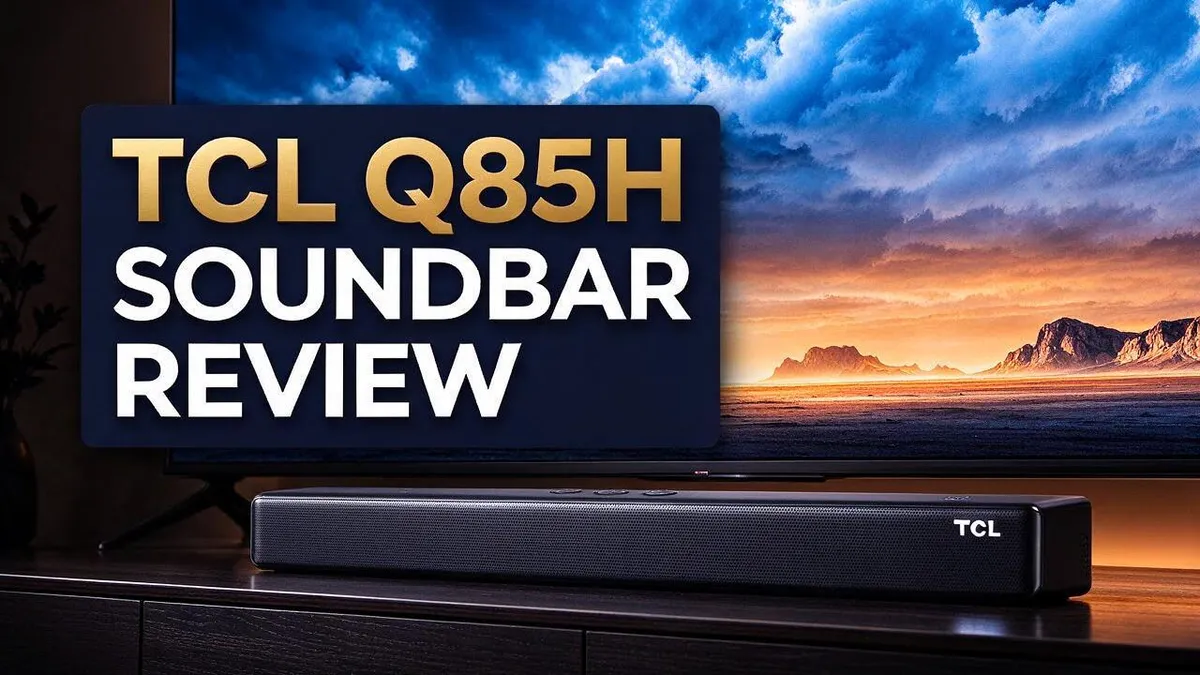
TCL Q85H Soundbar Review: Dolby Atmos, Subwoofer Bass and Real-World Performance
Looking for a soundbar that fills your whole room? The TCL Q85H could be the one. It offers a 7.1.4 channel setup with a wireless subwoofer for deep, full sound.
Movie nights feel different with Dolby Atmos and DTS:X support. Sound moves above and around you. Explosions hit hard, and the bass feels rich.
Dialogue stays clear, even during loud action scenes. With up to 860W of total power, this soundbar fills large spaces. Bluetooth and Apple AirPlay make streaming simple from your favorite devices.
In this review, we look at what works well. We also cover the downsides, like a bulkier setup and occasional sync issues. Keep reading to see if this soundbar fits your home and your entertainment needs.
In a Nutshell
-
Deep bass comes from a wireless subwoofer. The subwoofer adds punch to explosions and music. It sits anywhere in the room without messy cables. Bass feels full and strong during action films and bold music tracks.
-
Sound rises from a 7.1.4 channel layout. Ray Danz Technology uses acoustic reflectors to bounce sound off walls. This layout creates a wide and open sound field around the couch.
-
Bluetooth and Apple AirPlay make streaming simple. Play music from your phone in seconds. The connection stays stable for everyday listening.
-
The app and remote make control easy. Adjust volume and modes right from your couch. Each setting is easy to find, even for new users.
-
Setup needs more space than sleeker models. The unit can look bulky on a small shelf. Still, the size may suit larger living rooms better.
-
Some users notice minor sync delays with wireless speakers. Loud volume can bring small distortion, and a few people find dialogue settings tricky. Most owners still find the overall performance pleasing.
Sound Quality and Dialogue Clarity

- Why Choose TCL: TCL is a global leader in TVs and audio, combining innovative technology with reliable...
- 7.1.4 Surround with Enhanced Rear Speakers: Experience next-level immersion with a full 7.1.4 channel system...
- Dolby Atmos & DTS:X For True 3D Audio: Experience sound that moves around and above you with Dolby Atmos and...

Last update on 2026-11-07 / Affiliate links / Images from Amazon Product Advertising API
Good sound starts with clear voices. The TCL Q85H gives dialogue a clear place in the mix. Actors sound natural instead of muffled.
The center channel plays a big role here. It sends most spoken words straight to your seat. Your brain follows the story with less effort.
Midrange tones feel warm and full. Voices carry weight without sounding harsh. This balance helps during TV shows, news, and podcasts.
Music also sounds clean and open. Vocals in songs stay separate from guitars, drums, and synth lines. Each instrument has space to breathe.
Dialogue clarity works well for most people. Still, one user found speech harder to follow despite trying different settings. That result shows room for personal tweaking.
Tip for better speech: Start with the default mode. Then explore the settings in the app. Small changes can make a big difference.
Room layout also affects how clear speech sounds. Hard walls can reflect voices and blur words. Soft rugs and curtains help keep speech sharp.
Seating position matters too. Sit near the center of the room for the best vocal focus. Sitting far to one side can shift the sound balance.
Clarity can slip when the volume climbs high. Speech may lose its edge at peak levels. Keeping the volume moderate helps dialogue stay sharp.
Speech tests help too. Play a familiar show with quiet scenes. Listen for soft whispers and light conversations. These moments reveal how well the soundbar handles detail.
Quiet dialogue is a strong test for any soundbar. The TCL Q85H handles it with care. Words stay distinct without sounding forced or thin.
Viewers who watch many dramas will appreciate this detail. Subtle lines come through with clear emotion. That helps you follow every twist.
Overall, the TCL Q85H delivers strong sound quality for everyday viewing. Dialogue stays easy to follow for most people. Movie fans and TV watchers will likely feel satisfied.
Design and Setup
Setting up the TCL Q85H starts with one simple question: where will it live? Measure your space first so the bar fits your TV stand without pushing your screen too high or too low.
The bar is bigger than many sleeker soundbars. Its long body needs a clear run of shelf, and its height can crowd a low TV stand. Check the width and depth before you unbox it.
Think about the view from your couch, too. A bar that sits high can block the bottom of the screen. Sit in your normal viewing spot and look at the screen before you commit to a location.
The wireless subwoofer gives you more layout freedom. You can place it on the floor beside the couch, in a corner, or near a side wall. It does not need a cable run to the bar, so you can pick a spot that works for your room.
Give the subwoofer some room to breathe, though. Keep it away from heavy curtains and tight cabinets. Boxing it in can make the low end sound muddy.
Connections come next. Plug the bar into your TV, then pair your phone over Bluetooth or Apple AirPlay. Keep the devices close during pairing so the signal stays strong.
Walls and thick furniture can weaken the wireless link. Clear line of sight between the bar, the subwoofer, and your source device helps the connection stay steady during setup.
The app guides you through the basic steps. Download it, follow the prompts, and check for any available updates. This takes only a few minutes and helps the bar run smoothly from day one.
Cable management keeps the space tidy and safe. Use a cable tie or a small cord cover to hide the power cord behind the stand. A clean setup also makes it easier to dust and move the bar later.
Finally, run a quick test. Play a short clip with a voice, a music track, and an action scene. Listen from your main seat. If something sounds off, shift the bar or subwoofer a few inches and try again.
A little planning saves time. Take a few minutes to measure, place, and test, and the TCL Q85H will feel right at home in your living room.
Connectivity and App Control
Strong connections keep your entertainment running smoothly. Your TV, phone, and tablet can all send sound to the same bar.
Think about which device you use most often. Set that one as your main source so the bar switches over fast.
Name your devices in the app. Clear labels like Living Room TV or Kids Tablet help you pick the right source fast.
Guests can join in too. A friend can pair a phone and play a playlist without digging into your settings.
List every device before you connect anything. Write down the TV, game console, and phone. Knowing the list keeps the setup simple.
Keep one device connected at a time. Several devices sending audio at once can confuse the link and cause hiccups.
Watch for lip sync issues. If a show looks out of step with the voices, check the app for an audio delay setting.
Use the app to test each source. Play a short clip from every device. This quick check shows which connection works best.
Streaming apps on your TV may have their own audio output menu. Choose the soundbar there so the sound stays in one place.
Family members may share the room with different habits. Ask everyone which source they use most. Their answers help you set the default.
Update the software now and then. Updates can improve performance and fix small issues. Check the app every few weeks.
Keep the bar away from metal cabinets and crowded corners. Signals struggle in tight spots.
Remember the remote as a backup. If the app glitches, the remote can still handle basic volume changes. Keep its batteries fresh.
Keep your phone close when you stream. Long distances can weaken the signal and cause dropouts.
Most people find the setup gets easier after the first week. Small habits, like naming devices and checking updates, save time.
Top 3 Alternatives
Sonos Beam Gen 2

- Enrich your entertainment experience with vibrant bass, crystal clear dialogue, and a panoramic soundstage.
- Experience a 3D surround sound effect with Dolby Atmos.
- Stream music, radio, podcasts, and audiobooks from all your favorite services when the TV is off.
Last update on 2026-11-07 / Affiliate links / Images from Amazon Product Advertising API
Sonos Beam Gen 2 fits well in small rooms and apartments. It delivers clear dialogue and rich sound for movies, shows, and music. The soundbar supports Dolby Atmos, so sound seems to move around you. It connects through HDMI eARC and works with the Sonos app for easy control. You can also add Sonos speakers later to build a full home audio system.
Samsung HW-Q600C

- Q-SYMPHONY: Amp up your audio with the greatest duo of all time—Samsung TVs paired with Samsung soundbars...
- 3.1.2 CH TRUE DOLBY ATMOS SOUND: There’s more that meets the ear; Appreciate the story, concert or...
- ADAPTIVE SOUND: Sick of missing lines? Hear voices better, even at low volume, with intelligently optimized...
Last update on 2026-11-07 / Affiliate links / Images from Amazon Product Advertising API
Samsung HW-Q600C brings a wider and bigger sound stage to your living room. It includes a wireless subwoofer, so you get deep bass without extra cables cluttering the floor. The soundbar supports Dolby Atmos and works well with Samsung TVs. Its Q-Symphony feature can blend the TV speakers with the soundbar for fuller audio. This option suits families who want cinema style sound at home.
Bose Smart Soundbar 600

- TOTAL IMMERSION, FOR EVERYTHING YOU PLAY: The Bose Dolby Atmos Soundbar features shockingly immersive sound...
- ONLY TRUESPACE ELEVATES IT ALL: Bose TrueSpace technology intelligently analyzes signals other than Dolby...
- BIG-TIME TECH FOR A SMALL SOUNDBAR: This compact soundbar speaker features an acoustic architecture that fits...
Last update on 2026-09-13 / Affiliate links / Images from Amazon Product Advertising API
Bose Smart Soundbar 600 offers a sleek design that looks good under most TVs. It includes Dolby Atmos and clean, balanced audio for everyday viewing. Voice control works with Alexa or Google Assistant, so you can adjust volume without a remote. The soundbar connects with HDMI eARC for a simple setup. Music lovers may enjoy its natural tone and steady performance.
Immersive Surround and Subwoofer Bass
The TCL Q85H tries to surround you with sound from every direction. Its 7.1.4 channel system adds height to the mix. That means effects can seem to rise above your head.
Dolby Atmos and DTS:X support make this possible. Atmos adds overhead effects that feel natural. Rain, jet engines, and crowd noise can drift across the ceiling.
Ray Danz Technology plays a quiet but useful role. Its acoustic reflectors bounce sound onto the walls and ceiling. This helps the height effects reach your ears without extra speakers.
Action movies show the difference fast. A thunderstorm can roll around the room. A chase scene can feel much bigger than the screen.
Subwoofer bass is the real highlight for many owners. The wireless subwoofer delivers deep rumble that you can feel in your chest. Explosions and low drones gain real weight.
Bass adds energy without drowning out the rest of the mix. Low tones stay tight, so the sound feels controlled. Heavy beats in music also gain serious punch.
Quiet scenes also matter. Soft footsteps and whispers should sound clear, not muddy. The bass should support the story without taking over the dialogue.
Bass works best when it blends with the front speakers. Use the app to adjust the subwoofer level. Small changes can make a big difference.
Watch the volume level. Surround effects and bass can sound strained when the system runs loud. Some reviewers noticed small distortion at higher volumes. Keep the volume moderate for the cleanest sound.
Wireless links can also cause small timing gaps. Occasional sync delays may appear with wireless speakers. Action scenes show these gaps most clearly. Keep an eye on this when you stream fast action.
Overall, the TCL Q85H builds a strong cinema feel. Surround effects wrap around the room. Subwoofer bass adds the rumble that movie nights need. Good balance makes the whole room feel alive.
Value and Price Comparison
Value comes from daily use, not from a long list of features. Ask yourself which tools you will use each week. Most viewers care most about clear dialogue.
The TCL Q85H packs many sound tools into one package. That matters if you watch many films or sports. One bar can replace a pile of extra speakers.
Compare it with your current TV speakers first. Most TV speakers struggle with deep bass and wide sound. The jump in clarity often feels large right away.
Think about how you listen. Music fans may want strong stereo detail. Movie fans will get more from the surround effects. Match the bar to your habits.
Dialogue clarity deserves extra attention. One reviewer found voices hard to follow, even after changing settings. Test the bar with your favorite show before you decide.
Think about how long you plan to keep it. Dolby Atmos and DTS:X support help the bar handle newer movies and games. That keeps the bar useful for years.
Families with kids may enjoy the clear voices during cartoons and game nights. Everyone can follow the story without turning the volume up too high.
Setup effort counts too. A larger bar may need a wider shelf. Plan for the extra space and the cables. This time investment is part of the overall picture.
Keep the volume in mind when you judge the experience. Some users noticed small distortion when they turned the sound up high. Moderate listening gives the best results for most rooms.
In short, the TCL Q85H suits people who want strong sound without a complex audio setup. It rewards careful placement and honest testing. Compare its features with your daily habits, and the decision gets much easier.
Pros and Cons
Pros
- Voices stay clear during movies, shows, and sports.
- A built-in center channel helps speech cut through loud action scenes.
- Apple AirPlay lets iPhone and Mac users send audio in seconds.
- The wireless subwoofer keeps extra cables off the floor.
- Bluetooth streaming plays music from your phone with no fuss.
Cons
- The unit takes up more room than slimmer soundbars.
- One owner found dialogue hard to follow, even after changing settings.
- Its bulky look may not suit a minimal or modern living room.
Who Should Buy It
Movie lovers who want a real cinema feel should take a close look. The TCL Q85H suits people who watch action films, science fiction, and concert videos often.
Households with a TV in a living room or small den often gain the most. The sound fills the room without a complex speaker layout. Renters who move often may also like the simple setup.
Busy people who want an easy setup will feel right at home. Plug in the main unit, add the wireless subwoofer, and start watching. Many owners skip the hours of wiring that come with a full surround system.
Music fans may enjoy it too. The unit works well for songs, podcasts, and background tunes from a phone or tablet.
Anyone who wants a clear upgrade from flat TV audio will notice the change quickly. The difference shows up in both calm and busy scenes.
Think about your room size before you buy. A large space may need more power than this soundbar can offer from one spot. Measure the wall space first.
Shoppers who care about looks should pause. The unit is larger than many slim models, so it may stand out on a sleek stand. Check that the cabinet fits under the screen with room to spare.
People who need perfect timing should also be careful. Gamers or editors who notice tiny audio gaps may find minor sync issues frustrating. Test the sync during your own favorite shows.
Owners who play sound very loud should plan on lower volume settings. Strong sound can strain at top levels, so keep the dial in a comfortable range.
Buyers who want one device for movies, music, and streaming will likely feel satisfied. The sound adapts to many kinds of content without extra gear.
Finally, picture yourself using it every day. If you enjoy movie nights and want big sound with little effort, this soundbar makes sense. If you want a minimal look or precise studio sound, look at other options first.
Final Verdict
The final call is simple. The TCL Q85H earns a spot for people who want big sound with little fuss. It does a lot right, but it is not perfect for everyone.
In plain terms, strong performance comes with a few compromises. It suits most living rooms, but not every room.
Before you commit, test your own setup. Check how the unit fits under your TV and whether the wireless subwoofer has a clear spot. Measure first, then decide.
The app and remote give you a handy way to tune the sound. Spend ten minutes with the settings to find your preferred mode. A short session often helps.
Dolby Atmos content shows the unit at its best. Streaming services and Blu-ray discs with Atmos tracks give the most immersive results. Standard stereo shows still sound good, but they lack that overhead lift.
Not every buyer will be happy with it. If you need flawless timing or the slimmest look, explore other options first. Home theater purists may want a more refined setup.
Think about your daily routine too. A TV used mostly for news and streaming needs less power than one used for weekend movie marathons. Match the speaker to how you really watch.
Long term support matters as well. Check whether updates arrive regularly, since software improvements can refine the sound over time. A brand with a solid track record gives extra peace of mind.
Still, the TCL Q85H makes a clear case for upgrading flat TV audio. Put it on your shortlist, read recent owner feedback, and check the return policy. A few days of testing tells you more than any review.
In the end, the TCL Q85H suits people who value a simple path to better sound. Set it up, test it with your favorite shows, and trust your ears. That hands on check beats any spec sheet.
Frequently Asked Questions
What gives the sound such a wide feel?
The TCL Q85H uses a 7.1.4 channel setup with Dolby Atmos and DTS:X support. Its Ray Danz Technology uses acoustic reflectors to push sound off nearby surfaces. This helps the audio fill the room instead of sitting in one spot.
Is the bass worth the extra setup?
Many listeners call the wireless subwoofer a standout feature. Deep bass adds weight to action scenes and music. Try a few spots for the subwoofer before you settle on one. A spot near the front of the room often sounds balanced.
Is this a good first soundbar for beginners?
Yes, for many people. The setup stays simple, and the remote and app make changes easy. New users can adjust settings slowly and learn what sounds best to them.
What should I test during the first week?
Check two things early. Watch a show with the wireless speakers and listen for small sync delays. Then play a quiet scene with lots of talking. Testing these points early helps you decide if the unit fits your home.

Tian is a passionate technology enthusiast and reviewer who explores the latest in AI tools, gadgets, and digital innovations to help readers make informed tech decisions.