Signos CGM Program Review: Glucose Monitor Worth Buying?
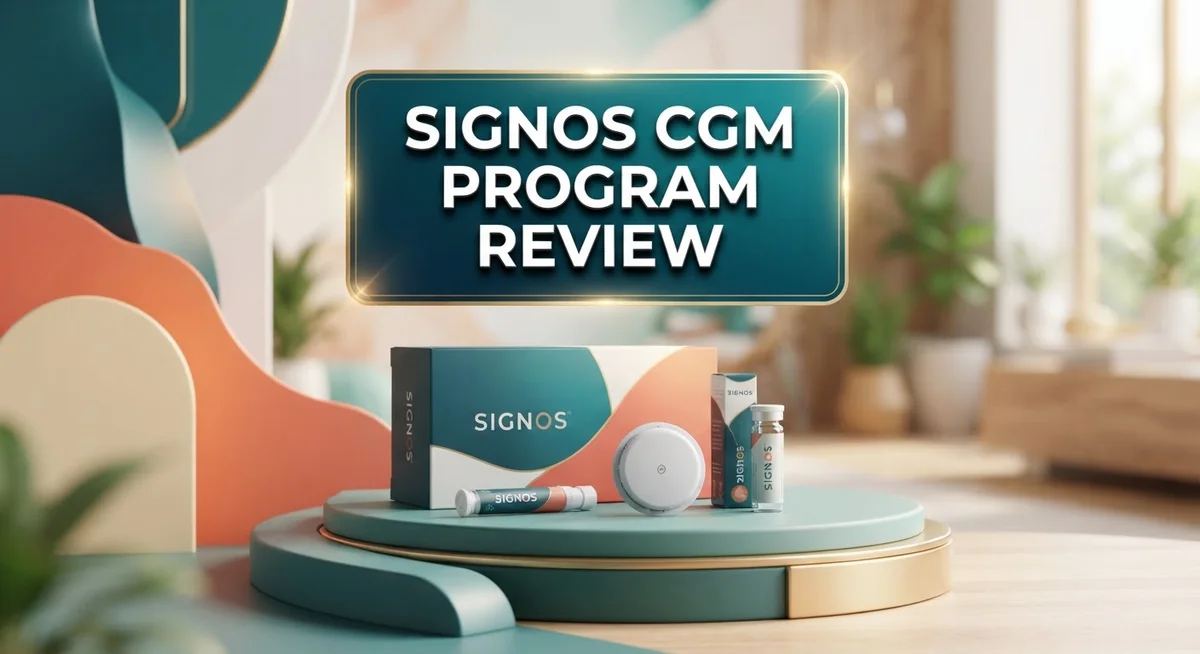
Want to understand how your body reacts to food? The Signos CGM Program helps you do just that. It uses a small biosensor to track your glucose levels all day and night.
This program is FDA cleared for weight management. It stands out as the first OTC continuous glucose monitor for this use. You do not need a prescription to try it.
The Signos app connects to your sensor. It shows how meals, workouts, sleep, and hydration affect your glucose. You get real time feedback and tips based on your own data.
Many users change their eating habits after seeing their results. In fact, 87% of users report making better food choices.
This review looks at how Signos works. We cover its features, pros, cons, and how it compares to other options like Levels.
In a Nutshell
Here’s the quick lowdown on what makes Signos stand out and where it falls short.
-
First-ever OTC CGM cleared for weight management. It uses a Dexcom biosensor to track glucose nonstop.
-
The app does more than track sugar. It links sleep, hydration, fitness, and weight into one clear picture.
-
You get 24/7 monitoring with alerts and tips based on your own body data. No guesswork needed.
-
Anyone can use it. You don’t need a prescription to start.
-
The downside? Customer service gets low marks. Some users call the “move now” alerts too pushy.
-
Logging meals feels clunky for some. The interface could use a smoother touch.
-
Compared to rivals like Levels, Signos offers broader metabolic insights but trails in user support and polish.
Bottom line: Signos shines on tech and accessibility. It still needs work on service and app smoothness.
Sensor Technology and Accuracy
Signos uses a Dexcom biosensor to track your glucose levels every 15 minutes. The sensor sits on your skin and sends real-time data to your phone. This continuous monitoring gives you a complete picture of how your body responds to food, exercise, and stress throughout the day.
The accuracy of Signos matches what you get from prescription CGM systems. The Dexcom technology behind it has been tested and validated in clinical settings. You’ll see glucose readings that reflect your actual blood sugar patterns. The app displays trends and alerts you when levels spike or dip unexpectedly.
What makes Signos different is the AI-powered analysis. The app doesn’t just show numbers. It connects your glucose data to meals, workouts, sleep quality, and hydration. This means you can see exactly which foods affect your blood sugar and how exercise impacts your readings. The system learns your patterns over time and offers personalized recommendations.
The sensor itself is small and waterproof. You can wear it during showers, swimming, and workouts without worry. Battery life lasts about 10 days, then you replace it. The insertion process is quick and relatively painless for most users.
One strength of Signos is accessibility. Since it’s FDA cleared as an over-the-counter device, you don’t need a doctor’s prescription. This opens glucose monitoring to anyone interested in understanding their metabolism. You’re not limited to people with diabetes or prediabetes.
However, some users report that meal logging feels clunky. Entering foods manually takes extra steps compared to scanning barcodes or voice input on competing apps. This friction might discourage consistent logging over time.
The alert system can be aggressive too. Some users find the “move now” notifications push them harder than they prefer. You can adjust settings, but the default feels intense for casual users.
Overall, the sensor technology and accuracy are solid. The real value comes from how the app interprets that data and connects it to your daily habits. This holistic approach helps you make informed choices about food and lifestyle.

Last update on 2026-10-09 / Affiliate links / Images from Amazon Product Advertising API
AI-Powered App Features and User Interface
The Signos app is where the real magic happens. This AI-powered platform analyzes your glucose data in real time and delivers insights that feel personal to your body. You get recommendations based on what you actually ate, how you moved, and how you slept.
The interface shows your glucose trends with clear charts and graphs. You can see exactly when your blood sugar spikes and what caused it. The app connects all your metabolic data in one place so nothing gets lost.
Real time alerts keep you informed throughout the day. When your glucose hits certain levels, you get notified instantly. This helps you make smarter choices before problems develop.
The app learns your patterns over time. Machine learning algorithms spot connections between your meals, exercise, and glucose response. You might discover that pasta affects you differently than bread, or that morning walks help stabilize your levels better than evening ones.
One useful feature is the meal logging system. You can photograph your food or search a database to track what you eat. The app then correlates your meals with your glucose readings. However, some users find this process feels clunky and slow compared to other health apps.
The fitness and sleep tracking integration adds value. The app shows how your workouts impact your glucose curves. It also reveals whether poor sleep makes your blood sugar harder to control the next day.
Hydration tracking is included too. The app reminds you to drink water and tracks your daily intake. This matters because dehydration can affect glucose readings and overall metabolic function.
The dashboard gives you a snapshot of everything at a glance. You see your glucose average, your top glucose spiking foods, and your weekly trends. The visualization makes complex data easy to understand.
Navigation through the app is generally straightforward. Most features are accessible within two or three taps. The design prioritizes information over flashy graphics, which keeps things focused on what matters.
The personalized recommendations adapt as the app learns more about you. Over weeks and months, suggestions become more relevant to your specific body and lifestyle. This adaptive learning is what separates Signos from simpler tracking apps.
Real-Time Monitoring and Personalized Insights
Real-time monitoring means you see your glucose levels as they happen, not hours later. Signos updates your data every 15 minutes, so you catch patterns before they become problems. The sensor works 24/7, even while you sleep or exercise, giving you a complete picture of how your body responds to food, activity, and stress.
The personalized insights are where Signos gets interesting. The AI learns your unique metabolic patterns and sends you recommendations tailored to your specific responses. If your glucose spikes after certain foods, the app flags those patterns. If you notice better stability after morning walks, the system reinforces that habit with positive feedback.
One key benefit is the feedback loop. When you log a meal, the app shows you exactly how that food affected your glucose within minutes. This immediate connection between action and result changes behavior faster than traditional nutrition advice. Studies show 87% of users modify their food choices after seeing their glucose data, which speaks volumes about the power of real-time feedback.
The app displays glucose trends through clear charts and graphs. You can see hourly patterns, weekly averages, and how different activities impact your levels. This visualization makes complex metabolic data easy to understand at a glance.
However, real-time monitoring comes with a catch. Some users report that the alert system feels overly aggressive, especially the “move now” notifications. These constant nudges can feel intrusive rather than helpful for some people. Additionally, the meal logging interface requires manual entry, which some find tedious compared to voice-to-text options.
The integration of multiple metrics sets Signos apart from basic glucose trackers. You see how sleep quality, hydration, fitness, and meals all connect to your glucose stability. This holistic view helps you understand that glucose management isn’t just about food. It’s about lifestyle balance. The personalized recommendations adapt as the app learns more about your patterns, making the insights increasingly relevant over time.
Top 3 Alternatives
Freestyle Libre CGM

- HSA/FSA eligible. No prescription needed.
- 24/7 GLUCOSE TRACKING. See your glucose response to food, exercise, sleep, and other lifestyle factors via the...
- OPTIMIZE YOUR NUTRITION. Discover which foods work for you and those that don't. The Lingo app shows you how...

Last update on 2026-10-13 / Affiliate links / Images from Amazon Product Advertising API
The Freestyle Libre system offers continuous glucose monitoring without fingerstick calibrations. You wear a small sensor on your arm that reads glucose levels every 15 minutes. The device stores up to 8 hours of data, and you scan it with a reader or smartphone to see your numbers instantly.
This system works well for people who want simplicity. No coding or calibration needed. The sensor lasts 14 days, making it convenient for regular users. Many people appreciate the affordability and ease of use compared to other CGM options.
Dexcom G6 System

- 【Unique Design】The armband is specially designed for Dexcom G6, with a curved design to fit your sensor...
- 【Protectable】The armband can firmly fix the sensor on the body and prevent the sensor from falling due to...
- 【Durable and Comfortable】Soft high-quality material, no glue, and no irritation can avoid severe allergic...
Last update on 2026-10-09 / Affiliate links / Images from Amazon Product Advertising API
Dexcom G6 provides real-time glucose readings directly to your smartphone or smartwatch. The sensor transmits data every 5 minutes, giving you frequent updates on your glucose trends. Alerts notify you before highs and lows happen, helping you stay ahead of problems.
The system requires no fingerstick calibrations after the initial setup. Sensors last 10 days and are waterproof, so you can shower or swim without worry. Family members can receive alerts on their phones too, making it great for parents monitoring children with diabetes.
Medtronic Guardian Sensor

- 【Waterproof and Sweatproof】Our cgm patches are made of high quality natural cotton material, which is...
- 【Long Lasting】Our diabetic patches hold your sensor device firmly to the skin without causing it to fall...
- 【Comfortable and Hypoallergenic】The freestyle adhesive patch is hypoallergenic, latex-free, less...
Last update on 2026-10-09 / Affiliate links / Images from Amazon Product Advertising API
The Medtronic Guardian Sensor integrates with insulin pumps for automatic glucose management. This system can pause insulin delivery if your glucose drops too low, adding an extra safety layer. The sensor reads glucose every 5 minutes and stores 3 days of data.
Guardian offers predictive alerts that warn you about potential lows before they occur. The sensor wears for 7 days and connects wirelessly to compatible Medtronic pumps. This option appeals to people using insulin pumps who want integrated management and advanced safety features.
Ease of Use and Setup
Getting started with Signos is straightforward. You order the CGM sensor online, and it arrives at your door ready to use. The sensor comes with clear instructions, so setup takes just a few minutes.
Applying the sensor is simple. You peel off the adhesive backing and place it on your skin, usually on your arm or abdomen. The sensor is small and discreet, so you can wear it under clothing without anyone noticing. Once applied, it starts collecting glucose data immediately.
The mobile app is where you begin your real journey. Download it to your smartphone, create an account, and pair it with your sensor. The app walks you through each step, so you won’t feel lost. The interface is clean and easy to navigate, even if you’ve never used a CGM before.
One advantage is that Signos requires no prescription. You don’t need to visit a doctor or get approval from insurance. This makes it accessible to anyone curious about their glucose patterns. The onboarding process reflects this simplicity.
However, meal logging is where things get less smooth. The interface feels clunky when you’re trying to add foods quickly. You’ll spend more time searching for items than you might like. Some users find this frustrating during busy days.
The app does learn your habits over time, which helps. As you log meals and activities, the system picks up on your patterns. This means recommendations become more useful as days pass. The real time alerts keep you informed without overwhelming you with notifications.
Sensor wear is comfortable. Most people forget they’re wearing it after the first day. The waterproof design means you can shower and swim without worry. Replacing the sensor every two weeks is easy once you do it the first time.
Overall, setup and daily use feel intuitive. The app’s learning curve is gentle, and most people feel confident within hours. The main friction point is meal logging, but it doesn’t stop the system from working well. New users typically adapt quickly to the routine.
Customer Support and User Experience
Signos pairs its sensor technology with a support system that needs improvement. Users report inconsistent response times from customer service, and the 2.5/5 TrustScore reflects genuine frustration. Many people reach out with technical questions about sensor placement or app syncing issues and wait longer than expected for answers.
The mobile app itself is intuitive for most users. You can navigate between glucose readings, meal logs, and activity tracking without confusion. The dashboard layout makes sense at first glance, showing your key metrics in one place.
However, meal logging remains clunky. Users find the interface tedious when adding foods manually. The system doesn’t always recognize common items quickly, which slows down the logging process. This friction matters because accurate meal data drives better insights.
Real time alerts keep you informed throughout the day. The problem? The “move now” notifications feel overly aggressive to many users. People report receiving reminders to exercise when they’re already active or at inappropriate times. This creates alert fatigue rather than helpful guidance.
The app does learn your patterns over time. As you log more meals and activities, the personalized recommendations become more relevant. The feedback loop shows you exactly how specific foods affect your glucose levels, which is genuinely useful.
Setup is straightforward. Applying the sensor takes minutes, and the app walks you through initial configuration. Most people forget they’re wearing the sensor after the first day, which speaks to comfort.
Getting support when things go wrong is the real weak point. Whether you have questions about sensor accuracy or app glitches, response times disappoint. The company offers online resources and FAQs, but direct human support feels understaffed.
For daily use, Signos delivers a smooth experience. The sensor stays comfortable, the app is responsive, and data syncs reliably. But when you need help, expect delays. This gap between excellent day to day functionality and poor customer service creates an uneven user experience that frustrates otherwise satisfied customers.
Pros and Cons
Pros
- First FDA-cleared over-the-counter CGM available without a prescription or doctor approval
- 87% of users report they change their food choices after seeing glucose feedback
- Tracks multiple health metrics in one app including meals, exercise, sleep, and hydration for a complete metabolic picture
- AI learns your patterns over time and delivers personalized recommendations that improve as the system understands your habits
- Sensor is comfortable to wear and most people forget it’s there after the first day
Cons
- Customer service ratings are poor at 2.5 out of 5, making it hard to get help when you need it
- Movement alerts (“Move now” notifications) are reported as overly aggressive and interrupt your day frequently
- Meal logging interface feels clunky and makes it tedious to record what you eat consistently
- Limited independent user satisfaction data makes it hard to verify real-world performance beyond marketing claims
Who Should Buy It
Signos works best for people who want to understand how their body responds to food and lifestyle choices. If you struggle with energy crashes, weight management, or simply want to optimize your health, this program offers real-time insights you won’t get from traditional tracking methods.
Health conscious individuals benefit most from Signos. You don’t need a medical diagnosis or prescription to start. This makes it ideal for anyone curious about glucose patterns, whether you’re managing pre-diabetes risk or just exploring better nutrition habits.
People who respond well to data-driven feedback are great candidates. Since 87% of users change their food choices after seeing glucose patterns, you should enjoy using numbers and trends to guide decisions. If you like seeing how specific meals affect your body, Signos delivers that information instantly.
Fitness enthusiasts and athletes find value in tracking how exercise impacts glucose levels. The app shows you the connection between workouts, meals, and energy availability. This helps you time nutrition better and understand your metabolic response to training.
However, Signos isn’t ideal for everyone. If you prefer minimal notifications, the frequent “Move now” alerts might frustrate you. These reminders interrupt your day regularly and some users find them excessive.
If you struggle with technology or prefer phone support over app navigation, the poor customer service ratings (2.5 out of 5) could be a problem. Getting help when you need it remains difficult. The meal logging interface also feels clunky to many users, so if detailed food entry feels tedious, you might get frustrated.
Signos suits people who want proactive health management without doctor visits. You’re comfortable with wearable sensors and enjoy app based tracking. You want personalized recommendations based on your actual glucose data, not generic advice.
Skip Signos if you need comprehensive medical guidance or prefer prescription CGM systems through healthcare providers. This program works for self-directed learners who want to take control of their metabolic health independently.
Final Verdict
Signos stands out as a genuine option for people who want clear insight into their metabolic health. The science behind continuous glucose monitoring is solid, and the app turns raw data into actions you can actually use.
Compared to Levels, another popular CGM app, Signos holds its own on core tracking features. Both platforms use similar sensor technology, but Signos edges ahead by skipping the prescription requirement entirely.
That said, this program is not perfect. The support gap is real, and anyone who hits a technical snag may feel stuck waiting for answers. This is the biggest factor holding Signos back from a higher rating.
Think of Signos as a tool for self-discovery rather than a hands-held coaching service. You get the data and the AI-driven suggestions, but you won’t get much hand-holding if something breaks.
If you already feel comfortable troubleshooting apps and devices on your own, this tradeoff barely matters. You will likely enjoy the deep insights without ever needing to contact support.
For beginners who need more guidance, the weak customer service could feel frustrating. It helps to go in with realistic expectations about what kind of help you’ll receive.
Overall, Signos earns its place as a pioneering option in the OTC glucose monitoring space. It opens metabolic health tracking to people who never had easy access before.
The combination of FDA clearance, multi-metric tracking, and AI personalization makes it a strong contender for health conscious users. Just remember that the system works best when you treat it as a self-service tool.
If you want data to guide your food and fitness choices, Signos delivers real value. If you need frequent support or dislike frequent alerts, weigh that against the benefits before committing.
In short, Signos rewards users who like independent, data-driven health management. It falls short for those who expect polished customer care alongside the technology.
Frequently Asked Questions
How does Signos differ from prescription CGM systems?
Signos is FDA-cleared for over-the-counter use, meaning you don’t need a doctor’s prescription. Traditional CGM systems require medical approval and are designed primarily for diabetes management. Signos focuses on metabolic awareness and weight management for anyone interested in understanding their glucose patterns. The app integrates Dexcom’s sensor technology but adds lifestyle tracking features like meals, exercise, sleep, and hydration that prescription systems typically don’t emphasize.
Can Signos help me lose weight?
Signos shows you how different foods affect your blood sugar in real time. When you see your glucose spike after eating certain meals, you often make different food choices naturally. Research shows 87% of Signos users change their eating habits based on glucose feedback. The app helps you identify which foods work best for your body, making weight management more personal and less guesswork.
What should I know before buying Signos?
The sensor itself is comfortable and unobtrusive after the first day. However, customer service ratings are low at 2.5 out of 5, so expect limited phone support. The “Move now” alerts can feel pushy and interrupt your day frequently. If you’re tech-savvy and comfortable troubleshooting independently, these issues matter less. If you prefer hands-on guidance, you may feel frustrated with the app-only support system.
Is Signos right for me?
Signos works best for people who respond well to data-driven insights and want proactive health management. Health conscious individuals, fitness enthusiasts, and athletes find real value in tracking glucose patterns. If you prefer minimal notifications or struggle with app navigation, Signos might not fit your lifestyle. Think of it as a self-discovery tool rather than a coaching service.

Tian is a passionate technology enthusiast and reviewer who explores the latest in AI tools, gadgets, and digital innovations to help readers make informed tech decisions.