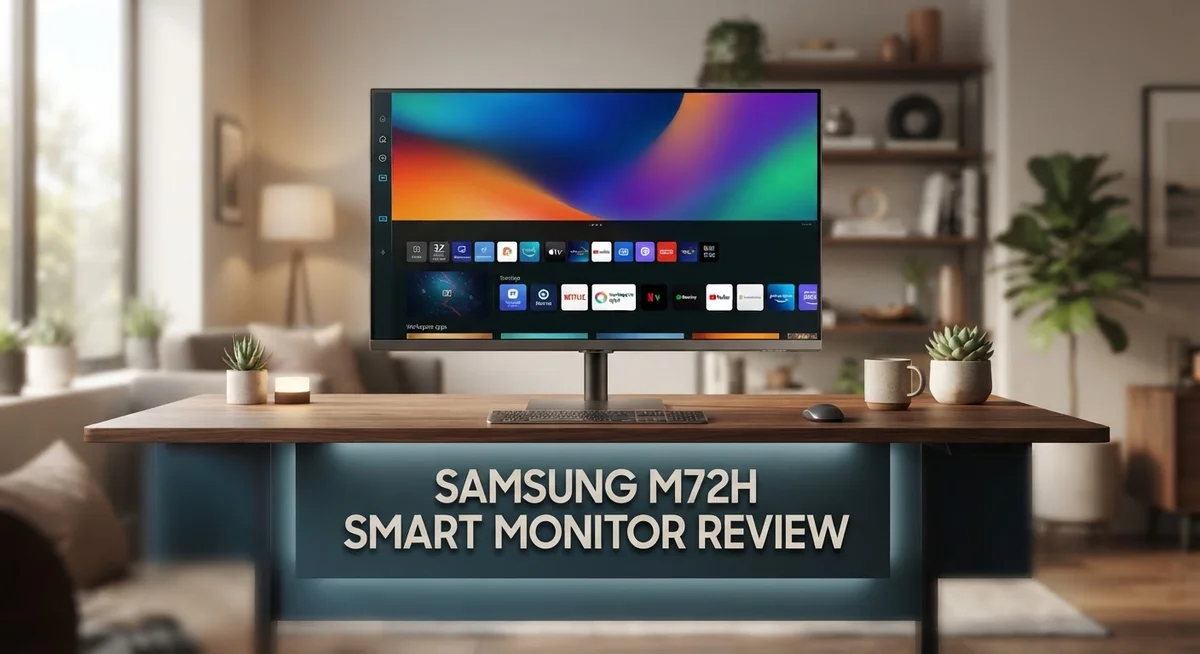
Samsung M72H Smart Monitor Review: 43-Inch 4K Mini LED Display
The Samsung M72H Smart Monitor blends big screen power with smart features. This 43 inch display brings Mini LED technology into your workspace or living room. You get sharp 4K resolution on a massive canvas.
Samsung built this monitor for people who want more than a screen. It works as a smart hub too. The Vision AI platform turns your monitor into a true entertainment center.
Does it deliver on all fronts? We tested the display quality, connectivity, and smart features. This monitor sits between a TV and a traditional monitor. That blend creates interesting strengths and some trade offs.
In this review, we break down everything you need to know. You will learn about the Mini LED panel, refresh rate limits, and connection options. Let’s find out if the M72H fits your setup.
In a Nutshell
Here is the quick takeaway on the Samsung M72H Smart Monitor:
- Mini LED panel brings sharp contrast and bright whites to a 43 inch screen.
- 4K clarity makes text and images look crisp from across the room.
- Vision AI smart features let you stream apps without extra devices.
- Three HDMI ports give you room to connect consoles, laptops, and soundbars.
- The 50Hz refresh rate works fine for movies but may frustrate fast paced gamers.
- This monitor leans more toward TV style use than pure desktop productivity.
In short, the M72H suits people who want a living room hub, not a gaming rig. It handles movies, casual browsing, and smart home control with ease. Gamers chasing high frame rates should look elsewhere. Anyone wanting a big, smart display for everyday use will find a lot to like here.
Display Quality and Resolution
The Samsung M72H Smart Monitor features a 43 inch Mini LED 4K display that stands out in its class. This screen delivers 3840 x 2160 resolution, which means you get sharp text and detailed images no matter where you sit in the room.
Mini LED technology is the real star here. Instead of a single backlight, Samsung uses thousands of tiny LEDs behind the panel. This approach gives you deeper blacks and brighter whites compared to standard LCD screens. The contrast improvement makes movies and photos pop with life.
The 4K resolution on a 43 inch screen creates a pixel density that keeps everything looking crisp. Whether you’re reading documents or watching streaming content, fine details remain clear. Text stays legible even at typical viewing distances. Images show excellent sharpness across the entire display.
Brightness levels hit a solid performance mark thanks to the Mini LED setup. You won’t struggle with glare or washed out colors in bright rooms. The screen maintains good visibility from various angles without significant color shift. This makes it practical for shared spaces where multiple people watch together.
The 50Hz refresh rate is adequate for everyday content like movies, shows, and web browsing. You won’t see the smooth motion that gamers crave, but standard entertainment flows naturally. Most streaming services and TV broadcasts run at 24 to 60Hz anyway, so this monitor handles them well.
Color accuracy appears solid for a display at this size. The Mini LED panel helps maintain consistent colors across the screen. Blues stay true, reds don’t oversaturate, and skin tones look natural. This matters if you work with photos or video content.
One thing to note: this monitor prioritizes big screen viewing over desktop productivity. The 43 inch size means you’ll sit further back than a typical computer monitor. The display excels when you treat it like a TV rather than a workstation. If you need a primary desktop screen, this might feel too large for close work.
Overall, the display quality delivers strong performance for its intended purpose as a smart entertainment hub with excellent picture quality.

- INSTANT ACCESS TO YOUR FAVORITE STREAMING CONTENT: Stream content directly from your monitor, or tune into...
- OPTIMALLY TAILORED VISUALS WITH AI: Experience optimal picture quality adjusted to your needs.² AI Picture...
- SIMPLE CONTROL FOR YOUR SMART HOME: See your smart home devices in a 3D Map View and manage them with ease...

Last update on 2026-09-30 / Affiliate links / Images from Amazon Product Advertising API
Smart Features and Software
The Samsung M72H Smart Monitor runs on Samsung’s Vision AI smart TV platform. This software layer transforms the display into an entertainment center without needing external streaming devices.
Vision AI handles app management with a clean interface. You can download Netflix, YouTube, Prime Video, and other streaming services directly to the monitor. The system organizes apps into categories so you find what you want quickly. Voice control works through the remote, letting you search shows and adjust settings hands free.
Connectivity options expand what you can do with this monitor. Wi-Fi 5 keeps streaming smooth for 4K content. Bluetooth 5.3 connects wireless speakers, headphones, and game controllers without lag. The three HDMI ports support 4K at 60Hz, so you can plug in laptops, gaming consoles, and media players simultaneously.
Anynet+ technology creates a bridge between connected devices. This HDMI-CEC feature lets you control multiple gadgets from a single remote. Turn on your soundbar when you power up the monitor. Switch inputs automatically when you connect a new device. This integration reduces clutter on your desk or entertainment stand.
The software experience feels intuitive for people used to Samsung smart TVs. Menu navigation follows a familiar layout. Settings for picture quality, sound, and app preferences stay organized and easy to adjust. Updates roll out automatically to keep the system current.
One important detail: the M72H functions as a smart TV first and a monitor second. The software prioritizes entertainment over productivity features. You won’t find advanced desktop tools or gaming optimization software here. This design choice makes sense given the 43 inch size and entertainment focus.
For streaming lovers and casual users, the smart features deliver real value. The Vision AI platform handles everyday tasks without complications. If you need specialized monitor software for professional work, this might not be your best fit.
Connectivity and Ports
The Samsung M72H Smart Monitor gives you solid connectivity options for a large display. You get three HDMI ports that support 4K resolution at 60Hz. This means you can connect multiple devices at once without constantly swapping cables.
Each HDMI port handles 4K signals smoothly. You can plug in a laptop, gaming console, and streaming device simultaneously. The eARC support on these ports lets you send audio back to a soundbar or receiver. This setup simplifies your entertainment space and reduces cable clutter.
Wi-Fi 5 keeps your connection fast and stable for streaming apps. The monitor connects to your home network without wired ethernet, giving you flexibility in placement. Bluetooth 5.3 adds another layer of wireless freedom. You can pair wireless headphones, keyboards, or other accessories without fuss.
The Anynet+ feature deserves attention here. This HDMI-CEC technology lets your connected devices communicate with each other. When you turn on your soundbar, the monitor can adjust settings automatically. When you switch inputs, compatible devices respond in sync. This creates a more seamless experience across your setup.
The port layout matters for real world use. Having three HDMI inputs means you rarely need to unplug devices. Whether you connect a PC, console, or media player, everything stays plugged in and ready. You simply switch inputs when you need a different device.
One consideration: the monitor’s connectivity leans toward entertainment use rather than office work. You won’t find USB ports for peripheral hubs or data transfer. This design choice reflects the M72H’s focus as a smart TV alternative.
The wireless capabilities shine here. Wi-Fi 5 handles streaming without lag. Bluetooth 5.3 connects multiple accessories without interference. Together, these technologies keep your setup clean and functional.
Overall, the M72H’s connectivity serves its purpose well. The three HDMI ports, wireless options, and smart features create a flexible hub for your living room or media space. You get enough ports for typical entertainment setups without unnecessary extras that add cost.
Top 3 Alternatives
LG UltraFine Monitor

- 31.5‑inch 4K UHD (3840×2160) VA panel monitor with 3000:1 high contrast ratio, matte anti‑glare surface...
- Supports HDR10, FreeSync and G‑Sync Compatible adaptive sync technology, reduces screen tearing for smooth...
- Fully adjustable stand supports height, tilt and pivot rotation, helping you customize comfortable viewing...
Last update on 2026-09-20 / Affiliate links / Images from Amazon Product Advertising API
The LG UltraFine Monitor offers excellent color accuracy for professionals who need precision. This display delivers stunning visuals with its high resolution and wide color gamut. You get accurate colors right out of the box, which saves time on calibration.
The monitor features USB-C connectivity. This single cable handles video, power, and data transfer simultaneously. Your workspace becomes cleaner and more organized with fewer cables to manage.
Dell UltraSharp Display

- 4K UHD IPS Black Display with Factory Calibration: 3840 x 2160 resolution and 99% DCI-P3 color coverage...
- 120Hz Refresh Rate and 5ms Response Time: Smooth, fluid motion with reduced blur for fast-paced workflows and...
- Thunderbolt 4 Single Cable Solution: Transmits video, data, and up to 140W power simultaneously, with daisy...
Last update on 2026-09-20 / Affiliate links / Images from Amazon Product Advertising API
Dell’s UltraSharp Display stands out for its sharp image quality and professional-grade features. The screen provides exceptional contrast and brightness levels that work well in various lighting conditions.
This display includes advanced color management tools. You can fine-tune settings to match your specific workflow needs. The stand offers multiple adjustment options, letting you position the monitor exactly how you want it.
ASUS ProArt Monitor

- Calman Verified & Delta E < 2 Accuracy: Achieve true-to-life precision right out of the box for professional...
- 100% sRGB & 100% Rec. 709 Color Gamut: Ensure your creative projects match industry standards for vibrant...
- 27-inch WQHD IPS Display: Enjoy crystal-clear details with 2560 x 1440 resolution for graphic design and video...
Last update on 2026-09-20 / Affiliate links / Images from Amazon Product Advertising API
The ASUS ProArt Monitor delivers impressive visual performance with hardware calibration capabilities. This feature ensures colors remain accurate over extended periods of use.
The monitor includes built-in color management software. You access professional tools directly from the display without needing external equipment. The design accommodates various mounting options, giving you flexibility in your setup.
Each alternative brings different strengths to the table. The LG UltraFine Monitor emphasizes connectivity and color science. Dell’s UltraSharp Display focuses on image quality and adjustability. The ASUS ProArt Monitor prioritizes calibration and software integration. Your choice depends on which features matter most for your specific work requirements.
Design and Build Quality
The Samsung M72H Smart Monitor impresses with its physical construction and material choices. The 43-inch panel sits within a sturdy metal frame that feels solid to the touch. The bezels remain relatively thin around the display, which maximizes your viewing area without looking cheap or flimsy.
The stand deserves attention here. It uses a traditional pedestal base that provides stable support for the large screen. The base footprint is substantial, so you’ll need adequate desk or table space. Samsung included tilt adjustment, giving you flexibility to angle the display for your viewing position. The overall weight distribution feels balanced, which matters when you’re working with a screen this size.
Build quality shows attention to detail in several areas. The plastic and metal combination creates a premium feel without excessive bulk. Ventilation slots on the back prevent heat buildup, which is important for a display running smart TV software. The cable management area behind the monitor keeps connections organized and reduces visual clutter.
The physical design prioritizes stability over portability. This makes sense given the 43-inch form factor and entertainment focus. You won’t be moving this monitor frequently between rooms or desks. The construction feels durable enough to handle regular use in a living room or media space.
The power button placement sits on the front bezel, making it easy to access. The remote control integration works seamlessly with the smart TV platform. All ports mount on the rear panel, keeping cables out of sight and maintaining a clean appearance from the front.
One thing to note: the monitor’s design language follows Samsung’s TV aesthetic rather than traditional monitor styling. This creates a cohesive look if you’re building an entertainment setup. The matte finish on the frame resists fingerprints and dust accumulation better than glossy alternatives.
Overall, the build quality meets expectations for a large-format smart display. The construction feels robust enough for long-term daily use. Materials and assembly suggest this monitor will maintain its appearance and functionality over extended ownership.
Gaming and Refresh Rate Performance
The Samsung M72H delivers a 50Hz refresh rate, which sits at the lower end for gaming performance. This specification matters if you plan to use this display for console or PC gaming sessions.
A 50Hz refresh rate means the screen refreshes 50 times per second. For casual gaming and streaming, this performs adequately. However, competitive gamers who need faster response times may find this limiting. Modern gaming consoles and graphics cards often support higher refresh rates, so you won’t fully utilize their capabilities here.
The Mini LED technology does offer advantages for gaming visuals. This technology creates deeper blacks and brighter highlights, which enhances your gaming experience even at 50Hz. Fast action sequences maintain clarity thanks to the 4K resolution, which keeps details sharp across the large 43 inch screen.
Input lag and response times matter for gaming, though Samsung hasn’t published specific numbers for this model. The monitor’s TV focused design suggests it prioritizes picture quality over gaming speed optimization. This approach works fine for story driven games and slower paced titles.
The 3x HDMI ports all support 4K at 60Hz, which provides flexibility for connecting multiple gaming devices. You can switch between a console, PC, and streaming device without constantly unplugging cables. The eARC support on one HDMI port adds value if you plan to route audio through a soundbar.
Gaming performance expectations should align with this monitor’s actual purpose. It functions as a smart entertainment hub that handles gaming as a secondary feature, not a primary focus. The 50Hz refresh rate works best for casual gaming, movie watching, and streaming apps rather than esports titles.
For someone seeking a large display that games well but prioritizes smart TV features and picture quality, the M72H fits that niche. Just understand that hardcore gamers will want higher refresh rates. The display excels at delivering immersive visuals for relaxed gaming sessions where frame rate isn’t critical.
Pros and Cons
Pros
- Mini LED technology delivers superior contrast and brightness compared to standard LED displays
- 4K resolution at 3840 x 2160 pixels captures fine details with sharp, clear visuals
- Samsung Vision AI integration brings smart TV features and streaming apps directly to your monitor
- Three HDMI ports with 4K 60Hz support let you connect multiple devices without switching cables
- Wi-Fi 5 and Bluetooth 5.3 keep your wireless connections fast and reliable for media streaming
Cons
- 50Hz refresh rate limits performance for fast-paced gaming and competitive use
- Smart TV design means fewer traditional monitor features like USB-C or DisplayPort connectivity
- Monitor leans toward entertainment purposes rather than productivity tasks like office work or design
Who Should Buy It
The Samsung M72H works best for content creators and professionals who need a large, high-quality display for detailed work. The 4K resolution and Mini LED technology give you sharp visuals and excellent contrast for photo editing, video work, and design tasks.
If you spend time streaming movies, shows, and sports, this monitor fits your needs perfectly. The Samsung Vision AI integration brings apps and content directly to your screen. You get Netflix, YouTube, and other services without needing external devices. The 43-inch screen makes everything feel immersive and engaging.
Home office workers benefit from the extra screen real estate. The 4K display lets you open multiple windows side by side without losing clarity. The Wi-Fi 5 and Bluetooth 5.3 connectivity keep your devices connected smoothly. The eARC support on your HDMI ports handles audio routing with ease.
This monitor suits you if you want a smart entertainment hub for your living room or bedroom. The TV-focused design makes it ideal for casual gaming and streaming rather than competitive play. The 50Hz refresh rate works fine for single-player games and relaxed gaming sessions. You get great picture quality without the demands of a gaming-specific monitor.
Families appreciate the large display for group viewing. Kids can watch educational content on a bright, sharp screen. Adults can enjoy movies with the Mini LED contrast and brightness. The multiple HDMI ports let everyone connect their devices easily.
You should skip this monitor if you need fast-paced gaming performance. Competitive gamers require higher refresh rates than 50Hz. If you rely on DisplayPort or USB-C connections, this model won’t work for you. Traditional monitor users who avoid smart TV features might find the interface unnecessary.
The M72H shines for people who want one device that handles everything. You get a monitor for work, a TV for entertainment, and a smart hub for streaming. The combination of 4K clarity, Mini LED visuals, and built-in apps makes this a solid choice for mixed-use environments.
Final Verdict
The Samsung M72H stands as a strong choice for anyone who wants a do-it-all display. It blends smart TV convenience with monitor functionality in one package.
This device works best when you view it as a lifestyle screen rather than a dedicated work tool. Think of it as a hub that adapts to different parts of your day.
Compared to its competitors, the M72H holds its own in visual quality. Brands like LG and Innocn offer similar Mini LED tech, but Samsung’s smart platform gives this model an edge for everyday use.
The M70H, its larger sibling, offers a similar experience in a bigger size. If you have more wall space, that variant might suit your room better.
We recommend this monitor for people who value simplicity over specialization. You get one screen that handles work, streaming, and casual use without needing extra devices.
Professionals and creators who want a display that doubles as entertainment will find real value here. The screen size and clarity support both productivity and relaxation.
If gaming performance tops your list, look elsewhere. Dedicated gaming monitors with higher refresh rates will serve you better for competitive titles.
For everyone else, the M72H delivers a balanced experience. It fits naturally into homes where one screen needs to do many jobs.
Final thought: This monitor rewards users who want fewer gadgets and more function. It trades peak gaming specs for everyday versatility.
Choose the M72H if you want a smart, spacious screen that keeps life simple. Skip it only if fast refresh rates define your daily use.
In short, this model earns its place as a practical all-rounder. It won’t replace a true gaming rig, but it covers almost everything else with confidence.
Frequently Asked Questions
Does the Samsung M72H work for video editing and photo work?
Yes, it works well for creative tasks. The 4K resolution at 3840 x 2160 pixels shows fine details clearly. Mini LED technology delivers strong contrast and brightness, so colors look accurate. The 43-inch screen gives you plenty of space to see your timeline and editing panels at once. However, this monitor lacks USB-C or DisplayPort, so you’ll connect via HDMI instead.
Can I use the M72H for gaming?
It’s not ideal for gaming. The 50Hz refresh rate limits your performance in fast-paced games. You’ll notice smoother motion on gaming monitors that hit 120Hz or higher. The M72H shines for casual gaming, streaming gameplay, or watching esports content. For competitive gaming, you should look at dedicated gaming displays instead.
What smart features does the M72H include?
Samsung Vision AI brings smart TV functionality to your monitor. You get streaming apps, smart features, and AI-powered tools built in. Wi-Fi 5 and Bluetooth 5.3 keep connections fast and stable. The eARC support on HDMI lets you send audio back to a soundbar or receiver. Anynet+ (HDMI-CEC) compatibility means you can control connected devices with one remote.
How many devices can I connect at once?
You have three HDMI ports available. Each port supports 4K at 60Hz, so you can connect multiple devices without losing quality. You’ll need to switch between inputs to use different devices, but you won’t need extra cables or adapters for most setups.
Is this a monitor or a TV?
It’s both. The M72H functions as a smart TV with a monitor form factor. It prioritizes entertainment and streaming over traditional monitor features like DisplayPort or USB-C. Think of it as a lifestyle screen that blends work and entertainment together.

Tian is a passionate technology enthusiast and reviewer who explores the latest in AI tools, gadgets, and digital innovations to help readers make informed tech decisions.