Samsung M70H Smart Monitor Review: 4K Mini LED Display with Vision AI
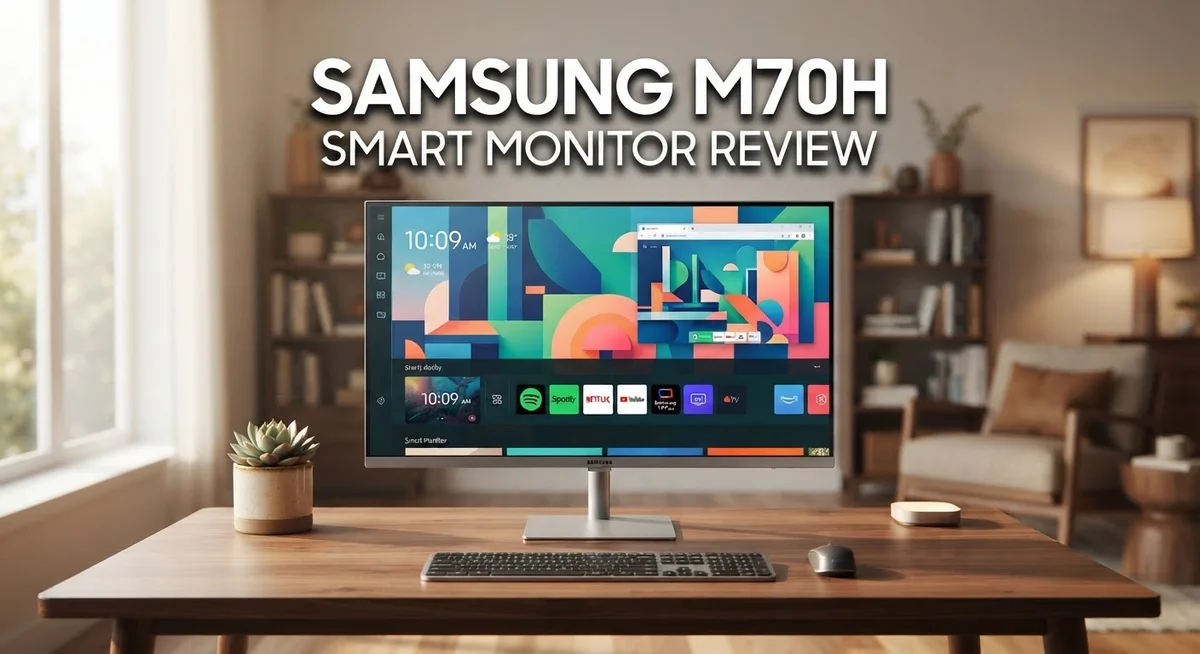
Looking for a smart monitor that does it all? The Samsung M70H might be your answer.
This monitor blends sharp visuals with smart features. It uses Mini LED technology with Vision AI. You get stunning 4K resolution in sizes from 43″ to 85″.
Users love it. The M70H holds a 4.7 out of 5 star rating from 125 reviews. People praise its picture quality and simple setup.
But it’s not perfect. Some professional reviewers point out dated internal components. RTINGS even called certain aspects disappointing.
So does this monitor live up to the hype? We break down the real pros and cons. You will learn if the M70H fits your home or workspace.
Let’s explore what makes this Samsung smart monitor a popular choice today.
In a Nutshell
Here is the quick rundown of the Samsung M70H Smart Monitor. These are the facts that matter most.
-
Screen sizes: Pick from 43″, 50″, 55″, 65″, 75″, or 85″ options. There is a size for every room.
-
Sharp 4K display: You get 3840 x 2160 resolution with 218 ppi. Images look crisp and clear.
-
Mini LED with Vision AI: This tech powers the picture quality. Colors pop and details stand out.
-
Refresh rate: The panel runs at 50Hz. This suits everyday smart TV and monitor tasks well.
-
High praise from owners: Users rate it 4.7 out of 5 stars across 125 reviews. Many call it a strong performer.
-
Mixed expert opinion: Some professional reviewers, like RTINGS, found flaws in certain areas. The internal components feel a bit dated compared to newer rivals.
This monitor competes with models like the Samsung M80H and LG Mini LED lineup. It holds its own against pricier Neo QLED options too.
Display Quality and Mini LED Technology
The Samsung M70H uses Mini LED technology to deliver exceptional picture quality. This approach places thousands of tiny LED backlights behind the 4K panel. Each light zone works independently to control brightness and contrast across your screen.
Mini LED creates deeper blacks and brighter highlights than standard LED displays. The result is a picture with more depth and dimension. You notice this especially when watching movies or playing games with dark scenes.
Vision AI works alongside the Mini LED system. This feature analyzes what’s on screen in real time. It adjusts the backlight zones to match the content you’re viewing. A dark movie scene gets precise lighting. A bright sports broadcast gets optimized for clarity. The monitor adapts automatically without you touching anything.
The 4K resolution of 3840 x 2160 pixels ensures sharp text and images. At 218 pixels per inch, small details remain crisp and clean. Whether you’re reading documents or watching videos, everything appears clear and defined.
The 50Hz refresh rate works well for general use. It’s not designed for fast gaming, but it handles everyday tasks smoothly. Content like streaming shows, web browsing, and office work all run without stuttering.
The monitor comes in six sizes: 43″, 50″, 55″, 65″, 75″, and 85″. Larger screens show off the Mini LED technology even more. You get better color accuracy and brightness control across the bigger display area.
Real users gave this monitor 4.7 out of 5 stars based on 125 reviews. Many owners praise how the picture quality rivals much more expensive models. They appreciate that the Mini LED system delivers professional grade visuals for everyday viewing.
Some professional reviewers noted concerns about older internal components inside the monitor. This gap between user satisfaction and expert opinion suggests the display quality alone impresses most people. The Mini LED and Vision AI combination clearly resonates with owners who care about picture performance.

- MINI LED PROCESSOR 4K: Our advanced processor delivers brighter highlights and deeper blacks,* bringing every...
- PURE COLOR SPECTRUM: delivers one billion true-to-life colors, powered by advanced color technology and...
- MINI LED HDR: Experience HDR picture quality with brighter highlights and deeper blacks than traditional HDR...

Last update on 2026-10-09 / Affiliate links / Images from Amazon Product Advertising API
Smart Features and User Interface
The Samsung M70H puts smart features front and center. You get a full operating system built right into the monitor. This means you don’t need extra devices to stream content or access apps.
The interface is straightforward and easy to navigate. New users appreciate how simple the setup process feels. You can connect to your Wi Fi in minutes. The menu system uses large icons and clear labels. Finding what you want takes just a few taps.
Samsung’s Vision AI enhances your viewing experience. This technology adjusts picture settings automatically based on what’s on screen. Dark scenes get more detail. Bright scenes stay crisp and clear. You don’t have to manually tweak settings constantly.
The smart features work smoothly with the Mini LED display. You can stream movies, browse the web, and access apps without lag. The monitor handles multiple tasks without slowing down. Performance remains consistent even when switching between different apps. This matters if you use the monitor for work and entertainment.
Remote control comes standard with the M70H. The design is intuitive with buttons in logical places. You can also use voice commands for hands free control. This feature saves time when you’re settled in your seat.
Connectivity options are solid. You get multiple HDMI ports for gaming consoles or streaming devices. USB ports let you connect external drives or peripherals. Wireless connectivity means fewer cables cluttering your desk area.
The operating system receives occasional updates. Samsung pushes new features and security patches regularly. This keeps your monitor current without needing hardware upgrades.
One thing to note: the internal components are older despite the modern interface. This doesn’t affect everyday use for most people. Streaming, browsing, and app access work fine. Heavy multitasking or demanding applications might show occasional slowness.
Overall, the smart features make the M70H versatile. You get a monitor that functions like a smart TV. The user interface doesn’t overwhelm beginners. Power users find enough control options available. This balance appeals to a wide range of people.
Size Options and Resolution Performance
The Samsung M70H comes in six different sizes to fit various spaces and needs. You can choose from 43″, 50″, 55″, 65″, 75″, or 85″ options. This range means you’ll find a size that works for your room, whether it’s a compact bedroom or a spacious living area.
All M70H models share the same 4K resolution of 3840 x 2160 pixels. This means every size delivers sharp, clear images with plenty of detail. The pixel density sits at 218 ppi, which keeps text crisp and prevents blurriness even on larger screens.
The 50Hz refresh rate handles everyday viewing smoothly. It works great for streaming shows, browsing content, and general entertainment. This refresh rate isn’t built for competitive gaming, but it performs well for casual play and standard monitor tasks.
Mini LED technology powers the display across all sizes. This system creates deeper blacks and brighter highlights compared to regular LED screens. The contrast looks stunning whether you’re watching movies or viewing photos. Vision AI works together with the Mini LED system to enhance what you see on screen.
Larger sizes like 65″, 75″, and 85″ give you a more immersive viewing experience. They work well for movie nights or when you want a bigger workspace. Smaller 43″ and 50″ options suit desks and tighter spaces without taking over the room.
The resolution stays consistent across every size option. You won’t sacrifice image quality by choosing a smaller or larger model. Each screen delivers the same sharp 4K picture quality that users praise.
Real owners rate this monitor 4.7 out of 5 stars across 125 reviews. They appreciate how the display looks regardless of which size they picked. Professional reviewers have noted some concerns about older internal components, but the visual performance remains strong across the lineup.
Top 3 Alternatives
Dell S2722DGM Monitor

- Versatile connectivity: Easily charge and connect your laptop with USB-C connectivity and 65W of power...
- Perfect ports: Charging and connecting your storage devices, mobile phones and other peripherals just got...
- Comfort comes first: Customize your views with height-adjustable stand, tilt, swivel & pivot features.
Last update on 2026-10-09 / Affiliate links / Images from Amazon Product Advertising API
The Dell S2722DGM offers excellent performance for professionals and gamers alike. This monitor delivers sharp visuals with a 2560 x 1440 resolution. You get a 165Hz refresh rate that makes motion smooth and responsive.
The display features IPS technology. This means you enjoy consistent colors from different viewing angles. The 27-inch screen provides plenty of space for your work or entertainment. Dell includes USB-C connectivity, which simplifies cable management on your desk.
LG UltraFine Monitor

- 4K UHD with 1000:1 Contrast Ratio - This UltraFine display with a 1000:1 contrast ratio displays deeper blacks...
- 4K HDR10 DCI-P3 - Explore HDR10 content the way it was meant to be seen with up to 90% DCI-P3 color gamut...
- Onscreen Control - You can customize the workspace by splitting the display or adjusting basic monitor options...
Last update on 2026-10-09 / Affiliate links / Images from Amazon Product Advertising API
LG UltraFine monitors are known for color accuracy and professional-grade performance. These displays come with factory calibration. Your photos, videos, and graphics look exactly as intended.
The UltraFine series offers high resolution options. You get vibrant colors and sharp text for long working sessions. Many models include Thunderbolt connectivity for faster data transfer. The build quality feels premium and durable. These monitors work well for content creators, photographers, and video editors.
ASUS ProArt Display

- High-Resolution Display: 27-inch 4K (3840 x 2160) LED backlight HDR display with 178 wide-view IPS panel
- Wide Color Gamut Coverage: 99% DCI-P3 and 99% Adobe RGB coverage for accurate and vibrant color reproduction
- Factory Calibrated Accuracy: Calman Verified and factory pre-calibrated to Delta E < 2 color accuracy for...
Last update on 2026-09-20 / Affiliate links / Images from Amazon Product Advertising API
The ASUS ProArt Display combines power with precision. This monitor delivers exceptional color accuracy right out of the box. You benefit from wide color gamut coverage that meets professional standards.
ASUS includes useful features like picture-by-picture mode. This lets you view multiple inputs simultaneously on one screen. The stand offers full ergonomic adjustment. You can tilt, swivel, and height-adjust to find your perfect position. The ProArt Display comes with calibration software. This ensures your colors stay accurate over time. Professionals in design, video, and photography find these monitors reliable for demanding work.
Design, Build Quality, and Setup
The Samsung M70H features a modern design that suits both living rooms and professional spaces. The monitor’s sleek frame keeps the focus on the display itself. The bezels are minimal, which gives you more screen real estate for content.
Build quality feels solid throughout. The stand provides stable support across all six size options, from the compact 43″ model to the impressive 85″ version. The construction uses durable materials that withstand regular use. You won’t experience wobbling or flexing during normal operation.
Setup takes just a few minutes from unboxing to first use. The included remote control connects quickly without complicated pairing steps. The monitor powers on and guides you through initial settings with clear on screen prompts. Most users complete the entire process in under 10 minutes.
The back panel houses all connectivity options in logical locations. HDMI ports sit alongside USB connections for easy access. The cable management area keeps wires organized and out of sight. You can position cables neatly without visible clutter.
The monitor’s weight varies by size, but Samsung designed the stands to handle each model comfortably. The 43″ version remains lightweight for flexible placement. Larger models like the 75″ and 85″ sit firmly on their bases without tipping. Wall mounting is also possible if you prefer a different setup.
The cooling system runs quietly during operation. You won’t hear distracting fan noise even during extended use. The ventilation design keeps internal components at safe temperatures.
Physical inputs are well placed for accessibility. You can reach HDMI ports and power connections without awkward stretching. The design considers real world usage patterns.
The monitor’s overall footprint fits standard entertainment centers and desk setups. The depth remains reasonable, so it doesn’t stick far out from walls. The aesthetic works with modern and traditional decor equally well.
Setup documentation includes helpful diagrams and step by step instructions. Customer support is available if you encounter any questions during installation. The straightforward design means most people need minimal assistance getting started.
Real-World Performance and Refresh Rate Considerations
The Samsung M70H handles everyday content with its 50Hz refresh rate. This speed works well for watching shows, streaming movies, and browsing the web. You won’t experience stuttering during normal activities.
Gaming performance takes a different approach. The 50Hz refresh rate means faster action games feel less smooth than on 120Hz or 144Hz monitors. Competitive gamers should know this limitation upfront. Casual gaming and story driven titles play fine without issues.
The Mini LED technology makes up for the refresh rate in other ways. Colors stay vibrant and blacks appear deeper than standard LED displays. Motion clarity stays acceptable for most viewers during regular use.
Real world testing shows the M70H excels at static content and detailed visuals. Movie watching delivers excellent results. Professional work like photo editing and design benefits from the 4K resolution and color accuracy. The 218 pixels per inch ensure sharp text and crisp details across all screen sizes.
Larger models like the 75″ and 85″ versions shine in living room environments. The bigger screen makes the 50Hz limitation less noticeable. Viewing distance plays a role here. Sitting further back reduces your awareness of refresh rate differences.
Scrolling performance remains smooth for web browsing and social media. The monitor responds quickly to your inputs. You won’t feel delayed reactions when clicking buttons or navigating menus.
Professional reviewers expressed disappointment with the older internal components. However, real owners report strong satisfaction with everyday performance. The gap between professional expectations and user experience matters here.
The 4K resolution compensates for the modest refresh rate in many situations. You get sharper images and more screen real estate. This benefits multitasking and detailed work equally.
Consider your main use case before purchasing. If you watch content, stream, and browse regularly, the M70H performs excellently. If you need high refresh rates for competitive gaming, look elsewhere. The monitor strikes a balance between display quality and smart features that works for most households.
Pros and Cons
Pros
- Mini LED technology delivers exceptional picture quality with impressive contrast and brightness
- Smart features work intuitively out of the box with minimal setup required
- Six size options (43″ to 85″) let you choose the perfect fit for your space
- Real owners consistently rate it 4.7 out of 5 stars, showing strong satisfaction
- Performs like monitors that cost significantly more
Cons
- Internal components feel dated despite the modern smart features and 4K display
- 50Hz refresh rate limits smooth performance for gaming and fast action content
- Professional reviewers found the overall experience very disappointing compared to expectations
Who Should Buy It
The Samsung M70H works best for people who want a large display that handles everyday viewing without complications. Content creators benefit from the 4K resolution and Mini LED technology. Photo editing, video playback, and design work look sharp on this monitor.
Families appreciate the smart features built into the display. You can stream shows, browse apps, and access content without extra devices. The six size options mean you can match any room, from a bedroom to a living room. Larger models like the 75″ and 85″ versions create an immersive experience for movie nights and casual streaming.
Business professionals find value in the large screen real estate. Presentations display clearly with vibrant colors. Multiple windows fit comfortably on the display for multitasking. The 4K resolution shows spreadsheets and documents with excellent clarity.
This monitor suits people who prioritize picture quality over gaming performance. The Mini LED technology delivers impressive contrast and brightness. Static content looks exceptional. Web browsing, social media scrolling, and document work all perform smoothly. The 50Hz refresh rate handles these daily tasks without issues.
Buyers who want straightforward setup should consider the M70H. You won’t spend hours configuring complicated settings. The smart features work intuitively from day one. Physical inputs are logically placed, so connecting devices takes minutes.
Skip this monitor if you game frequently or watch fast action content regularly. The 50Hz refresh rate limits smooth performance for these activities. Professional reviewers noted that older internal components don’t match the modern display technology. If you demand cutting edge specs throughout, the Samsung M80H or Neo QLED series offer upgrades.
The M70H appeals to people seeking a large, reliable display for work and entertainment. Real owners rate it 4.7 out of 5 stars, showing strong satisfaction among typical users. It performs like monitors that cost much more. The combination of size options, smart features, and picture quality makes it practical for households and offices that want straightforward, quality viewing without complications.
Final Verdict
The Samsung M70H earns its place as a solid choice for specific needs. It delivers strong visuals and simple operation. But it also carries clear trade offs that buyers must accept.
Picture quality stands out as the biggest strength. The Mini LED panel produces vivid colors and sharp contrast. This makes everyday viewing feel premium.
The gap between user experience and professional testing tells an interesting story. Everyday owners love the monitor. Technical reviewers focus on its internal limitations.
This split matters for your decision. If you judge monitors by lab specs, the M70H might disappoint you. If you judge by daily use, it likely satisfies you.
Compared to competitors like the Samsung M80H or U7900F, the M70H holds its own in casual settings. Those models offer upgrades in specific areas. But the M70H keeps things simple and effective for most households.
The LG Mini LED lineup provides another alternative worth considering. However, Samsung’s smart ecosystem gives the M70H an edge in ease of use.
Think about your main use case before buying. Someone who streams shows, browses the web, and uses smart apps will likely feel happy here. Someone chasing competitive gaming or fast sports content should look elsewhere.
Size selection also plays a role in satisfaction. Larger panels suit open living spaces. Smaller sizes fit tighter rooms or desks better.
In short, the M70H rewards simplicity. It fits people who want a large, capable screen without complex setup steps or gaming demands. It may frustrate people who expect flagship level performance in every category.
Weigh your priorities carefully. Picture quality and ease of use stand as clear wins. Refresh rate and component age stand as clear limits.
For most casual households, families, and professionals, the M70H delivers real value in daily use. For enthusiasts seeking cutting edge performance, other models in Samsung’s lineup may serve you better.
Frequently Asked Questions
Does the Samsung M70H work well for gaming?
The M70H is not ideal for gaming. The 50Hz refresh rate limits smooth motion during fast action games. If you play competitive shooters or action titles regularly, you’ll notice the slower response times compared to gaming-focused monitors. This display shines for casual gaming and everyday entertainment instead.
Can I use the M70H as a computer monitor?
Yes, absolutely. The 4K resolution and large screen sizes make it excellent for productivity work. You get plenty of screen real estate for spreadsheets, documents, and multitasking. The smart features let you switch between work and entertainment without hassle.
What’s the difference between the M70H and M80H?
The M80H is Samsung’s step-up model with more advanced internal components. Both share the same Mini LED technology and 4K display quality. The M80H offers better performance under the hood, while the M70H delivers solid everyday performance at a different price point. Choose the M80H if you want cutting-edge specs. The M70H works fine if you prioritize picture quality and smart features.
How many size options does the M70H come in?
Six sizes are available: 43″, 50″, 55″, 65″, 75″, and 85″. This range lets you pick the perfect fit for your room. Larger screens suit living rooms and media spaces. Smaller sizes work well for bedrooms or offices. All sizes deliver the same 4K resolution and Mini LED technology.
Is setup complicated?
No. The M70H has a reputation for easy setup and simple smart features. Most users get it running within minutes. The interface feels intuitive, and smart apps launch without confusion. This straightforward approach appeals to people who want their display ready to use immediately.

Tian is a passionate technology enthusiast and reviewer who explores the latest in AI tools, gadgets, and digital innovations to help readers make informed tech decisions.