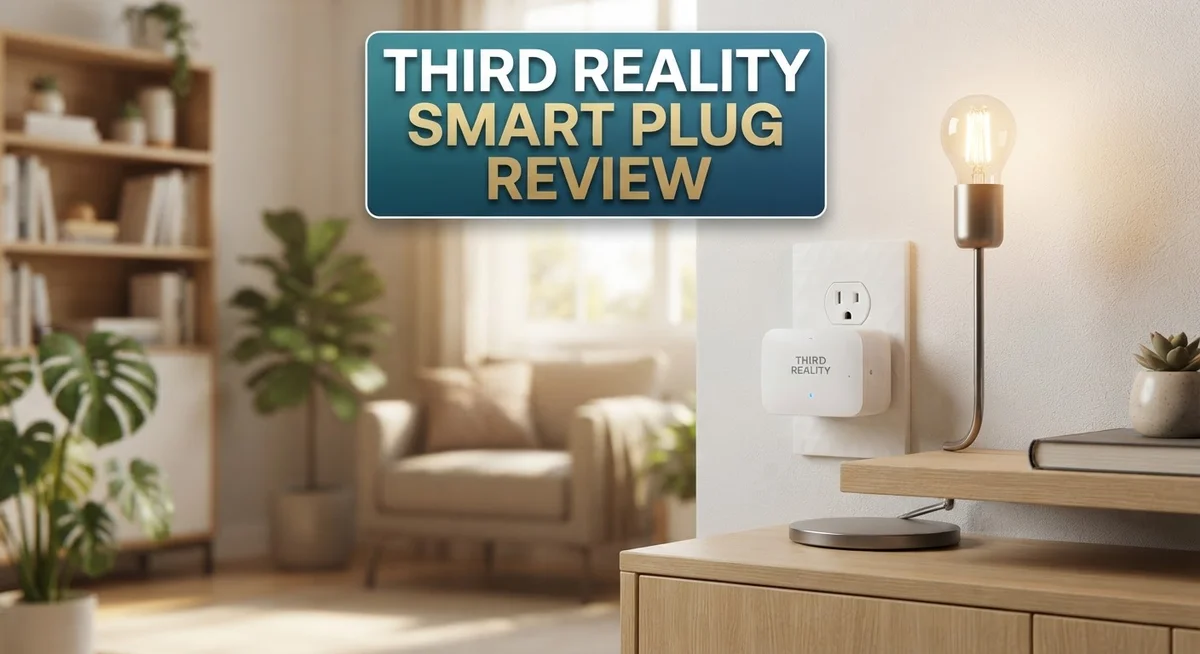
Third Reality Smart Plug Review: Zigbee Connectivity Worth It?
Do you want a smart plug that actually works well with your home network? The Third Reality Smart Plug might catch your eye.
This plug runs on Zigbee protocol. It needs a hub to work, unlike WiFi plugs you may know.
Why does this matter? Zigbee creates a mesh network. Your smart home devices talk to each other better this way.
This plug offers real-time energy monitoring. You can track power use right from your app.
It also works as a Zigbee repeater. This extends your smart home range across your whole house.
Home Assistant users will find this plug easy to connect. It fits well into existing setups.
But does it deliver on its promises? Some users report mixed results with repeater performance.
Let’s look closer at what this smart plug offers. We will cover its features, strengths, and a few drawbacks too.
In a Nutshell
-
Zigbee hub needed: This plug skips WiFi entirely. You need a Zigbee hub to set it up and control it.
-
Safety first: The plug holds ETL certification. It handles up to 15A at 120V, so it fits most home outlets.
-
Standard fit: It uses a Type B/NEMA 5-15R connector. This matches typical US wall outlets without extra adapters.
-
Whole home coverage: This plug acts as a Zigbee repeater. It can extend your mesh network to reach far corners of your house.
-
Monitoring quirks: Some users report defects in power monitoring units. Results vary, so check your unit after setup.
-
Not for WiFi setups: This plug only works within a Zigbee ecosystem. Skip it if you rely on WiFi only smart home devices.
-
Best fit: Home Assistant users and existing Zigbee networks gain the most value here. Compatibility matters more than convenience.
Key Features and Specifications
The Third Reality Smart Plug gives you solid Zigbee connectivity without WiFi complications. This device operates at 15A with 120V power, making it suitable for most standard household outlets. It uses a Type B/NEMA 5-15R connector, so it fits any regular wall socket.
Zigbee mesh networking forms the backbone of this plug’s operation. Your network expands when you add this device because it functions as a Zigbee repeater. This means better signal strength throughout your home. The plug extends your mesh range, helping other Zigbee devices stay connected reliably.
Real-time energy monitoring comes standard on newer generations. You can track power consumption directly through your hub or app. This feature helps you identify which devices use the most electricity in your home. Understanding your energy use becomes simpler with this data at your fingertips.
ETL certification confirms this plug meets safety standards. The certification means the device has passed rigorous electrical testing. You get peace of mind knowing the plug won’t create fire hazards or electrical problems.
Home Assistant compatibility makes this plug attractive for automation enthusiasts. Integration happens smoothly if you already run Home Assistant. Your smart home setup gains another reliable control point without extra complexity.
One important note: you absolutely need a Zigbee hub to use this plug. WiFi alone won’t work here. If your home runs only on WiFi smart devices, this plug won’t connect. You must have a dedicated Zigbee coordinator or hub already installed.
The repeater function sounds great in theory, but real-world performance varies. Some users report the plug struggles to reliably extend their mesh network. Results depend on your specific setup and device placement.
Power monitoring units occasionally show defects according to user reports. Not every unit functions perfectly for energy tracking. This inconsistency affects some buyers more than others.
Bottom line: This plug excels for Zigbee networks seeking stable mesh expansion. Home Assistant users find genuine value here. However, WiFi-only setups won’t benefit from this device at all.

- Zigbee 3.0 Standard: Works seamlessly with compatible Zigbee hubs and Echo devices with built-in Zigbee hubs, such as...
- Reliable Performance & Zigbee Repeater: Equipped with an upgraded Zigbee chip for smooth operation, an enhanced RF...
- Precise Real-Time Power Monitoring: Tracks the power consumption of connected devices to help save energy. Calibrated...
Last update on 2026-09-30 / Affiliate links / Images from Amazon Product Advertising API
Zigbee Connectivity and Mesh Network Performance
The Third Reality Smart Plug uses Zigbee protocol to create a mesh network throughout your home. Unlike WiFi plugs, this device communicates through a dedicated hub that serves as the central control point. The mesh network expands every time you add a new Zigbee device, which means your coverage improves as your smart home grows.
One key advantage of Zigbee mesh networks is their reliability. Devices communicate through multiple paths, so if one connection drops, another automatically takes over. This redundancy keeps your smart plug working even when interference occurs. The Third Reality plug contributes to this network strength by acting as a repeater.
However, the repeater function shows mixed results in real world use. Some users report that the plug successfully extends their Zigbee range to distant rooms. Other users find that repeater performance feels unreliable or inconsistent. This inconsistency matters if you depend on the plug to strengthen your entire network.
Real-time energy monitoring works alongside the mesh connectivity on newer generations of this plug. You can track power consumption while the plug maintains stable connections throughout your home. This dual functionality appeals to users who want both network coverage and consumption insights.
Home Assistant users benefit most from this plug’s Zigbee capabilities. The platform integrates smoothly with Zigbee devices, and the Third Reality plug responds quickly to commands. Setup takes just a few minutes once you add it to your existing Zigbee network.
One critical requirement stands out: you must own a Zigbee hub to use this plug. The plug cannot work standalone or connect directly to your WiFi router. This limitation excludes anyone with WiFi-only smart home setups.
The mesh network performance depends heavily on your hub quality and network layout. Placing the hub centrally in your home improves signal strength. Adding multiple repeaters, including the Third Reality plug, extends coverage to problem areas. The plug delivers solid Zigbee connectivity when conditions are right, but repeater reliability remains a consideration.
Energy Monitoring and Power Management
Real-time energy monitoring sits at the heart of what makes this plug useful for power management. The Gen2 and newer models track your electricity usage instantly, showing you exactly how much power each device consumes. This data helps you spot energy-hungry appliances and make smarter decisions about what stays plugged in.
The monitoring feature works seamlessly within your Zigbee network. Data flows from the plug to your hub, then displays in Home Assistant or your preferred app. You get accurate wattage readings without any WiFi dependency, which means your data stays local and responsive.
However, some units report defects in their power monitoring sensors. A portion of users experience inaccurate readings or complete monitoring failures. This inconsistency suggests quality control issues in certain production batches. Before relying on this plug for serious energy audits, test it against a known meter to verify accuracy.
The 15A rating at 120V gives you plenty of headroom for most household devices. You can safely monitor everything from coffee makers to space heaters without worrying about capacity limits. The plug handles continuous operation without overheating or performance drops.
Power management becomes more intelligent when you combine this plug with automation rules. Set schedules to turn devices off during peak hours. Create routines that cut power to entertainment systems when nobody’s home. The Zigbee mesh network responds quickly to these commands, giving you near-instant control.
The repeater function also influences power management indirectly. A stronger mesh network means more reliable command delivery and faster response times. Your automation routines execute without delays or missed triggers.
One limitation worth noting: you cannot use this plug standalone. The Zigbee hub requirement means you’re locked into an existing ecosystem. WiFi-only homes cannot access any of these energy monitoring benefits. Your entire setup depends on hub reliability and network stability.
For Home Assistant users managing multiple Zigbee devices, this plug fits naturally into existing workflows. The energy data integrates smoothly with other automations and dashboards. You build comprehensive power management systems across your entire home.
Top 3 Alternatives
Kasa Smart Plug

- Voice control: Kasa smart plugs that work with Alexa and Google Home Assistant. Enjoy the hands free convenience of...
- Easy set up and use: 2.4GHz Wi-Fi connection required. Plug in, open the case app, follow the simple instructions and...
- Scheduling: Use timer or countdown schedules set your smart plug to automatically turn on and off any home electronic...

Last update on 2026-09-30 / Affiliate links / Images from Amazon Product Advertising API
The Kasa Smart Plug offers reliable remote control for your devices. You can turn appliances on and off from your smartphone, no matter where you are. The app works smoothly and connects to both 2.4GHz and 5GHz Wi-Fi networks.
Energy monitoring is a key feature here. You see real-time power usage and get monthly reports. This helps you understand which devices drain the most electricity. Scheduling is simple too—set routines for your coffee maker or lights automatically.
The plug works with Alexa and Google Home. Voice commands make controlling devices hands-free. Setup takes just a few minutes, and the compact design doesn’t block other outlets.
TP-Link Kasa Mini

- Voice Control: Add voice control to any outlet. Enjoy the hands-free convenience of controlling any home electronic...
- Control From Anywhere: Turn electronics on and off from anywhere with your smartphone using the Kasa app, whether you...
- Scheduling: Use timer or countdown schedules set your smart plug to automatically turn on and off any home electronic...
Last update on 2026-09-30 / Affiliate links / Images from Amazon Product Advertising API
The TP-Link Kasa Mini is a space-saving option that fits snugly into tight spaces. Its small size means you can use both outlets on a standard power strip without interference.
This model includes energy tracking, so you monitor consumption just like the full-size version. The app interface feels intuitive and responsive. Scheduling and automation work flawlessly across multiple devices.
Voice assistant compatibility covers Alexa, Google Home, and even IFTTT. Away mode simulates your presence by randomly turning lights on and off. The mini design doesn’t sacrifice functionality—everything works as expected.
Wyze Smart Plug

- Command your home with your voice: Works with Alexa and the Google Assistant so it’s easier said and done.
- Certified for Humans: Struggle-free, tinker-free, stress-free. No patience needed—it's actually simple.
- Control your home from anywhere: Turn them on or off remotely with the Wyze app.
Last update on 2026-09-30 / Affiliate links / Images from Amazon Product Advertising API
The Wyze Smart Plug delivers affordable smart home control. It connects easily to Wi-Fi and responds quickly to commands. The app is clean and doesn’t overwhelm you with unnecessary features.
Energy monitoring shows you exactly how much power each device uses. Local control means your plug works even if your internet drops temporarily. Scheduling and away mode function smoothly.
Compatibility includes Alexa and Google Home. The plug supports IFTTT integration for advanced automation. Its standard size fits most outlets without crowding nearby plugs.
Installation and Home Assistant Compatibility
Getting your Third Reality Smart Plug up and running requires a few key steps. First, you need a Zigbee hub already installed in your home. This hub serves as the central command center for all your Zigbee devices.
Once your hub is ready, plug the Third Reality Smart Plug into any standard outlet. The device will automatically search for your Zigbee network within seconds. Most setups complete this pairing process in under a minute without any special configuration needed.
Home Assistant integration happens through your Zigbee hub. Your hub communicates with Home Assistant directly, which then discovers the smart plug automatically. You don’t need to enter codes or complex settings. The plug simply appears in your Home Assistant dashboard once the hub recognizes it.
The physical installation is straightforward since the plug uses a standard NEMA 5-15R connector. It fits into any regular wall outlet without adapters or special hardware. The compact design means it won’t block adjacent outlets in most cases.
One important consideration involves your network layout. Zigbee devices work best when they’re within reasonable range of your hub or other repeaters. If you place this plug in a distant corner of your home, it may struggle to maintain a stable connection. Position it somewhere central for better mesh performance.
The repeater function activates automatically once the plug joins your network. However, real-world results show mixed performance with this feature. Some users report excellent range extension, while others notice no improvement at all. This inconsistency depends heavily on your specific home layout and interference levels.
Home Assistant users should expect seamless compatibility once pairing completes. The plug appears as a standard Zigbee device in your automations and scripts. You can create routines, set schedules, and monitor activity through your Home Assistant interface without additional steps.
Before installation, confirm you have a Zigbee hub already running. This is the single most important requirement. Without a hub, this plug cannot function at all. WiFi-only setups won’t work with this device since it exclusively uses Zigbee protocol for communication.
Reliability and Known Issues
The Third Reality Smart Plug earns solid marks for stability when it functions correctly. Most users report consistent Zigbee connectivity once the plug joins your network. The mesh repeater capability strengthens your whole home signal, which is a genuine advantage for larger spaces.
However, reliability concerns do exist. The repeater function shows mixed real world performance. Some users experience the plug dropping offline without warning, especially during network congestion. Your hub quality and placement directly impact how stable this plug remains.
Power monitoring defects represent a more serious issue. Several units report faulty sensors that give inaccurate readings or stop working entirely. If energy tracking matters for your automation setup, this becomes a significant problem. The Gen2+ models improved this, but defects still occur occasionally.
The plug itself rarely fails physically. The ETL certification and 15A rating mean the hardware handles electrical stress well. Most issues stem from software glitches or sensor problems rather than component failure.
Connection drops happen more often than ideal. Some owners report the plug needs manual reconnection every few weeks. This defeats the purpose of a smart home device that should work without intervention. Poor Zigbee mesh coverage makes this worse.
One hidden reliability factor involves firmware updates. Third Reality releases occasional patches, but updates don’t always improve stability. Some users report worse performance after updating.
The repeater function adds complexity to reliability. While it strengthens your mesh, a faulty repeater actually damages your network. You may need to exclude and re-add the plug to restore normal operation.
For best reliability, ensure your Zigbee hub sits centrally in your home. Keep the plug within reasonable range of your hub. Avoid placing it near metal objects or microwaves that cause interference.
Most users who experience problems solve them through network optimization rather than replacing the plug. This suggests the device itself is reasonably reliable when conditions are right. The real challenge involves maintaining stable Zigbee communication over time.
Pros and Cons
Pros
- Zigbee mesh network extends your smart home range throughout the entire house automatically
- Real-time energy monitoring shows exactly how much power each connected device uses
- ETL certified and handles up to 15A at 120V for most household appliances
- Works smoothly with Home Assistant once your Zigbee hub is set up
- Acts as a Zigbee repeater to strengthen signal in weak coverage areas
Cons
- Requires a separate Zigbee hub to function, so WiFi-only systems won’t work
- Some units have defective power monitoring sensors that stop reporting energy data
- Repeater performance is unreliable and can cause network instability in certain setups
- Connection drops occur more frequently than other smart plugs on the market
Who Should Buy It
The Third Reality Smart Plug works best for people who already have a Zigbee hub installed. If you use Home Assistant, this plug becomes a natural fit for your setup. Your hub connects directly to Home Assistant, making integration smooth and fast.
You need a Zigbee network to use this plug. WiFi-only smart home systems won’t work with it. This is the biggest requirement to consider before buying. Make sure you own a compatible Zigbee hub first.
Home automation enthusiasts benefit most from this plug. You get real-time energy monitoring on compatible models, which helps you track power usage room by room. The plug strengthens your Zigbee mesh network automatically through its repeater function. Your signal reaches further into dead zones around your home.
This plug suits people who value network stability. Once your mesh network stabilizes, the plug performs reliably for basic on-off control. However, if you experience frequent connection drops, this plug may frustrate you. Network optimization skills help tremendously.
The plug makes sense for households with multiple Zigbee devices already running. Each device you add strengthens your mesh, and this plug contributes to that strength. You’ll see better coverage throughout your entire home.
Skip this plug if you want simple, standalone operation. It demands a hub and a Zigbee network to function. Setup requires more technical knowledge than WiFi-based alternatives.
Energy monitoring users should research current models carefully. Some units have defective sensors that stop reporting power data. Verify the specific model you purchase has working energy monitoring before committing.
This plug appeals to people comfortable with troubleshooting network issues. Connection problems sometimes occur, but most users solve them through hub placement or network adjustments rather than replacing the plug itself. You’ll need patience and willingness to optimize your setup.
Finally, consider this plug if you plan to expand your Zigbee ecosystem. The repeater function pays dividends as your smart home grows. It becomes more valuable the more Zigbee devices you add over time.
Final Verdict
The Third Reality Smart Plug earns its place in a Zigbee smart home setup. It handles core tasks well and adds genuine value to an existing mesh network.
This plug is not a good fit for everyone. If you want a simple plug that works straight out of the box, look elsewhere.
Think of this device as a team player. It shines when other Zigbee devices support it and your hub sits in a good spot.
People new to smart homes should pause before buying this plug. The setup process demands patience and some technical comfort.
Existing Zigbee users will feel right at home. Adding this plug to a mature network feels simple and natural.
We recommend checking recent buyer feedback before you commit to a purchase. Manufacturing quality can shift between production batches.
The energy monitoring feature deserves a special note. Test this function early after setup so you can catch any sensor issues fast.
Your patience during the initial setup phase pays off later. Most stability issues fade once the network settles into a steady rhythm.
This plug fits a specific type of buyer. Smart home hobbyists who enjoy fine tuning their systems will get the most value.
Casual users who want instant results might feel frustrated. The learning curve here is real, though not extreme.
Our final take: this plug rewards effort and setup care with steady long term performance. It punishes impatience with early frustration.
Buy this plug if you already run Zigbee devices at home. Skip it if you need instant plug and play simplicity.
The choice comes down to your current setup and your comfort with troubleshooting. Match those factors to your expectations before you decide.
For the right household, this plug becomes a quiet, dependable part of daily life. For the wrong one, it brings more hassle than help.
Frequently Asked Questions
Does this plug work with WiFi smart home systems?
No. The Third Reality Smart Plug uses Zigbee protocol only. If your home runs on WiFi devices like Alexa or Google Home without a Zigbee hub, this plug won’t connect. You must have a separate Zigbee hub already installed to use it.
Can I use this plug without any hub?
You cannot use this plug standalone. A Zigbee hub is required. The plug communicates through mesh networking, not direct WiFi connection. Think of the hub as the brain that lets the plug talk to your other devices.
How reliable is the repeater function?
The repeater function has mixed results. While the plug can extend your Zigbee signal to weak coverage areas, users report inconsistent performance. In some setups, the repeater strengthens your network. In others, it causes instability. Your mileage depends on your specific home layout and device count.
Are there issues with the energy monitoring feature?
Some units have defective power monitoring sensors. These sensors stop reporting energy data after a period of use. If accurate energy tracking matters to you, research current buyer feedback carefully before purchasing. Not all units have this problem, but it’s a known concern.
Who should buy this plug?
This plug works best for people who already own Zigbee devices and have a hub installed. Existing Zigbee users will find it fits smoothly into their setup. Home Assistant users benefit from its stability once the network settles. Casual users seeking simple, standalone operation should look elsewhere.

Tian is a passionate technology enthusiast and reviewer who explores the latest in AI tools, gadgets, and digital innovations to help readers make informed tech decisions.