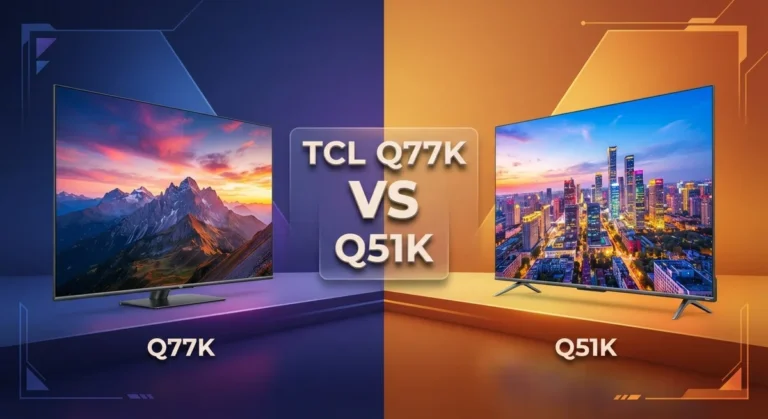
TCL Q77K vs QM5K: Gaming vs Picture Quality – Which TV Wins?
Picking a new TCL TV feels exciting. But choosing between the Q77K and QM5K can leave you stuck.
Both TVs come packed with great features. Yet they shine in different ways.
The Q77K brings serious gaming power to your living room. It offers high refresh rates and quick response times for smooth action.
The QM5K focuses on picture quality instead. Its Mini LED backlighting creates deep blacks and strong contrast for movies and shows.
So which one fits your needs? This guide breaks down every key spec side by side.
We compare gaming performance, picture quality, and overall value. You will see clear strengths and weaknesses for each model.
By the end, you will know exactly which TV suits your lifestyle. Let’s explore how these two TCL models truly compare.
Quick Comparison: TCL Q77K vs TCL QM5K
| Feature | TCL Q77K | TCL QM5K |
|---|---|---|
| Screen Sizes | 55″–85″ | 50″–75″ |
| Backlighting | Full array local dimming LED | QD Mini LED |
| Refresh Rate | 144Hz @4K, 288Hz @1080p | 60Hz @4K, 120Hz @1080p |
| HDR Support | HDR10, Dolby Vision | HDR10+, HDR10, HLG |
| Input Lag | 10–13ms | Low latency (ALLM) |
| Contrast/Blacks | Standard LED contrast | Deep blacks, 6000:1 contrast |
| Glare Handling | Mirror-like reflections | Bright SDR, glare resistant |
| Best Use Case | Gaming-focused buyers | Movie/content viewers |
TCL Q77K Review

- 4K UltraHD Resolution: Experience incredible detail with 4X the resolution of 1080p Full HDTVs
- QLED (Quantum Dot Technology): Rich, vibrant colors covering nearly the entire DCI-P3 color space to bring images to...
- 120Hz Panel Refresh Rate: Watch action-packed movies, fast-paced video games, and live sports with an ultra-smooth...

Last update on 2026-09-13 / Affiliate links / Images from Amazon Product Advertising API
The TCL Q77K is a gaming-first TV built for players who demand speed and responsiveness. It delivers 288Hz refresh rates at 1080p and 144Hz at 4K, making it ideal for fast-paced action games and competitive play.
This model features full array local dimming and HDR10 + Dolby Vision support for solid color depth. The input lag sits between 10–13ms, giving you the quick response time that gamers crave on screen.
The Q77K comes in sizes from 55″ to 85″, so you can pick the right fit for your room. Its HDMI 2.1 connectivity and VRR support lock in smooth gameplay across multiple platforms without stuttering or tearing.
Build quality feels solid for the segment, though the standard LED backlight means blacks won’t rival Mini LED rivals. Real-world use shows strong viewing angles and a wide format support list that covers nearly every gaming device you own.
Pros
- Exceptional gaming specs with high refresh rates and low input lag
- Full array local dimming creates good contrast in darker scenes
- Wide range of sizes (55″–85″) and strong format compatibility
- HDMI 2.1 and VRR eliminate stuttering during intense gameplay
Cons
- Motion blur becomes visible at standard 60Hz refresh rates
- Glossy screen surface causes mirror-like glare in bright rooms
- Standard LED backlighting limits shadow detail compared to Mini LED panels
TCL QM5K Review

- TCL QM6K QD-MINI LED TV SERIES - AFFORDABLE PREMIUM PERFORMANCE FOR SPORTS, GAMING & STREAMING. Experience superior...
- QD-MINI LED. IT’S MINI LED PLUS QLED COLOR - BREATHTAKING BRIGHTNESS AND COLOR IN ANY LIGHT. Combines ultra-precise...
- TCL HALO CONTROL SYSTEM - BETTER BLACKS. SHARPER DETAIL. NO BLOOMING. Advanced local dimming eliminates haloing...
Last update on 2026-09-13 / Affiliate links / Images from Amazon Product Advertising API
The TCL QM5K is a picture-quality-first TV that shines for movie lovers and casual gamers. It prioritizes contrast, brightness, and color depth over ultra-fast gaming refresh rates.
This model uses QD Mini LED backlighting, which creates impressively deep blacks and excellent shadow detail in dark scenes. You get HDR10+, HDR10, and HLG support for smooth content playback across streaming platforms.
The QM5K delivers bright SDR performance and resists glare better than many competitors in its class. It also packs low input lag and Auto Low Latency Mode, so casual gaming remains smooth and responsive.
Build quality feels solid throughout, with a strong contrast ratio of 6000:1 that makes images pop. Available in 50″ to 75″ sizes, it fits most living rooms without overwhelming the space.
Pros
- Mini LED backlighting creates deep blacks and excellent contrast
- Bright SDR performance resists glare in well-lit rooms
- Excellent sound quality out of the box
- Strong contrast ratio (6000:1) makes content visually engaging
Cons
- Limited to 4K @ 60Hz (gaming refresh rates top out at 1440p/1080p @ 120Hz)
- Visible glare can occur in very bright environments
- Not ideal for high-refresh competitive gaming
Head to Head: Key Differences
The Q77K and QM5K serve different viewing priorities, and understanding those differences helps you choose the right fit.
The Q77K prioritizes gaming performance with HDMI 2.1 support, 288Hz refresh rates at 1080p, and 144Hz at 4K. Input lag sits between 10–13ms, making this TV responsive for competitive play.
The QM5K focuses on picture quality with QD Mini LED backlighting that produces deeper blacks and superior contrast. Its 6000:1 contrast ratio makes images visually pop, especially in darker content.
Refresh rate capability differs significantly between these models. The Q77K handles high-refresh gaming smoothly, while the QM5K maxes out at 60Hz for 4K content (though it supports 120Hz at lower resolutions).
Backlighting technology sets them apart visually. The Q77K uses standard LED, which works well but cannot match the Mini LED’s shadow detail and black levels found in the QM5K.
Brightness and glare resistance favor the QM5K in bright rooms. Its bright SDR performance resists reflections better, making it ideal for well-lit living spaces.
The Q77K offers more size options, ranging from 55″ to 85″, while the QM5K spans 50″ to 75″. This matters if you need a specific screen size.
Sound quality leans toward the QM5K, which delivers excellent audio out of the box without needing external speakers.
Motion handling differs too. The Q77K excels at fast-moving action due to high refresh rates, while the QM5K handles standard 60Hz content smoothly but shows more motion blur with rapid scene changes.
Choose the Q77K if gaming speed matters most. Pick the QM5K if picture quality and content viewing take priority.
Which One Should You Buy
The TCL QM5K takes the win in this matchup. Its QD Mini LED backlighting delivers deeper blacks and richer contrast than the Q77K can offer.
This makes the QM5K a stronger all-around performer for most viewers. It still handles gaming well, even with a lower refresh rate ceiling.
The Q77K remains a solid pick for a specific type of buyer. It simply cannot match the QM5K’s picture quality.
Best for each buyer – TCL Q77K: Great for gaming-focused buyers who want high refresh rates, low input lag, and smooth motion for fast-paced titles. – TCL QM5K: Perfect for movie and content viewers who want superior picture quality, deep blacks, and strong contrast. Casual gamers who value visuals over ultra-high refresh rates will also love it.
Frequently Asked Questions
Which TV is better for gaming?
The Q77K wins for gaming if you want high refresh rates and lightning-fast response times. It delivers 288Hz at 1080p and 144Hz at 4K, plus HDMI 2.1 support.
Input lag sits between 10–13ms, which matters for competitive play.
The QM5K handles casual gaming well with Auto Low Latency Mode. However, it maxes out at 60Hz for 4K content.
If you play fast-paced games seriously, the Q77K is your better choice.
Should I choose the QM5K for movies and TV shows?
Yes, the QM5K excels at movies and shows. Its QD Mini LED backlighting creates deep blacks and sharp contrast that make film scenes look stunning.
The 6000:1 contrast ratio means dark moments feel immersive.
The Q77K uses standard LED backlighting, so it cannot match the QM5K’s picture depth. If you watch lots of content, the QM5K delivers the superior visual experience.
Which model handles bright rooms better?
The QM5K performs better in bright spaces. It offers brighter SDR output and resists glare more effectively than the Q77K.
Sunlit living rooms will show fewer mirror-like reflections on the QM5K screen.
The Q77K struggles with glare in well-lit environments. If your room gets lots of natural light, the QM5K keeps images clear and watchable.
What size options do these TVs offer?
The Q77K comes in larger sizes: 55″, 65″, 75″, and 85″. The QM5K ranges from 50″ to 75″.
If you need an 85-inch screen, only the Q77K fits that need.
Both have solid mid-range options. Check your space before deciding.
Which TV should I buy overall?
The QM5K works for most people. It balances picture quality, sound, and everyday performance.
Pick the Q77K only if gaming is your main priority and you want those high refresh rates.

Tian is a passionate technology enthusiast and reviewer who explores the latest in AI tools, gadgets, and digital innovations to help readers make informed tech decisions.