
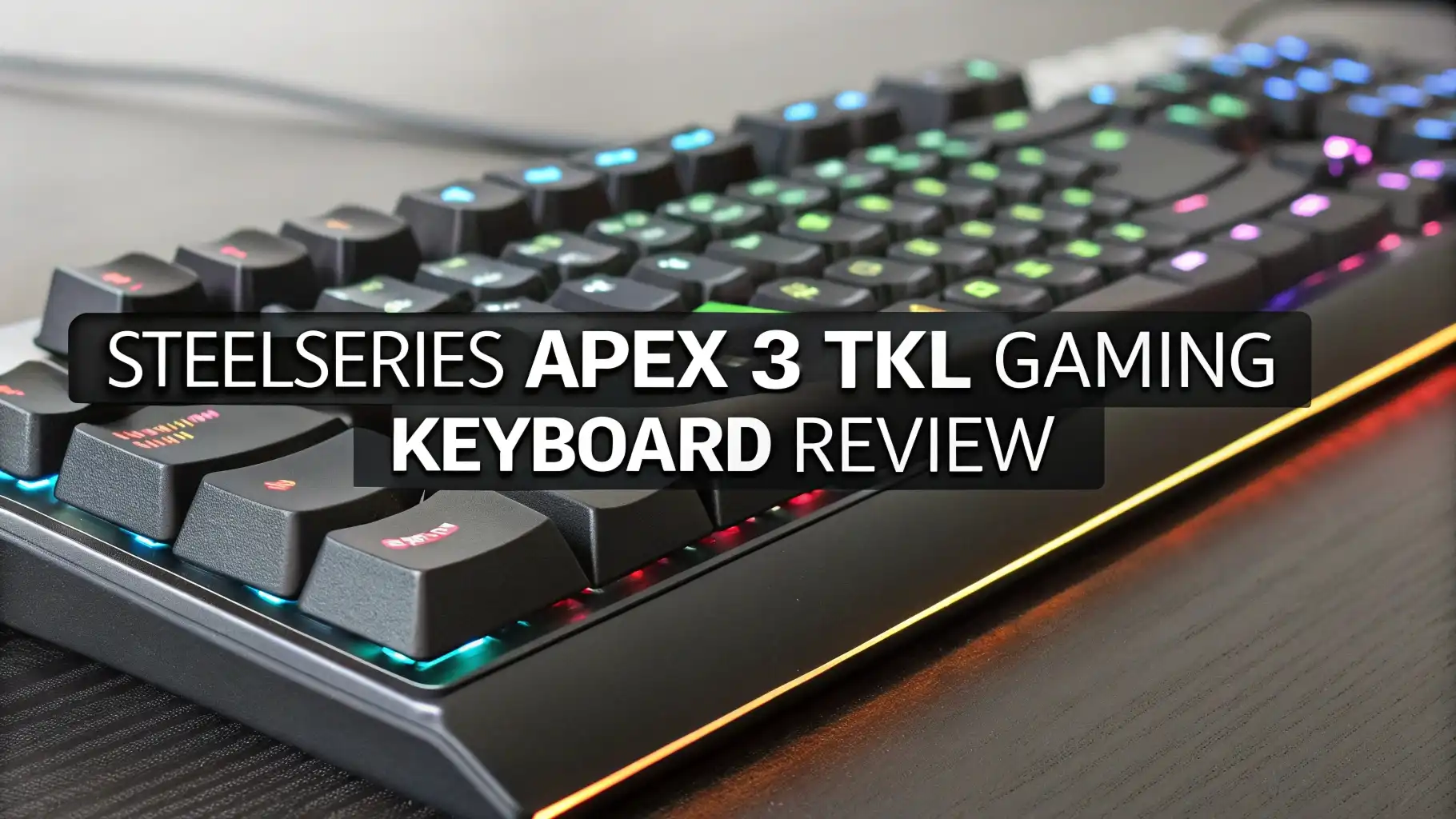
SteelSeries Apex 3 TKL Gaming Keyboard Review
Gaming keyboards have become essential tools for both casual and competitive gamers. Finding a keyboard that delivers solid performance without breaking the bank can be challenging. The SteelSeries Apex 3 TKL enters this competitive space as a budget-friendly option that promises premium features at an affordable price point.
This tenkeyless gaming keyboard offers water resistance, RGB lighting, and whisper-quiet switches. But does it really deliver on these promises? Can a membrane keyboard compete with mechanical options? This comprehensive review will answer all your questions about the SteelSeries Apex 3 TKL. You’ll discover whether this keyboard is worth your investment and how it performs in real-world gaming scenarios.
Key Takeaways:
Budget-Friendly Price Point: The Apex 3 TKL typically retails around $31.99 to $44.99, making it one of the most affordable gaming keyboards from a premium brand like SteelSeries. This price puts it within reach of budget-conscious gamers.
IP32 Water and Dust Resistance: Unlike most keyboards in this price range, the Apex 3 TKL features IP32 certification, protecting your investment against accidental spills and dust accumulation during intense gaming sessions.
Whisper-Quiet Membrane Switches: The keyboard uses special gaming-grade membrane switches rated for over 20 million keypresses, providing a quiet typing experience perfect for shared spaces or late-night gaming.
Compact Tenkeyless Design: The TKL form factor saves valuable desk space while maintaining all essential gaming keys, making it ideal for gamers who need room for wide mouse movements during FPS games.
8-Zone RGB Lighting Customization: The keyboard features customizable RGB illumination across eight distinct zones, allowing you to personalize your setup and sync lighting effects with compatible games and Discord activity.
SteelSeries Apex 3 TKL Gaming Keyboard

- The compact tenkeyless design is the most popular form factor used by the pros, allowing you to position the keyboard for comfort and to maximize in-game performance.
- Our whisper quiet gaming switches with anti-ghosting technology for keystroke accuracy are made from durable low friction material for near silent use and guaranteed performance for over 20 million...
- Designed with IP32 Water & Dust Resistant for extra durability to prevent damage from liquids and dust particles, so you can continue to play no matter what happens to your keyboard.

The SteelSeries Apex 3 TKL represents a smart entry point into gaming peripherals for players who want quality without premium prices. This keyboard combines practical features with solid build quality. The tenkeyless layout appeals to competitive gamers who need extra mouse space. The membrane switches might not satisfy mechanical keyboard enthusiasts. However, they offer a unique advantage with their quiet operation. Many gamers share spaces with family or roommates. The whisper-quiet switches solve this common problem. SteelSeries designed this keyboard with real-world use cases in mind. The IP32 water resistance protects against common accidents. Coffee spills and soda splashes won’t destroy your keyboard. This protection alone justifies the purchase for many users. The keyboard measures 364 x 150 x 40mm and weighs approximately 639 grams. These dimensions make it portable enough for LAN parties or travel. The build quality feels surprisingly solid for the price point. The keyboard uses a non-removable USB cable. This design choice ensures connection reliability during competitive matches.
Unboxing and First Impressions
Opening the SteelSeries Apex 3 TKL box reveals thoughtful packaging that protects the keyboard during shipping. The keyboard sits securely in molded cardboard inserts. SteelSeries includes minimal accessories with this budget model. You’ll find the keyboard, a quick start guide, and warranty information. The packaging uses recyclable materials, showing environmental awareness. Lifting the keyboard for the first time reveals its lightweight design. The 639-gram weight feels substantial without being heavy. The matte black finish looks professional and resists fingerprints well. The keycaps feature a standard font that’s easy to read. The non-removable cable extends about 1.5 meters from the keyboard. This length works well for most desk setups. The USB connector features a standard Type-A connection. The keyboard bottom includes four rubber feet for stability. Two flip-up stands provide angle adjustment options. The rubber feet grip desk surfaces effectively during intense gaming. The overall first impression suggests quality construction that exceeds the budget price tag.
Design and Build Quality
The SteelSeries Apex 3 TKL features a minimalist design philosophy that emphasizes function over flashiness. The all-black chassis creates a professional appearance suitable for gaming and work environments. The keyboard measures 364mm in width, making it significantly smaller than full-size keyboards. This compact footprint saves approximately 30% of desk space compared to full-size models. The tenkeyless layout removes the number pad while keeping all essential keys. The build uses durable plastic materials that feel solid in hand. The keyboard shows minimal flex when pressure is applied to the middle section. The keycaps use a standard cylindrical profile with textured tops. This texture helps fingers locate keys during fast-paced gameplay. The space bar, enter key, and shift keys feature stabilizers that reduce rattle. The IP32 rating means the keyboard resists water splashes from any direction. It also protects against dust particles larger than 2.5mm. The chassis includes subtle SteelSeries branding that doesn’t dominate the design. The keyboard maintains a low profile that sits close to the desk surface. This design reduces wrist strain during extended use. The construction feels like it will survive years of daily gaming sessions.
Whisper-Quiet Membrane Switches Explained
The SteelSeries Apex 3 TKL uses proprietary membrane switches instead of mechanical switches. This choice significantly impacts the typing and gaming experience. Membrane switches work differently than their mechanical counterparts. They use a rubber dome beneath each keycap. Pressing a key compresses this rubber dome. The dome pushes a membrane layer against a circuit board. This contact registers the keypress electronically. The entire process happens silently compared to mechanical switches. SteelSeries rates these switches for over 20 million keypresses. This longevity matches many mechanical switches. The switches require approximately 45 grams of actuation force. This light touch reduces finger fatigue during marathon gaming sessions. The pre-travel distance measures longer than mechanical switches. This means you press keys further before they activate. The switches provide subtle tactile feedback when bottoming out. The feel differs from the distinct click of mechanical switches. These membrane switches excel in quiet environments where mechanical keyboards would disturb others. Gamers who stream content appreciate the reduced keyboard noise in microphone recordings. The switches respond quickly enough for competitive gaming. The membrane design contributes to the keyboard’s water resistance. The sealed membrane layer prevents liquids from reaching electrical components.
8-Zone RGB Lighting System
The Apex 3 TKL features an 8-zone RGB illumination system that adds visual appeal to your gaming setup. The lighting system divides the keyboard into eight distinct zones. Each zone can display different colors and effects independently. This zoning creates dynamic lighting patterns across the keyboard. The SteelSeries Engine software controls all lighting functions. You can choose from millions of color combinations. The software includes preset lighting effects. Popular effects include color wave, reactive typing, and breathing patterns. The reactive mode lights up keys as you press them. This effect looks impressive during gaming sessions. The lighting syncs with compatible games automatically. Games like CS:GO and Minecraft trigger special lighting effects. The keyboard also reacts to Discord notifications. Discord alerts create visual cues on the keyboard. The RGB lighting serves practical purposes beyond aesthetics. You can assign different colors to key groups. This color coding helps identify important keybinds quickly. The brightness level adjusts through multiple steps. Lower brightness saves power and reduces distraction. Maximum brightness creates an impressive light show visible across the room. The lighting remains visible even in brightly lit rooms. The LEDs distribute light evenly under each keycap.
Top 3 Alternatives for SteelSeries Apex 3 TKL

- LOW-PROFILE KEYS — With slimmer keycaps and shorter switches, enjoy natural hand positioning that allows for long hours of use with little strain
- MECHA-MEMBRANE SWITCHES — Fusing the snappy, clicky feedback of a mechanical switch with the familiar feel of a conventional keyboard, each keystroke is as satisfying as it is precise
- UV-COATED KEYCAPS — More durable than regular keycaps, the UV coating ensures more fade-resistant legends and greater protection against wear and tear from frequent use

- More Room to Make Big Plays: A compact, space-saving layout designed to give players more room for sweeping mouse movements that can lead to big wins.
- Eight Zone RGB Backlighting: Create personalized lighting as dazzling as your clutch plays with 8 zones of brilliant RGB lighting.
- 300ml Spill Resistance: K55 CORE TKL is built for gaming and built to stand up to the perils of daily life. Don’t let a little spill ruin your new keyboard, with 300mL of spill-resistance.

- 4 Onboard Macro Keys - 4 onboard macro keys (G1~G4) are programmable and work on the fly without any additional software. The keys are easy to edit and can perform a variety of different macros.
- True RGB Backlight - Full dynamic RGB backlighting allows for countless lighting possibilities limited only to your imagination. The keyboard comes with 7 pre-set lighting modes and an additional 6...
- 26 Anti-ghost Keys & Dedicated Media Controls - Featuring anti-ghosting keys (keys with an underscore) that allow for 26 keys to work simultaneously for fast and accurate game responses the way you...
Gaming Performance and Response Time
The SteelSeries Apex 3 TKL delivers solid gaming performance across multiple game genres. The membrane switches respond quickly enough for competitive play. Testing in fast-paced FPS games like Valorant and CS:GO shows consistent performance. The switches don’t miss inputs during rapid key presses. The keyboard features full N-key rollover technology. This means every key press registers independently. You can press multiple keys simultaneously without ghosting. Gaming-grade anti-ghosting prevents input errors during complex key combinations. The polling rate runs at standard USB speeds. This provides sufficient response time for most gaming scenarios. Professional esports players might prefer higher polling rates. However, casual and intermediate players won’t notice limitations. The keyboard performs well in MOBA games like League of Legends. The compact layout puts all essential skills within easy reach. MMO players appreciate the tenkeyless design for mouse freedom. The membrane switches actually offer advantages for certain games. Their quiet operation allows better focus on game audio. You hear enemy footsteps and environmental cues more clearly. The consistent actuation force helps develop muscle memory. Each key requires the same pressure, creating predictable input patterns. Fighting game players appreciate the precise inputs possible with membrane switches.
Typing Experience for Work and School
The Apex 3 TKL transitions smoothly between gaming and productivity tasks. The membrane switches create a pleasant typing experience for extended writing sessions. The quiet operation makes this keyboard ideal for shared workspaces. Your coworkers won’t complain about loud clacking sounds. Students using dorm rooms appreciate the noise-free typing. The switches provide enough feedback to confirm key presses. You won’t accidentally double-tap keys like on laptop keyboards. The key travel distance feels comfortable for touch typists. The actuation point sits at a predictable depth. This consistency helps improve typing speed over time. The keycap texture prevents fingers from sliding during rapid typing. The keyboard layout follows standard positioning for all keys. This means no learning curve when switching from other keyboards. The included wrist rest would improve comfort during long typing sessions. Unfortunately, SteelSeries doesn’t include one with this model. The low profile design reduces wrist angle naturally. This ergonomic advantage helps prevent repetitive strain injuries. The space bar stabilizers eliminate annoying rattle sounds. The enter key provides satisfying feedback without excessive noise. The typing experience feels smoother than many budget keyboards. The membrane switches absorb typing impact better than cheap mechanical alternatives.
IP32 Water and Dust Resistance Benefits
The IP32 certification sets the Apex 3 TKL apart from competing budget keyboards. This protection rating provides real-world benefits during daily use. The first digit (3) indicates dust protection. The keyboard resists particles larger than 2.5mm in diameter. This prevents dust buildup inside the keyboard mechanism. Dust accumulation causes many keyboard failures over time. The second digit (2) indicates water protection. The keyboard survives water splashes from any angle. This protection covers common accidents like drink spills. The water resistance doesn’t make the keyboard submersion-proof. You shouldn’t intentionally pour liquids on the keyboard. However, accidental spills won’t destroy your investment immediately. The membrane design naturally contributes to water resistance. The sealed membrane layer blocks liquid penetration. The chassis includes drainage channels that guide liquids away from electronics. If you spill liquid, you should still act quickly. Flip the keyboard upside down to drain excess liquid. Let it dry completely before reconnecting power. The IP32 rating provides peace of mind during intense gaming sessions. You can keep drinks on your desk without constant worry. The protection extends keyboard lifespan significantly. Many keyboards fail from minor spills that the Apex 3 TKL would survive.
SteelSeries Engine Software Features
The SteelSeries Engine software unlocks the full potential of the Apex 3 TKL. This free application runs on Windows and macOS systems. The software provides centralized control for all SteelSeries peripherals. The interface uses an intuitive design that beginners can navigate easily. The home screen displays connected devices with visual representations. Clicking the Apex 3 TKL opens its configuration panel. The lighting tab offers extensive RGB customization options. You can create custom lighting profiles for different games. The software saves these profiles to switch automatically. Game detection triggers appropriate lighting profiles when launching games. The key bindings section allows macro programming. You can record complex key sequences and assign them to single keys. This feature helps in MMO games with many abilities. The settings panel adjusts polling rate and other technical parameters. The software includes a library of preset configurations. These presets optimize settings for popular games. The Engine software syncs settings across devices through cloud storage. This means your preferences follow you to different computers. The software receives regular updates that add new features. SteelSeries maintains active development of the Engine platform. The software footprint remains light, using minimal system resources. It doesn’t impact gaming performance or cause system slowdowns.
Cable Quality and Connection Stability
The SteelSeries Apex 3 TKL features a non-removable cable that integrates directly into the keyboard chassis. This design choice prioritizes connection reliability over portability. The cable measures approximately 1.5 meters in length. This distance works well for most desktop configurations. The cable uses a braided fabric sleeve that resists tangling. The braiding also protects the internal wires from damage. The cable terminates in a standard USB Type-A connector. This connector features gold plating for corrosion resistance. The USB connector fits snugly into ports without wobbling. The connection point at the keyboard uses reinforced strain relief. This prevents cable failure at the common stress point. The cable routing includes a channel on the keyboard bottom. This channel allows you to direct the cable left, right, or center. Proper cable routing keeps your desk organized and clean. The connection maintains stable communication during intense gaming. You won’t experience input lag or disconnection issues. The wired connection eliminates battery concerns completely. You never need to charge this keyboard. The cable doesn’t transmit interference from nearby devices. The reliable wired connection ensures consistent performance during competitive matches. Some users prefer removable cables for easier storage. However, the integrated cable design rarely causes practical problems.
Keycap Quality and Customization Options
The SteelSeries Apex 3 TKL uses standard keycaps made from ABS plastic. ABS plastic represents the most common keycap material in budget keyboards. The keycaps feature a matte finish that resists fingerprints reasonably well. The legends use pad-printed characters that allow RGB light to shine through. The font choice emphasizes readability over stylistic flourishes. The keycaps follow a cylindrical profile with slight curves. This profile matches most people’s finger shapes naturally. The texture on the keycap tops provides grip during rapid gaming. The space bar, enter key, and shift keys use stabilizers for smooth operation. The keycaps sit securely on the membrane switches. They don’t wobble excessively during normal use. The standard stem design means you can replace keycaps if desired. Custom keycap sets will fit the Apex 3 TKL without modifications. However, finding compatible sets for membrane switches proves challenging. Most custom keycaps target mechanical switches specifically. The included keycaps should last years with normal use. ABS plastic develops shine over time from finger oils. This shine appears on frequently used keys like WASD. The shine doesn’t affect functionality, only aesthetics. The keycap quality matches expectations for this price range. They feel better than typical office keyboards. Some gaming keyboards in similar price ranges use cheaper keycaps.
Desk Space Efficiency and Portability
The tenkeyless design offers significant space-saving advantages compared to full-size keyboards. The Apex 3 TKL measures 364mm wide, approximately 30% narrower than standard keyboards. This compact footprint frees up valuable desk real estate. The extra space benefits FPS gamers who use low mouse sensitivity. Wide mouse movements require more horizontal desk space. The TKL design provides this space without forcing you off the desk. The keyboard’s 639-gram weight makes it reasonably portable. You can easily pack it in a backpack for LAN parties. The dimensions fit most standard laptop bags without issues. The non-removable cable complicates travel slightly. You need to wrap the cable carefully to avoid damage. However, the cable’s flexibility makes this process straightforward. The compact size suits smaller desks in dorm rooms or apartments. Students appreciate the space efficiency in cramped living situations. The keyboard leaves room for books, drinks, and other desk items. The TKL layout maintains all essential keys for gaming. You don’t sacrifice functionality for the smaller size. The only missing component is the number pad. Most gamers rarely use the number pad during gameplay. Content creators might miss the number pad for data entry. However, the efficiency gains usually outweigh this limitation. The portable design encourages taking your preferred keyboard to different locations.
Value for Money Analysis
The SteelSeries Apex 3 TKL delivers exceptional value at its typical $31.99 to $44.99 price point. This keyboard costs less than many mechanical keyboards while offering unique advantages. The IP32 water resistance alone justifies significant price premium. Many keyboards lack any spill protection whatsoever. A single drink spill can destroy an unprotected keyboard. The Apex 3 TKL survives these common accidents. The 8-zone RGB lighting matches features found on keyboards costing twice as much. Budget keyboards typically offer single-color or zone-limited lighting. The customization options rival premium models. The build quality exceeds expectations for budget-friendly pricing. The keyboard feels solid and well-constructed. Competing products at this price often feel cheap and flimsy. The whisper-quiet switches provide value for specific user groups. Streamers save money on noise suppression equipment. Shared-space users avoid complaints from roommates or family. The 20 million keypress lifespan ensures years of reliable service. This longevity reduces replacement costs over time. The SteelSeries brand reputation adds value through reliable customer support. The company stands behind their products with warranty coverage. The cost per feature ratio heavily favors the Apex 3 TKL. You receive gaming-grade performance without premium pricing.
Durability and Long-Term Reliability
The SteelSeries Apex 3 TKL demonstrates impressive durability for its budget-friendly price category. The membrane switches carry a rating of 20 million keypresses. This specification matches many mechanical switches costing significantly more. Average gamers type approximately 5-10 million keystrokes per year. This means the keyboard should last at least two to four years with heavy use. The IP32 water resistance significantly extends potential lifespan. Spill-related failures represent common keyboard death causes. The Apex 3 TKL survives most accidental liquid exposure. The plastic chassis resists cracking and structural damage. The material choice prioritizes durability over premium aesthetics. The keycaps show minimal wear during typical use periods. ABS plastic develops shine gradually but maintains functionality. The non-removable cable eliminates a common failure point. Removable cables often develop connection issues at the connector. The integrated design prevents this problem entirely. The rubber feet maintain grip even after extended use. They don’t peel off like cheaper adhesive alternatives. The flip-up stands lock securely and resist breaking. The membrane design inherently contains fewer moving parts than mechanical switches. Fewer parts mean fewer potential failure points. The sealed membrane construction protects internal components from dust. Dust accumulation causes many keyboards to fail prematurely. Regular cleaning maintains optimal performance throughout the keyboard’s lifespan. The build quality suggests reliable service for several years.
Who Should Buy the SteelSeries Apex 3 TKL
The Apex 3 TKL serves specific user groups particularly well. Budget-conscious gamers represent the primary target audience. Students allocating limited funds toward gaming setups benefit from this keyboard. The combination of gaming features and affordability addresses tight budgets. First-time gaming keyboard buyers find an excellent entry point here. The keyboard introduces gaming features without overwhelming complexity. New gamers learn what features matter before investing in premium models. Apartment dwellers and dorm residents appreciate the quiet operation. The whisper-quiet switches prevent disturbing neighbors or roommates. Late-night gaming sessions won’t generate noise complaints. Content creators streaming gameplay benefit from reduced keyboard noise. Microphones pick up less keyboard sound, improving stream quality. This saves money on noise-dampening equipment or post-processing. Casual gamers who play occasionally rather than competitively find this keyboard sufficient. The performance handles all gaming types without requiring mechanical switches. Players who share spaces with non-gamers appreciate the professional appearance. The minimal design doesn’t scream “gaming keyboard” like RGB-heavy alternatives. Users prone to drink spills near their keyboards gain peace of mind. The IP32 rating protects their investment from common accidents. Space-constrained users benefit from the compact TKL layout. The keyboard fits smaller desks without sacrificing essential gaming keys.
Potential Drawbacks and Limitations
The SteelSeries Apex 3 TKL isn’t perfect despite its strong value proposition. Mechanical keyboard enthusiasts will find the membrane switches disappointing. The typing feel differs significantly from mechanical alternatives. The tactile feedback feels mushy compared to mechanical clicks. Competitive esports professionals might prefer faster mechanical switches. The membrane switches have slightly longer pre-travel distances. This minor delay might matter at the highest skill levels. The non-removable cable limits flexibility for some users. You cannot easily replace a damaged cable without tools and expertise. Wireless keyboard fans won’t find this wired-only option appealing. The keyboard lacks wireless connectivity options entirely. The ABS keycaps will develop shine over time with heavy use. This cosmetic issue doesn’t affect functionality but looks worn. The keyboard doesn’t include a wrist rest in the package. Extended gaming sessions might cause wrist fatigue without proper support. The 8-zone RGB lighting offers less granularity than per-key RGB. You cannot customize individual key colors independently. The membrane switches might feel too soft for some typists. Users accustomed to heavy mechanical switches might find them unsatisfying. The keyboard lacks dedicated macro keys. MMO players who rely on extra programmable keys must use software remapping. The limited customization compared to premium models might frustrate advanced users.
Maintenance and Cleaning Tips
Proper maintenance extends the lifespan and performance of your SteelSeries Apex 3 TKL keyboard. Regular cleaning prevents dust buildup that can affect switch operation. Weekly dusting with compressed air removes surface debris effectively. Hold the keyboard upside down while using compressed air. This prevents pushing debris deeper into the mechanism. The air should blow across keycaps rather than directly down. Monthly deep cleaning maintains optimal appearance and hygiene. Disconnect the keyboard before any wet cleaning procedures. Mix a solution of water and isopropyl alcohol. Use a 50/50 ratio for effective cleaning without damage risk. Dampen a microfiber cloth with this solution. Wipe down all keycaps and the keyboard surface. Avoid getting moisture in gaps between keys. Cotton swabs help clean tight spaces around keycaps. The IP32 rating provides some spill protection. However, you should still act quickly if spills occur. Immediately disconnect the keyboard and flip it upside down. Let gravity drain liquid away from internal components. Dry the keyboard thoroughly before reconnecting power. Wait at least 24 hours for complete drying. The membrane design allows keycap removal for deep cleaning. Gently pull keycaps upward with a keycap puller tool. Clean individual keycaps in warm soapy water. Proper maintenance keeps your keyboard looking and performing like new.
Comparison with Mechanical Keyboard Alternatives
Understanding how the Apex 3 TKL compares to mechanical keyboard options helps inform purchasing decisions. Mechanical keyboards use individual mechanical switches under each key. These switches provide distinct tactile feedback and audible clicks. The typing experience feels more precise and responsive. Mechanical switches typically cost more than membrane alternatives. Entry-level mechanical keyboards start around $50 to $60. This represents significant premium over the Apex 3 TKL pricing. Mechanical keyboards generally last longer than membrane keyboards. Quality mechanical switches survive 50-100 million keypresses. However, the Apex 3 TKL’s 20 million rating still provides years of service. Mechanical keyboards generate more noise during operation. This noise can disturb others in shared spaces. The Apex 3 TKL’s whisper-quiet operation provides clear advantages here. Mechanical keyboards typically lack water resistance. Spills often destroy mechanical keyboards immediately. The Apex 3 TKL’s IP32 rating offers superior protection. Mechanical keyboards allow greater customization potential. Hot-swappable mechanical keyboards let you change switch types. The membrane design of the Apex 3 TKL doesn’t offer this flexibility. Mechanical keyboards generally feel more premium. The build quality and materials surpass budget membrane keyboards. However, the Apex 3 TKL closes this gap significantly. The choice depends on your priorities, budget, and use case. Neither option is objectively superior in all situations.
Final Verdict and Recommendations
The SteelSeries Apex 3 TKL earns a strong recommendation for budget-conscious gamers seeking reliable performance. This keyboard delivers features typically found on models costing twice as much. The IP32 water resistance provides invaluable protection against common accidents. This single feature justifies the purchase for many users. The whisper-quiet membrane switches serve specific user groups extremely well. Streamers, students, and shared-space users benefit significantly from reduced noise. The 8-zone RGB lighting adds visual appeal without excessive cost. The customization options satisfy most users without per-key RGB complexity. The compact TKL design saves desk space while maintaining essential functionality. FPS gamers appreciate the extra mouse movement area. The build quality exceeds expectations for the price category. The keyboard feels solid and well-constructed during use. The performance handles all gaming types competently. Casual and intermediate gamers won’t feel limited by membrane switches. The value proposition remains the strongest selling point. You receive gaming-grade features at entry-level pricing. However, this keyboard isn’t perfect for everyone. Mechanical keyboard enthusiasts should look elsewhere. The membrane switches won’t satisfy users seeking mechanical feedback. Competitive esports professionals might prefer faster mechanical alternatives. The overall package represents excellent value for the target audience. The Apex 3 TKL succeeds at its intended purpose as an affordable gaming keyboard.
Frequently Asked Questions
Is the SteelSeries Apex 3 TKL mechanical or membrane?
The SteelSeries Apex 3 TKL uses membrane switches, not mechanical switches. These proprietary gaming-grade membrane switches provide whisper-quiet operation during gameplay and typing. The switches are rated for over 20 million keypresses, ensuring long-term reliability. While they don’t offer the tactile feedback of mechanical switches, they provide smooth and consistent actuation. The membrane design contributes to the keyboard’s IP32 water resistance and lower price point compared to mechanical alternatives.
Can you customize individual key colors on the Apex 3 TKL?
The Apex 3 TKL features 8-zone RGB lighting rather than per-key illumination. This means the keyboard divides into eight distinct sections that you can customize independently. Each zone can display different colors and lighting effects through the SteelSeries Engine software. While you cannot customize individual keys separately, the 8-zone system provides sufficient customization for most users. The lighting syncs with compatible games and Discord notifications automatically.
Does the SteelSeries Apex 3 TKL work with Mac computers?
Yes, the SteelSeries Apex 3 TKL works with Mac computers through USB connection. The keyboard functions as a standard input device on macOS without requiring special drivers. However, you need the SteelSeries Engine software to access advanced features like RGB customization and macro programming. SteelSeries provides Engine software for both Windows and macOS platforms. The software allows full control over lighting, key bindings, and other customization options on Mac systems.
How do you clean spills on the Apex 3 TKL keyboard?
If you spill liquid on your Apex 3 TKL, immediately disconnect the keyboard from your computer. Flip the keyboard upside down to drain excess liquid away from internal components. The IP32 rating provides protection against splashes, but you should still act quickly. Shake the keyboard gently to remove trapped liquid. Use a clean cloth to wipe the exterior surfaces. Let the keyboard dry completely for at least 24 hours before reconnecting power. The membrane design and drainage channels help protect against permanent damage from minor spills.
Can you replace the keycaps on the SteelSeries Apex 3 TKL?
Yes, you can remove and replace the keycaps on the Apex 3 TKL. The keycaps use standard stems that allow removal with a keycap puller tool. You can clean individual keycaps or replace them with custom alternatives. However, finding compatible custom keycaps for membrane switches can be challenging. Most aftermarket keycap sets target mechanical keyboards specifically. The standard keycaps that come with the keyboard should last years with normal use and proper maintenance.
Does the keyboard come with a wrist rest?
No, the SteelSeries Apex 3 TKL does not include a wrist rest in the package. The keyboard features a low-profile design that reduces wrist angle naturally. However, users who prefer additional wrist support need to purchase a separate wrist rest. SteelSeries sells compatible wrist rests separately, or you can use universal wrist rests from other manufacturers. The keyboard’s dimensions are 364 x 150 x 40mm, so you need a TKL-sized wrist rest for proper fit.
What is the difference between Apex 3 and Apex 3 TKL?
The main difference between the Apex 3 and Apex 3 TKL is size and layout. The TKL (tenkeyless) version removes the number pad section, making it approximately 30% smaller. The full-size Apex 3 features 10-zone RGB lighting, while the TKL version has 8-zone lighting. Both keyboards share the same membrane switches, IP32 water resistance, and whisper-quiet operation. The TKL version suits gamers who need extra desk space for mouse movements. The full-size version benefits users who frequently input numerical data.
How long is the USB cable on the Apex 3 TKL?
The SteelSeries Apex 3 TKL features a non-removable USB cable measuring approximately 1.5 meters in length. The cable uses a braided fabric sleeve for durability and tangle resistance. The cable terminates in a standard USB Type-A connector with gold plating. The keyboard includes cable routing channels on the bottom that allow you to direct the cable left, right, or center. The 1.5-meter length works well for most desktop setups without requiring extension cables or USB hubs.

Tian is a passionate technology enthusiast and reviewer who explores the latest in AI tools, gadgets, and digital innovations to help readers make informed tech decisions.
Last update on 2026-01-13 / Affiliate links / Images from Amazon Product Advertising API


