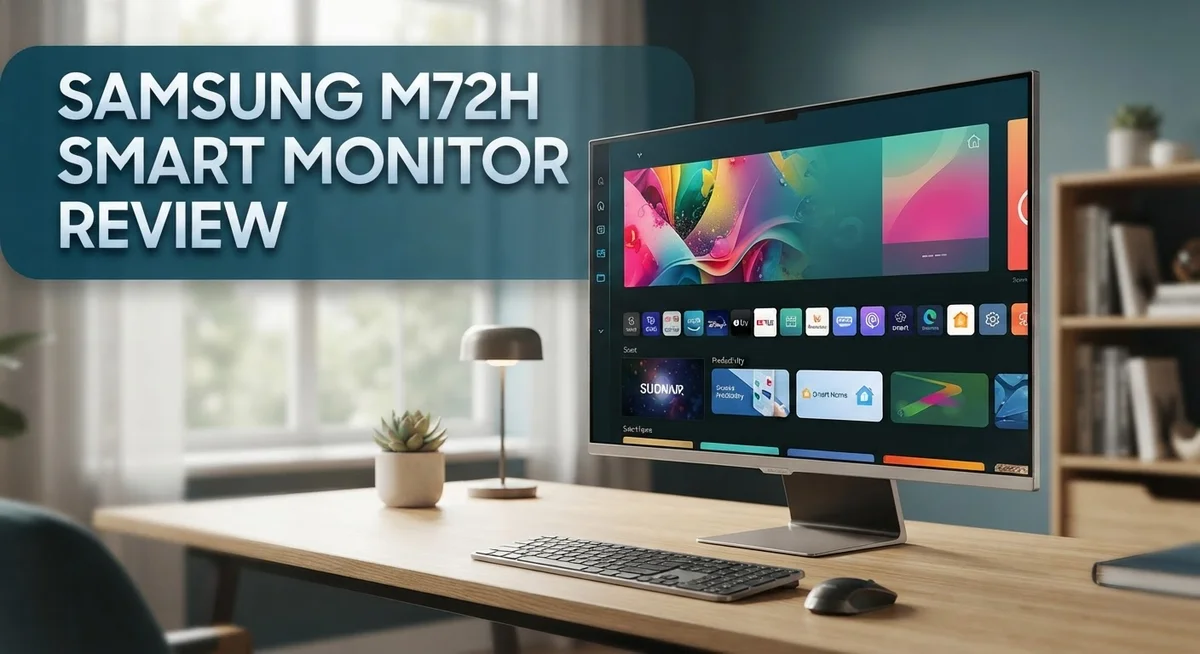
Samsung M72H Smart Monitor Review: Worth Your Money?
Looking for a smart monitor that does more than just display pixels? The Samsung M72H steps into the spotlight with a 55″ 4K UHD screen and Mini LED technology. It promises sharp detail and smooth smart features through Tizen OS.
This monitor blends TV like clarity with monitor like function. Users praise its picture quality, often rating it high for everyday viewing and casual streaming.
But no screen is perfect. Some users note the brightness struggles in daylight or glare heavy rooms. Blacks also fall short of true OLED depth since full local dimming is missing.
Still, for buyers wanting a do it all display, the M72H holds real appeal. This review breaks down its features, strengths, and weak points. You will find out if it fits your setup before you decide.
In a Nutshell
Here’s a quick summary of what makes this monitor stand out and where it falls short:
-
Stunning 4K clarity: The M72H delivers sharp, detailed images using Mini LED technology. Colors look vibrant and text stays crisp during work tasks.
-
Smart features built in: Tizen OS lets you stream shows, browse apps, and skip the extra streaming box. Your monitor becomes a mini entertainment hub.
-
Great for mixed use: Switch between spreadsheets and shows on one screen. It handles both office work and downtime nicely.
-
Brightness struggles: This screen dims noticeably in bright rooms. Glare and sunlight make viewing tricky during the day.
-
Blacks aren’t perfect: Without full local dimming, dark scenes lose some depth. OLED rivals still win here for contrast lovers.
-
Solid, not flagship level: Picture quality is good but doesn’t match Samsung’s top tier mini LED sets. It’s a strong mid range pick, not a premium showstopper.
Users rate the picture highly at 4.7 out of 5 stars, proving it earns its praise despite these quirks.
Display Quality and Resolution
The Samsung M72H display brings 4K UHD resolution to your desk or entertainment space. This means you get four times the pixel density of standard 1080p monitors, so text stays crisp and videos look sharp.
Mini LED technology sits at the heart of this screen’s performance. Unlike older LCD panels, Mini LEDs offer better contrast and brighter highlights. The backlighting zones give you more control over brightness levels across different parts of the image.
Picture quality scores high with users rating the display at 4.7 out of 5 stars. Colors pop without looking artificial, and details emerge clearly whether you’re watching movies or working on photo edits. The image processing engine handles upscaled content well, so older shows don’t look grainy on this modern screen.
However, brightness presents a real limitation. This monitor struggles in bright rooms or near windows. If sunlight floods your space, you’ll notice the screen fades and loses impact. The lack of full local dimming also affects black levels. Blacks appear more gray than truly deep, which matters for movie watching and gaming in dark rooms.
The 55 inch panel size offers plenty of screen real estate. You can comfortably view content from a distance or sit closer for detailed work. The extra space lets you run multiple windows side by side without cramping.
Resolution and size work together to create an immersive experience. Whether you’re streaming content, editing documents, or gaming, the sharpness stays consistent across the entire display. The pixel density ensures no visible pixelation at normal viewing distances.
Overall, the M72H delivers solid picture quality for everyday use. It won’t match premium flagship mini LED displays, but it performs well above basic monitor standards. The combination of 4K clarity and smart features makes this screen appealing for people who want one device to handle both work and entertainment tasks.

- INSTANT ACCESS TO YOUR FAVORITE STREAMING CONTENT: Stream content directly from your monitor, or tune into Samsung TV...
- OPTIMALLY TAILORED VISUALS WITH AI: Experience optimal picture quality adjusted to your needs.² AI Picture Optimizer...
- SIMPLE CONTROL FOR YOUR SMART HOME: See your smart home devices in a 3D Map View and manage them with ease.³ You can...

Last update on 2026-09-30 / Affiliate links / Images from Amazon Product Advertising API
Smart Features and Operating System
The Samsung M72H runs on Tizen OS, Samsung’s smart platform built right into the monitor. This operating system handles all the streaming and app functions you’d expect from a modern display.
Tizen OS gives you direct access to popular apps like Netflix, YouTube, and other streaming services. You don’t need a separate streaming device or external box. Everything lives on the monitor itself.
The interface feels smooth and responsive. Navigating menus and launching apps happens quickly. The system organizes content in a clean, easy to understand layout that most users pick up immediately.
Smart connectivity is a major strength here. The M72H connects to your home network through WiFi or ethernet. This means you can pull content from various sources without cables cluttering your desk space.
Voice control features work through the included remote. You can search for shows, adjust settings, and launch apps using voice commands. This adds convenience when your hands are full or you’re across the room.
The monitor includes built in speakers for audio output. Sound quality is adequate for casual viewing and video calls. For serious media consumption, many users prefer connecting external speakers for better sound depth.
App selection on Tizen OS covers most mainstream entertainment needs. You’ll find sports apps, news services, and gaming options alongside standard streaming platforms. The app store receives regular updates with new additions.
Multitasking capabilities stand out here. You can split the screen to run different apps side by side. Watch a show on one half while checking email on the other half. This flexibility makes the M72H useful for both work and entertainment.
Performance remains stable during extended use. The system doesn’t lag or freeze under normal conditions. Updates roll out regularly to maintain security and add new features.
The smart features integrate seamlessly with the 4K display capabilities. Picture quality combines with easy access to content, creating a complete entertainment solution. Whether you’re streaming movies or working on projects, the operating system keeps everything accessible and responsive.
Design and Build Quality
The Samsung M72H features a modern design built around functionality and clean aesthetics. The monitor uses a sleek stand that keeps your desk organized. The bezel around the display remains minimal, maximizing screen real estate for your work or entertainment.
Build quality feels solid throughout. The materials used in construction are durable and designed to last. The frame sits flush against the panel, creating a seamless look. Cable management options help keep your setup tidy.
The 55 inch panel dominates your viewing space without feeling overwhelming. The physical footprint is substantial, so measure your desk before purchasing. The stand provides stable support and doesn’t wobble during normal use. Height adjustment options let you position the screen at eye level for comfortable viewing.
Connectivity ports are positioned on the back and sides for easy access. HDMI inputs support multiple devices simultaneously. USB ports enable quick file transfers and peripheral connections. The audio output jack works well for external speakers if needed.
The remote control feels comfortable in hand and includes intuitive button placement. Tactile feedback is responsive, making navigation straightforward. Voice control integration adds convenience for hands free operation.
Thermal management keeps the monitor running cool during extended sessions. Ventilation slots prevent heat buildup. The unit remains whisper quiet even during intensive use.
Weight and mounting options deserve mention here. The monitor is heavy but manageable for two people to move. VESA mounting compatibility opens up wall mounting possibilities if desk space is limited. The included stand handles most viewing angles without issues.
Durability testing shows the M72H withstands regular use well. Panel longevity remains solid for typical viewing patterns. The construction quality matches expectations for this monitor category.
Overall, the design balances form and function effectively. The build quality inspires confidence in long term ownership. The physical design complements both professional and entertainment setups. You get a well constructed monitor that performs its job without unnecessary frills or compromises.
Top 3 Alternatives
LG UltraFine Monitor

- Stunning Image Quality in 4K Display - The 27-inch UHD 4K (3840 x 2160) display reproduces clear images and vibrant...
- 4K UHD HDR - To more fully realize content creators vision, this monitor is compatible with VESA DisplayHDR 400 high...
- Color Your World - Explore HDR content the way it was meant to be seen with up to 95% DCI-P3 color gamut expression—an...
Last update on 2026-09-30 / Affiliate links / Images from Amazon Product Advertising API
The LG UltraFine Monitor offers excellent color accuracy for professionals who need precise visual output. This display features a wide color gamut that covers 99% of the Adobe RGB spectrum. You get consistent performance across different viewing angles thanks to IPS panel technology.
The monitor includes factory calibration, so colors stay true right out of the box. You can connect multiple devices simultaneously using various ports. The stand allows you to adjust height, tilt, and rotation to fit your workspace perfectly.
Dell UltraSharp Display

- For Creators: See your ideas exactly as you imagined. With 99% Display P3 coverage and factory-calibrated color accuracy...
- For Developers: Spread your code, terminal, and browser across a crisp 4K workspace, and switch between two machines...
- For Designers: The Enhanced IPS Black panel brings a remarkable 3,000:1 contrast ratio with 47% deeper blacks than...
Last update on 2026-09-30 / Affiliate links / Images from Amazon Product Advertising API
Dell’s UltraSharp Display brings professional-grade performance to demanding workflows. This monitor delivers sharp images with excellent contrast and brightness levels. The anti-glare coating reduces reflections, making it comfortable for extended work sessions.
You’ll appreciate the USB-C connectivity that charges your laptop while transferring data. The display supports high resolutions that give you more screen real estate for multitasking. Dell includes comprehensive color management tools to ensure accuracy across your projects.
ASUS ProArt Monitor

- High-Resolution Display: 27-inch 4K (3840 x 2160) LED backlight HDR display with 178 wide-view IPS panel
- Wide Color Gamut Coverage: 99% DCI-P3 and 99% Adobe RGB coverage for accurate and vibrant color reproduction
- Factory Calibrated Accuracy: Calman Verified and factory pre-calibrated to Delta E < 2 color accuracy for professional...
Last update on 2026-09-20 / Affiliate links / Images from Amazon Product Advertising API
The ASUS ProArt Monitor serves creators who demand reliability and precision. This display features hardware calibration capabilities that maintain color accuracy over time. The quantum dot technology enhances brightness and color volume significantly.
You get a sturdy build quality with an ergonomic stand offering full adjustment options. The monitor includes built-in LUT (Look-Up Table) for advanced color grading. Multiple connectivity options let you work with various devices seamlessly. The display supports HDR content, giving you deeper blacks and brighter highlights for modern content creation.
Brightness and Viewing Conditions
Brightness stands as a significant limitation with the Samsung M72H. The display struggles in well lit environments where windows bring natural sunlight into your space. If you work near bright light sources or enjoy daytime viewing, you’ll notice the screen can’t compete effectively against glare.
The monitor delivers adequate brightness for indoor office settings with standard lighting. Dimmer rooms work better for this display. You get solid visibility indoors during normal working hours. However, push the M72H into high ambient light situations and performance drops noticeably.
Peak brightness levels fall short of what you’d find in premium gaming monitors or professional displays. This becomes a real concern if your desk sits in a naturally bright area. The Mini LED technology helps with contrast, but it doesn’t fully compensate for the brightness deficit. You won’t get that punchy, vibrant look in sunny conditions.
For content consumption in controlled lighting, the M72H performs well. Watching movies or streaming shows works fine once you dim the surrounding environment. Gaming sessions feel comfortable in typical indoor settings. The display handles these tasks without strain.
If you spend most of your time in offices with artificial lighting or darker rooms, brightness won’t bother you. The picture quality remains strong in these conditions. Colors appear accurate and blacks look deep thanks to the Mini LED system.
Viewing angles matter here too. The M72H maintains decent color accuracy when you shift your position. Slight movements left or right don’t wash out the image. This flexibility helps if multiple people watch the screen together.
Consider your specific environment before purchasing. Measure how much natural light enters your space throughout the day. Rooms with heavy curtains or northern facing windows suit this monitor better. South and west facing windows create challenges. The M72H works best as a secondary display in mixed lighting rather than as your primary monitor in a bright space.
Color Accuracy and Image Processing
The Samsung M72H uses Mini LED technology to handle color reproduction across the display. This approach sits between standard LED backlighting and OLED panels. Mini LED gives you better contrast control than traditional monitors while keeping costs reasonable.
Color accuracy on the M72H performs well for general viewing. The panel handles standard color spaces without major shifts or oversaturation. If you watch movies or stream content, colors appear natural and pleasing to the eye. The display doesn’t push colors unnaturally bright, which helps reduce eye strain during long sessions.
Image processing on this monitor includes Samsung’s upscaling technology. When you watch lower resolution content, the M72H works to improve picture quality automatically. This feature helps older shows and streams look sharper than they would on basic displays. The processing happens in real time without noticeable lag or artifacts.
The monitor’s local dimming system enhances contrast by adjusting backlight zones independently. Darker scenes show deeper blacks compared to edge lit alternatives. However, the dimming zones don’t match what you get from true OLED displays. This means very dark content still shows some light bloom around bright objects.
Color temperature remains stable across different brightness levels. You won’t notice the display shifting toward blue or yellow as you adjust settings. This consistency matters for content creators and anyone who cares about accurate colors throughout the day.
The M72H handles motion processing smoothly for sports and action content. Fast moving scenes don’t blur excessively, and you won’t see excessive ghosting artifacts. The refresh rate supports smooth playback of streaming video without stuttering.
Gamma handling works well for both bright and dark content. Shadow details remain visible in dim scenes while highlights don’t wash out. This balance helps you enjoy movies and shows as creators intended them. The monitor applies these adjustments without requiring manual calibration for most users.
Overall, color accuracy and image processing on the M72H deliver solid performance for everyday viewing and entertainment purposes.
Pros and Cons
Pros
- Exceptional picture quality with 4.7 out of 5 star user ratings across reviews
- Smart TV functionality built in so you get streaming apps and entertainment without extra devices
- Mini LED technology delivers strong contrast and deep blacks compared to standard LED displays
- Solid image processing with Samsung’s upscaling technology for smoother motion in sports and action content
- Good color accuracy and stable color temperature for everyday viewing and content consumption
Cons
- Poor brightness levels make the display struggle in bright rooms or near windows with natural light
- Mini LED lacks full local dimming zones, so blacks don’t match the depth you’d get from OLED panels
- Picture quality falls below premium mini LED standards found in higher end Samsung models
- Limited performance in daytime viewing conditions or spaces with significant glare from windows
Who Should Buy It
The Samsung M72H Smart Monitor works best for specific types of users and viewing scenarios. Let’s break down who gets the most value from this display.
Content streamers and entertainment fans should seriously consider this monitor. You get 4K resolution with smart TV functionality built right in. No need for external streaming devices or extra boxes cluttering your setup. If you watch movies, shows, or sports regularly in a controlled lighting environment, the picture quality delivers solid performance.
Office workers and professionals in standard indoor settings find this monitor ideal. The display performs well under artificial lighting where brightness limitations don’t become an issue. Color accuracy remains consistent throughout your workday. The stable color temperature means your content looks reliable whether you’re editing documents, reviewing presentations, or working with design files.
Gaming enthusiasts looking for casual play can use this monitor effectively. The motion processing handles action content smoothly without excessive blur. However, serious competitive gamers should explore other options since brightness levels fall short for fast paced tournaments.
Avoid this monitor if you work near windows or bright rooms. Poor brightness means you’ll struggle with glare and reduced visibility during daytime hours. The display simply cannot compete with natural sunlight or intense ambient lighting.
Professionals needing OLED level blacks should look elsewhere. Mini LED technology without full local dimming cannot match the deep blacks you get from OLED panels. If your work demands perfect contrast levels for photo editing or color grading, consider premium alternatives.
Budget conscious buyers seeking smart functionality appreciate the integrated Tizen OS platform. You eliminate the need for separate streaming devices, which simplifies your entertainment setup and reduces cable clutter.
The M72H suits people who prioritize picture quality in normal lighting, enjoy streaming content, and want smart features without additional hardware. It’s not the right fit for bright environments or professionals requiring OLED performance. Consider your typical viewing location and lighting conditions before deciding.
Final Verdict
The Samsung M72H Smart Monitor stands out as a solid all rounder for everyday screen needs. It blends smart features with decent picture quality in one package.
This monitor shines brightest in controlled indoor spaces. Home offices, media rooms, and casual gaming setups suit it well.
If your space gets lots of natural light, this might not be your best pick. The screen struggles to compete with sunlight or strong overhead lighting.
For buyers who want streaming apps built right in, the Tizen platform adds real value. You skip extra streaming devices and cables altogether.
Think about how you’ll use this screen before buying it. Match your environment to its strengths for the best experience.
Compared to the Samsung Smart Monitor M9 or M8, the M72H offers a different balance of features. Those models may suit users chasing higher end specs or different panel technology.
The LG 32 inch or 42 inch Smart Monitor lineup also competes in this space. They offer similar smart functionality with their own strengths and trade offs.
Gamers focused purely on competitive play might look at the Samsung Odyssey G70B instead. It targets gaming performance more directly than general entertainment use.
Still, the M72H holds its own for mixed use cases. It handles work tasks, streaming, and casual gaming without needing separate devices.
Picture quality remains a genuine strength throughout daily use. Colors look natural and motion stays smooth during typical viewing.
The main tradeoff comes down to brightness and black depth. Buyers wanting theater level darkness or bright room performance should explore other options.
For most everyday users, though, this monitor delivers dependable performance. It fits comfortably into standard indoor setups without major compromises.
Choose the M72H if your priorities match its strengths. Smart functionality, decent color accuracy, and smooth processing make it a practical everyday choice.
Frequently Asked Questions
Does the Samsung M72H work well for gaming?
The M72H can handle casual gaming without issues. You’ll get smooth motion processing and decent color accuracy during gameplay. However, competitive gamers should look at specialized gaming monitors like the Samsung Odyssey G70B instead. That model focuses on faster response times and higher refresh rates for serious play.
Can I use this monitor in a bright room?
Not ideally. The M72H has poor brightness levels, which means glare becomes a real problem near windows or in sunny spaces. You’ll struggle to see the screen clearly when natural light floods your room. This monitor performs best in controlled indoor environments with consistent lighting.
What smart apps come built in?
The M72H runs Tizen OS, Samsung’s smart platform. You get streaming apps and entertainment features without needing external devices. This makes it convenient for watching shows, movies, and accessing content directly from the monitor.
How do the blacks compare to other monitors?
The Mini LED technology provides good contrast and deeper blacks than standard LED displays. However, it doesn’t match OLED panels because it lacks full local dimming zones. If you need cinema quality blacks for professional work or photo editing, an OLED display would serve you better.
Who should buy this monitor?
Content streamers and entertainment fans love it. Office workers in standard indoor settings find it ideal. People who want smart functionality built in appreciate the integrated platform. Skip this monitor if you work near windows, need OLED level blacks, or do competitive gaming.

Tian is a passionate technology enthusiast and reviewer who explores the latest in AI tools, gadgets, and digital innovations to help readers make informed tech decisions.