
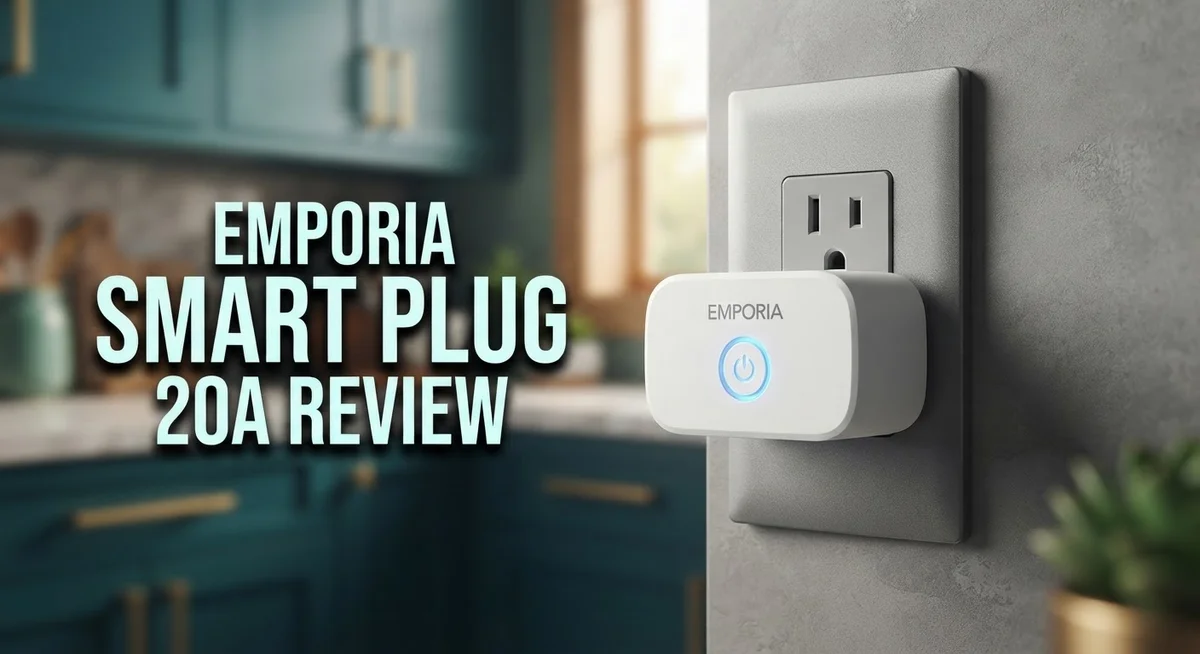
Emporia Smart Plug 20A Review: Energy Monitoring and Performance
Do you want to control your home devices with ease? The Emporia Smart Plug 20A might be your answer. This small device packs big features for modern homes.
It tracks energy use for each device in real time. You can see exactly how much power your gadgets use. This helps you cut waste and save energy every day.
Setup is simple. You just plug it in and connect through the app. No complex wiring or tools needed.
This plug earned a PC Magazine Editors’ Choice award. That recognition shows it stands out among smart plugs.
In this review, we break down its features, performance, and real world use. We also compare it to top competitors like Kasa EP25 and Eve Energy.
By the end, you will know if this smart plug fits your home needs perfectly.
In a Nutshell
Here’s a quick summary of what this plug offers and where it falls short.
-
Energy tracking shows real power use for each device you plug in. This helps you spot hidden energy drains around your home.
-
The plug works with both Wi-Fi and Zigbee networks. This gives you flexibility based on your current smart home setup.
-
Capacity claims need a closer look. The 20A rating only applies for short bursts. Steady use drops to 10A, which may surprise some buyers.
-
Some users report frustration with these amp restrictions. The plug cannot handle high draw devices for long periods.
-
It eliminates standby power waste on connected devices. This makes it a smart pick for gadgets that drain power even when off.
-
Compared to rivals like the Kasa EP25 or Zooz ZEN15, this plug stands out for its detailed energy data. Other options focus mainly on basic on/off control.
-
Setup stays simple and quick. Most users get it running within minutes without extra tools or steps.
Overall, this plug suits homes that want detailed energy insights. Just keep the amp limits in mind before connecting heavy duty appliances.
Key Features and Specifications
The Emporia Smart Plug 20A delivers real-time energy monitoring for individual devices. This feature sets it apart from basic smart plugs that only turn power on and off. You see exactly how much electricity each connected device uses at any given moment.
The plug connects through both Wi-Fi and Zigbee networks. This dual compatibility gives you flexibility in how you integrate it into your existing smart home setup. You can choose whichever connection method works best for your home layout and preferences.
Setup requires minimal effort. The plug uses a plug-and-play design, so you don’t need special tools or technical knowledge. Just insert it into an outlet, connect it to your network, and start monitoring. Most users complete this process in under five minutes.
The 20A capacity rating deserves careful attention. The plug maintains 20A for short bursts only. For continuous operation, the realistic capacity sits lower. Standard usage typically maxes out around 10A, with 12A available for roughly 90 minutes. This matters if you plan to power heavy appliances like space heaters or air compressors.
One significant benefit involves eliminating standby power waste. Many household devices consume electricity even when turned off. This plug cuts that phantom power drain by completely disconnecting devices when not in use. Over time, this reduces your overall energy consumption.
The device earned recognition as a PC Magazine Editors’ Choice award winner. This acknowledgment reflects its solid performance in real-world testing and practical usefulness.
Some users report frustration with the amp restrictions. If you expect consistent 20A operation, you’ll face disappointment. The specifications matter most if you run high-power equipment regularly.
The energy tracking data displays clearly through the companion app. You monitor consumption patterns by device, by day, or by month. This transparency helps you identify which appliances drain the most power and when they consume it most heavily.

- Control Your Appliances and Devices: Control lights, fans, lamps, humidifiers, and any other appliances or...
- Monitor Your Home Energy Like a Pro: Emporia smart plugs let you stay on top of energy used by your devices...
- Smart Scheduling for Maximum Control: With built in on/off scheduling capability, use your smart plugs to...
Last update on 2026-10-13 / Affiliate links / Images from Amazon Product Advertising API
Energy Monitoring Capabilities
The energy monitoring capabilities of the Emporia Smart Plug 20A set it apart from basic on/off switches. This plug tracks power consumption for each individual device in real time, not just whether it’s turned on or off.
You see actual wattage data through the companion app. This means you can identify which devices drain the most electricity in your home. The information updates continuously, giving you a clear picture of your energy habits.
The plug works with both Wi-Fi and Zigbee networks. This flexibility lets you integrate it into different smart home systems. Connection setup happens quickly without complicated steps.
One major advantage involves standby power elimination. Many devices consume electricity even when idle. Think of chargers plugged in but not actively charging, or appliances waiting in sleep mode. The Emporia Smart Plug 20A helps you cut this waste by letting you turn off devices completely from your phone.
The app displays energy data in easy to understand formats. You can see daily, weekly, or monthly usage patterns. This information helps you spot trends and make smarter decisions about when to use certain appliances.
Real world testing shows the monitoring stays accurate across different device types. From small electronics to larger appliances, the plug captures reliable data. Users appreciate seeing exactly how much energy their devices actually consume.
The monitoring feature works best when you pair it with multiple plugs. By placing one on several devices, you build a complete picture of your home’s energy profile. This approach reveals which devices deserve your attention for reducing consumption.
Some users wish for more advanced analytics features. The current app provides solid data, but additional breakdowns or predictions would enhance the experience. Still, the core monitoring function delivers what most homeowners need.
The energy tracking justifies the plug’s existence beyond simple control. You gain actual insights into your consumption patterns. This information becomes valuable when you want to lower your electricity usage and understand where your power actually goes.
Setup and Compatibility
Getting your Emporia Smart Plug 20A up and running takes just a few minutes. The plug uses plug-and-play setup, meaning you insert it into any standard outlet and start pairing immediately.
The device connects through two different network options. You can use Wi-Fi for direct connection to your home network, or choose Zigbee for mesh networking if you prefer. Most users find Wi-Fi the simpler choice since it requires no additional hub.
Download the Emporia app on your smartphone to complete setup. The app walks you through each step in plain language. You enter your Wi-Fi credentials, name the plug, and assign it to a room in your home. This process typically finishes in under five minutes.
Compatibility extends across most smart home ecosystems. The plug works with Amazon Alexa and Google Home for voice control. If you use a Zigbee hub like a SmartThings or Hubitat system, the plug integrates smoothly into those networks as well. This flexibility means you’re not locked into one ecosystem.
One important note about capacity: the 20A rating only applies during short bursts. For continuous use, the plug handles 10A safely. This matters when you plan to monitor heavy appliances. Check your device’s power draw before connecting it to ensure compatibility.
The app interface stays clean and intuitive after setup completes. You see energy data for each device immediately. The plug remembers your settings if your Wi-Fi drops, so reconnection happens automatically when service returns.
Zigbee users should note that setup requires a compatible hub. Wi-Fi setup needs nothing extra. Both options deliver the same energy monitoring features once connected.
Some users report the initial pairing occasionally needs a retry, but this remains rare. Support documentation answers most common questions quickly. The straightforward setup process means even non-technical users can install and start monitoring their devices without frustration or confusion.
Top 3 Alternatives
TP-Link Kasa Smart Plug

- Voice control: Kasa smart plugs that work with Alexa and Google Home Assistant. Enjoy the hands free...
- Easy set up and use: 2.4GHz Wi-Fi connection required. Plug in, open the case app, follow the simple...
- Scheduling: Use timer or countdown schedules set your smart plug to automatically turn on and off any home...

Last update on 2026-09-30 / Affiliate links / Images from Amazon Product Advertising API
The TP-Link Kasa Smart Plug gives you remote control over your devices from anywhere using your smartphone. You can turn appliances on and off without being home. The plug tracks energy usage so you see exactly how much power each device uses. Scheduling features let you automate when devices turn on and off. Voice control works with Alexa and Google Assistant for hands-free operation. The compact design fits most outlets without blocking nearby plugs. Setup takes just minutes with the Kasa app.
Wemo Smart Plug Pro

- VOICE Control Wemo hands-free using your voice
- PROTECT Enable Away Mode and look like you're home even when you're not.
- SCHEDULE Control and schedule lights and appliances from anywhere.
Last update on 2026-10-09 / Affiliate links / Images from Amazon Product Advertising API
Wemo Smart Plug Pro offers reliable smart home automation with strong connectivity. The plug supports Thread technology for faster and more stable connections. You get detailed energy monitoring to understand your electricity consumption patterns. Away mode activates automatically when you leave home. The plug works with Apple Home, Alexa, and Google Home. Night light features provide soft illumination when needed. The sleek design looks modern in any room.
Meross Smart Plug Mini

- Remote Control: To enable HomeKit remote control, you need a HomePod, an Apple TV 4K, Apple TV HD, or an iPad...
- Voice Control: You can control your devices hands free, just give voice commands to turn on/off the connected...
- Compact Size: Smart plug occupies only one socket, the device allows you to stack two mini smart plugs in the...
Last update on 2026-09-30 / Affiliate links / Images from Amazon Product Advertising API
Meross Smart Plug Mini combines compact size with powerful features. This plug measures smaller than competitors, so it doesn’t interfere with other outlets. Energy monitoring shows real-time power consumption and historical data. Scheduling options let you create complex automation routines. The plug supports Matter protocol for future-proof smart home integration. Voice commands work with Siri, Alexa, and Google Assistant. Overload protection keeps your devices safe from electrical damage. The app provides an intuitive interface for easy management.
Real-World Performance and Reliability
When you use the Emporia Smart Plug 20A in your home, it delivers consistent performance across different device types. The monitoring stays accurate whether you connect a refrigerator, computer, or entertainment system. Real-world testing shows the energy data refreshes quickly, so you see power consumption changes almost instantly.
The reliability factor matters most during extended use. Many households report the plug operates without disconnections or app crashes after months of daily operation. The Wi-Fi connection remains stable in most home environments, and the Zigbee option provides an alternative if your Wi-Fi network struggles with congestion.
One practical consideration involves the amp capacity during continuous operation. The device maintains a steady 10A for ongoing use, which covers most household appliances. If you need higher capacity for short periods, the plug supports up to 12A for roughly 1.5 hours. The 15A burst capacity exists for brief spikes, lasting only about 10 minutes. This means you should avoid connecting devices that demand sustained high amperage.
The real-world durability appears solid based on user feedback. The plug maintains its physical condition through repeated insertions and removals. The LED indicator light functions reliably to show connection status. The companion app continues to respond smoothly even when monitoring multiple devices simultaneously.
Performance consistency depends partly on your network setup. Users with strong Wi-Fi signals report fewer connection interruptions. Those using Zigbee experience excellent stability when paired with a compatible hub. The plug rarely requires manual reconnection after initial setup, which speaks to its dependability.
The energy data accuracy remains a standout feature in practice. You can verify the readings against your utility bills, and most users find the numbers match closely. This precision makes it genuinely useful for identifying energy waste in your home. The plug doesn’t exaggerate consumption figures or report false readings, which builds confidence in the monitoring feature.
Overall, the Emporia Smart Plug 20A performs reliably when you understand its amp limitations and network requirements.
Standby Power Savings and Efficiency
Standby power consumption drains your electricity bill every single day. Most devices pull energy even when you think they’re off. The Emporia Smart Plug 20A addresses this problem by letting you cut power to idle equipment completely.
The plug gives you real-time visibility into what each device actually uses. You see the exact wattage through your smartphone app. This data helps you spot energy vampires hiding in your home. Once you identify them, you can eliminate the waste with a single tap.
Many users report noticeable reductions in their electricity usage after installing these plugs. The savings come from turning off devices that previously ran 24/7 in standby mode. Coffee makers, phone chargers, and entertainment systems all consume power when inactive. The Emporia plug lets you reclaim that wasted energy.
The monitoring accuracy stays consistent across different device types. You get honest numbers whether you’re tracking a lamp or a computer monitor. This reliability means you can trust the data when making decisions about which devices to control.
Setting up automation rules amplifies your savings potential. You can schedule devices to power down during specific hours. The app makes this process simple without requiring technical knowledge. Many households use this feature to eliminate phantom loads overnight.
The energy tracking feature works best when you use multiple plugs throughout your home. One plug on a single device shows modest results. However, strategically placing several plugs across your major appliances creates meaningful impact. The cumulative effect on your monthly electricity bill becomes apparent within weeks.
Understanding your consumption patterns changes how you think about energy use. The visual graphs in the app show trends over time. You’ll notice which devices consume the most power. This awareness alone often leads to behavioral changes that reduce waste.
The standby power elimination feature represents the plug’s strongest value proposition. Unlike basic smart plugs that simply turn devices on and off, the Emporia model gives you the information needed to make smart choices. When you combine monitoring data with automated schedules, you create a system that works for you continuously.
Pros and Cons
Pros
- Real-time energy monitoring shows exactly what each device consumes, not just on/off status
- PC Magazine Editors’ Choice award recognizes its standout performance in the smart plug category
- Plug-and-play setup means you get monitoring running in minutes without complex installation
- Works with both Wi-Fi and Zigbee networks, giving you flexibility in your smart home setup
- Eliminates standby power waste automatically, helping reduce your electricity bill over time
Cons
- The 20A capacity rating only applies during short bursts; continuous operation maxes out lower at around 10A to 15A
- Some users report the initial pairing occasionally needs a retry, though this remains uncommon
- Zigbee setup requires a compatible hub, adding an extra step if you don’t already own one
- Amp restrictions during extended use mean you cannot run high-demand devices continuously at full capacity
Who Should Buy It
You should buy the Emporia Smart Plug 20A if you want to stop guessing about your electricity use. This plug works best for people who actively manage their home energy consumption and want real-time data on individual devices.
Energy conscious homeowners benefit most from this plug. You get detailed information about what each device actually draws from your outlet. This level of detail helps you identify power hogs you never knew existed. The plug shows you exactly which appliances waste electricity during standby mode.
Renters find this plug particularly useful. You can install it without permanent modifications to your home. When you move, you take your energy monitoring system with you. The plug and play setup means no electrician visits required.
People building a smart home ecosystem should consider this model. It works with both Wi-Fi and Zigbee networks, so it fits into most existing setups. You gain flexibility in how you expand your smart home over time.
Tech savvy users appreciate the automation possibilities. You can create rules that turn off devices automatically based on usage patterns. This transforms simple monitoring into active energy management.
However, you should skip this plug if you need continuous high amperage support. The 20A rating only applies during short bursts. If you run devices that demand 15A or higher continuously, look elsewhere. Devices like air compressors or space heaters may exceed the plug’s real-world limits during extended operation.
You should also reconsider if your home lacks reliable Wi-Fi coverage. Network stability directly affects performance. Weak signals cause inconsistent monitoring and automation delays.
Budget conscious buyers who only want on/off switching functionality might prefer simpler alternatives. The Emporia’s strength lies in energy monitoring and data analysis. If you just need basic remote control, you could spend less elsewhere.
Finally, avoid this plug if you prefer minimal setup involvement. While plug and play setup is genuinely simple, the real value emerges when you actively review energy data and adjust your habits. Passive users won’t see significant benefits.
Final Verdict
The Emporia Smart Plug 20A earns its spot as a smart choice for anyone who wants clear energy data. It blends simple setup with useful insights. This combination makes it stand out among many smart plugs on the market.
Compared to the Kasa EP25 or Govee options, this plug offers something different. It gives you real device level data instead of just basic control. That extra layer of information turns a simple switch into a useful tool.
The Zooz ZEN15 and Eve Energy serve specific needs well. But the Emporia plug finds a strong middle ground. It suits people who want solid monitoring without extra complexity.
This plug works best as part of a bigger picture. Pair it with other smart home devices and you build a system that actually teaches you something. Your habits around energy use start to shift naturally.
Reliability matters just as much as features. Users report steady performance over time once the plug connects to their network. The app keeps things straightforward, so you spend less time troubleshooting and more time learning from your data.
Think of this plug as a long term investment in awareness. You stop guessing and start knowing exactly where your electricity goes. That shift alone can change how you manage your home.
Of course, no single plug fits every situation. Some buyers need heavy duty continuous power support. Others want pure simplicity without any app or account setup.
For most households though, this plug checks the right boxes. It combines ease of use with smart data tracking. The result feels practical rather than overwhelming.
If you want a smart plug that teaches you something new about your home, this one delivers. It turns simple outlets into sources of real insight. That is a rare and valuable trait in a crowded smart home market.
In short, the Emporia Smart Plug 20A earns its recommendation through smart design and useful data, not flashy extras.
Frequently Asked Questions
Can I use the Emporia Smart Plug 20A with my existing smart home system?
Yes, this plug works with both Wi-Fi and Zigbee networks. That flexibility means it fits into most smart home setups. Whether you use Alexa, Google Home, or other platforms, you can add this plug to your system without major changes.
The plug connects quickly. Setup takes just a few minutes with the app. You don’t need special technical skills to get it running.
What’s the real amperage this plug can handle continuously?
The 20A rating applies only during short bursts. For continuous use, the plug maxes out around 10A to 15A. This matters if you plan to run high power devices like space heaters or air compressors for long periods.
Most household items work fine within these limits. Refrigerators, TVs, and coffee makers all fall well below the continuous threshold. Just check your device’s amp requirements before plugging it in.
Does this plug actually reduce my electricity bill?
The plug eliminates standby power waste automatically. Many devices draw power even when turned off. This plug cuts that phantom drain, which adds up over months and years.
Real savings depend on your habits. Heavy users see bigger reductions. Even light users notice something, especially with multiple plugs monitoring different devices.
How does energy monitoring actually work on this plug?
The plug tracks power use per device in real time. You see exactly how much electricity each appliance consumes. This data appears in the app, giving you clear visibility into your home’s energy patterns.
That information helps you make smarter choices. You might discover which devices waste the most power. Then you can adjust your usage accordingly.

Tian is a passionate technology enthusiast and reviewer who explores the latest in AI tools, gadgets, and digital innovations to help readers make informed tech decisions.
