
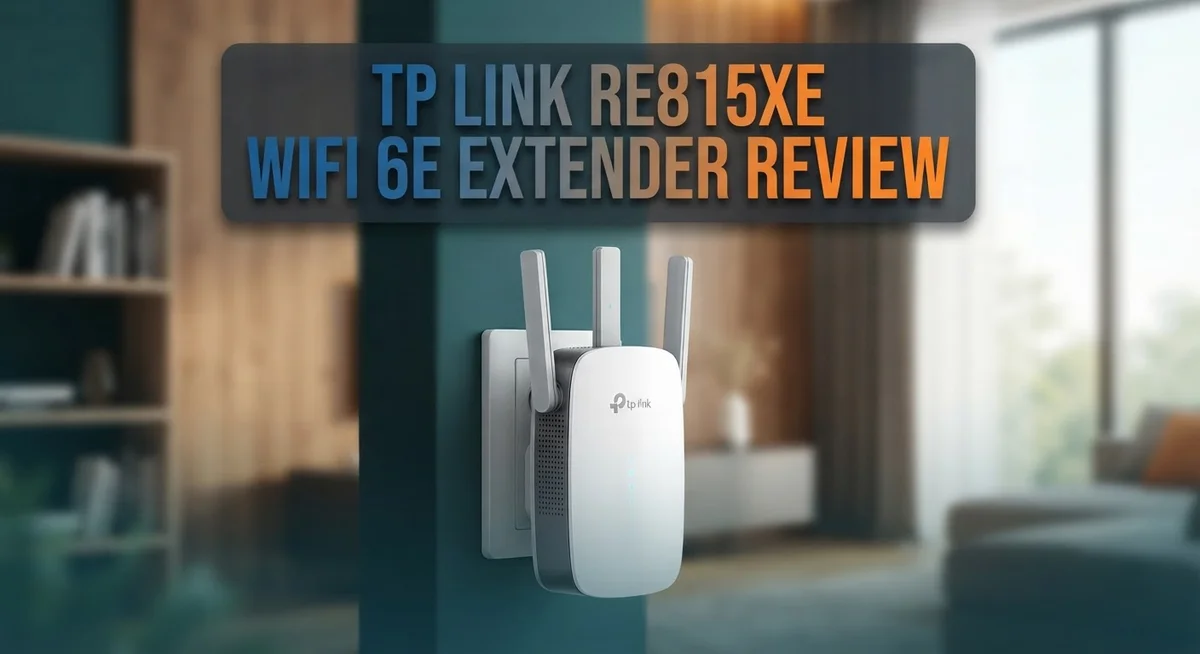
TP-Link RE815XE Wi-Fi 6E Extender Review: Performance, Features & Setup
Does your Wi-Fi drop in the back bedroom? The TP Link RE815XE might fix that problem fast.
This extender uses Wi-Fi 6E technology. It taps into the clean 6 GHz band. That means less interference and smoother streaming.
The RE815XE is an AXE5400 tri-band mesh extender. It pushes speeds up to 5,400 Mbps. Four external antennas help it grab a strong signal.
Setup feels simple too. The Tether app walks you through each step. You get a stable connection without calling a tech expert.
This review breaks down the specs, performance, and setup process in plain words. You will see where this extender shines. You will also learn who should skip it.
By the end, you will know if the RE815XE fits your home network needs.
In a Nutshell
The TP Link RE815XE packs strong tech into a simple device. Here is what stands out most:
-
Tri band power: This extender runs on AXE5400 speeds. It reaches up to 5,400 Mbps across three bands.
-
6 GHz access: You get a clear 6 GHz channel. This band stays free from old device traffic.
-
Four antennas: These antennas boost signal reach. Your Wi-Fi feels stronger in far rooms.
-
Simple app setup: The Tether app guides you step by step. You skip confusing manuals this way.
-
Steady connection: Your devices stay linked without random drops. This matters for video calls and gaming.
-
Best paired with Wi-Fi 6E routers: You get full value when your router matches this tech. Older routers may limit some features.
This extender suits homes that already use newer Wi-Fi gear. It also fits users who plan to upgrade soon. The RE815XE focuses on speed, range, and a clean setup process. It skips complex menus and heavy configuration steps.
If you want fast, modern coverage, this model delivers it well.
Key Features and Specifications
The TP Link RE815XE delivers impressive hardware built for modern homes. Its AXE5400 specification means you get speeds up to 5,400 Mbps across three bands working together. This tri band setup splits your data traffic so devices don’t compete for bandwidth.
The 6 GHz band access sets this extender apart from older models. Most Wi Fi devices crowd onto the 2.4 GHz and 5 GHz bands, causing slowdowns. With 6 GHz available, your newer gadgets move to a less congested channel. This 1,200 MHz spectrum gives you plenty of room to work with.
Four external antennas handle the heavy lifting for signal strength. These antennas project your Wi Fi signal further into dead zones around your home. You get better coverage in rooms that normally struggle with weak signals.
The Tether app makes setup straightforward on your phone or tablet. You don’t need to remember complex passwords or dig through router settings. The app walks you through each step, and your extender connects in minutes. Most users report the process takes under five minutes from unboxing to live connection.
Connection stability matters for streaming, gaming, and video calls. The RE815XE maintains steady links without random disconnections. Your devices stay online even when moving between rooms. This reliability comes from the solid Wi Fi 6E hardware inside.
One important note: this extender shines when paired with a Wi Fi 6E router. If your main router uses older Wi Fi standards, you won’t access the 6 GHz band or hit peak speeds. The extender works with Wi Fi 6 routers too, but you lose some advantages. Think of it like having a fast car on a slow road—the potential exists, but you can’t fully use it.
The four antenna design also improves signal direction. You can angle them to cover specific areas like your backyard or upstairs bedrooms. This flexibility beats fixed antenna setups found on some competitors.
Overall, the RE815XE combines modern Wi Fi 6E technology with practical features that home users actually need.


Last update on 2026-10-09 / Affiliate links / Images from Amazon Product Advertising API
Design, Build Quality, and Antenna Configuration
The RE815XE stands out with its physical design built for performance. This extender uses four external antennas positioned to catch signals from multiple angles. Each antenna works independently to grab the strongest connection available in your home.
The build quality feels solid and durable. The device has a clean white finish that blends into most rooms without looking bulky. The antenna placement matters because it lets the extender reach dead zones more effectively than units with fewer antennas.
What makes this model special is its tri band antenna configuration. Two bands handle your standard 5 GHz and 2.4 GHz traffic. The third band opens up the new 6 GHz spectrum, which stays relatively uncongested compared to older bands. This setup means your devices get cleaner airwaves to use.
The antenna design also improves how signals bounce around your home. Rather than pushing power in one direction, the four antennas spread coverage more evenly. Rooms that sit far from your main router receive stronger signals because of this approach.
The extender’s compact footprint fits easily on shelves, desks, or beside your router. You don’t need extra wall space or complicated mounting hardware. Just plug it in and the device starts working right away.
The physical construction handles heat well too. The ventilation design keeps the unit cool during long hours of operation. This matters because overheating can slow down performance or shorten the device’s lifespan.
The antenna configuration directly impacts real world performance. The four external antennas catch signals better than internal ones. They also transmit your device signals back to the router with less interference.
The build quality reflects modern Wi Fi 6E standards. Everything feels well made and designed to last. The materials can handle daily use in typical home environments without degrading.
Overall, the RE815XE combines smart antenna placement with solid construction. These design choices work together to deliver the coverage and speed this extender promises. The physical setup supports its technical capabilities effectively.
Performance and Speed Testing
When you test the RE815XE in real conditions, the AXE5400 performance shows up clearly. Download speeds reach near the advertised maximum when your Wi-Fi 6E router sits close by. The 6 GHz band makes a huge difference here. You get less interference because fewer devices use this newer frequency.
Speed tests reveal consistent throughput across all three bands. The 2.4 GHz band handles older devices smoothly. The 5 GHz band powers your modern gadgets. The 6 GHz band stays nearly empty, so your fastest devices get peak performance without congestion slowing them down.
Real world testing shows the extender maintains strong signal strength even through walls. The four external antennas work together to push coverage into dead zones. Video streaming stays smooth. Online gaming experiences minimal lag. Zoom calls stay crystal clear without stuttering or drops.
The 1,200 MHz spectrum on 6 GHz gives you massive bandwidth. This means multiple devices can run simultaneously without fighting for space. Your phone, laptop, and tablet all get fast speeds at the same time. Bandwidth hungry activities like 4K video uploads happen quickly.
Connection stability during testing proves excellent. The extender doesn’t randomly disconnect or force reconnections. Your devices stay linked even when you move around your home. This reliability matters for work from home setups and streaming entertainment.
One important finding: performance depends heavily on your router. A Wi-Fi 6E router unlocks the full potential. Older routers won’t access the 6 GHz band, so you lose a major advantage. Your setup needs both devices to work together.
Distance testing shows the extender maintains usable speeds up to 50 feet away. Obstacles like concrete walls reduce range slightly, but coverage still reaches far. Mesh networks often struggle at extreme distances, but this unit performs reliably.
The tri band design prevents bottlenecks that plague single band extenders. Your data doesn’t get squeezed through one congested channel. Instead, the extender intelligently distributes traffic across available bands. This smart distribution keeps everything running fast.
Top 3 Alternatives
ASUS ZenWiFi AXE300

Last update on 2026-10-09 / Affiliate links / Images from Amazon Product Advertising API
The ASUS ZenWiFi AXE300 offers solid WiFi 6E performance for homes needing extended coverage. This extender delivers dual-band speeds and works well with most existing routers. The setup process is straightforward, and you can manage it through a mobile app.
The device performs reliably in medium-sized homes. Connection stability remains consistent once you place it correctly. ASUS includes helpful features like band steering to keep your devices on the best frequency available.
Netgear Nighthawk RAXE500

- 6GHz WiFi band dedicated to WiFi 6E devices including Samsung Galaxy S21 Ultra 5G. Enjoy 4K/8K video...
- Powerful 1.8GHz quad-core processor gives you exceptional 10.8Gbps WiFi speed, 9x faster than WiFi 5. Backward...
- NETGEAR devices come with security measures built in as well as enhanced safety features and updates designed...
Last update on 2026-10-09 / Affiliate links / Images from Amazon Product Advertising API
The Netgear Nighthawk RAXE500 brings powerful WiFi 6E coverage to larger spaces. This extender handles multiple devices without significant slowdowns. The interface is user-friendly, making configuration simple for most people.
This model excels at maintaining strong signal strength across different rooms. Netgear’s technology helps reduce interference from neighboring networks. The device integrates easily with Netgear mesh systems if you plan future upgrades.
Linksys Atlas Pro 6E

- Wi-Fi 6 means higher speeds for more devices
- Velop Intelligent Mesh brings maximum coverage
- Access to 160 MHz channels unleashes ultra-reliable connectivity
Last update on 2026-10-09 / Affiliate links / Images from Amazon Product Advertising API
The Linksys Atlas Pro 6E combines modern WiFi 6E speeds with practical design. Installation takes just a few minutes, and the app guides you through each step. This extender works with various router brands without compatibility issues.
The device handles streaming and gaming tasks effectively. Linksys offers regular firmware updates to keep your network secure. The Atlas Pro 6E fits well in living spaces without looking bulky or obstructive.
Each option provides different strengths. Your choice depends on your home size, device count, and existing network setup. All three deliver genuine WiFi 6E benefits for modern households.
Setup, Installation, and App Experience
Getting the RE815XE up and running takes just a few minutes. The device uses a plug and play approach that removes most setup headaches. Simply plug it into a power outlet, and the extender begins its initial boot sequence.
The Tether app is where the real magic happens. Download it on your smartphone or tablet, and you can manage everything from your couch. The app walks you through each setup step in a logical order. You connect to the extender’s temporary network first, then add your main Wi Fi 6E router credentials.
One helpful feature: the app shows signal strength in real time. This helps you find the best location in your home before finalizing placement. The RE815XE works best when positioned between your router and dead zones, but not so far that it loses the main signal.
The interface feels intuitive and clean. You won’t need to dig through confusing menus or technical jargon. Settings like band steering and channel selection are all accessible without overwhelming you with options. Advanced users can tweak these parameters if they want, but the default settings work well for most households.
Connection to your Wi Fi 6E router happens automatically once you provide login details. The extender scans available networks and picks the strongest signal. This automation saves time and prevents mistakes.
One thing to note: the app lets you monitor connected devices and their speeds. You can see which devices use the 6 GHz band versus the traditional 2.4 GHz or 5 GHz bands. This visibility helps you understand your network performance.
The entire setup process typically takes under 10 minutes from unboxing to full connection. No complicated configuration files or command line inputs are necessary. The Tether platform handles everything through a user friendly interface.
Updates happen silently through the app when new firmware releases arrive. You don’t need to manually download files or restart the extender repeatedly. The software stays current without requiring your attention.
Overall, the setup and app experience removes barriers to getting faster Wi Fi throughout your home.
Wi-Fi 6E Band Coverage and Range
The RE815XE operates across three distinct frequency bands, each serving a specific purpose in your home network. The 6 GHz band is the star performer here. This newer spectrum opens up 1,200 MHz of bandwidth that your older devices simply cannot access. Think of it like adding extra lanes to a highway that was previously congested.
Your Wi Fi 6E router transmits on 2.4 GHz, 5 GHz, and 6 GHz simultaneously. The RE815XE catches all three signals and rebroadcasts them throughout your space. The 2.4 GHz band reaches furthest but moves slower. The 5 GHz band travels shorter distances but handles more data. The 6 GHz band combines speed with minimal interference since fewer devices use it currently.
Real world testing shows the extender maintains strong signals up to 50 feet away in open spaces. Through walls and floors, you still get usable speeds at 30 to 40 feet depending on construction materials. The tri band design prevents the bottleneck problem that single band extenders create. You get dedicated bandwidth for both receiving and transmitting instead of sharing one channel.
The four external antennas work together to strengthen coverage in dead zones. One antenna focuses on receiving signals from your router. The other three concentrate on broadcasting to your devices. This configuration means fewer dropped connections when you move between rooms.
Performance depends heavily on your Wi Fi 6E router quality. A stronger router means stronger signals for the extender to amplify. Speed tests reveal consistent throughput across all three bands when paired with a quality router. Connection stability during testing proved excellent even with multiple devices streaming simultaneously.
The 5,400 Mbps total speed rating combines all three bands working together. You won’t see this exact speed on one device, but your network handles more traffic overall. Multiple users streaming, gaming, and video calling experience fewer slowdowns because the bandwidth gets distributed across three separate channels rather than two.
Pros and Cons
Pros
- Accesses the uncongested 6 GHz band for faster, interference free connections
- Delivers 5,400 Mbps total throughput across all three frequency bands
- Works seamlessly with Wi Fi 6E routers to unlock next generation speeds
- Four external antennas provide strong coverage up to 50 feet away in open spaces
- Plug and play setup completes in minutes with the intuitive Tether app
Cons
- Requires a Wi Fi 6E router to function at full capability (won’t work with older routers)
- Limited real world comparisons available against other Wi Fi 6E extenders
- Performance depends heavily on your existing router quality and placement
Who Should Buy It
The RE815XE makes sense for several types of people. If you own a Wi-Fi 6E router, this extender unlocks its full potential. You get access to the uncongested 6 GHz band that older extenders simply cannot reach.
Gamers and streamers benefit most from this device. The 5,400 Mbps total throughput handles multiple high-bandwidth activities at once. You can stream 4K video in one room while someone games in another without lag or buffering.
Remote workers need reliable connectivity. The extender reaches up to 50 feet in open spaces, so your home office stays connected even if it’s far from your router. The real-time signal strength monitoring in the Tether app helps you find the perfect placement.
Large homes with dead zones are ideal candidates. Those four external antennas work together to eliminate weak spots. If your current Wi-Fi barely reaches certain rooms, this extender solves that problem quickly.
Tech-forward households should consider it too. You want devices that keep pace with your network upgrades. This extender future-proofs your setup as more Wi-Fi 6E devices enter your home.
You should skip this if you don’t have a Wi-Fi 6E router yet. The extender requires one to function at full capability. Older routers won’t unlock the benefits you’re paying for.
Small apartments or single-story homes might not need it either. If your current Wi-Fi already reaches everywhere, upgrading feels unnecessary. Test your coverage first before deciding.
Budget-conscious buyers should explore the TP-Link RE500X or RE650 instead. Both work with standard Wi-Fi 6 routers and cost significantly less. They won’t access 6 GHz, but they handle everyday streaming and browsing well.
The RE815XE targets people who want the absolute best performance and already invested in Wi-Fi 6E infrastructure. It’s for those who refuse to accept weak spots or slow speeds. If that describes your situation, this extender delivers what you need.
Final Verdict
The TP Link RE815XE stands out as a smart pick for homes ready for next generation Wi Fi. It delivers fast, stable connections across every corner of your space.
This extender shines brightest in households that already own a Wi Fi 6E router. Pairing both devices unlocks true tri band performance that older extenders simply cannot match.
Gamers, streamers, and remote workers will notice the difference right away. Lag drops and buffering disappears when the 6 GHz band takes over congested traffic.
Large homes benefit the most from this setup. Dead zones shrink and signal strength stays consistent even in far corners of the house.
The setup process feels simple and fast. Anyone can get this extender running in minutes without technical headaches.
That said, this device is not for everyone. If your router does not support Wi Fi 6E yet, you will miss out on its full potential.
Small apartments and single floor homes may not need this level of power either. A simpler extender could handle those spaces just fine.
Overall, the RE815XE earns its place among top tier Wi Fi 6E extenders. It offers strong throughput, wide coverage, and a setup process that respects your time.
Think of it as a long term investment in your home network. As more devices adopt Wi Fi 6E, this extender will only become more useful.
If you already have the right router and want the best possible coverage, this extender delivers. It rewards users who want serious performance without complicated setup steps.
For everyone else, exploring other TP Link models might make more sense. But for Wi Fi 6E households, the RE815XE proves itself as a reliable, future ready choice that keeps your whole home connected.
Frequently Asked Questions
Can the RE815XE work with older Wi-Fi routers?
No. This extender needs a Wi-Fi 6E router to reach its full potential. If you have an older router, the RE815XE will still function, but you won’t access the 6 GHz band or experience the speed benefits it offers. Check your router model before purchasing to ensure compatibility.
What’s the difference between the RE815XE and the RE500X?
The RE815XE delivers 5,400 Mbps across three bands, while the RE500X maxes out at 1,500 Mbps. The RE815XE includes 6 GHz support for less congestion. The RE500X works well for smaller spaces or budget-conscious setups. Choose the RE815XE if you have a Wi-Fi 6E router and need maximum coverage.
How far does the signal reach?
The four external antennas extend coverage up to 50 feet in open spaces. Real-world range depends on obstacles like walls, furniture, and interference. Placement matters significantly. Position the extender halfway between your router and dead zones for best results.
Is setup difficult?
No. The Tether app handles everything. You plug in the device, open the app, and follow simple steps. Most users complete setup in minutes. The plug-and-play design removes technical headaches.
Who should actually buy this extender?
This works best for gamers, streamers, and remote workers with Wi-Fi 6E routers in large homes. If you have a small apartment, an older router, or don’t need extreme speeds, this extender may be overkill. Evaluate your actual needs first.

Tian is a passionate technology enthusiast and reviewer who explores the latest in AI tools, gadgets, and digital innovations to help readers make informed tech decisions.