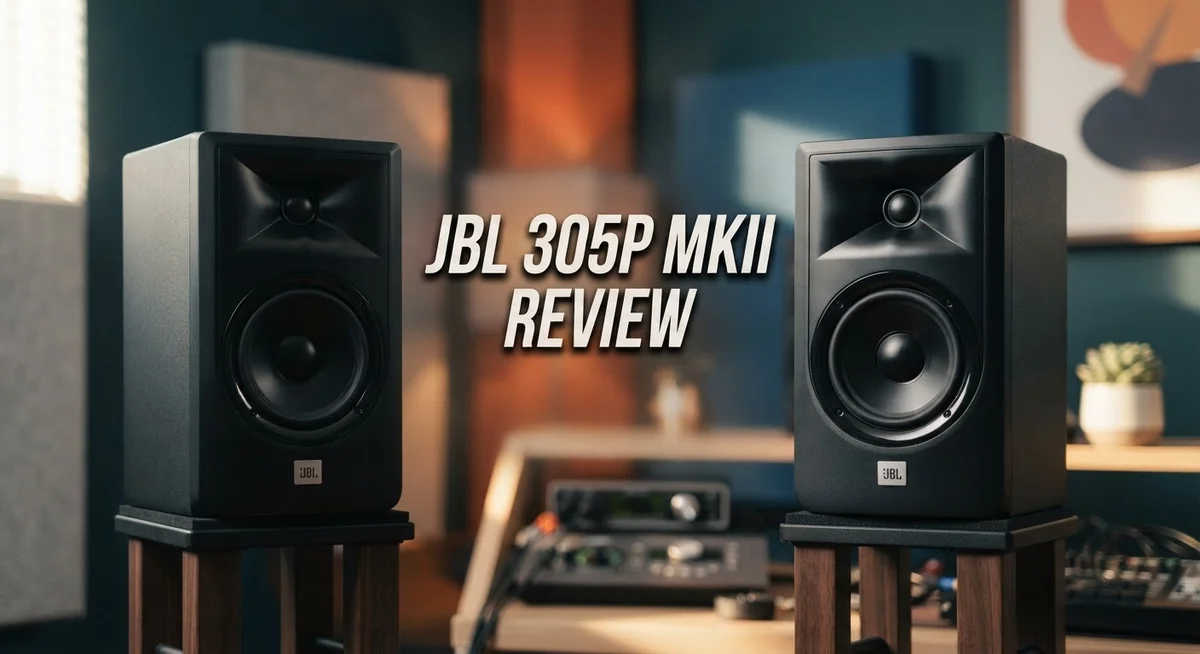
JBL 305P MkII Review: Studio Monitor Performance and Sound Quality
Looking for a studio monitor that sounds clear and honest? The JBL 305P MkII might be your answer.
This 5 inch powered monitor brings studio quality sound to any setup. It uses a two way design with a dome tweeter and midwoofer for balanced audio.
Many home producers love its flat, detailed sound. It helps you hear your mix the way it truly sounds. That means fewer surprises when you play your tracks elsewhere.
The Image Control Waveguide gives you a wide sweet spot. You do not need to sit in one exact spot to hear clear sound.
This review will break down every detail. We will cover its pros, its cons, and how it compares to other monitors. By the end, you will know if this speaker fits your studio needs.
In a Nutshell
Here is the quick rundown of what the JBL 305P MkII offers.
-
Power and Output: It packs 82W of Class D amplification, split between the woofer and tweeter. This gives you a solid punch for small to mid sized rooms.
-
Loudness Headroom: You get 94dB continuous output with peaks up to 108dB. This means it handles dynamic mixes without breaking a sweat.
-
Connectivity: Balanced XLR and TRS inputs make it easy to plug into any interface or mixer setup.
-
Bass Character: The 5 inch woofer offers punchy low end, but deep bass extension stays limited. Some users notice a slight rumbly quality in the low mids.
-
Build Quality: This monitor feels durable and compact. It fits well on tight desks or small studio shelves.
-
Best Use Case: It works great for beginner producers or those doing everyday mixing tasks. Pros needing deep bass detail might want a subwoofer alongside it.
-
Competition: It stands against brands like Mackie, KRK, and Adam Audio, offering a similar tier of studio performance.
Key Specifications and Design
The JBL 305P MkII features a straightforward two way design that works well in tight studio spaces. Its compact footprint makes it perfect for desks, shelves, or monitor stands without eating up valuable real estate.
The speaker combines a 5 inch midwoofer with a 1 inch dome tweeter. This pairing delivers clarity across vocals and instruments while keeping the overall size manageable. The tweeter handles high frequencies with precision, and the woofer tackles mids and lower tones without breaking a sweat.
Power delivery comes from dual Class D amplifiers pushing 82W total. The woofer gets dedicated amplification, as does the tweeter. This split design means each driver gets the power it needs without competing for resources. You’ll notice the amplifiers stay cool during extended sessions, which helps with reliability.
The Image Control Waveguide sits around the tweeter and shapes how sound spreads into your room. Instead of sound beaming straight at your ears, this feature widens the sweet spot. You can move slightly left or right and still hear accurate mixes. Multiple people in the room will hear similar tonal balance.
Connectivity options keep things simple and professional. Balanced XLR inputs work great with audio interfaces. Quarter inch TRS inputs give you flexibility if you’re using older gear or mixing consoles. You can switch between inputs without powering down.
The cabinet itself feels solid and well braced. JBL used quality materials to minimize resonance and vibration. The finish resists dust and fingerprints reasonably well. Cable management on the back stays uncluttered, with inputs positioned for easy access.
Maximum output reaches 94dB continuously, with peaks hitting 108dB. For most home studios and small mixing rooms, this delivers more than enough volume. The speaker maintains clarity at higher levels without obvious distortion.
The overall aesthetic is professional and neutral. Matte black finish blends into any studio setup without drawing attention. The speaker sits at a scale that feels approachable rather than intimidating. Everything about the design prioritizes function over flashy features.

- PACKAGE INCLUDES: (2) 305P MkII 5 2-Way Powered Studio Reference Monitor Monitoring Speaker
- CRYSTAL-CLEAR IMAGING: 305P MkII’s patented Image Control Waveguide delivers precise, immersive sound with a wide...
- POWERFUL, REFINED AUDIO: Dual 41-Watt Class-D amplifiers in the 305P MkII ensure dynamic range and deep bass via a...
Last update on 2026-09-20 / Affiliate links / Images from Amazon Product Advertising API
Sound Quality and Frequency Response
The flat frequency response is what makes this monitor shine in a studio setting. You get honest sound without artificial boosts or cuts. This means what you hear is what you actually recorded. No surprises when you play your mix on other systems.
The midrange sits front and center in the sound signature. Vocals and instruments come through with clarity and detail. You can hear every nuance in your recordings. This makes it easier to spot problems and make smart mixing choices.
The tweeter handles the highs with precision. High frequencies extend smoothly without harshness or fatigue. You can work for hours without ear strain. The 1 inch dome tweeter works together with the Image Control Waveguide to spread sound evenly across your listening area.
Bass response demands attention here. The 5 inch woofer delivers punchy, present low end. You feel the impact of kicks and bass lines clearly. However, the bass character sits slightly on the rumbly side. This means frequencies below 60Hz start to lose definition. Deep bass extension is limited compared to larger monitors.
The frequency response curve stays relatively linear from 100Hz up to 10kHz. This is the sweet spot for mixing accuracy. Below 100Hz, the response begins to roll off naturally. This design choice keeps the speaker compact and prevents boom in small rooms.
Maximum output reaches 94dB continuously. You get enough volume for comfortable mixing sessions. Peaks hit 108dB when needed, though sustained loud levels are not the speaker’s strength. The Class D amplifiers handle power efficiently without overheating.
The overall tuning favors mid and upper frequencies. This works well for mixing vocals, guitars, and synths. It works less well for projects heavy in low end bass music. The speaker excels at revealing mix problems in the midrange where most music lives anyway.
Compared to competitors like KRK and Mackie, the 305P MkII holds its own in accuracy. The flat response makes it a solid choice for producers learning proper mixing technique.
Connectivity and Setup
Setting up the JBL 305P MkII takes just a few minutes. The speaker offers straightforward connectivity that works with any modern studio setup.
You get balanced XLR inputs and 1/4″ TRS inputs on the back panel. This gives you flexibility depending on what gear you own. Most audio interfaces use XLR connections, so that’s your primary option. The TRS input works great if you’re connecting from a mixer or older equipment.
The rear panel also includes a power switch and volume knob. Turn on the speaker, adjust your input level, and you’re ready to go. No complex menus or software to install. Everything is physical and immediate.
The Image Control Waveguide sits around the tweeter. This feature shapes how sound spreads into your room. You don’t need to adjust it during setup. It works automatically to give you a wider sweet spot for listening. This means you can sit slightly off center and still hear accurate sound.
Cable management stays simple because the inputs sit on the back. Keep cables out of sight and organized. The compact size helps too. This monitor fits easily on a desk or shelf without taking up much space.
Placement matters for getting the best results. Position the speaker at ear level when you’re sitting at your workstation. Point the tweeter toward your listening position. Avoid placing it in a corner, as corners boost bass response unnaturally.
The dual Class D amplifiers power both drivers automatically. You don’t need to balance the woofer and tweeter manually. The internal DSP handles frequency division for you. Just plug in your audio source and start working.
One thing to note: the speaker draws power from a standard outlet. Make sure you have an available electrical socket near your setup. The power cable is included in the box.
Overall, connectivity and setup feel user friendly and hassle free. You won’t spend time troubleshooting. This monitor gets you mixing right away.
Top 3 Alternatives
Yamaha HS5

- The information below is per-pack only
- 2-Way bass-reflex bi-amplified nearfield studio monitor with 5" cone woofer and 1" dome tweeter
- 54Hz-30kHz frequency response

Last update on 2026-09-20 / Affiliate links / Images from Amazon Product Advertising API
The Yamaha HS5 offers flat frequency response that works well for mixing and mastering. This monitor delivers accurate sound across different frequencies. You get a compact design that fits small studios. The speaker includes a dedicated woofer and tweeter for clarity. Many producers appreciate its neutral sound signature, which helps you make better mixing decisions. The HS5 produces clean audio without coloring your mix.
KRK Rokit 5

- Custom-designed Class D power amplifiers for better audio integrity and reduced operating temperature
- New 1” silk dome tweeter design for improved high-mid, high frequency, and phase performance
- Low Diffraction Baffle Design for lower distortion and better stereo imaging
Last update on 2026-09-20 / Affiliate links / Images from Amazon Product Advertising API
The KRK Rokit 5 brings punchy bass and detailed midrange performance to your workspace. This speaker features a curved cabinet that reduces standing waves in your room. You’ll notice the active cooling system keeps the speaker running smoothly during long sessions. The front-facing port design gives you flexibility with speaker placement. Many users love its vibrant sound that makes mixing feel engaging. The Rokit 5 works great for hip-hop, electronic music, and pop production.
Mackie CR5

- Sold as a pair, works wired or over Bluetooth
- Studio monitoring and casual listening from the same desk set
- 5.25-inch Woofers: real low end at nearfield distance
Last update on 2026-09-20 / Affiliate links / Images from Amazon Product Advertising API
The Mackie CR5 provides balanced audio at a size that works in tight spaces. This monitor features a silk dome tweeter for smooth high-end response. You get a rear-ported design that works well on desks or stands. The speaker includes room correction switches that let you adjust the sound to match your space. Many engineers appreciate its smooth midrange, which makes vocals sound natural. The CR5 delivers consistent performance for mixing, mastering, and casual listening.
Bass Performance and Limitations
The 5 inch midwoofer in the JBL 305P MkII delivers a punchy bass response that works well for general mixing tasks. This driver size sits at the sweet spot for small to medium studio spaces. You get enough low end presence without overwhelming tight rooms.
However, the bass has real limits. The 5 inch cone cannot move enough air to reproduce deep frequencies below 80Hz with authority. If you mix music that needs serious sub bass content, this speaker will leave you guessing. The bass character tends toward a slightly rumbly quality rather than tight and controlled. This happens because the smaller woofer struggles with low frequency damping.
The internal DSP also constrains bass output. The amplifier cannot push maximum power at the lowest frequencies. This means the bass peaks get clipped during intense sessions. You will notice the limitation when mixing heavy electronic music or hip hop tracks with prominent sub bass elements.
Class D amplifier technology adds another layer of complexity. These amplifiers generate higher THD (Total Harmonic Distortion) at lower frequencies. The result is audible coloration in the bass region during extended listening. It is not a dealbreaker for casual mixing, but serious engineers will notice it.
The speaker excels when you understand its constraints. Use the 305P MkII for vocal mixing, acoustic instruments, and mid range heavy content. The flat response in the midrange compensates for weaker bass extension. Many users pair these with a subwoofer to handle frequencies below 80Hz.
Real world mixing shows that the bass performance stays accurate enough for reference checking. You won’t get fooled by false bass emphasis like some cheap monitors. The problem is not accuracy but rather limited depth. The monitor tells you what is there, just not the deepest octaves.
For bedroom studios and entry level setups, this limitation matters less. For professional mixing work that demands full spectrum control, the 305P MkII works best as part of a larger system. Understanding this trade off helps you make the right choice for your specific needs.
Sweet Spot and Listening Environment
The JBL 305P MkII shines in medium to large bedroom studios and small control rooms. These speakers work best when you place them at ear level, roughly 3 to 5 feet away from your listening position. This distance lets you hear the full frequency spectrum without proximity effects that muddy the sound.
Room size matters more than people think. The 305P MkII performs well in spaces between 100 and 250 square feet. Smaller rooms can feel cramped, while larger rooms may expose the limitations of the 5 inch woofer. Your listening environment should have some acoustic treatment to reduce flutter echo and standing waves.
Placement on your desk or monitor stands creates a wider sweet spot than many competitors. The Image Control Waveguide around the tweeter helps spread the stereo image across a broader area. You don’t need to sit in one exact spot to hear accurate mixes. This makes the speaker friendly for shared studio spaces or rooms where multiple people work.
Hard surfaces like tile or concrete can cause reflections that color the sound. Adding soft materials such as curtains, foam panels, or rugs helps flatten the response in your room. Corner placement should be avoided because bass frequencies will build up and sound boomy.
Ventilation stays important for the dual Class D amplifiers inside. Leave at least 4 inches of space behind and above the speaker for air circulation. Blocking vents will cause the internal DSP to limit output as a safety measure.
The 305P MkII adapts well to untreated rooms better than many studio monitors. The flat midrange response and accurate tweeter help you hear problems in your mixes even without perfect acoustics. However, treating your space will always improve results and extend the useful frequency range.
Distance from walls also affects bass response. Pulling the speakers away from rear walls reduces low frequency buildup. Experiment with placement by moving the speakers 6 to 12 inches at a time and listening to familiar mixes. This simple approach reveals the best position for your specific room.
Pros and Cons
Pros
- Flat, detailed sound that works great for studio mixing and reference checking
- Punchy bass response handles general mixing tasks without strain
- Wide sweet spot means you get good sound even if you’re not perfectly centered
- Compact, durable design fits easily into bedroom studios and small control rooms
- Simple setup with balanced XLR and 1/4″ TRS inputs on the back panel
Cons
- Limited bass depth due to the 5 inch woofer, so deep bass mixing requires extra care
- Bass character can sound slightly rumbly in some rooms, especially untreated spaces
- Internal DSP and Class D amplifiers constrain maximum output levels
- Not ideal if you need to mix heavy bass heavy music or work with very low frequencies
Who Should Buy It
The JBL 305P MkII works best for specific types of users and projects. If you run a bedroom studio or small home recording space, these speakers fit your needs perfectly. They deliver flat, detailed sound that helps you make smart mixing choices without confusion.
Music producers who focus on electronic music, hip hop, and pop will find these monitors reliable. The punchy bass response handles drums and synths well. You get honest feedback on your mix without the bass exaggerating what you’ve actually created.
Content creators and podcasters benefit from the wide sweet spot. You don’t need to sit in one exact spot to hear accurate sound. This matters when you’re moving around during recording sessions or editing work.
Mixing engineers who work with vocals and instruments appreciate the flat frequency response. You hear what you put in. The midrange clarity helps you catch vocal problems and instrument balance issues early.
Home studio beginners should consider these speakers as their entry point. The simple setup and straightforward controls mean you spend less time troubleshooting and more time creating. No complicated calibration stands between you and your first mix.
However, the 305P MkII isn’t for everyone. If you mix bass heavy music like trap, dubstep, or deep house regularly, you’ll hit the speaker’s limits. The 5 inch woofer constrains low end extension, so you need subwoofers to work effectively in these genres.
Professional mastering engineers typically move past these monitors. Mastering demands deeper bass reproduction and higher output capabilities than the 305P MkII provides.
Large control rooms also don’t match well with these speakers. Their compact size and moderate power work best in smaller spaces where sound travels less distance before reaching your ears.
Acoustic treatment matters more with the 305P MkII than with larger studio monitors. If your room has hard walls and no treatment, you’ll hear some rumbly bass character that doesn’t reflect your actual mix.
Choose the 305P MkII when you want honest sound in a small space without complexity. Skip them if you need deep bass reproduction or work in untreated, large rooms regularly.
Final Verdict
The JBL 305P MkII earns its spot as a solid studio monitor for everyday mixing work. It gives you accurate sound without asking you to break the bank on gear.
Compared to Mackie and KRK monitors in the same class, the 305P MkII holds its own. Its Image Control Waveguide gives a cleaner stereo image than many rivals at this level.
The step up to the JBL 1 Series 104 or Adam Audio LP-6s makes sense only if you need deeper bass extension or lower distortion at high volumes. For most home producers, that jump isn’t necessary yet.
High THD in the Class-D amps can show up during critical listening sessions. This matters more for mastering work than for basic mixing or content creation.
If you make music at home or record podcasts, this monitor fits your needs well. It handles vocals, beats, and mixed instruments with honesty.
Skip these speakers if you run a professional mastering suite. Skip them too if your room is large or your bass needs go beyond casual listening checks.
For nearly everyone else, the 305P MkII delivers real value. It rewards you with a flat response that helps you trust what you hear.
Think of this monitor as a dependable partner for learning and growing your mixing skills. It won’t hold you back as your ears get sharper.
Buy this if you want a trustworthy entry point into serious home studio work. Skip it only if your projects demand extreme low end or ultra-transparent output at high volumes.
In short, the JBL 305P MkII proves that solid engineering can fit into a small package. It stands as a smart pick for bedroom producers, podcasters, and mixing beginners alike.
Frequently Asked Questions
Can I use the JBL 305P MkII for music production outside the studio?
Yes, but with limits. These monitors work best in controlled spaces like bedrooms or small offices. The 5″ woofer means bass won’t extend as deep as larger studio speakers. If you’re recording vocals, guitars, or synths at home, they perform well. For mixing trap beats or electronic music, you’ll get solid results. Just know that deep bass frequencies may not translate accurately to other playback systems.
How do the JBL 305P MkII compare to other budget studio monitors?
The 305P MkII sits comfortably alongside Mackie and KRK options at this level. All three deliver flat frequency response for mixing work. The JBL edges ahead with its wider sweet spot, meaning you don’t need to sit in one exact spot to hear accurate sound. Adam Audio LP-6s offer deeper bass extension but require more space. For compact setups, the 305P MkII holds its ground well.
Do I need acoustic treatment with these speakers?
Absolutely. Acoustic treatment matters more with the 305P MkII than with larger monitors. Small rooms can trap bass and create muddy mixes. Add bass traps in corners and absorption panels on walls. This simple step fixes the slightly rumbly bass character these speakers can have in untreated spaces. Treating your room costs less than upgrading speakers.
What if I need to mix deep bass frequencies?
These monitors aren’t ideal for that job. The 5″ woofer limits bass depth. If your music relies on sub bass or you’re mastering tracks, consider stepping up to larger speakers. The JBL 1 Series 104 or professional alternatives handle low frequencies better. For everything else—vocals, drums, synths—the 305P MkII performs reliably.

Tian is a passionate technology enthusiast and reviewer who explores the latest in AI tools, gadgets, and digital innovations to help readers make informed tech decisions.