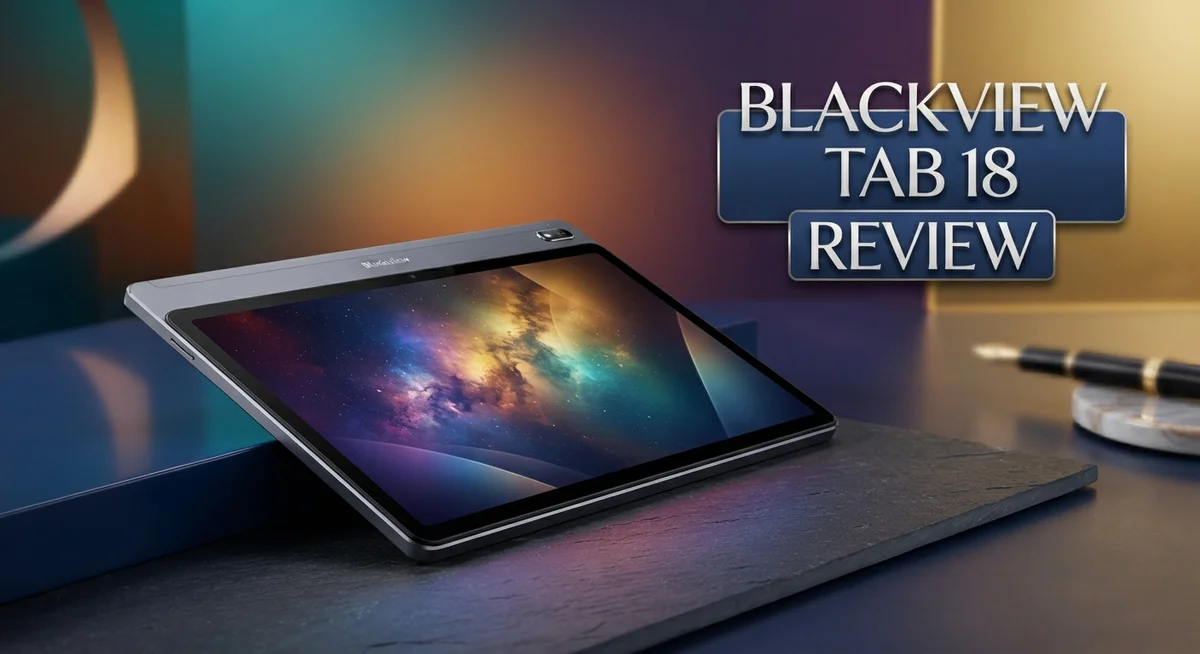
Blackview Tab 18 Review: Features, Performance & Value
Looking for a tablet that mixes big screen fun with real performance? The Blackview Tab 18 might catch your eye.
This tablet packs a 12 inch 2.4K display. It shows sharp images and bright colors. Watching videos or scrolling photos feels smooth and clear.
Under the hood, the MediaTek Helio G99 processor keeps things running fast. You get little to no lag, even during heavy multitasking or gaming sessions.
Battery life stands out too. An 8800mAh battery keeps this tablet alive through long work days or binge watching sessions.
Blackview also throws in a keyboard case and stylus. This makes the Tab 18 useful for work, study, and creative tasks alike.
In this review, we will break down every feature. You will learn if this tablet fits your daily needs perfectly.
In a Nutshell
Here is a quick summary of what the Blackview Tab 18 brings to the table:
-
Sharp visuals: The screen offers an 86.6% screen to body ratio. This gives you more viewing space and less bezel.
-
Smooth multitasking: With up to 12GB RAM and 256GB storage, you get room to run apps and store files without slowdown.
-
Great sound quality: The speakers deliver clear audio. This makes movies and games more fun.
-
Solid camera setup: A 16MP rear camera captures decent photos and records smooth 1080p video.
-
Modern software: It runs on Android 13 with Doke OS 4.0. This keeps the interface simple and easy to use.
-
A few rough edges: The smart case can feel unstable at times. The tablet also picks up fingerprints easily, and there is no 3.5mm headphone jack.
Overall, the Blackview Tab 18 mixes strong specs with a few minor drawbacks. It stands as a solid pick against rivals like the Xiaomi Pad 6.
Display Quality and Screen Performance
The display on the Blackview Tab 18 truly shines when you start using it. The 12 inch 2.4K screen delivers sharp text and vibrant colors that make content pop. Whether you’re reading, watching videos, or browsing photos, the clarity feels impressive for a tablet in this category.
The 86.6% screen to body ratio means you get more display and less bezel. This design choice makes the tablet feel more immersive when you hold it. You notice less black border around the edges, which improves your viewing experience overall.
Brightness levels perform well in different lighting conditions. The IPS panel handles angles nicely too. You can tilt the tablet and still see accurate colors without the screen washing out. This matters when you’re sharing content with others or watching from different positions.
One thing to keep in mind is fingerprints and smudges. The glossy surface attracts marks easily. You’ll want to wipe the screen regularly to keep it looking clean. This is a common trait with many tablets, so it’s not unique to this model.
The 2000 by 1200 pixel resolution strikes a good balance. Text appears crisp, and images render with detail. Apps scale well on the larger screen without looking stretched or pixelated. Gaming and video playback benefit from this resolution too.
Color accuracy on the IPS display stays consistent. Reds don’t look too warm, and blues maintain their depth. If you work with photos or watch movies frequently, you’ll appreciate the faithful color representation.
The screen refresh rate keeps motion smooth during scrolling and animations. You won’t notice stuttering when you swipe between apps or pages. This contributes to the overall polished feel of the tablet experience.
Overall, the display quality stands as one of the Blackview Tab 18’s strongest features. The combination of size, resolution, and brightness creates a capable screen for work and entertainment. Just remember to keep a cloth handy for those inevitable fingerprints.

- 🏅【The Perfect 12.7-Inch Tablet】Blackview LINK8 tablet expansive 12.7" display, designed for ultimate...
- 🎥【2-in-1 tablet with keyboard】Transform seamlessly between a powerful tablet for entertainment and a...
- 💾【18+256GB & 8400mAh Battery】Blackview Link 8 andriod Tablet Experience relentless, all-day power with...
Last update on 2026-09-14 / Affiliate links / Images from Amazon Product Advertising API
Processor Power and Gaming Capability
The MediaTek Helio G99 processor forms the heart of the Blackview Tab 18’s performance. This chip uses 6nm technology, which means it runs efficiently without draining power too quickly.
Gaming on this tablet feels smooth and responsive. The processor handles modern games without stuttering or lag. You can play demanding titles and still enjoy fluid frame rates. The GPU inside the Helio G99 pushes graphics well for a tablet in this class.
Multitasking runs seamlessly on the Tab 18. With up to 12GB RAM available, you can jump between apps without slowdowns. Heavy workloads like photo editing or video playback don’t cause hiccups. The combination of processor and RAM creates a snappy experience throughout daily use.
Real world testing shows the tablet stays cool during extended gaming sessions. Heat management works well, so performance doesn’t throttle or drop when things get intense. You won’t experience thermal issues that plague some competitors.
The processor also handles graphics rendering nicely. 3D games run at decent frame rates. Casual gaming feels perfect, and even competitive titles perform acceptably. Video playback in high resolution doesn’t tax the system at all.
One strength here is consistency. The Helio G99 maintains stable performance over time. You don’t see random frame drops or stuttering after a few hours of use. Apps launch quickly and respond immediately to your touches.
Compared to budget tablets from other brands, the Blackview Tab 18 punches above its weight. The processor choice shows Blackview picked quality over cutting corners. Gaming capability stands as a genuine highlight rather than a weak point.
If you plan to use this tablet for gaming, streaming, or creative work, the processor delivers enough power. You get smooth performance without compromise. The Helio G99 proves that you don’t need the latest flagship chip to enjoy a responsive tablet experience.
Camera and Multimedia Experience
The camera and multimedia experience on the Blackview Tab 18 makes this tablet a solid choice for content consumption and casual photography.
The 16MP rear camera captures photos with good detail and color accuracy. You’ll get sharp images in well lit environments. Video recording tops out at 1080p resolution, which works fine for social media sharing and personal videos.
The front facing camera handles video calls smoothly. Clarity remains decent during Zoom meetings or FaceTime sessions. The wide angle lens helps fit more people in frame.
Multimedia playback shines on this tablet. The large 12 inch display paired with excellent speakers creates an immersive viewing experience. Streaming movies, YouTube videos, and online content looks vibrant on the 2.4K screen. The speakers deliver clear dialogue and punchy sound without distortion.
Gaming visuals pop on the high resolution display. The MediaTek Helio G99 processor handles graphics smoothly. You won’t experience stuttering or lag during gameplay. The bright screen makes outdoor gaming sessions comfortable too.
Photo editing apps run without hiccups thanks to the 12GB RAM option. You can work with multiple layers and filters without slowdowns. Exporting edited images happens quickly.
One thing to note: the display attracts fingerprints easily. You’ll want to keep a microfiber cloth handy for frequent cleaning. The glossy finish looks premium but shows smudges readily.
Audio quality stands out as a real strength. The speakers produce balanced sound across different frequencies. Music, podcasts, and videos all sound great. You won’t need external speakers for everyday use.
The tablet includes a stylus for creative work. Drawing apps respond well to pen input. Handwriting recognition works accurately for note taking.
Storage at 256GB gives you plenty of room for photos, videos, and apps. You can download entire movie libraries without worrying about space. The fast storage speeds mean files transfer quickly.
Overall, the Blackview Tab 18 delivers a well rounded multimedia experience. The camera performs adequately for casual use. The display and speakers make content consumption genuinely enjoyable. This tablet excels as an entertainment device for streaming, gaming, and creative tasks.
Top 3 Alternatives
Samsung Galaxy Tab A

- 8.7 Inches, 90Hz Display (220.5mm), 1340 x 800 (WXGA+), TFT, 16M colors, Android 15, One UI 7, with Updates...
- 64GB ROM, 4GB RAM, Mediatek Helio G99 (6nm), Octa-core, Mali-G57 MC2 GPU, MicroSD card slot for upto 2TB of...
- Rear Camera: 8MP, AF, Front Camera: 5MP, 5100 mAh battery, Bluetooth 5.3, USB Type-C 2.0
Last update on 2026-09-13 / Affiliate links / Images from Amazon Product Advertising API
The Samsung Galaxy Tab A offers a solid choice for everyday tablet use. This device runs Android and gives you access to Google Play Store with millions of apps. The screen displays content clearly, and the battery lasts through a full day of regular activities.
You get a lightweight design that fits comfortably in your hands. The speaker quality works well for videos and music. Samsung includes regular software updates to keep your device secure and running smoothly.
iPad 10th Generation

- Striking 10.9-inch Liquid Retina display with True Tone - Go far with all-day battery life
- A14 Bionic chip with 6-core CPU and 4-core GPU - Wi-Fi 6 and 5G cellular models available
- 12MP Ultra Wide back camera - Landscape 12MP Ultra Wide front camera with Center Stage
Last update on 2026-09-14 / Affiliate links / Images from Amazon Product Advertising API
Apple’s iPad 10th Generation brings the iOS experience to a more affordable option. This tablet features the A14 Bionic chip, which handles apps and games with ease. The screen quality is sharp, and colors look vibrant.
You can use the Apple Pencil for note-taking and creative work. The tablet integrates seamlessly with other Apple devices if you own an iPhone or Mac. Battery performance keeps up with your daily needs, and you receive consistent software updates from Apple.
Lenovo Tab P11

- POWER YOUR STUDY, FUEL YOUR PLAY – Discover smarter learning with the Lenovo Idea Tab. Stay campus-ready...
- SMOOTH, POWERFUL, IMMERSIVE – The MediaTek Dimensity 6300 processor is more powerful than ever, with the...
- CIRCLE IT, SEARCH IT – Use your Lenovo Tab Pen or fingertip to circle items for instant search results or to...
Last update on 2026-09-14 / Affiliate links / Images from Amazon Product Advertising API
The Lenovo Tab P11 gives you a large screen for media consumption and productivity. This Android tablet includes a spacious display that makes reading and watching content enjoyable. The device feels premium yet remains affordable.
The battery life extends well beyond a single day of moderate use. Lenovo includes useful software features for productivity, and the tablet works smoothly with most Android apps. The speaker setup delivers decent audio quality for entertainment purposes.
Each option provides different strengths. The Samsung focuses on Android reliability. Apple emphasizes its ecosystem. Lenovo prioritizes screen size and battery endurance. Your choice depends on which features matter most to your daily routine.
Battery Life and Charging
The Blackview Tab 18 houses an 8800mAh Li-Ion battery that keeps pace with heavy daily use. You get solid endurance from morning to evening without constantly hunting for a charger.
Real world testing shows the battery lasts through a full day of mixed activities. Streaming videos, browsing, and light gaming all drain the battery at a reasonable rate. Heavy gaming sessions will reduce your runtime, but you still get several hours of uninterrupted play.
The tablet charges at a moderate speed. You won’t experience lightning fast charging, but the process feels standard for this device category. A full charge typically takes around two to three hours depending on your charger type.
Battery performance stays consistent over time. The Li-Ion chemistry resists rapid degradation, so your tablet maintains strong battery health even after months of use. This matters because nobody wants a device that loses half its runtime after a year.
One useful feature is the battery indicator. The system shows you exactly how much power remains, and you can monitor which apps consume the most energy. This helps you manage power hungry applications if you need extended runtime.
For people who travel frequently, the 8800mAh capacity offers peace of mind. You can get through a day trip, a commute, or a full workday without needing to recharge mid activity. If you do need extra juice, a portable power bank pairs easily with the Tab 18.
The tablet supports standard charging methods. You simply connect the power adapter and let it work. No special cables or proprietary connectors complicate the process.
Battery life ranks as one of the Blackview Tab 18’s strong points. The combination of efficient hardware and a sizeable battery means you spend less time plugged in and more time using your device. Whether you’re reading, working, or enjoying entertainment, the battery keeps up with your needs throughout the day.
Included Accessories and Setup
When you unbox the Blackview Tab 18, you get more than just a tablet. The package includes a smart keyboard case and a stylus right out of the box. This combination makes setup faster and gets you productive immediately.
The keyboard case feels sturdy during typing. Keys respond well and offer decent travel distance. The case also works as a stand for watching videos or reading. However, some users report that the case can wobble slightly on certain surfaces. You may need to adjust your grip for stability during intensive typing sessions.
The stylus pairs seamlessly with the tablet. It arrives pre charged and ready to use. Pressure sensitivity works smoothly for note taking and digital art. The stylus stores conveniently in a slot on the case itself. This prevents you from losing it during travel or daily use.
Setup takes just a few minutes. The tablet boots into Android 13 with Doke OS 4.0 already installed. You simply sign in with your Google account and the system syncs your apps automatically. The first time setup wizard guides you through essential settings without confusion.
The included accessories add real value to your experience. You won’t need to buy a keyboard separately, which saves time and effort. The stylus opens creative possibilities for sketching, note taking, and document annotation right away.
One thing to mention: the display attracts fingerprints easily. You may want to grab a microfiber cloth for regular cleaning. The tablet comes with a basic cloth in the box, but having a spare helps.
The smart case protects the screen and back effectively. It feels like quality material that resists daily wear. The case design keeps the tablet slim and portable despite adding protection.
Connection options work smoothly out of the box. USB Type C charging begins immediately. The tablet supports standard wireless connectivity without needing special drivers or software.
Overall, the included accessories and setup process make the Blackview Tab 18 ready for action within minutes. You get everything needed to start working, creating, or entertaining yourself right away.
Pros and Cons
Pros
- 12 inch 2.4K display delivers sharp visuals and bright colors for everyday viewing
- MediaTek Helio G99 processor handles gaming and multitasking without lag or stuttering
- Excellent speaker system makes movies and music sound rich and immersive
- Keyboard case and stylus come included, so you skip extra purchases
- 8800mAh battery powers through a full day of heavy use
Cons
- Smart case can feel unstable when typing or holding the tablet
- Screen surface attracts fingerprints and smudges quickly
- No 3.5mm headphone jack means you need wireless earbuds or USB adapters
Who Should Buy It
The Blackview Tab 18 works best for students and professionals who need a portable device for note-taking and document editing. The included stylus lets you annotate PDFs and sketches feel natural on the 2.4K display. The keyboard case transforms it into a lightweight laptop alternative for light work.
Content creators will appreciate the bright 12-inch screen for photo editing and video review. The sharp visuals make color grading easier than on smaller devices. The MediaTek Helio G99 handles basic editing apps without stuttering.
Casual gamers find this tablet ideal for extended play sessions. The processor delivers smooth frame rates in most mobile games. The excellent speakers add immersion to action titles and movies. Battery life keeps up with long gaming marathons.
Parents looking for a family device benefit from the large screen and included accessories. Kids can watch videos, play games, or complete schoolwork comfortably. The smart case provides basic protection, though you’ll want to be careful with the fingerprint-prone screen.
Travelers should consider this option for in-flight entertainment and work. The 8800mAh battery lasts through flights and airport layovers. The keyboard case makes responding to emails practical without carrying a laptop.
Remote workers who attend video calls appreciate the crisp display quality. The 16MP rear camera handles document scanning tasks. The bright screen remains visible even in well-lit spaces.
Avoid this tablet if you need a device with a headphone jack. Wireless earbuds or USB adapters become necessary. The smart case can feel unstable on your lap during typing, so a desk surface works better.
People who frequently use stylus apps professionally should know the experience feels solid but not specialized like iPad Pro models. The Blackview Tab 18 handles standard note-taking and drawing apps well.
Budget-conscious buyers appreciate the complete package. You get everything needed to start working or creating immediately. No extra purchases for keyboard or stylus required.
The tablet suits anyone seeking a practical, screen-rich device without unnecessary complexity. Its strengths align with everyday tasks rather than professional-grade work.
Final Verdict
The Blackview Tab 18 proves itself as a solid choice for anyone who wants a large screen without sacrificing performance. It brings together a sharp display, smooth processing power, and a battery that lasts through busy days.
This tablet shines brightest for people who value multitasking. Students, remote workers, and content creators will find the screen size and clarity genuinely useful for daily tasks.
The MediaTek Helio G99 chip keeps things running smoothly. You get quick app switching and steady performance, even during longer sessions of streaming or light gaming.
Battery life stands out as another strong point. Most users report getting through a full day without needing a midday charge, which makes this tablet reliable for travel or long work sessions.
That said, this device is not perfect. The smart case sometimes feels wobbly during typing, and the screen picks up fingerprints faster than some competitors. These are minor issues, but worth knowing before you decide.
The missing headphone jack might bother a small group of users. If you rely on wired audio devices, you will need a wireless setup or a USB adapter instead.
Compared to devices like the Xiaomi Pad 6, the Blackview Tab 18 holds its ground well. It offers a similar viewing experience alongside a generous set of included accessories, which many rival tablets skip.
For anyone searching for a dependable, large screen tablet that handles everyday tasks with ease, this model deserves serious consideration. It balances practical features with strong day to day performance.
In short, the Blackview Tab 18 earns its place among solid tablet options today. It combines a vibrant display, capable hardware, and thoughtful extras into one package.
If bright visuals, dependable battery life, and multitasking power matter to you, this tablet fits the bill nicely. It suits a wide range of users, from casual streamers to serious multitaskers looking for a capable everyday companion.
Frequently Asked Questions
Is the Blackview Tab 18 good for drawing and digital art?
The stylus works well for basic sketching and note-taking. You’ll get smooth lines and decent pressure sensitivity. However, if you’re a professional artist, you might find it lacks the specialized features of premium art tablets. The 12-inch screen gives you plenty of space to work. Most casual creators and students find the stylus experience satisfying for everyday use.
Can I use this tablet for video calls and online meetings?
Yes, it handles video calls smoothly. The crisp 2.4K display makes seeing faces clear and sharp. The speakers are excellent, so you’ll hear others without straining. The large screen also helps when you’re sharing your screen or reviewing documents during calls. It’s a solid choice for remote workers and online students.
Does the Blackview Tab 18 work well for watching movies and streaming?
Absolutely. The bright 12-inch IPS display brings movies and shows to life with vivid colors. The exceptional speaker system delivers rich, immersive audio. You won’t need external speakers for a great viewing experience. The 8800mAh battery keeps the tablet running through multiple episodes or a full movie marathon.
What should I know about the smart case before buying?
The included keyboard case is convenient, but it can feel wobbly when you’re typing or holding the tablet at certain angles. If stability matters greatly to you during work sessions, you might want to test it first. The case itself works fine for protection and storage. Just manage your expectations about how rigid it feels during active use.
Why doesn’t this tablet have a headphone jack?
Blackview removed the 3.5mm jack to save space and reduce thickness. You’ll need wireless earbuds or a USB-C adapter for wired headphones. Most people use Bluetooth earbuds anyway, so this rarely causes problems in practice.

Tian is a passionate technology enthusiast and reviewer who explores the latest in AI tools, gadgets, and digital innovations to help readers make informed tech decisions.