Teclast T60 Tablet Review: Features, Performance & Value
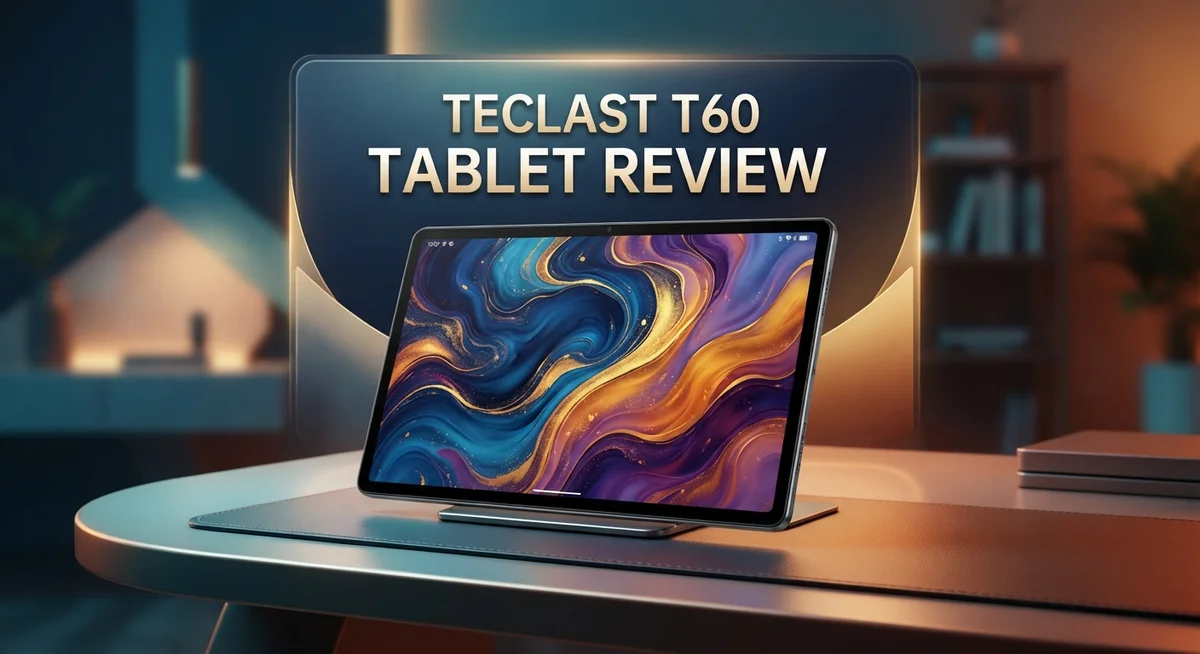
Looking for a big tablet that feels premium but stays simple to use? The Teclast T60 might catch your eye. It packs a 12 inch 2K display into a slim aluminum body.
This tablet aims at people who want space for movies, work, and browsing. The metal unibody design gives it a sturdy feel. At just 7.7mm thin, it still feels solid in hand.
Under the hood, the MediaTek Helio G85 chipset runs the show. It pairs with 6GB RAM and 128GB storage for everyday tasks.
But does this tablet truly deliver where it matters? We tested the Teclast T60 to see how it handles daily use, multimedia, and more. This review covers the display, performance, camera, and battery life.
Stick around to see if this tablet fits your needs.
In a Nutshell
Here is a quick summary of what the Teclast T60 brings to the table:
-
Sturdy metal design: The aluminum unibody feels solid. At just 7.7mm thin, it slips easily into a bag.
-
Spacious 2K display: The 12-inch screen gives you room for movies and multitasking. However, colors lean dark and bluish on close inspection.
-
Everyday performance: The tablet handles web browsing and video playback well. Heavier tasks can cause some lag.
-
Camera falls short: The 13MP camera struggles in most lighting. Photos often come out blurry or unusable.
-
Battery needs attention: The battery capacity looks big on paper. Real world use shows it drains faster than expected.
-
Bonus folio cover: A included folio cover adds convenience. It protects the screen and doubles as a stand.
This tablet works best for casual users who want a large screen for entertainment and browsing. If you need a strong camera or long battery life, look elsewhere. For everything else, the Teclast T60 holds its own.
Display and Design
The Teclast T60 wraps itself in a sleek aluminum unibody that feels premium to hold. The metal housing gives this tablet a solid, durable character that budget devices often miss. At just 7.7mm thick and weighing reasonably light, the tablet slides into bags without bulk.
The 12 inch IPS display sits at the heart of this device. This 2K resolution panel delivers sharp text and clear images for reading and web browsing. However, the screen leans toward a darker, bluish tone that some users find less vibrant than competitors. Colors don’t pop as much as you’d hope, especially when viewing photos or streaming content. The brightness levels work fine indoors but struggle under direct sunlight.
The physical button placement feels intuitive and responsive. Power and volume controls sit where your fingers naturally reach. The tablet doesn’t have any annoying design quirks that get in your way during daily use.
One nice touch comes with the included folio cover. This accessory adds protection without forcing you to buy extras. The cover folds into a stand position, making it easy to prop up the tablet for movies or video calls.
The frame design keeps bezels reasonable around the edges. The top and bottom have enough space for comfortable hand gripping without accidentally triggering the screen. Side bezels stay slim, which maximizes the viewing area.
The overall construction feels sturdy and well assembled. There’s no creaking or flexing when you hold it firmly. The aluminum doesn’t feel cheap or plasticky like some competitors in this category.
The slim profile makes this tablet surprisingly portable for its size. You can comfortably carry it one handed for short periods, though the weight adds up during extended use. The design prioritizes a large screen without making the device feel bloated or awkward.
The aesthetic leans toward minimalist and functional. This isn’t a flashy tablet, but it doesn’t pretend to be. The matte finish resists fingerprints better than glossy alternatives, keeping the back looking clean during regular use.

- 【120Hz IPS Display, Adaptive Eye Protection】This 10.1-inch fully laminated IPS tablet adopts adaptive...
- 【Android 16 OS, Octa-Core Smooth Performance】Featuring GMS-certified Android 16 OS, this tablet grants...
- 【16GB RAM+128GB ROM, 2TB Expandable Space】This tablet supports 3GB physical RAM plus 13GB virtual memory...

Last update on 2026-09-14 / Affiliate links / Images from Amazon Product Advertising API
Performance and Processing Power
The MediaTek Helio G85 chipset powers the Teclast T60, and it handles everyday tasks without drama. This processor sits in the mid-range category, so it won’t break speed records. Web browsing feels smooth, and you can open multiple apps without major lag.
Video playback runs well on this tablet. The processor manages streaming from YouTube or Netflix without stuttering. You get decent performance for casual entertainment and content consumption. Heavy gaming is where things slow down noticeably.
The 6GB of RAM keeps things moving during normal use. Switching between apps happens quickly. You won’t feel bogged down when juggling email, social media, and web tabs. The 128GB storage gives you room for apps, photos, and videos without constant cleanup.
Multitasking works on this device. You can split the screen and run two apps side by side. The performance remains stable during this setup. Productivity tasks like document editing and note taking run without issues.
The processor does show its limitations under pressure. Graphics intensive apps struggle to maintain smooth frame rates. Games from the last few years will run, but don’t expect high settings. The frame rates dip when you push the device hard.
Everyday performance is the Teclast T60’s sweet spot. Email, messaging, photo viewing, and social media apps all run smoothly. The tablet never feels sluggish during normal daily use. You get reliable performance for what most people actually do on tablets.
The Helio G85 includes an integrated GPU that handles light to moderate graphics tasks. This keeps the device from overheating during normal sessions. The thermal management stays solid throughout daily use. The tablet doesn’t get uncomfortably warm even after extended browsing.
In short, performance matches casual user needs perfectly. This tablet won’t impress power users or mobile gamers. It excels at what it’s meant to do: provide a large screen for entertainment and web browsing. The processing power sits right where it should for this category of device.
Camera and Multimedia
The camera setup on the Teclast T60 presents a mixed picture for multimedia users. The 13MP rear sensor captures images, but photo quality remains underwhelming across most lighting conditions. Outdoor shots tend to look washed out, while indoor photos suffer from noise and poor detail retention.
Video recording works better than still photography on this device. You can shoot clips without major stuttering or frame drops. The stabilization helps keep footage reasonably smooth during casual recording sessions. However, don’t expect cinema quality results.
The display shines much brighter for multimedia consumption. The 12 inch IPS panel gives you a large canvas for watching videos and browsing content. Colors appear decent for everyday viewing, though some users report a slight bluish tint in certain situations. Brightness levels work fine indoors but struggle in direct sunlight.
Audio performance deserves mention here. The tablet includes dual speakers that deliver acceptable sound for movies and music. Dialogue comes through clearly, and stereo separation adds depth to entertainment content. You won’t get theater quality audio, but it beats single speaker setups found on many competitors.
Streaming services run smoothly on the Teclast T60. Netflix, YouTube, and similar apps load quickly thanks to the MediaTek processor and 6GB RAM. Scrolling through content libraries feels responsive and fluid.
Gaming performance lags behind streaming and video playback. Casual games run fine, but demanding titles show frame rate dips. The integrated GPU handles light graphics workloads without complaints.
For content creators, the weak camera limits usefulness. Taking product photos or creating video content becomes frustrating. The device works better as a consumption tool than a creation device.
File storage reaches 128GB, giving you space for multiple movies, shows, and apps. Transfer speeds are adequate for moving files between devices. Overall, the Teclast T60 excels at entertainment and multimedia consumption but falters when you need quality camera output.
Top 3 Alternatives
iPad Air

- WHY IPAD AIR — iPad Air with the Apple M4 chip packs even more performance into a beautiful design, and it...
- PERFORMANCE AND STORAGE — The M4 chip delivers advanced graphics and incredible performance for smooth...
- IPADOS + APPS — Run apps and get more done with the game-changing capabilities and intuitive design of...
Last update on 2026-09-14 / Affiliate links / Images from Amazon Product Advertising API
The iPad Air brings powerful performance to your hands. Apple’s A14 Bionic chip handles everything you throw at it, from apps to creative work. You get a bright 10.9-inch display that shows colors beautifully. The tablet works smoothly with other Apple devices, which is great if you already use iPhones or Macs. The build quality feels premium, and the battery lasts all day. You’ll appreciate the large app selection available on the App Store.
Samsung Galaxy Tab S9

- GALAXY AI IS HERE: Search like never before, let transcript assist take the notes for you, format your notes...
- OUR MOST POWERFUL TABLET PROCESSOR YET: From work time to playtime, unleash greatness in every experience with...
- INTENSELY BRILLIANT SCREEN: Elevate your entertainment with an 11" Dynamic AMOLED 2X screen⁶; Get ready for...
Last update on 2026-09-14 / Affiliate links / Images from Amazon Product Advertising API
Samsung’s Galaxy Tab S9 offers a stunning 11-inch screen with vibrant colors. The tablet runs Android, giving you flexibility with app choices and customization options. The processor delivers fast performance for gaming, streaming, and work tasks. The display tech makes videos and photos look incredible. Samsung includes a stylus option, perfect if you like taking notes or drawing. The tablet connects easily to other Samsung devices through their ecosystem.
Lenovo Tab P12

- LEVEL UP – Synergize your work and play with the Lenovo Idea Tab Pro. It’s lightweight, jam-packed with...
- NEXT-GEN PERFORMANCE – Perform at your best with the super-efficient MediaTek Dimensity 8300 processor...
- IMMERSIVE VISUALS AND RICH SOUND – Whether you’re streaming lectures or decompressing after class, the...
Last update on 2026-09-14 / Affiliate links / Images from Amazon Product Advertising API
The Lenovo Tab P12 features a large 12.7-inch display, giving you more screen space than many competitors. This extra size is ideal for reading, watching content, and productivity work. The tablet runs on a capable processor that handles multitasking without lag. The screen refresh rate keeps scrolling smooth and responsive. Lenovo designed this tablet for people who want a bigger workspace. The battery endurance means fewer charges throughout your day. You get good speakers for entertainment and video calls.
Battery Life and Charging
The Teclast T60 houses a large battery that promises extended usage time. On paper, the capacity looks impressive for a tablet of this size. However, real world performance tells a different story. Users report that battery longevity falls short of expectations.
You can expect moderate daily usage to drain the battery within a typical workday. Video streaming depletes the charge faster than light browsing. The battery performs better during less demanding tasks. Heavy gaming or video editing will exhaust it noticeably quicker.
Charging speed presents another consideration. The tablet supports standard charging through its USB port. Fast charging technology is absent from this model. A full charge typically takes several hours to complete. This means you should plan charging sessions in advance.
Battery performance varies based on screen brightness settings. Lowering brightness extends runtime significantly. The 12 inch display consumes substantial power when set to maximum levels. Reducing brightness to comfortable levels helps stretch battery endurance.
The included folio cover offers a practical benefit here. You can use the tablet while it charges, thanks to the stand function. This allows continued use during charging sessions. The stand positions the screen at convenient viewing angles.
For casual users who browse and stream content, the battery lasts through typical use. However, power users and frequent travelers may find themselves seeking outlets regularly. The battery performance aligns with the tablet’s casual user positioning.
Battery management features in Android help optimize power consumption. The operating system includes tools to monitor battery usage by app. You can restrict background activity for power hungry applications. These settings extend overall battery life meaningfully.
The takeaway here is straightforward. The Teclast T60 battery works fine for light to moderate daily use. Extended sessions or heavy workloads require charging breaks. If you need all day battery life without compromise, this tablet presents limitations. The charging process is straightforward but slow compared to modern standards. Plan your usage patterns accordingly for the best experience.
Software and Security
The Teclast T60 runs Android 14 with potential updates to Android 15, giving you access to Google’s ecosystem and millions of apps. The operating system feels responsive and familiar to most users. You get standard Android features like widgets, notifications, and customization options right out of the box.
Security is where this tablet shows some weakness. The device suffers from outdated security patches that lag behind current standards. This means your personal data faces higher risk compared to newer tablets that receive regular updates. Security patches arrive infrequently, leaving known vulnerabilities unpatched for longer periods. If you handle sensitive information or make online purchases regularly, this becomes a real concern.
Google Play Store access works smoothly on the T60. You can download apps without major restrictions. The app ecosystem remains vast, so finding productivity tools, games, and utilities is straightforward. Most popular applications run without crashes or freezes during normal operation.
The tablet includes basic security features like Google Play Protect. This software scans apps for malware and suspicious behavior. However, relying solely on Play Protect leaves gaps in your overall protection. Consider adding a third party antivirus app for extra peace of mind if you download from untrusted sources.
Biometric security options are limited on this model. You get standard PIN and password protection, but fingerprint or facial recognition features are absent. This makes unlocking the device slower compared to modern tablets with biometric sensors.
For casual users who stick to mainstream apps and avoid risky downloads, the security situation remains manageable. Heavy users who work with confidential files should look elsewhere. The lack of frequent security updates is the biggest limitation here.
Privacy settings follow Android’s standard approach. You control app permissions for camera, microphone, location, and contacts. The interface lets you review and adjust permissions easily. Overall, the software experience feels standard without major surprises or significant advantages.
Pros and Cons
Pros
- Slim 7.8mm aluminum body feels premium and fits easily into bags or backpacks
- 12 inch IPS screen gives you plenty of workspace for browsing, reading, and streaming content
- MediaTek Helio G85 handles everyday tasks smoothly without lag or stuttering
- Physical buttons respond quickly and feel satisfying to use
- Folio cover comes included in the box, protecting your screen immediately
Cons
- Display has a noticeable bluish tint that makes colors look less accurate than competitors
- 13MP camera produces photos that lack detail and sharpness for practical use
- Security patches fall behind current standards, leaving the system vulnerable to older threats
- Battery drains noticeably faster than expected during moderate daily use, sometimes requiring a charge before evening
Who Should Buy It
The Teclast T60 works best for specific user groups who match its strengths and can accept its limitations.
Students and casual learners benefit from the large 12 inch display. Reading PDFs, taking notes, and watching educational videos become comfortable activities on this screen. The included folio cover doubles as a stand for hands free viewing during study sessions.
Content consumers who prioritize streaming and browsing find real value here. If you watch movies, read articles, or scroll social media regularly, the T60 delivers a satisfying experience. The IPS display handles these tasks well, though the bluish tint takes some adjustment.
Travelers and commuters appreciate the slim 7.8mm aluminum design. The tablet fits easily into bags without adding bulk. Metal construction feels durable for frequent movement between locations. You get a portable entertainment device without sacrificing build quality.
Light productivity users can manage basic tasks. Email, document editing, and spreadsheet work run smoothly thanks to the MediaTek Helio G85 processor. This tablet won’t handle demanding multitasking, but everyday office work proceeds without frustration.
Budget conscious buyers who need a functional tablet should consider this option. You receive a complete package with the protective cover included. The metal build suggests premium construction despite the lower price point.
Who should skip it? Professional photographers and video creators need better cameras. The 13MP rear lens produces unusable photos with poor detail. Graphic designers requiring color accuracy won’t appreciate the bluish display tint. Gamers seeking smooth performance in demanding titles will experience disappointment. Power users running multiple apps simultaneously will notice lag.
Security focused individuals should look elsewhere. Outdated security patches represent a real concern if you handle sensitive information. Financial transactions and password protected accounts deserve better protection than this tablet provides.
The Teclast T60 shines as a secondary device for entertainment and light work. It pairs well with a smartphone for users who want a bigger screen without premium features. This tablet suits people who value practicality over cutting edge performance.
Final Verdict
The Teclast T60 earns its place as a solid choice for specific tasks. It handles everyday demands without fuss and offers a build quality that feels premium in hand.
This tablet shines brightest for people who value screen space and portability over raw power. It fits smoothly into daily routines like reading, browsing, and casual streaming.
However, this tablet has clear limits. The camera and display quality remind us that compromises exist at this level. Buyers should weigh these tradeoffs before making a final decision.
If you need a device for entertainment and light tasks, the T60 delivers a satisfying experience. It performs its core functions well and rarely disappoints in daily use.
For anyone chasing top tier cameras, vibrant displays, or cutting edge security, this tablet may fall short. Those needs push users toward other options in the market.
The overall package feels balanced for its intended purpose. Teclast built a tablet that understands its audience and delivers accordingly.
We think the T60 works as a reliable companion for students, casual users, and anyone who wants a bigger screen for daily tasks. It does not try to be everything for everyone.
Instead, it focuses on getting core functions right. This approach makes the tablet dependable within its intended scope.
Compared to rivals like Redmi, Alldocube, and Chuwi, the T60 holds its own in build quality and display size. Each brand brings different strengths, so buyers should compare based on personal priorities.
The Samsung Galaxy Tab A11 offers a different experience with its own tradeoffs. Shoppers benefit from comparing specs and use cases before choosing.
In the end, the Teclast T60 suits buyers looking for a straightforward tablet experience. It handles common tasks well and skips unnecessary complications.
Anyone seeking a dependable tablet for browsing, reading, and streaming will find this option worth considering. Just keep the camera and display limitations in mind before finalizing your purchase.
Frequently Asked Questions
Does the Teclast T60 work well for gaming?
The MediaTek Helio G85 handles casual games smoothly. You can play puzzle games, card games, and light action titles without major issues. The 12 inch screen gives you plenty of room to see what’s happening. However, demanding 3D games may stutter or lag. The tablet works best for relaxed gaming sessions rather than competitive play.
Can I use this tablet for video calls and online meetings?
Yes, video calls work fine on the T60. The large display makes it easy to see participants clearly. The speakers produce decent audio for group conversations. Keep in mind the 13MP camera captures basic video, so your appearance may not look sharp. For professional meetings, you might prefer a device with a better front facing camera.
How long does the battery last during normal use?
The battery drains faster than expected. Heavy streaming or browsing sessions drain it in around 6 to 8 hours. Light tasks like reading or web browsing extend it slightly longer. You’ll need to charge it regularly if you use it throughout the day. Carrying a charger or power bank is a smart idea for travel.
Is the display good for reading and studying?
The large 12 inch screen works great for reading textbooks and study materials. The IPS panel lets you view content from different angles without color shift. The bluish tint affects color accuracy, but text remains crisp and easy to read. Brightness levels work indoors, though outdoor use may be challenging in direct sunlight.
What Android version does it run?
The T60 ships with Android 14 or Android 15 depending on your region. This gives you access to modern apps and features. Security updates come slower than flagship devices, so older threats may not get patched quickly.

Tian is a passionate technology enthusiast and reviewer who explores the latest in AI tools, gadgets, and digital innovations to help readers make informed tech decisions.