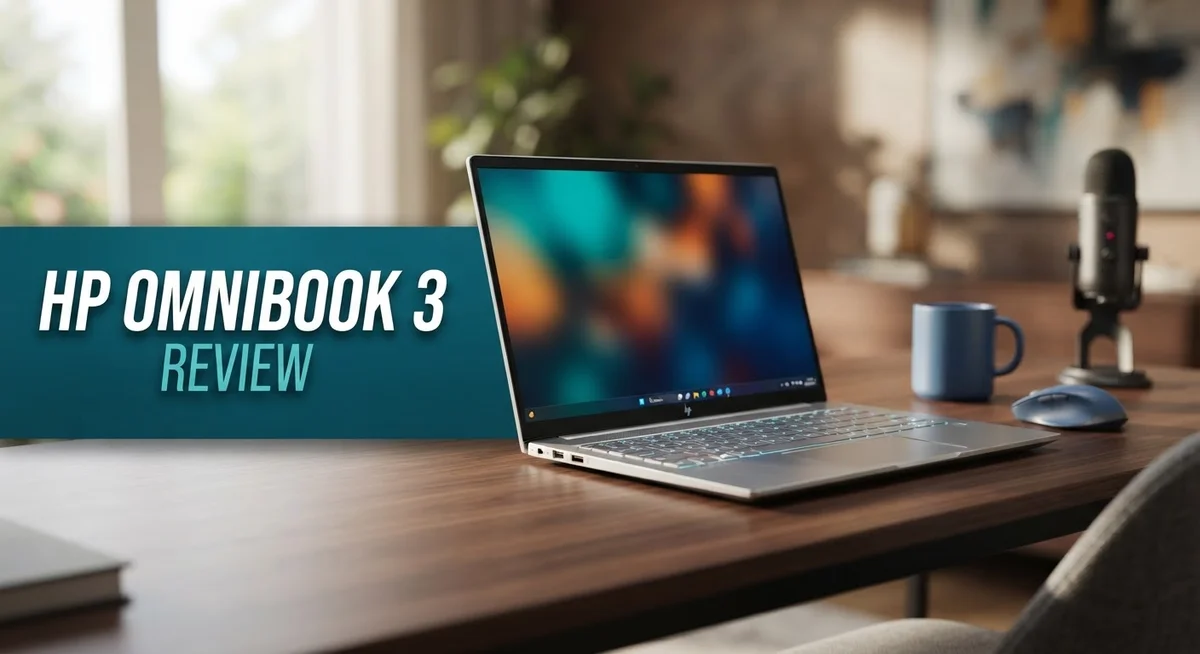
HP OmniBook 3 Review: Is It Worth Your Money in 2026?
Looking for a laptop that just works? The HP OmniBook 3 might be your answer. It skips flashy design tricks and focuses on what matters most.
This laptop packs a punch with its AMD Ryzen AI 7 or Snapdragon X processor options. You get smooth performance for daily tasks and demanding work alike.
Battery life is where this device truly shines. With up to 12 hours of use, you can work all day without hunting for an outlet.
The build feels solid and travels easily. You can carry it from home to office without any hassle.
Storage and memory options let you customize your setup. Choose up to 32GB RAM and 1TB SSD based on your needs.
Connectivity is another strong point. USB-C, USB-A, and HDMI ports mean you plug in what you need without extra adapters.
Is this the right laptop for you? This review breaks down every feature, so you can decide with confidence. We cover the display quality, performance benchmarks, and real world usability of the HP OmniBook 3.
Let’s find out if this machine deserves a spot on your desk.
In a Nutshell
The HP OmniBook 3 aims to be a dependable daily driver. It skips flashy extras and focuses on the basics. Here’s what stands out after testing it.
-
Performance stays consistent. The multi-core setup handles browsing, streaming, and office tasks without slowdown. Multitasking feels smooth for everyday needs.
-
Battery life impresses. You get up to 12 hours on a single charge. This means fewer trips to the charger during long work days.
-
Portability is a highlight. The lightweight frame makes it easy to carry between home, office, or school.
-
Connectivity covers your needs. USB-C, USB-A, and HDMI ports mean you can plug in most accessories without extra adapters.
-
Design keeps things simple. Don’t expect bold styling here. The look is plain, but it gets the job done.
-
Graphics stay basic. This laptop isn’t built for heavy gaming or intense creative work. It suits general use instead.
Overall, the HP OmniBook 3 delivers steady performance and long battery life. It’s a practical choice for anyone who wants a no-fuss laptop that handles daily tasks well.
Key Features and Specifications
The HP OmniBook 3 comes with thoughtful specifications that match its purpose as a reliable everyday laptop. You get a choice between two powerful processor options: the AMD Ryzen AI 7 or the Snapdragon X X1-26-100. Both deliver smooth performance for work and entertainment.
Display choices matter. The screen comes in two sizes: 14 inches or 17.3 inches. You can pick between 1080p FHD or 2K touchscreen options. The touchscreen adds flexibility when you want to interact directly with your content.
Memory and storage scale to your needs. Base configurations start with 16GB of RAM, and you can upgrade to 32GB if you run multiple apps at once. Storage reaches up to 1TB SSD, giving you plenty of room for files, photos, and applications without running out of space quickly.
Ports keep you connected to real-world devices. USB-C handles fast data transfer and charging. USB-A ports at 5Gbps speed let you attach older peripherals. HDMI output connects to external monitors or projectors for presentations and extended workspaces.
Windows 11 Home comes pre-installed, and this model qualifies as a Copilot+ PC. That means you get access to AI features built into Windows, which can help with writing, summarizing, and creative tasks.
Battery endurance stands out as a key specification. You get up to 12 hours of runtime on a single charge. This matters when you travel or work away from outlets all day.
The overall package reflects a machine built for practicality. Weight stays light enough to carry comfortably. Build quality feels solid without unnecessary bulk. These specifications work together to create a laptop that handles daily tasks, travel, and office work without fuss.
The feature set avoids extremes. You won’t find cutting-edge gaming graphics or premium materials here. Instead, you get a straightforward combination of useful features that work well together for mainstream users.

- 2K IPS DISPLAY - 1920 x 1200 resolution delivers incredible detail, wide-viewing angles, and lifelike color...
- SNAPDRAGON X X1-26-100 PROCESSOR - Perfect for on-the-go productivity, this processor delivers essential...
- ENJOY UP TO 32 HOURS AND 15 MINUTES OF BATTERY LIFE - HP Fast Charge restores battery from 0 to 50% in...

Last update on 2026-08-27 / Affiliate links / Images from Amazon Product Advertising API
Design and Build Quality
The HP OmniBook 3 presents a straightforward approach to laptop design. The chassis uses aluminum and plastic materials that feel durable under regular use. You get a device that resists minor bumps and everyday wear without falling apart.
The 14-inch and 17.3-inch screen options let you pick your preferred size. Smaller screens suit people who move between locations frequently. Larger displays work better if you spend most time at a desk. Both options feature clean bezels that don’t distract from your work.
Weight matters for portability. The OmniBook 3 stays light enough to slip into a backpack or carry bag without strain. You won’t feel exhausted after carrying it through an airport or campus. This makes it genuinely practical for commuters and students.
The keyboard deck sits flat and stable during typing. Keys respond with decent travel distance, so your fingers don’t feel cramped. The touchpad responds accurately to gestures and clicks. Neither component feels premium, but both handle daily work without frustration.
Build consistency is reliable throughout. Hinges connect the screen smoothly without wobbling. The bottom panel stays firmly attached. Seams align properly and don’t collect dust easily. This attention to structural basics means the laptop should last through years of regular use.
The design avoids flashy aesthetics. You won’t see RGB lighting, angular edges, or metallic finishes. Instead, HP chose neutral colors and simple lines that blend into any environment. This minimalist approach appeals to people who want a device that disappears into their workflow rather than demand attention.
Air vents sit along the sides and bottom, keeping components cool during use. The fan operates quietly during light tasks. Heat stays manageable even when running multiple applications simultaneously.
Overall, the build quality reflects the laptop’s purpose as a practical workhorse. It prioritizes function over form. The materials feel honest and appropriate for the category. You get a machine that performs its job without unnecessary complexity or fragile components that fail quickly.
Performance and Processing Power
The HP OmniBook 3 delivers solid processing power for everyday computing tasks. The device ships with either an AMD Ryzen AI 7 or Snapdragon X X1-26-100 processor, both capable of handling modern workloads without strain.
Multi-core performance shines across common activities. You can run multiple browser tabs, stream video, and work in office applications simultaneously. The processor manages these tasks smoothly without lag or stuttering. This means your workflow stays uninterrupted whether you’re video conferencing, editing documents, or switching between apps.
RAM options go up to 32GB, with base configurations at 16GB. More memory helps when you juggle many programs at once. The 16GB standard setup handles most users’ needs for daily work, while the 32GB option suits power users who demand extra headroom for demanding software.
Storage reaches up to 1TB SSD capacity. Faster SSD speeds mean applications launch quickly and files transfer at reasonable rates. You won’t experience the slow boot times or sluggish program loading that older hard drives bring.
The processor includes AI capabilities built into the architecture. Windows 11 Home recognizes this machine as a Copilot+ PC, unlocking AI features integrated into your operating system. These tools assist with productivity tasks, photo editing, and system optimization.
Graphics performance stays in the mid-range tier. The integrated graphics handle everyday tasks like web browsing, document editing, and light photo work. However, demanding games and professional 3D rendering aren’t ideal use cases. If you need serious graphics power, this laptop isn’t your best match.
Thermal management keeps the system running cool during extended use. Air vents positioned along the sides and bottom allow heat to escape efficiently. The processor maintains stable performance without thermal throttling during normal workloads.
Overall, the processing setup reflects the OmniBook 3’s mission as a practical everyday machine. You get enough power for work, school, and entertainment without paying for unnecessary performance overhead. The balance between capability and efficiency makes this laptop a reliable choice for users who value consistency over extreme power.
Top 3 Alternatives
Dell XPS 13

- PREMIUM ULTRA-PORTABLE DESIGN – The Dell XPS 13 9350 designed for users who value performance, mobility, and...
- INTUITIVE CONTROL & PREMIUM INTERACTION – Engineered for modern workflows, it features a precision haptic...
- POWERFUL PERFORMANCE - Powered by Intel Ultra 7 256V Processor (8 cores, up to 4.8 GHz) and Intel Arc...
Last update on 2026-09-14 / Affiliate links / Images from Amazon Product Advertising API
The Dell XPS 13 brings a sleek design and powerful performance to your daily work. This laptop features a stunning display that makes content creation and video calls look crisp and clear. The processor handles multitasking smoothly, so you can switch between apps without lag.
Battery life keeps you productive throughout your workday. The keyboard feels responsive, and the trackpad gives you precise control. Dell’s build quality stands out with its premium materials and solid construction that lasts years.
Lenovo ThinkPad X1

- The ThinkPad X1 Carbon Gen 13 Aura Edition weighs less than a kilogram, so you can manage it with one hand...
Last update on 2026-09-14 / Affiliate links / Images from Amazon Product Advertising API
Lenovo’s ThinkPad X1 focuses on reliability and business performance. The keyboard is legendary among professionals—many users prefer it over competitors. Security features protect your sensitive data with biometric options and encryption tools.
The display offers excellent color accuracy for photo editing or design work. This laptop excels in durability, with military-grade testing ensuring it survives drops and spills. The processor delivers consistent speed for spreadsheets, documents, and video conferencing.
ASUS ZenBook 14

- DISCLOSURE — Brand New Computer has been resealed to upgrade Memory/SSD. 1 Year warranty by Issaquash...
- PREMIUM PORTABILITY - The ASUS Zenbook 14 OLED features a slim, lightweight build paired with a long-lasting...
- POWERFUL PERFORMANCE - Equipped with the Intel Core Ultra 7 255H processor (16 cores), Configurable with...
Last update on 2026-09-14 / Affiliate links / Images from Amazon Product Advertising API
ASUS ZenBook 14 combines style with everyday functionality. The lightweight design makes it perfect for travel and commuting. The display uses advanced technology to reduce eye strain during long work sessions.
Performance remains steady for browsing, streaming, and office applications. The trackpad is spacious and responsive, making navigation effortless. Cooling systems keep the device quiet even during demanding tasks. The battery provides extended usage time, so you stay connected without searching for outlets constantly.
Each option serves different needs—Dell emphasizes design, Lenovo prioritizes durability, and ASUS balances portability with comfort.
Battery Life and Portability
The HP OmniBook 3 excels in two critical areas for mobile users: how long it runs between charges and how easy it is to carry around.
Battery endurance is genuinely impressive. The OmniBook 3 delivers up to 12 hours of continuous use on a single charge. This means you can work through a full business day, attend back-to-back meetings, or binge-watch content without hunting for an outlet. Real-world usage patterns show the battery holds strong even during moderate multitasking.
The actual runtime depends on what you do. Streaming video and web browsing drain the battery faster than light document editing. Brightness settings also play a role. Lower screen brightness extends your session time significantly. Most users find they can skip the charger for entire workdays.
Portability starts with weight. The OmniBook 3 remains lightweight across both screen sizes. The 14-inch model fits easily into messenger bags and backpacks. The 17.3-inch version stays manageable for frequent travelers. Neither option feels heavy during extended carrying sessions. The slim profile adds to the portability appeal.
The chassis design supports the mobile lifestyle. The flat keyboard deck stays stable on any surface. Hinges open smoothly without wobbling. Air vents positioned along the sides and bottom keep the system cool without blocking your lap. You can work comfortably from coffee shops, libraries, or airport lounges.
Thermal management matters for portable use. The cooling system prevents the laptop from getting hot during extended sessions. Your lap stays comfortable even during processor-intensive tasks. The fan operates quietly during normal activities.
Connectivity enhances portability too. USB-C ports charge the device quickly. USB-A ports connect to existing peripherals without adapters. HDMI output connects to projectors and external displays instantly. You stay connected to the devices you already own.
The combination of 12-hour battery life, lightweight construction, and reliable cooling makes the OmniBook 3 a genuine travel companion. Whether you commute daily or work from multiple locations, this laptop adapts to your mobile needs without compromise.
Display and Connectivity Options
The HP OmniBook 3 offers flexible display choices that match different work styles and environments. You can select between a 14-inch or 17.3-inch screen depending on your space and portability needs. Both sizes feature either 1080p FHD or 2K touchscreen options, giving you control over resolution and interaction method.
The touchscreen capability adds real value for users who prefer direct interaction with their content. You can swipe, tap, and gesture across the display without relying solely on the trackpad. This proves especially useful for presentations, creative work, or casual browsing.
Connectivity keeps you linked to your peripherals and networks without frustration. The laptop includes multiple USB-C ports for fast charging and data transfer. USB-A ports maintain compatibility with older devices you might already own. HDMI output lets you connect to external monitors or projectors instantly.
The USB-C ports deserve special mention because they handle both power delivery and high-speed data transfer. This means fewer cables cluttering your workspace and faster file transfers when you need them. The 5Gbps USB-A ports still provide solid speeds for external drives and accessories.
The port selection reflects practical thinking. You get modern connectivity standards without losing backward compatibility. Whether you’re connecting to a docking station at your desk or plugging in a USB drive at a coffee shop, the options remain straightforward.
The display and connectivity combination works well for mobile professionals. The touchscreen enhances productivity during presentations or collaborative sessions. The variety of ports means you can adapt to different work environments without carrying multiple adapters.
The 2K touchscreen option deserves consideration if you spend hours editing documents or viewing detailed content. The sharper resolution reduces eye strain during extended work sessions. The FHD option remains perfectly adequate for everyday tasks like email, browsing, and video calls.
Overall, the HP OmniBook 3 delivers solid connectivity and display versatility. You get modern standards, touchscreen capability, and enough ports for real-world use. The combination supports both stationary desk work and mobile computing without compromise.
Pros and Cons
Pros
- Delivers up to 12 hours of real-world battery life for full workdays away from outlets
- Strong multi-core CPU performance handles demanding tasks without lag or stuttering
- Lightweight and compact across both 14″ and 17.3″ screen sizes for easy carrying
- Solid build quality with reliable thermal management during extended use
- Multiple USB-C and USB-A ports keep you connected to peripherals and networks
Cons
- Basic, uninspired design lacks visual personality compared to premium competitors
- Integrated graphics stay in the mid-range tier, limiting creative and gaming workloads
- Performance sits in the middle bracket rather than excelling at specialized tasks
Who Should Buy It
The HP OmniBook 3 fits several user profiles really well.
Remote workers and digital nomads should seriously consider this laptop. You get 12 hours of battery life on a single charge. The lightweight design means you carry less weight in your backpack. You can work from coffee shops, libraries, or client offices without hunting for power outlets constantly.
Students benefit from the long battery life too. Classes run all day. You attend lectures, take notes, and work on projects without needing to charge between sessions. The touchscreen option helps if you prefer writing notes directly on the display. The solid build quality handles the wear and tear of campus life.
Business professionals who travel frequently will appreciate the portability. The OmniBook 3 slips easily into a laptop bag. You attend meetings, handle emails, and work on documents without performance hiccups. The multiple USB-C and USB-A ports let you connect to projectors, external monitors, and other office equipment quickly.
Content consumers and general users fit this device perfectly. You stream videos, browse the web, handle spreadsheets, and manage emails smoothly. The display options give you flexibility. Choose the 1080p screen if you want maximum battery efficiency. Pick the 2K touchscreen if you spend hours viewing detailed content or editing documents.
Avoid this laptop if you’re a serious gamer or video editor. The integrated graphics stay mid-range. You won’t get smooth performance in demanding creative software or modern games. If you need specialized performance for 3D rendering or professional video work, look elsewhere.
Casual creators who edit photos or work with light video editing can manage fine. The CPU handles these tasks adequately. Just don’t expect lightning fast exports or real time playback of complex timelines.
The OmniBook 3 shines for people who value portability, reliability, and everyday performance over specialized power. If your work involves moving around and you need a dependable companion that lasts all day, this laptop delivers exactly what you need.
Final Verdict
The HP OmniBook 3 delivers exactly what it promises. It gives you a laptop that handles daily tasks without drama. Nothing about it feels flashy but everything about it feels dependable.
This machine works best as a companion for consistent, everyday use. It does not try to be everything for everyone. Instead, it focuses on doing the basics really well.
Anyone who values a laptop that simply works will appreciate this device. You will not find yourself troubleshooting problems or dealing with unexpected slowdowns often. The OmniBook 3 feels steady in a way that many laptops fail to achieve.
The overall experience feels balanced rather than exciting. Some buyers want a laptop that impresses friends with its looks. This is not that laptop. Some buyers want raw power for intense creative work. This is not that laptop either.
But if you want a machine that starts when you need it, lasts through your day, and connects to what you need, the OmniBook 3 answers that call. It respects your time by staying out of your way.
Reliability stands as the biggest strength here. You get a laptop built for people who use their devices as tools, not as status symbols. That approach will resonate with a large chunk of everyday buyers.
The HP OmniBook 3 earns its place among practical laptop choices. It does not chase trends or try to compete with premium ultrabooks. It simply does its job, day after day, without complaint.
For anyone comparing this against flashier alternatives, remember what actually matters in daily use. Screen quality, battery life, and connectivity often outweigh design flair. The OmniBook 3 nails those fundamentals.
Choose this laptop if you want something that fits into your life quietly and efficiently. It will not draw attention to itself, but it will get things done. That kind of quiet competence deserves recognition.
Frequently Asked Questions
Can the HP OmniBook 3 handle video editing?
The OmniBook 3 works fine for light video editing projects. You can edit short clips, apply basic effects, and export in standard formats without major issues. However, if you work with 4K footage or complex timelines, you’ll hit performance limits. The integrated graphics aren’t designed for heavy creative work. For professional video production, consider a machine with dedicated graphics instead.
How long does the battery actually last?
You get up to 12 hours of real-world use on a single charge. This assumes typical tasks like web browsing, document editing, and streaming. If you run demanding apps or keep the screen at full brightness, battery life drops to 8-10 hours. The actual duration depends on your workload and settings. For remote workers and travelers, this battery performance is a genuine advantage.
Is this laptop good for gaming?
Not really. The integrated graphics handle casual games and older titles, but don’t expect smooth performance in modern AAA games. You might play indie games or light strategy games without issues. If gaming matters to you, look for a laptop with a dedicated graphics card instead. The OmniBook 3 simply isn’t built for that purpose.
What makes the display different between 14″ and 17.3″ models?
Both sizes offer 1080p or 2K touchscreen options. The 14-inch model fits easily in a backpack and weighs less. The 17.3-inch gives you more screen space for multitasking and content creation. Choose 14″ if you travel constantly. Pick 17.3″ if you work from one location most of the time and want extra screen real estate.
Does it come with Windows 11?
Yes. The HP OmniBook 3 ships with Windows 11 Home and qualifies as a Copilot+ PC. You get access to AI features built into Windows. No need to buy an operating system separately.

Tian is a passionate technology enthusiast and reviewer who explores the latest in AI tools, gadgets, and digital innovations to help readers make informed tech decisions.