Sonos Ray Soundbar Review: Is It Worth Buying in 2026?
Do you want big sound without a messy setup? The Sonos Ray might be your answer. This compact soundbar fits small and medium rooms with ease.
It skips fancy cables. You just need one optical connection to your TV. Setup takes minutes, not hours.
The Ray packs crisp vocals and surprising bass into a small frame. Sonos built this soundbar for people who want clear sound without clutter.
You get WiFi and Apple AirPlay 2 support. Trueplay tuning technology adjusts sound to fit your room. Touch controls sit right on top for quick access.
This soundbar also connects to the larger Sonos ecosystem. You can expand your setup later with more speakers.
In this review, we break down what makes the Ray shine. We also cover where it falls short. Let’s dive in.
In a Nutshell
Here’s what stands out about the Sonos Ray beyond the basics:
- Touch controls sit right on top. You can adjust volume without grabbing your phone every time.
- Trueplay tuning technology fine tunes sound to match your room. This makes a real difference in how audio feels.
- The soundbar uses a single cable setup. Fewer wires mean a cleaner space behind your TV.
- Build quality feels solid and durable. It doesn’t feel like a flimsy budget box.
- On the downside, there’s no HDMI or Bluetooth support. You’re stuck with optical only.
- There’s also no dedicated remote. You’ll need the Sonos app for most volume tweaks.
- Some TV remotes don’t play nice with optical connections. Check compatibility before you buy.
- Compared to rivals like Klipsch Flexus Core 300 or Sony Bravia Theatre Bar 9, the Ray keeps things simple. It skips extra features for a focused experience.
If you want straightforward audio without extra bells and whistles, this soundbar delivers. Just know its limits upfront.
Sound Quality and Audio Performance
The Sonos Ray soundbar delivers impressive audio clarity across the frequency spectrum. Vocals cut through with precision, making dialogue in movies and TV shows easy to follow. The highs remain crisp without sounding harsh or fatiguing during long listening sessions.
Bass response surprised many users. Despite its compact size, the Ray produces substantial low-end punch. Action scenes benefit from this, as explosions and impact sounds carry real weight. The soundbar handles music playback well too, though it won’t replace a dedicated subwoofer for bass-heavy genres.
Trueplay tuning technology adapts the sound to your specific room. This feature measures your space and adjusts frequencies automatically. Most owners report that sound quality improves noticeably after running Trueplay calibration. The difference is subtle but worthwhile.
Stereo separation feels natural. Sounds pan smoothly across the soundbar’s width, creating a wider soundstage than you’d expect from such a small device. Gaming performance is solid, with directional audio cues coming through clearly. The optical connection ensures minimal latency, so action and sound stay perfectly synced.
Volume handling is another strength. The Ray gets loud enough for medium-sized rooms without distortion at higher levels. Quieter scenes retain detail too, so you won’t lose dialogue even at lower volumes.
One limitation worth noting: the Ray excels with stereo content but doesn’t offer surround sound simulation. If you’re used to Dolby Atmos or virtual surround effects, this soundbar takes a different approach. It focuses on clean, accurate audio rather than immersive effects.
The single optical cable keeps the setup clean and straightforward. This wired connection also means consistent audio quality without wireless interference. For people who value simplicity and reliability over wireless convenience, this is a real advantage.
Overall, sound quality punches above the Ray’s size and simplicity. It won’t compete with premium soundbars in raw power, but it delivers excellent performance for everyday TV watching and casual music listening.

- Experience clearer, more powerful sound than ever before possible by a small standalone soundbar.
- Dynamic sound that enhances the drama and creates a surprisingly wide soundstage.
- Zero-stress setup with only two cables and help from the Sonos app.

Last update on 2026-09-20 / Affiliate links / Images from Amazon Product Advertising API
Design, Build Quality, and Connectivity
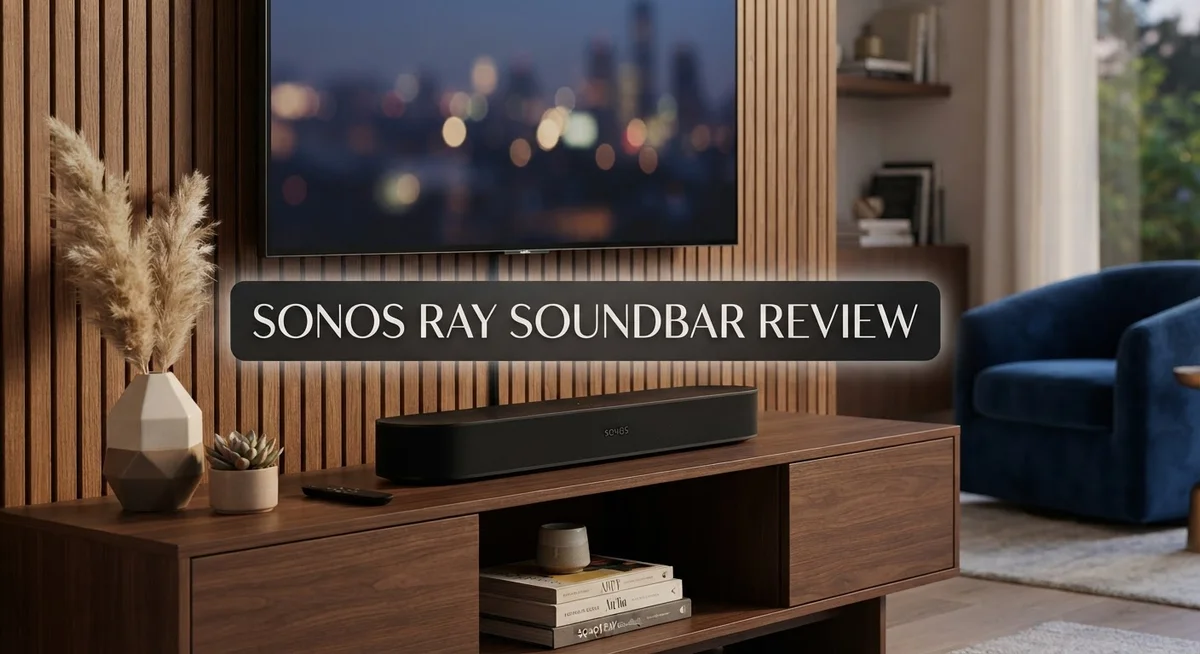
The Sonos Ray features a compact, minimalist design that fits snugly on any TV stand or wall mount. Its sleek black finish blends into most living rooms without drawing attention.
The soundbar measures just 23.6 inches wide, making it ideal for smaller to medium sized TVs. The front panel houses touch-sensitive controls that let you adjust volume and pause playback directly on the unit. No buttons means fewer moving parts to wear out over time.
Build quality feels solid throughout. The enclosure uses premium materials that resist dust and minor impacts. Users report the Ray holds up well after months of daily use. The construction feels heavier than you’d expect for such a compact device, which signals durability.
Connectivity options are straightforward but limited. The Ray connects via a single optical cable to your TV or gaming PC. This one cable carries both audio and power, eliminating cable clutter behind your entertainment setup. WiFi connectivity enables access to streaming services and multi room audio features.
Apple AirPlay 2 support lets you stream music directly from your iPhone, iPad, or Mac without additional apps. The soundbar integrates into your existing Sonos ecosystem, so you can expand with additional speakers later.
One key limitation: the Ray lacks HDMI and Bluetooth connectivity. If your TV only has HDMI outputs, you’ll need an optical converter. Bluetooth users cannot pair phones or tablets directly to the soundbar for wireless audio.
The touch controls work reliably, though some users prefer a physical remote. Volume adjustments require either the Sonos app on your phone or compatible TV remotes. Not all TV remotes communicate well with optical connections, which can frustrate new owners initially.
Setup takes roughly five minutes. Plug in the power, connect the optical cable, and download the Sonos app. Trueplay tuning technology automatically calibrates sound to match your room’s acoustics. This feature runs automatically during first use and adapts playback characteristics for optimal performance in your specific space.
Setup, Installation, and Ease of Use
Getting the Sonos Ray up and running takes just a few minutes. The single cable setup means you only plug the optical connection into your TV or PC. No extra wires clutter your entertainment space.
The app handles most of the heavy lifting. You download the Sonos app on your smartphone, follow the on screen prompts, and connect the soundbar to your WiFi network. The process feels intuitive and straightforward for most users.
Trueplay tuning happens next. This smart calibration feature listens to your room’s acoustics and adjusts the sound automatically. You simply hold your phone up and let the soundbar analyze the space. The result? Audio that sounds natural in your specific environment, not some generic preset.
Physical installation is equally simple. The Ray sits comfortably on a TV stand or mounts to a wall using the included bracket. Its compact 23.6 inch width fits most small to medium sized setups without taking up much space.
One thing to keep in mind: no dedicated remote comes in the box. You control volume and playback through the Sonos app or touch controls on top of the soundbar. Some users find this convenient, while others miss a traditional remote. If your TV remote supports optical passthrough, you might control basic functions that way, though compatibility varies.
WiFi and Apple AirPlay 2 connectivity work seamlessly once you’re set up. Streaming music from your iPhone or iPad happens instantly. The soundbar connects to your existing Sonos ecosystem too, so you can expand to other rooms later if you want.
The learning curve is genuinely flat here. Even people uncomfortable with tech typically get everything working in under ten minutes. Touch controls feel responsive, and the app responds quickly to commands.
Overall, setup and installation feel effortless. The single cable approach and simple app guide remove most of the frustration you might expect from new audio equipment. You’re listening to great sound within minutes of unboxing.
Top 3 Alternatives
Samsung HW-Q60C

- Q-SYMPHONY: Amp up your audio with the greatest duo of all time—Samsung TVs paired with Samsung soundbars; With...
- 3.1 CH DOLBY ATMOS SOUND: When you make the jump to three channels, your audio comes alive; Experience captivating sound...
- ADAPTIVE SOUND LITE: Enjoy all your favorite video content with dynamically optimized audio and enhanced voice clarity...
Last update on 2026-09-13 / Affiliate links / Images from Amazon Product Advertising API
The Samsung HW-Q60C delivers solid sound for smaller living spaces. This soundbar features a compact design that fits easily under most TVs. You get 3D audio support that creates an immersive listening experience without extra speakers.
The soundbar connects to your TV through a single cable. Setup takes just minutes. Samsung’s audio processing enhances dialogue clarity, so you hear every word in movies and shows. The remote control is simple and intuitive.
LG SN6Y

Last update on 2026-09-20 / Affiliate links / Images from Amazon Product Advertising API
The LG SN6Y offers straightforward connectivity with most modern televisions. This model includes a wireless subwoofer that adds depth to bass-heavy content. You’ll notice the difference when watching action films or playing games.
The soundbar uses AI sound upscaling to improve audio quality from various sources. Voice assistant compatibility lets you control playback hands-free. The sleek design blends well with contemporary home setups.
Bose Smart Soundbar

- Bundle with Bose Smart Dolby Atmos Soundbar Bundle with Aux Cable, All-in-One Soundbar for TV, A.I. Dialogue Mode, Voice...
- TOTAL IMMERSION, FOR EVERYTHING YOU PLAY: The Bose Dolby Atmos Soundbar features shockingly immersive sound for its size...
- ONLY TRUESPACE ELEVATES IT ALL: Bose TrueSpace technology intelligently analyzes signals other than Dolby Atmos, like...
Last update on 2026-09-20 / Affiliate links / Images from Amazon Product Advertising API
Bose brings its acoustic expertise to this compact soundbar. The device excels at clear, balanced sound across all frequency ranges. Dialogue sounds natural, and music playback feels crisp.
This soundbar integrates with smart home systems for seamless control. You can adjust settings through a mobile app from anywhere in your home. The build quality feels premium, with attention to detail throughout. Bose’s sound engineering ensures consistent performance whether you’re watching streaming content or playing music.
All three options provide quality audio solutions for different preferences and room sizes. Each brings distinct strengths to enhance your entertainment experience.
Expandability and Sonos Ecosystem Integration
The Sonos Ray soundbar opens doors to the Sonos ecosystem, which is one of its biggest strengths. You can expand this single soundbar into a complete multi-room audio system over time.
Starting with the Ray, you can add wireless speakers to other rooms. The system works through your home WiFi network. Each device connects seamlessly and plays music together or independently. You control everything from one app on your phone or tablet.
Adding a subwoofer is the next logical step for many owners. The Sonos Sub amplifies bass response dramatically. Your entire audio experience transforms when you pair it with the Ray. The integration happens automatically once both devices connect to your network.
Surround speakers represent another expansion option. Sonos offers dedicated rear speakers that work perfectly with the Ray. These create an immersive home theater setup in your living room. Movies and shows gain depth and spatial awareness with this configuration.
The real advantage lies in flexibility. You don’t need to buy everything at once. Start with the Ray and upgrade gradually as your budget allows. Each new component integrates without fuss or complicated setup procedures.
The Sonos app handles all ecosystem management. You adjust volume, select songs, and manage multiple rooms from a single interface. The learning curve remains minimal even as your system grows. Voice control integrates with Amazon Alexa and Google Assistant if you choose to add those features.
One important note: the Ray’s optical connection limits some ecosystem features. Certain advanced integrations work better with HDMI soundbars. However, for most users, this limitation rarely causes problems in daily use.
Sonos ecosystem compatibility makes the Ray a smart long-term investment. You’re not locked into a single product. Your audio system grows with your needs and preferences. This expandability transforms the Ray from a simple soundbar into the foundation of something much larger. Whether you want a basic setup or a comprehensive home audio network, the Ray adapts to your vision.
Limitations and Compatibility Concerns
The Sonos Ray soundbar operates within specific boundaries. Understanding these limits helps you decide if it matches your needs.
Connectivity stands as the primary constraint. The Ray relies exclusively on optical connections for TV audio. This means no HDMI input, which some newer TVs prefer. Bluetooth connectivity is also absent, so you cannot pair wireless devices directly to the soundbar for audio playback. If your TV lacks an optical port, you will need an adapter or converter box.
TV remote compatibility presents another real-world issue. Some television remotes struggle with optical connections. You may find that your TV’s remote cannot control the soundbar’s volume. The Sonos app becomes your volume control solution, but this requires your phone nearby. Many users find this inconvenient during casual viewing.
Limited wireless options exist for certain use cases. The Ray connects via WiFi for app control and Apple AirPlay 2 streaming. However, standard Bluetooth speakers cannot connect. Android users cannot use AirPlay either. This narrows your wireless audio sources considerably.
Optical connection limitations also affect ecosystem features. Some advanced Sonos functions require HDMI eARC connectivity. The Ray cannot access these capabilities through its optical port. This means certain multi-room audio scenarios work differently than with other Sonos products.
Room size compatibility matters too. The Ray performs best in small to medium rooms. Large living spaces may leave you wanting more power. The soundbar alone cannot fill expansive areas with consistent sound.
Gaming performance has constraints as well. While the optical connection works for gaming, latency can occur with some setups. Competitive gamers may experience slight audio delay. This rarely affects casual players, but it’s worth noting.
The lack of a physical remote bothers some owners. Touch controls work reliably, but reaching the soundbar to adjust volume feels outdated to many users. Relying on the app adds friction to simple tasks.
These limitations do not make the Ray unsuitable. They simply define its best use cases. Compact spaces, optical TV connections, and Apple device users experience minimal friction. Those needing Bluetooth, HDMI, or wireless flexibility should explore alternatives.
Pros and Cons
Pros
- Crystal clear vocals paired with full highs and punchy bass across all content types
- Single optical cable setup means you’re listening to TV audio in under five minutes
- Grows with you through the Sonos ecosystem by adding speakers, subwoofers, and surround options later
- Solid build quality feels premium and lasts through years of daily use
- WiFi and Apple AirPlay 2 let you stream music from your phone or other devices easily
Cons
- No HDMI or Bluetooth means you can only connect via optical cable to your TV
- Touch controls work fine, but some people miss having a physical remote in hand
- Certain TV remotes don’t play nice with the optical connection setup
- Optical connection blocks some features you’d normally access through the full Sonos ecosystem
Who Should Buy It
The Sonos Ray works best for people in small to medium rooms who want better TV sound without complicated setup. If your living room feels cramped for a massive soundbar, this compact model fits perfectly on shelves or TV stands.
You should buy the Ray if you own a Sonos ecosystem already. Adding it as your first speaker opens doors to wireless expansion later. You can grow from here by adding a subwoofer for deeper bass or surround speakers for immersive movies. The app makes managing everything simple once you commit to the Sonos platform.
Cord cutters and casual streamers love this soundbar. Apple AirPlay 2 lets you send music from your iPhone, iPad, or Mac directly to the Ray. WiFi connectivity means no Bluetooth frustration. If you frequently stream podcasts, music, or audiobooks, this feature alone makes it worth considering.
The Ray suits people who value clean vocals and bright highs. Movies, TV shows, and dialogue heavy content sound crisp and clear. Music listeners appreciate the balanced sound profile. Gaming enthusiasts benefit from the optical connection’s low latency, making it ideal for console gaming on compatible TVs.
Skip the Ray if wireless connectivity matters to you. No Bluetooth means you cannot pair your phone directly. No HDMI means you must use optical only. Some older TV remotes struggle with optical setups, creating control headaches. If your TV lacks an optical port, this soundbar won’t work at all.
The Ray also isn’t for people who demand a physical remote. Touch controls work reliably, but reaching the soundbar to adjust volume feels inconvenient. The app offers volume control, yet fumbling with your phone beats having a dedicated remote for many users.
Consider alternatives if you need a soundbar for large rooms or require maximum wireless flexibility. The Ray shines in specific situations: small spaces, Sonos fans, and people who accept optical limitations. For everyone else, competitors offer different connectivity options that might suit your setup better.
Final Verdict
The Sonos Ray earns its place as a smart pick for anyone wanting better TV sound without extra clutter. It delivers clear audio and fits neatly into small rooms.
Compared to rivals like the Klipsch Flexus Core 300 or Sony Bravia Theatre Bar 9, the Ray keeps things simple. It skips extra inputs and focuses on core performance instead.
The KEF XIO and Marshall soundbars offer more premium designs, but the Ray holds its own with steady output and dependable streaming. It proves that simple gear can still sound great.
Its 4.4 out of 5 rating reflects real user satisfaction. Most buyers praise its balance of sound quality and ease of use.
Trueplay tuning helps the Ray adjust sound to match your room shape. This feature makes a noticeable difference for people in oddly shaped or smaller living spaces.
If you already own Sonos speakers, the Ray blends right in. It becomes part of a bigger system that grows with your needs over time.
For first time buyers, it still works great as a standalone unit. You get solid audio now and the option to expand later.
The Ray is not built for people chasing every wireless feature. It skips Bluetooth and HDMI, so it suits simple setups better than complex home theater systems.
Think of the Ray as a starting point, not a final destination. It gives you strong basics and lets you build a smarter home audio system step by step.
Overall, the Sonos Ray stands out for its clarity, easy setup, and long term flexibility. It may lack some modern connections, but it delivers where it matters most, sound quality.
If you want dependable audio without complicated wiring, the Ray fits right in. It remains one of the smartest entry points into the Sonos ecosystem today.
Frequently Asked Questions
Can I connect the Sonos Ray to my phone wirelessly?
The Sonos Ray does not have Bluetooth. You connect it to your TV using an optical cable. However, you can stream music to the Ray from your phone through WiFi and Apple AirPlay 2. This means wireless audio works for music, but not for phone calls or direct pairing.
Does the Sonos Ray come with a remote control?
No remote comes in the box. You control volume and playback through the Sonos app on your phone or tablet. The soundbar has touch controls on top if you prefer hands-on adjustments. Some people like this setup. Others miss having a physical remote to hold.
Will the Sonos Ray work in a large living room?
The Ray works best in small to medium rooms. Its speaker size and output are designed for these spaces. If you have a large living room, you might want to explore other options or add a subwoofer and surround speakers to the Sonos ecosystem later. This expands the sound and fills bigger areas better.
What happens if my TV remote doesn’t work with the optical connection?
Some TV remotes struggle with optical connections. You can use the Sonos app to control volume instead. Alternatively, you can buy a universal remote that works with your TV and the optical setup. Most people find the app works fine for daily use.
Can I add this soundbar to my existing Sonos speakers?
Yes. The Ray plays nicely with other Sonos products. You can group it with existing speakers, add a subwoofer, or set up surround sound later. This flexibility makes it a solid choice if you already own Sonos gear or plan to build a system over time.

Tian is a passionate technology enthusiast and reviewer who explores the latest in AI tools, gadgets, and digital innovations to help readers make informed tech decisions.