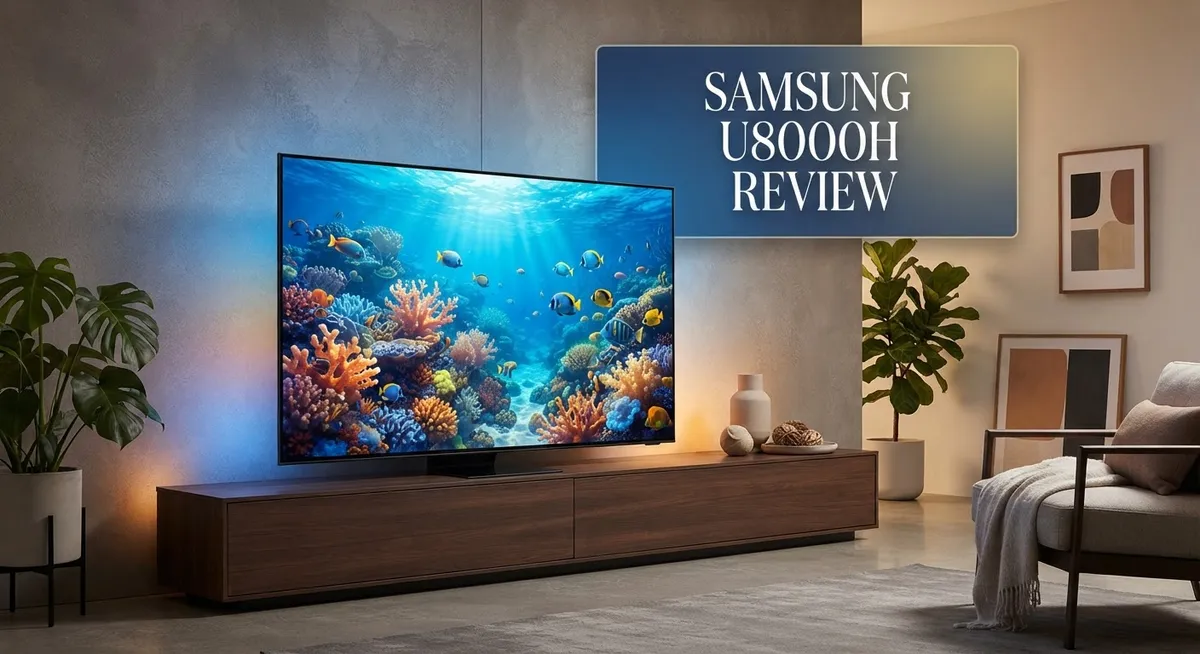
Samsung U8000H Review: 4K UHD TV with 120Hz Refresh Rate
Looking for a new 4K TV that delivers crisp visuals and smooth motion? The Samsung U8000H might catch your eye.
This TV comes in 43″ and 50″ sizes. It packs a 120Hz refresh rate and true 4K UHD resolution.
Samsung built this model with its Crystal Processor 4K. This chip handles upscaling and color enhancement to make everyday content look sharper.
You get access to Samsung’s Gaming Hub too. It lets you stream games without extra consoles.
But does the U8000H perform as well as it sounds on paper? Many buyers praise its picture quality and simple setup process. Sound quality also gets good marks from users.
Still, some issues pop up. Screen uniformity isn’t perfect. Brightness can struggle in well lit rooms too.
This review breaks down everything you need to know. We will cover performance, design, and how it stacks up against competitors like the TCL QM6K.
By the end, you will know if this TV fits your home setup. Let’s jump into the details and see what the U8000H truly offers.
In a Nutshell
Here is the quick lowdown on the Samsung U8000H before you scroll further.
- The panel offers a 120Hz refresh rate, so fast scenes and sports stay smooth without much blur.
- Color Booster technology adds punch to your shows, making skin tones and landscapes look vivid.
- Sound quality surprises many users. You get clear dialogue and decent bass without needing a soundbar right away.
- Connectivity options are plentiful. You can plug in gaming consoles, soundbars, and streaming sticks without running out of ports.
- Screen uniformity is a weak spot. Some panels show uneven brightness across dark scenes.
- Brightness levels stay low compared to rivals. This causes glare in sunlit rooms and mirror like reflections that are hard to avoid.
- Gamers using a PC may notice Game Mode limitations. Console gaming feels smoother than PC gaming on this set.
- Compared to the TCL QM6K, this Samsung model falls behind in a few key areas, though it still holds its own for casual viewing.
If you want strong colors and simple setup, this TV delivers. Just watch out for glare and uneven brightness in bright rooms.
Picture Quality and Display Performance
The Samsung U8000H delivers solid picture performance across most viewing scenarios. The 4K UHD resolution (3840 x 2160) ensures sharp details whether you’re watching movies or browsing content. Fast action scenes benefit from the 120Hz refresh rate, which keeps motion smooth and reduces blur during sports broadcasts and gaming sessions.
The Color Booster technology stands out as a real strength. This feature enhances colors across your favorite shows and films. Skin tones appear more natural, while landscapes pop with vibrant greens and blues. The Crystal Processor 4K works behind the scenes to upscale lower resolution content, making older shows look better than you’d expect.
However, the display has some notable limitations. Screen uniformity is a weak point. You may notice uneven brightness across the panel, especially on solid color screens or dark scenes. This becomes more obvious if you sit close to the TV.
Brightness levels present another challenge. The U8000H doesn’t get particularly bright, which causes problems in well lit rooms. Mirror like reflections become difficult to manage, and glare can wash out details during daytime viewing. This makes the TV less ideal if your living room gets lots of natural sunlight.
Gaming performance varies depending on your setup. Console gamers enjoy smooth gameplay thanks to the high refresh rate. PC gamers, however, may find Game Mode limitations frustrating. The mode doesn’t unlock the full potential of higher end graphics cards.
Compared to competitors like the TCL QM6K, the U8000H falls short in brightness and uniformity. The Samsung S90H and S95H OLED models also outperform this unit in contrast and dark scene detail.
For casual viewers who watch mostly indoors and avoid bright rooms, the U8000H handles standard content well. The color enhancement and motion handling work nicely for everyday use. Just manage expectations about brightness and uniformity before purchasing.

- CRYSTAL PROCESSOR: Powerful processor enhances colors and sharpens details for a vibrant 4K viewing experience...
- ENDLESS FREE CONTENT: Watch 2,700+ free streaming options, including 750+ subscription-free channels on Samsung TV Plus...
- MOTION XCELERATOR: Experience clear picture and smooth motion in games and sports. Enjoy smooth motion and clear visuals...

Last update on 2026-09-13 / Affiliate links / Images from Amazon Product Advertising API
Design, Build Quality, and Screen Size Options
The Samsung U8000H comes in two screen sizes: 43 inches and 50 inches. Both options fit different room layouts and viewing distances well.
The physical build feels solid and sturdy. Samsung used quality materials throughout the frame and stand. The bezels stay thin, so the screen takes center stage without distraction. The overall design looks modern without being flashy.
The panel itself is a 4K UHD display with 3840 x 2160 resolution. You get crisp detail in movies, shows, and games. The 120Hz refresh rate keeps fast action smooth and fluid. Sports scenes and action movies benefit most from this speed.
One key strength is the Color Booster technology. This feature pumps up color vibrancy across your content. Skin tones look natural, and landscapes pop with life. Reds, blues, and greens feel more intense than on standard panels.
The Crystal Processor 4K handles upscaling for lower resolution content. Older shows and movies get an upgrade in sharpness. This processor works quietly in the background to improve what you watch.
However, screen uniformity is a real concern. The display shows uneven brightness across different areas. Dark corners may appear darker than the center. This issue becomes noticeable in dark rooms or during dark scenes.
Brightness levels stay relatively low compared to rivals. The screen struggles in bright rooms with lots of natural light. Mirror like reflections become harder to manage. For living rooms with windows, this limitation matters.
The 43 inch and 50 inch sizes both share these same panel characteristics. Your choice depends on viewing distance and room space. Closer seating works better with the 43 inch model. Larger rooms benefit from the 50 inch screen.
Overall, the design is clean and functional. The screen sizes offer flexibility for various spaces. The color performance impresses most users. Just remember that brightness and uniformity are trade offs you’ll need to accept with this model.
Audio, Connectivity, and Smart Features
The Samsung U8000H packs a solid audio setup that handles most viewing scenarios well. The speakers deliver clear dialogue and decent bass response, making movies and shows enjoyable without needing external equipment. Sound quality won’t disappoint casual viewers who watch in normal rooms.
Connectivity options are where this TV really shines. You get multiple HDMI ports for gaming consoles, streaming devices, and cable boxes. Wi Fi support lets you access apps and streaming services wirelessly. USB ports provide flexibility for external drives and accessories. The TV connects to your home network without hassle, so setup takes just minutes.
The Gaming Hub feature opens up cloud gaming options directly on the TV. You can stream games without extra hardware sitting in your entertainment center. This works smoothly for casual gaming sessions. However, PC gamers should note that Game Mode has some limitations on this model. Response times and refresh rate handling work better with console gaming than with computer connections.
Smart features make this TV user friendly. The interface responds quickly to remote commands. App navigation feels intuitive, so you find content fast. Voice control options let you search and launch apps hands free. Updates happen automatically in the background, keeping your TV current with new features.
Connectivity stands out as a real strength compared to the overall package. You won’t struggle to connect your devices or find compatible ports. The wireless options work reliably throughout most homes. Whether you’re adding a soundbar, gaming console, or streaming stick, the U8000H accommodates everything smoothly.
The combination of good audio, flexible connectivity, and smart features creates a well rounded TV experience. Audio quality pairs nicely with the picture performance for immersive viewing. Multiple connection types mean you can build your setup exactly how you want it. Smart features keep everything simple and accessible. This TV works best for viewers who want straightforward connectivity without complications or extra adapters.
Top 3 Alternatives
LG OLED evo

- OLED Technology: Celebrating 12 years of perfecting award-winning OLED TV technology
- Brightness Booster: Our Brightness Booster technology magnifies each individual pixel for luminous quality that shines...
- Bright Room Ready: Verified by UL for Discomfort Glare Free (UGR less than 22), you can be confident your LG OLED TV...
Last update on 2026-09-13 / Affiliate links / Images from Amazon Product Advertising API
LG OLED evo TVs deliver exceptional picture quality. The self-emissive pixels create perfect blacks and stunning contrast. Each pixel produces its own light, so you get no blooming or halo effects around bright objects.
These TVs feature impressive color accuracy and wide viewing angles. The brightness has improved significantly compared to older OLED models. You’ll enjoy smooth motion and fast response times, making them great for gaming and sports.
The design looks sleek and modern. The TV sits flush against your wall with minimal bezels. LG includes smart features and voice control support for easy navigation.
Sony Bravia XR
No products found.
Sony Bravia XR TVs use advanced cognitive processing technology. The TV analyzes content like your brain does, enhancing picture quality in real time. This means better upscaling of lower-resolution content and improved overall image quality.
These TVs offer excellent color performance and brightness levels. The motion handling is smooth, and the response time works well for fast-action scenes. Gaming features include variable refresh rate support and low input lag.
Sony’s interface is intuitive and responsive. The remote control feels comfortable in your hand. You get access to popular streaming apps right from the home screen.
TCL QM8 Mini-LED

- SQD-Mini LED: As the ultimate Mini LED TV, it integrates the expansive TCL Deep Color System with the breakthrough TCL...
- TCL Ultra Color Filter: TCL’s Ultra Color Filter with fine 5 nanometer particles (vs. standard 60 nanometer particles...
- High Static Contrast: Experience exceptional picture quality driven by a high 7000:1 contrast ratio for stunning clarity...
Last update on 2026-09-13 / Affiliate links / Images from Amazon Product Advertising API
TCL QM8 TVs use mini-LED backlighting technology. Thousands of tiny LED zones control brightness independently, creating deep blacks and bright highlights simultaneously. This approach offers excellent contrast without the burn-in risks associated with OLED.
The picture quality is sharp and detailed across all content types. Color accuracy is strong, and the brightness handles bright rooms well. Gaming performance includes high refresh rates and responsive controls.
These TVs come with a straightforward smart TV system. The menu is easy to navigate. You’ll find all major streaming services readily available.
Gaming and Refresh Rate Capabilities
The Samsung U8000H brings a 120Hz refresh rate to the table, which is a key feature for gaming enthusiasts. This higher refresh rate helps deliver smoother motion during fast paced games and action sequences. You’ll notice the difference when playing titles that support this speed.
The 4K UHD resolution of 3840 x 2160 pixels pairs well with the 120Hz capability. Games look crisp and detailed while maintaining that fluid refresh rate performance. The Crystal Processor 4K also steps in to enhance lower resolution gaming content through upscaling.
However, there’s an important catch for PC gamers. Game Mode limitations appear when connecting a PC to this TV. You may find that certain gaming features don’t work as smoothly on PC compared to console gaming. This is worth considering if you plan to use your PC as your primary gaming source.
The Gaming Hub feature opens doors to cloud gaming experiences. You can access various cloud gaming platforms directly from the TV without needing external devices. This adds convenience for casual gaming sessions.
Brightness levels remain a concern for competitive gaming scenarios. Darker rooms work better with this TV since the display doesn’t get particularly bright. If you game in well lit spaces, you might struggle with glare and reflections on the screen.
The 120Hz refresh rate shines most when you’re playing console games or using streaming services. Response times feel responsive enough for casual to moderate gaming needs. Competitive gamers who demand peak performance might want to explore other options.
Screen uniformity issues can affect your gaming experience too. You may notice slight color or brightness variations across the display during darker game scenes. This becomes more noticeable in games with large dark areas.
Overall, the U8000H works well for casual and moderate gaming. The 120Hz refresh rate and 4K resolution create an enjoyable experience for most players. Just keep those PC limitations and brightness constraints in mind when making your decision. The TV handles standard gaming tasks smoothly, though it doesn’t reach the elite tier for hardcore competitive players.
Brightness, Reflections, and Room Placement Considerations
The Samsung U8000H presents a real challenge when it comes to brightness levels. This TV simply doesn’t get as bright as many competitors on the market. If your living room gets strong natural sunlight during the day, you’ll notice the screen struggles to compete with the glare.
Mirror-like reflections are a significant issue with this model. The screen surface acts almost like a mirror, bouncing light around your room. You can’t easily reduce these reflections through settings or adjustments. This means placement matters more than it should.
For best results, position the U8000H away from windows and bright light sources. Rooms with controlled lighting work much better. If you have blackout curtains or can dim your space, the picture quality improves dramatically. The TV performs best in evening viewing or darker environments where reflections won’t interfere.
The low brightness output creates another problem. Standard content looks good, but bright scenes or sports broadcasts may appear less vibrant than on brighter displays. Competitive gamers will notice this too, especially during daytime gaming sessions. The screen simply can’t punch through ambient light the way premium models can.
Screen uniformity issues compound these brightness concerns. Darker areas of the display may show uneven lighting, which becomes more obvious when brightness is already limited. This affects how the TV handles various content types and viewing angles.
Consider your room’s lighting setup before purchasing. If you primarily watch TV in evenings or have a dedicated home theater space, these limitations matter less. However, if you need a TV that performs well in bright rooms or with lots of natural light, look elsewhere.
The U8000H works well for standard viewing in controlled environments. Its Color Booster technology and solid picture quality shine when reflections and brightness aren’t factors. Just be realistic about your room’s lighting conditions. Proper placement and lighting management will help you get the most from this display.
Pros and Cons
Pros
- Excellent picture quality with strong color enhancement from the Crystal Processor 4K
- 120Hz refresh rate performs well for console gaming and streaming services
- Easy setup process gets you watching quickly
- Multiple connectivity options give you flexibility with different devices
- Good sound quality handles most viewing scenarios without extra speakers
Cons
- Poor screen uniformity creates visible inconsistencies across the display
- Low brightness levels make the TV struggle in bright rooms and cause glare issues
- Mirror-like reflections are difficult to reduce, requiring careful room placement away from windows
- Game Mode on PC has limitations that frustrate computer gamers
Who Should Buy It
The Samsung U8000H is best suited for viewers who prioritize picture quality and color performance in controlled lighting environments. If you spend most of your time watching content in rooms without direct sunlight or bright windows, this TV delivers excellent results.
Casual gamers will find this model appealing. The 120Hz refresh rate works great for console gaming and streaming services. You’ll notice smoother motion during gameplay and sports content. However, if you’re a serious PC gamer, the Gaming Mode limitations on PC might frustrate you. This isn’t your ideal choice for competitive online gaming.
The U8000H suits people who value easy setup and straightforward operation. You won’t wrestle with complicated installation procedures. The multiple connectivity options mean you can connect various devices without hassle. Good sound quality is another bonus, so you may not need external speakers right away.
This TV isn’t ideal for bright rooms or homes with lots of windows. The low brightness levels and mirror-like reflections create viewing challenges in naturally lit spaces. If your living room gets afternoon sun or you prefer maximum brightness, look elsewhere. You’ll need to position this TV carefully and manage reflections actively.
Content enthusiasts who appreciate strong color enhancement will be happy. The Crystal Processor 4K handles upscaling well, so older content still looks decent. The 4K UHD resolution pairs nicely with the refresh rate for a smooth viewing experience.
Screen uniformity issues mean this TV works best when you’re not sitting too close or at extreme angles. Casual viewers won’t notice these inconsistencies as much. If you sit directly in front of the TV during normal viewing, you’ll experience fewer problems.
The U8000H makes sense for budget-conscious buyers seeking solid picture quality. You get strong color performance and easy operation without premium features. This TV rewards viewers who understand its limitations and work within them. Choose it if you have a controlled viewing environment, casual gaming habits, and appreciate straightforward technology that just works.
Final Verdict
The Samsung U8000H earns its place as a solid pick for movie nights and casual streaming. Its color accuracy and clarity stand out when the lights are low. This TV rewards viewers who set up their space thoughtfully.
If you game on a PC, take note. Game Mode limitations appear when you connect a computer directly. Console gamers and streaming fans will not face this issue.
For shoppers weighing options, the TCL QM6K offers stronger overall performance. It handles brightness and uniformity better in side by side tests. This makes it worth checking before you finalize your choice.
Samsung’s own lineup also gives you upgrade paths. The S90H OLED and S95H OLED deliver deeper blacks and wider viewing angles. These models suit buyers who want a step above standard LED performance.
Still, the U8000H holds its own for specific use cases. Dark rooms and evening viewing bring out its best qualities. The picture stays sharp and colors stay vibrant under these conditions.
Buyers who stream shows, play games casually, and watch movies at night will enjoy this TV. It handles these tasks with ease and delivers a satisfying experience. The setup process stays simple from start to finish.
On the flip side, sunny living rooms and glass walled spaces pose real challenges. The screen fights glare and reflections in these settings. Your viewing experience suffers if you cannot control the light in your room.
Think about your daily viewing habits before you decide. Do you watch mostly at night or in a shaded room? If so, the U8000H fits your needs well.
Do you need a TV that performs well in bright daylight? Then look at the alternatives mentioned above. They handle challenging light conditions with more consistency.
The Samsung U8000H works best as a focused solution for specific viewing environments rather than an all around performer.
Frequently Asked Questions
Does the Samsung U8000H work well for bright rooms?
No, this TV struggles in bright spaces. The low brightness levels mean sunlight and strong indoor lighting create glare on the screen. The mirror-like reflections are hard to reduce without careful room placement. You’ll need to keep windows covered or position the TV away from direct light sources. If your living room gets lots of natural light, consider looking at other models with higher brightness specs.
Can I use this TV for PC gaming?
The U8000H has Game Mode limitations on PC connections. Console gaming works better thanks to the 120Hz refresh rate. If you play games mainly on PlayStation or Xbox, you’ll be satisfied. PC gamers may encounter performance issues and should check compatibility with their setup before buying. The TV performs better for casual gaming than competitive play.
What’s the picture quality like on this model?
The Samsung U8000H delivers excellent picture quality overall. The Crystal Processor 4K handles upscaling well, and the Color Booster feature creates strong color enhancement. You’ll notice vibrant, punchy colors during movies and shows. However, screen uniformity issues mean you might see slight inconsistencies across the display, especially if you sit close or at extreme angles. For movie nights and streaming content, the picture performs really well.
How is the sound quality?
The TV produces good sound quality that handles most viewing without extra speakers. Dialogue comes through clearly, and you won’t feel rushed to buy a soundbar. For casual TV watching and streaming, the built-in audio works fine. If you’re an audio enthusiast or watch lots of action movies, adding external speakers might enhance your experience.

Tian is a passionate technology enthusiast and reviewer who explores the latest in AI tools, gadgets, and digital innovations to help readers make informed tech decisions.