
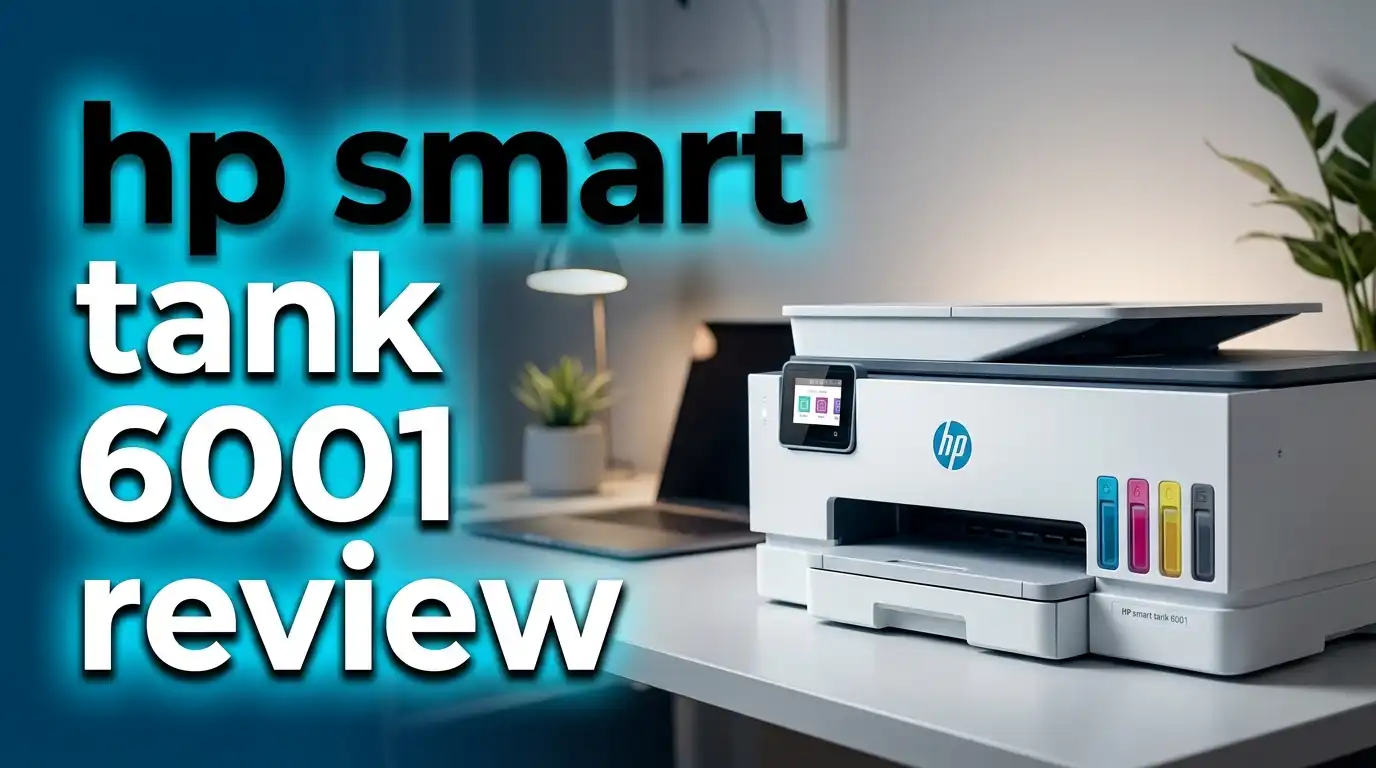
HP Smart Tank 6001 Review 2026: Cartridge Free Printer Worth It?
Are you tired of spending a fortune on ink cartridges every few months? The HP Smart Tank 6001 promises to end that frustration for good. This all-in-one inkjet printer uses a refillable ink tank system instead of traditional cartridges. It ships with enough ink to last up to three years. That means thousands of pages before you even think about buying more ink.
But does it actually deliver on those promises? In this HP Smart Tank 6001 review for 2026, we break down everything you need to know. We cover print quality, speed, setup, ink costs, and real user experiences.
Whether you need a printer for homework, home office tasks, or family photo projects, this review will help you decide. Let’s find out if the HP Smart Tank 6001 deserves a spot on your desk.
Key Takeaways
- The HP Smart Tank 6001 comes with up to 3 years of ink in the box. You can print up to 8,000 color pages or 6,000 black pages before needing a refill. This saves hundreds of dollars compared to cartridge printers.
- Print, scan, and copy functions are all built into one device. Automatic two-sided (duplex) printing is included. This is a true all-in-one machine for families and home offices.
- The cost per page is extremely low at roughly 0.4 cents per black page. Over time, this makes the Smart Tank 6001 one of the most affordable printers to operate.
- Setup is simple using the HP Smart app. You connect the printer to your Wi-Fi network through your phone. The spill-free ink refill system keeps your hands clean during the process.
- Print speed is moderate but not fast. Black text prints at about 12 pages per minute. Five pages of text took around 33 seconds in testing. Heavy office users may want something faster.
- The printer supports wireless printing from phones, tablets, and laptops. It works with Apple AirPrint, Mopria, and the HP Smart app. Dual-band Wi-Fi (2.4 GHz and 5 GHz) keeps the connection stable.
HP Smart Tank 6001 Overview

- THE ONLY TANK PRINTER BUILT TO LAST. Set it up once and print with confidence. No complicated maintenance. Just easy,...
- INK FOR YEARS. NOT MONTHS. Up to 2 years of ink included. Get thousands of pages of cartridge-free printing. More pages,...
- KEEPS PRINTING WELL AFTER COMPETITORS HAVE QUIT. No complex maintenance. Sharper text, richer colors.[2] Only with HP...
The HP Smart Tank 6001 is an all-in-one inkjet printer built for homes and small offices. It prints, scans, and copies. HP released this model as part of its Smart Tank lineup, which replaces expensive cartridges with refillable ink tanks.
The printer carries model number 2H0B9A and uses HP Thermal Inkjet technology. It connects through Wi-Fi, Wi-Fi Direct, and USB 2.0. The dual-band Wi-Fi support (2.4 GHz and 5 GHz) helps maintain a stable connection even in busy home networks.
HP includes enough ink bottles in the box to print thousands of pages. The company estimates up to 8,000 color pages or 6,000 black pages from the included ink supply. That translates to roughly two to three years of printing for an average household.
The printer retails around $219.99 at most stores. You can often find it on sale for less. For a printer that includes years of ink, this price point makes it a strong value.
Design and Build Quality
The HP Smart Tank 6001 has a compact, modern design finished in a dark basalt color. It fits comfortably on a desk or shelf without taking up too much space. The build feels solid for a consumer-grade printer.
The front of the printer features smart-guided buttons that illuminate during use. These lights walk you through print, scan, and copy tasks step by step. This is a helpful touch for anyone who finds printer controls confusing.
The ink tanks sit behind a transparent window on the front panel. You can see exactly how much ink remains in each color at a glance. This removes the guesswork about ink levels that plagues cartridge printers.
The flatbed scanner lid lifts easily for scanning documents and photos. The paper input tray holds 150 sheets, which is enough for most home users. The output tray sits at the front for easy access to your printed pages.
Print Quality Analysis
Print quality is one of the strongest features of the HP Smart Tank 6001. Text documents come out sharp, clear, and well-defined. Consumer Reports rated its text quality as “very good,” placing it close to the best printers in its class.
Color documents also look impressive. Charts, graphics, and presentations print with accurate colors and smooth gradients. The printer handles everyday documents with ease and consistency.
Photo printing is where this printer truly shines for families. Borderless photo prints on glossy paper look vibrant and detailed. Users on Best Buy and Walmart have praised the photo output as “stunning” and “professional-looking.”
The print resolution reaches up to 4800 x 1200 dpi for color output. This provides enough detail for most home printing needs. However, dedicated photo printers still offer better results for professional-grade images.
Top 3 Alternatives for HP Smart Tank 6001
If the HP Smart Tank 6001 doesn’t fit your exact needs, these three alternatives offer similar value with different strengths.
Epson EcoTank ET-2800 is a budget-friendly cartridge-free printer. It costs less upfront and delivers solid print quality. It lacks auto duplex printing, but it’s a great pick for light home use.

- Keep your office running smoothly with the Epson EcoTank ET-2800 All-in-One Supertank Color Printer. Expect vivid,...
- Innovative Cartridge-Free Printing . No more tiny, expensive ink cartridges; each ink bottle set is equivalent to about...
- Dramatic Savings on Replacement Ink , Save up to 90% with replacement ink bottles vs. ink cartridges (1) - that’s...
Canon PIXMA G6020 MegaTank is another strong competitor. It offers a 350-sheet paper capacity, auto duplex printing, and Ethernet connectivity. It’s ideal for users who print higher volumes.

- Wireless Print/Copy/Scan (2)
- Up to 2 years of ink included - Disclaimer: Claim of up to two (2) years of ink based on average monthly document print...
- Print up to 6,000 black & white / 7,700 color pages using a single set of inks! (1)
Epson EcoTank ET-4800 adds a fax machine and a 30-page automatic document feeder. This makes it the better choice for home offices that handle multipage documents regularly.

- Innovative Cartridge-Free Printing ― High-capacity ink tanks mean no more tiny, expensive ink cartridges; Epson’s...
- Impressive Print Quality ― Unique Micro Piezo Heat-Free Technology produces sharp text – plus impressive color...
- Zero Cartridge Waste – By using an EcoTank printer, you can help reduce the amount of cartridge waste ending up in...
Ink System and Cost Per Page
The refillable ink tank system is the biggest selling point of the HP Smart Tank 6001. Instead of buying cartridges that cost $30 to $50 each, you buy ink bottles that cost a fraction of that price.
HP’s spill-free refill system makes the process clean and simple. Each bottle only releases ink when properly seated on the tank opening. Users report that the refill process is mess-free, even for children who help with the task.
The cost per page is approximately 0.4 cents for black text. Color printing costs slightly more but remains far below cartridge-based printers. Over the life of the printer, you could save hundreds of dollars on ink alone.
Replacement ink bottles are affordable and widely available. A set of HP 32XL/31 ink bottles costs significantly less per page than traditional HP cartridges. This ongoing savings makes the higher upfront printer cost worth it.
Print Speed and Performance
The HP Smart Tank 6001 delivers decent print speeds for a home inkjet printer. HP rates it at up to 12 pages per minute (ppm) for black and 7 ppm for color. These are solid numbers for everyday printing tasks.
In real-world testing by Consumer Reports, five pages of black text printed in about 33 seconds. This is acceptable for homework, letters, and basic documents. However, it won’t win any speed contests.
Color documents and photos take longer. A full-page color photo can take a minute or more depending on quality settings. If you print large photo batches, plan for some wait time.
The printer handles automatic duplex (two-sided) printing without manual intervention. This saves paper and is especially useful for school projects, reports, and booklets.
Wireless Connectivity and Mobile Printing
The HP Smart Tank 6001 offers excellent wireless connectivity for a printer in its price range. It supports dual-band Wi-Fi on both 2.4 GHz and 5 GHz frequencies. The 5 GHz band offers faster data transfer speeds of up to 150 Mbps.
HP’s self-healing Wi-Fi technology is a standout feature. The printer automatically detects and resolves connectivity issues on its own. This reduces the common frustration of printers randomly going offline.
You can print from virtually any device. The printer works with Apple AirPrint, Mopria, and the HP Smart app. Android and iOS users can print photos, documents, and web pages directly from their phones.
Wi-Fi Direct allows printing without a router. Your device connects directly to the printer. This is useful for guests or situations where your main network is unavailable.
Setup and Installation Process
Setting up the HP Smart Tank 6001 is straightforward and user-friendly. The entire process takes about 15 to 20 minutes from unboxing to your first print.
You start by downloading the HP Smart app on your phone or computer. The app guides you through each step with clear on-screen instructions. You connect the printer to your Wi-Fi network through the app rather than using a tiny printer screen.
The ink filling process is the next step. You open the ink tank covers and insert each color bottle into its matching slot. The spill-free system ensures a clean experience. The bottles click into place and release ink automatically.
After filling the ink tanks, the printer runs an initial alignment and calibration process. This takes a few minutes. Once complete, you’re ready to print. Multiple users on review sites describe the setup as one of the easiest they’ve experienced.
Scanner and Copy Functions
The HP Smart Tank 6001 includes a flatbed scanner with an optical resolution of 1200 dpi. This is sharp enough for scanning documents, receipts, photos, and school worksheets.
You can scan directly from the printer’s control panel or through the HP Smart app on your phone. The app lets you scan documents to PDF, email, or cloud storage. This flexibility makes the scanning process quick and convenient.
The copy function works well for everyday needs. You can make single or multiple copies at the press of a button. The smart-guided buttons on the printer illuminate to show you exactly which button to press.
Color scanning speed is approximately 1 impression per minute for high-resolution scans. Standard-quality scans complete faster. For basic document scanning and copying, the performance is adequate for home use.
HP Smart App Experience
The HP Smart app serves as the control center for the HP Smart Tank 6001. It’s available on iOS, Android, Windows, and macOS. The app handles setup, printing, scanning, and printer management from one place.
The app interface is clean and intuitive. You can check ink levels, view print history, and adjust settings without touching the printer. Printing a photo from your phone takes just a few taps.
One of the newest features is HP AI-assisted formatting. The app can help you get perfectly formatted prints for documents and photos. This reduces the trial and error of adjusting print settings manually.
The app also provides troubleshooting support. If something goes wrong, the app walks you through fixes. This self-service approach saves time compared to calling technical support.
Sustainability and Eco-Friendly Features
HP has made the Smart Tank 6001 with sustainability in mind. More than 25% of the printer’s plastic by weight comes from recycled printers and other electronics. This reduces manufacturing waste.
The printer holds an EPEAT Silver certification, which recognizes its environmental design. This covers energy efficiency, material use, and end-of-life recyclability.
The ink tank system itself is inherently more eco-friendly than cartridge printers. You refill small bottles instead of throwing away large plastic cartridges every few weeks. This produces significantly less plastic waste over the printer’s lifetime.
HP also encourages the use of FSC-certified paper. This ensures the paper comes from responsibly managed forests. Combined with automatic duplex printing, you can cut your paper use in half.
Pros and Cons of the HP Smart Tank 6001
The pros are significant. The included ink supply lasts years and saves real money. Print quality is very good for both text and photos. The spill-free ink refill system works as advertised. Setup through the HP Smart app is fast and painless. Dual-band Wi-Fi with self-healing technology keeps the connection stable.
The cons deserve attention too. Print speed is slower than laser printers and some competing inkjets. The 150-sheet paper tray is smaller than the 250-sheet tray on the HP Smart Tank 7001. The monthly duty cycle tops out at 3,000 pages, which limits heavy office use.
Some users on Reddit have reported long-term reliability concerns after 18 months of use. HP’s standard warranty covers one year. Extended warranty options are available but cost extra.
The printer also lacks an automatic document feeder (ADF). If you scan or copy multipage documents frequently, you’ll need to feed each page manually. The Epson EcoTank ET-4800 offers an ADF at a similar price.
Who Should Buy the HP Smart Tank 6001?
The HP Smart Tank 6001 is ideal for families who print homework, school projects, photos, and crafts regularly. The massive ink supply means you won’t run out at the worst possible moment.
It also works well for home office users with moderate print volumes. If you print fewer than 800 pages per month, this printer handles the workload easily. The low cost per page keeps ongoing expenses minimal.
Students benefit from the automatic duplex printing and wireless connectivity. You can print essays, research papers, and study materials from a laptop or phone without cables.
This printer is not the best fit for high-volume offices that print thousands of pages per week. It’s also not ideal for users who need an ADF for scanning multipage documents. For those needs, look at the HP Smart Tank 7602 or Epson EcoTank ET-4800.
HP Smart Tank 6001 vs HP Smart Tank 7001
Many buyers compare the 6001 and 7001 models before purchasing. Both share the same core print engine, ink system, and print quality. The differences come down to capacity and duty cycle.
The HP Smart Tank 7001 has a 250-sheet paper input tray compared to 150 sheets on the 6001. It also supports up to 30 envelopes versus 10 on the 6001. For users who print frequently, the larger tray means fewer refills.
The 7001 has a higher recommended monthly duty cycle of 5,000 pages. The 6001 tops out at 3,000 pages per month. If your household prints over 3,000 pages monthly, the 7001 offers more headroom.
Price is where the 6001 wins. It typically costs $20 to $40 less than the 7001. For average home users who print a few hundred pages monthly, the 6001 provides everything you need at a lower price.
Final Verdict on the HP Smart Tank 6001
The HP Smart Tank 6001 is a smart investment for anyone tired of expensive ink cartridges. It delivers very good print quality, simple setup, and years of ink in the box. The cost per page is among the lowest you’ll find in any home printer.
- THE ONLY TANK PRINTER BUILT TO LAST. Set it up once and print with confidence. No complicated maintenance. Just easy,...
- INK FOR YEARS. NOT MONTHS. Up to 2 years of ink included. Get thousands of pages of cartridge-free printing. More pages,...
- KEEPS PRINTING WELL AFTER COMPETITORS HAVE QUIT. No complex maintenance. Sharper text, richer colors.[2] Only with HP...
Its weaknesses are minor for most home users. The slower print speed and smaller paper tray won’t bother casual printers. The lack of an ADF is the only significant missing feature.
At around $220, you get a printer, scanner, copier, and enough ink to last years. The long-term savings on ink make this one of the most cost-effective printers you can buy in 2026. If you want reliable, affordable home printing with minimal hassle, the HP Smart Tank 6001 earns a strong recommendation.
Frequently Asked Questions
How long does the ink last on the HP Smart Tank 6001?
HP includes enough ink bottles to print up to 8,000 color pages or 6,000 black pages. Based on average home use of 200 pages per month, this supply lasts approximately two to three years. Your actual results will vary depending on what you print and how often.
Does the HP Smart Tank 6001 support automatic duplex printing?
Yes, the HP Smart Tank 6001 supports automatic two-sided printing. You do not need to flip pages manually. This feature saves paper and works great for school reports, booklets, and longer documents.
Can I print from my phone with the HP Smart Tank 6001?
Absolutely. The printer supports Apple AirPrint, Mopria, and the HP Smart app. You can print photos, documents, and web pages directly from your iPhone, Android phone, or tablet over Wi-Fi.
Is the HP Smart Tank 6001 good for photo printing?
The HP Smart Tank 6001 produces vibrant, borderless photo prints on glossy photo paper. The quality is impressive for a tank printer at this price. Many users compare the output to professional photo lab prints for everyday snapshots.
What is the difference between HP Smart Tank 6001 and 7001?
The main differences are paper tray capacity and duty cycle. The 7001 holds 250 sheets versus 150 on the 6001. The 7001 also supports a higher monthly duty cycle of 5,000 pages compared to 3,000 pages. Print quality and ink systems are identical.
Does the HP Smart Tank 6001 have an automatic document feeder?
No, the HP Smart Tank 6001 does not include an ADF. You must place each page on the flatbed scanner manually. If you frequently scan or copy multipage documents, consider the HP Smart Tank 7602 or Epson EcoTank ET-4800 instead.

Tian is a passionate technology enthusiast and reviewer who explores the latest in AI tools, gadgets, and digital innovations to help readers make informed tech decisions.
Last update on 2026-03-14 / Affiliate links / Images from Amazon Product Advertising API