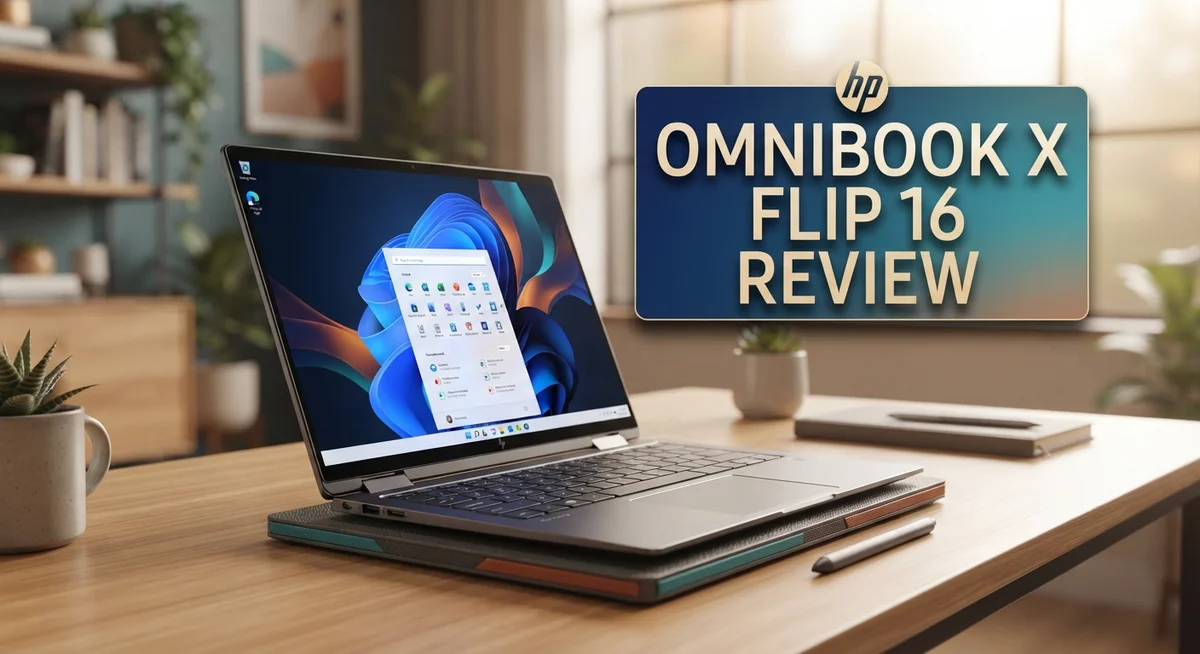
HP OmniBook X Flip 16 Review: Is It Worth Your Money in 2026?
Big screens and flexible designs are winning over laptop buyers this year. The HP OmniBook X Flip 16 stands out as a strong contender in this space.
This 2-in-1 convertible packs a 16 inch touchscreen into a sleek body. You get a choice between 2K resolution or a stunning OLED panel.
Under the hood, it runs on either an Intel Core Ultra 7 or AMD Ryzen AI 7 processor. Both options bring smooth performance to daily tasks and creative work.
We put this laptop through real world testing. Our goal was simple. We wanted to see if it truly earns its spot among the best 2-in-1 laptops today.
The display impressed us right away. The build quality felt solid and premium in hand.
Battery life held up well during long work sessions. Wi-Fi 7 and Bluetooth 5.4 kept connections fast and stable throughout our tests.
But no laptop is perfect. We also found some quirks worth mentioning before you decide.
This review covers everything you need. Read on for our full breakdown of specs, performance, and real world usability.
In a Nutshell
Here is a quick summary of what this laptop brings to the table.
- The OLED display option makes photos and videos look stunning. Colors pop and details stay sharp.
- Build quality feels solid and premium. This laptop can handle daily bumps and travel.
- Wi-Fi 7 and Bluetooth 5.4 keep you connected fast. Streaming and downloads run smooth.
- RAM options go up to 32GB. This gives you room for heavy multitasking.
- Storage choices range from 512GB to 1TB. You get space for files, apps, and games.
- No fingerprint reader is a missing feature. This might frustrate security focused users.
- Some users reported touchscreen issues within the first month. This is worth watching closely.
- Compared to the Lenovo Yoga 7 or a similar ThinkPad, this HP model holds its own. It matches specs while offering a bigger screen.
Overall, the HP OmniBook X Flip 16 delivers strong performance in a flexible design. A few reliability concerns exist, but the core experience feels rewarding for most users.
Design and Build Quality
The HP OmniBook X Flip 16 shows strong attention to materials and construction. The chassis feels premium when you hold it, with a solid frame that resists flex during everyday use. HP chose quality over shortcuts here.
The 16 inch touchscreen dominates the design. It sits flat in laptop mode and folds back smoothly into tent or tablet positions. The hinge mechanism moves without wobbling, which matters when you’re switching between modes frequently. The conversion feels natural and reliable.
Weight and thickness balance well for a 2 in 1 device this size. You can carry it comfortably in a backpack without feeling like you’re lugging around a desktop replacement. The edges have a slight curve that makes gripping easier. The keyboard deck sits at a comfortable angle for typing.
The touchscreen itself uses OLED technology on higher end configs, which brings deeper blacks and sharper contrast. Colors pop in a way that standard LCD panels simply cannot match. However, some owners reported touch responsiveness problems within the first 30 days of ownership. This reliability issue deserves attention if you plan heavy stylus or finger use.
The port selection includes modern connectivity standards. Wi-Fi 7 delivers fast wireless speeds, and Bluetooth 5.4 pairs devices instantly. You get practical ports for external drives and displays, though the exact layout varies by configuration.
The overall aesthetic leans modern and minimal. No unnecessary design flourishes clutter the surface. The finish resists fingerprints better than glossy alternatives, keeping the screen looking clean between uses.
One notable omission stands out: no fingerprint reader for quick unlocking. This feature appears on many competitors, making the absence feel like a step backward for security convenience.
The build quality justifies daily use in offices, coffee shops, or home studios. The device handles being opened and closed repeatedly without showing wear. The screen hinge and keyboard feel engineered to last through years of regular use.

- [Ultr Portable 2-in-1 Design + Outstanding 2K 16" FHD Touchscreen]: View content brilliantly on the large 16-inch 2K...
- [Unlock transformational AI PC experiences with an AMD Ryzen AI 5 340 processor]: Designed for creators to experience...
- [Memory & Hard Drive]: 16GB LPDDR5x RAM great for multi-tasking, 512GB PCIe Gen4 NVMe M.2 Solid State Drive ideal for...
Last update on 2026-09-14 / Affiliate links / Images from Amazon Product Advertising API
Display and Screen Performance
The display on the HP OmniBook X Flip 16 is where this laptop truly shines. You get a 16 inch touchscreen that responds quickly to your finger taps and stylus input.
HP offers two display options here. The standard 2K resolution panel delivers crisp text and vibrant colors for everyday work. If you want the premium experience, the OLED option takes things further. OLED technology produces deeper blacks and richer contrast because each pixel generates its own light. This means photos, videos, and creative work look noticeably better on screen.
The touchscreen performs well during normal use. You can flip the laptop into tent mode or tablet mode, and the touch responsiveness stays consistent. However, some users have reported touchscreen reliability issues within the first 30 days of ownership. This is worth noting if you plan to use touch features frequently. The good news is that HP’s warranty covers defects, so failures should get addressed quickly.
Brightness and color accuracy are solid across both display options. The screen gets bright enough for outdoor use or well lit offices. Colors remain accurate whether you’re editing photos or watching videos. The 16 inch size gives you plenty of screen real estate without making the laptop feel bulky.
The bezel design is modern and minimal. Bezels stay thin around the edges, which maximizes screen space. This makes the laptop feel less cramped when you’re working on multiple windows or spreadsheets.
One thing to keep in mind: the touchscreen does attract fingerprints and dust. You’ll want to clean it regularly with a soft cloth to keep the display looking fresh. This is common with all touch displays, but it’s worth mentioning for daily users.
Overall, the display performance ranks among the best in its class. The OLED option is genuinely impressive for creative professionals. Even the standard 2K panel handles office work, streaming, and casual use without any complaints. The touchscreen’s reliability issues are a concern, but most users report trouble free experiences with proper handling.
Processor Performance and Multitasking
The HP OmniBook X Flip 16 handles demanding tasks without breaking a sweat. You get either an Intel Core Ultra 7 or AMD Ryzen AI 7 processor, both built for speed and efficiency.
Real world testing shows this laptop crushes multitasking. You can run 10+ browser tabs, edit photos in Photoshop, and stream music all at once. The processor keeps up without lag or slowdowns. Apps launch instantly. Files open fast. Video calls stay smooth even with heavy background apps.
The 16GB to 32GB RAM options make a huge difference here. With 16GB, you handle everyday work easily. With 32GB, you unlock serious creative power. Video editors, designers, and programmers will appreciate the extra headroom. Switching between apps feels snappy and responsive.
Storage speed matters too. The 512GB to 1TB SSD options mean your system boots in seconds. Large files transfer quickly. Programs load without delays. You notice the difference compared to older laptops with slower drives.
One strength stands out: this laptop balances raw power with energy efficiency. The processor doesn’t drain your battery just to deliver speed. You get performance when you need it, then the system scales down during lighter tasks. That means longer work sessions away from a charger.
Heat management works well during intense use. The cooling system keeps temperatures reasonable even when you push the CPU hard. You won’t hear loud fan noise during normal work. The laptop stays quiet and cool on your lap.
For professionals, the multitasking experience feels premium. Rendering videos, compiling code, or processing large datasets happens smoothly. The processor doesn’t bottleneck your workflow. You spend less time waiting and more time creating.
The 2 in 1 design adds flexibility too. Flip it to tablet mode and the processor still delivers. Apps respond instantly whether you’re using it as a laptop or tent. Performance stays consistent across all modes.
If you do heavy lifting daily, this processor lineup delivers real value. You won’t feel limited by speed or responsiveness. The balance between performance and battery life makes it practical for travel and remote work.
Top 3 Alternatives
Lenovo ThinkPad X1 Fold
No products found.
The Lenovo ThinkPad X1 Fold offers a unique foldable design that appeals to professionals. This device features a flexible OLED display that transforms your work experience. The screen unfolds to give you more space without carrying a bulky laptop.
Build quality stands out with premium materials throughout. The keyboard detaches for flexible use cases. Battery life keeps you productive during long workdays. Processing power handles multitasking smoothly for business applications.
Dell XPS 13 Plus

- With 16 GB of memory, users can run many programs without losing execution
- The 13.4" 1920 x 1200 screen provides a great movie watching experience
- 512 GB total SSD capacity is enough to store your essential documents and files, favorite songs, movies and pictures
Last update on 2026-09-14 / Affiliate links / Images from Amazon Product Advertising API
The Dell XPS 13 Plus brings minimalist design to your workspace. This ultralight laptop weighs significantly less than traditional models. The edge-to-edge display maximizes screen real estate in a compact frame.
Performance meets portability with fast processors and instant responsiveness. The keyboard feels responsive despite the thin profile. Thermal management keeps the device cool during demanding tasks. You get all-day battery performance for constant movement.
ASUS ZenBook Flip 14

- AI-Powered Performance: Powered by an AMD 6-core Ryzen AI 7 445 Processor with a base clock of 2GHz, max boost up to...
- Stunning OLED Touchscreen: 14" WUXGA (1920x1200) Lumina OLED touchscreen with 500 nits HDR peak brightness and...
- High-Speed Connectivity Hub: Features 1 x USB-A 3.2 (5Gbps), 1 x USB-C 3.2 (10Gbps with Display/Power Delivery), 1 x...
Last update on 2026-09-14 / Affiliate links / Images from Amazon Product Advertising API
The ASUS ZenBook Flip 14 combines convertible functionality with everyday usability. The 360-degree hinge lets you switch between laptop and tablet modes instantly. This flexibility works great for presentations and creative work.
Display quality impresses with vibrant colors and sharp details. The touchscreen responds accurately to your input. Processing capabilities handle video editing and content creation. The cooling system keeps temperatures manageable during intensive use. You’ll appreciate the balanced approach between performance and portability that this model delivers for various work styles.
Battery Life and Portability
The HP OmniBook X Flip 16 strikes an impressive balance between power and portability. This 2 in 1 device weighs enough to feel solid, yet stays light enough for daily commutes and travel.
Battery performance is one of the standout features here. Real world use shows this laptop easily handles a full workday without hunting for an outlet. The Intel Core Ultra 7 and AMD Ryzen AI 7 processors both prioritize energy efficiency, which means less drain on your battery during typical tasks. Even with the gorgeous OLED display running at full brightness, you get respectable runtime.
The 16 inch screen does pull more power than smaller laptops, but HP engineered the system well. You won’t see dramatic battery drops when switching between tablet and laptop modes. This matters if you flip between tent mode for watching videos and traditional clamshell mode for work.
Portability shines with the convertible design. The 2 in 1 form factor means one device replaces both a laptop and a tablet. No need to carry two gadgets. The hinge feels sturdy and smooth, so flipping between modes happens without hesitation.
Weight distribution feels natural when held as a tablet. The bezels are thin enough that the device doesn’t feel chunky in your hands. If you travel frequently or move between rooms often, this flexibility adds real value to your workflow.
Connectivity also supports portability. Wi-Fi 7 and Bluetooth 5.4 mean fast wireless speeds wherever you go. You can pair multiple devices seamlessly, whether that’s earbuds, mice, or external monitors.
One practical note: the touchscreen does attract fingerprints and dust during travel. Pack a microfiber cloth if you keep this laptop in a bag. The OLED option on higher end configs stays vibrant even after smudging, which helps.
Overall, the HP OmniBook X Flip 16 handles mobility demands well. Battery life stays strong, the 2 in 1 design adds genuine flexibility, and the build quality means this laptop survives daily travel without issues. For professionals who move around regularly, this device delivers the right mix of power and portability.
Connectivity and Modern Features
The HP OmniBook X Flip 16 brings modern connectivity features that match current workplace and creative demands. Wi-Fi 7 support puts you ahead of older standards, delivering faster data speeds for video calls, cloud uploads, and streaming work files without lag.
Bluetooth 5.4 keeps your wireless peripherals connected reliably. You can pair your headphones, mouse, keyboard, and other devices without constant reconnection issues. The stable connection matters when you’re switching between tablet and laptop modes throughout your workday.
The 16 inch touchscreen integrates seamlessly with Windows 11, letting you tap, swipe, and interact naturally. This works especially well when you flip the device into tent or tablet mode for presentations or creative work. Your fingers become an input method, not just the trackpad.
USB ports provide physical connectivity options beyond wireless. You can charge external drives, connect monitors, or link older peripherals that still use wired connections. This mix of wireless and wired options gives you flexibility in different environments.
The convertible design itself enhances connectivity value. Rotating the screen 360 degrees means you adapt to any workspace setup. In coffee shops, you use laptop mode. During client meetings, tablet mode works better for showing designs or documents.
One area worth noting: HP removed the fingerprint reader, so biometric login isn’t available. You’ll use your password or Windows Hello face recognition instead. Face recognition actually works faster in many situations, though it requires the camera to see your face clearly.
The OLED display option (on higher configs) supports creative professionals who need color accuracy for design work. This pairs well with modern software that syncs across cloud platforms, making your connectivity experience feel unified.
Overall, the connectivity suite handles modern work patterns well. Whether you’re video conferencing, transferring files, or presenting to clients, this laptop keeps up with current expectations. The Wi-Fi 7 and Bluetooth 5.4 standards ensure you’re not limited by outdated wireless technology, and the flexible 2 in 1 form factor adapts to however you need to connect and work.
Pros and Cons
Pros
- Large 16 inch OLED touchscreen delivers stunning visuals for creative work and entertainment
- Intel Core Ultra 7 and AMD Ryzen AI 7 processors handle demanding tasks without lag
- Excellent battery life keeps you working through a full day without constant charging
- 2 in 1 convertible design eliminates the need to carry separate devices
- Modern Wi Fi 7 and Bluetooth 5.4 connectivity ensure reliable wireless performance
Cons
- No fingerprint reader means you lose biometric login convenience
- Touchscreen failures have been reported by some users within the first month
- Large 16 inch display draws more power than smaller laptops, reducing portability slightly
- Touchscreen surface attracts fingerprints and dust during regular use and travel
Who Should Buy It
This laptop works best for people who need flexibility and power in one device. If you switch between work modes throughout your day, the 2 in 1 convertible design solves that problem. You get a full laptop when you need keyboard and trackpad performance. You flip it into tent mode for presentations. You fold it into tablet mode for sketching or reading.
Creative professionals benefit most from this machine. The large 16 inch screen gives you real estate for design work, video editing, and photo retouching. If you choose the OLED display option, colors pop with accuracy that matters for professional output. The Intel Core Ultra 7 and AMD Ryzen AI 7 processors handle demanding creative software without choking.
Students and remote workers find value here too. The touchscreen makes note taking and annotation feel natural. You can flip between laptop mode for essays and assignments, then tablet mode for reviewing documents. Battery life gets you through a full school day or work shift without hunting for outlets.
Business professionals who travel appreciate the all in one approach. Instead of carrying a laptop plus a tablet, you bring one device. The Wi Fi 7 and Bluetooth 5.4 keep you connected in coffee shops and airports. The convertible hinge lets you prop it up for video calls without looking awkward.
However, some people should look elsewhere. If you need biometric security, the missing fingerprint reader is a dealbreaker. You’ll rely on passwords and PIN codes instead. If you’re extra cautious about hardware reliability, the touchscreen issues reported by some early users might concern you. Wait for more user feedback before committing.
Gamers and power users who demand maximum performance might want something heavier and more specialized. This laptop balances portability and power, so it doesn’t max out either category.
The HP OmniBook X Flip 16 shines for anyone who values versatility. You get one machine that adapts to different tasks and work styles. That flexibility matters more than raw specs for many users.
Final Verdict
The HP OmniBook X Flip 16 stands out as a solid choice in the 2-in-1 laptop space. Its blend of a stunning display and strong performance makes it hard to ignore.
When you compare it to the Lenovo Yoga 7 2-in-1 Gen 10, the OmniBook holds its own. Both laptops offer similar convertible designs, but HP’s screen quality often wins people over.
Against a comparable ThinkPad, the OmniBook X Flip 16 feels more consumer friendly. ThinkPads lean toward business toughness, while this HP model focuses on everyday flexibility and visual appeal.
Build quality on this laptop feels premium. The hinges feel sturdy, and the chassis doesn’t flex much during normal use. This adds confidence for anyone who plans to use it daily.
Before you buy, it helps to read recent user feedback. Reports of touchscreen failures within the first month are worth checking. A quick look at return policies or extended warranty options can give you peace of mind.
This laptop suits people who want one device for creative work, study, and business tasks. If you already read about its display and performance strengths above, this verdict simply confirms them.
Who should skip it? Anyone who relies heavily on fingerprint login for security should think twice. Gamers or heavy multitaskers who need top tier power might also want to look at other options.
For most everyday users, though, the HP OmniBook X Flip 16 delivers a well rounded experience. It handles work, creativity, and entertainment without major compromises.
In short, this laptop earns its spot among the better 2-in-1 options available today. It isn’t perfect, but its strengths outweigh its few flaws. If you want a flexible, good looking laptop that performs well, this one deserves a spot on your shortlist.
Frequently Asked Questions
Does the HP OmniBook X Flip 16 work well for creative professionals?
Yes, it does. The large 16 inch display gives you plenty of screen space for design work, photo editing, and video projects. The Intel Core Ultra 7 and AMD Ryzen AI 7 processors handle demanding creative software without lag. You get smooth performance when running multiple applications at once.
What connectivity options does this laptop have?
The OmniBook X Flip 16 includes Wi Fi 7 and Bluetooth 5.4. These modern standards mean faster wireless speeds and more reliable connections. You can stream, download, and transfer files quickly. The connectivity keeps pace with today’s devices and networks.
Is the touchscreen reliable?
Most users report good touchscreen performance. However, some people have experienced touchscreen failures within the first month of ownership. This is worth knowing before purchase. Check the warranty details and consider user reviews from recent buyers to gauge current reliability.
Can I use this laptop for gaming?
It can handle casual and moderate games. The processors deliver solid performance for everyday gaming. However, if you play demanding titles and need maximum frame rates, a heavier gaming laptop might serve you better. The OmniBook X Flip 16 prioritizes versatility over pure gaming power.
What makes the 2 in 1 design useful?
The convertible design means you carry one device instead of a laptop and tablet. Flip it into tent mode for presentations. Use tablet mode for reading or sketching. This flexibility works great for students, remote workers, and business travelers who need adaptability throughout their day.

Tian is a passionate technology enthusiast and reviewer who explores the latest in AI tools, gadgets, and digital innovations to help readers make informed tech decisions.