CRUA Monitor Review: Curved Gaming Display Quality & Features
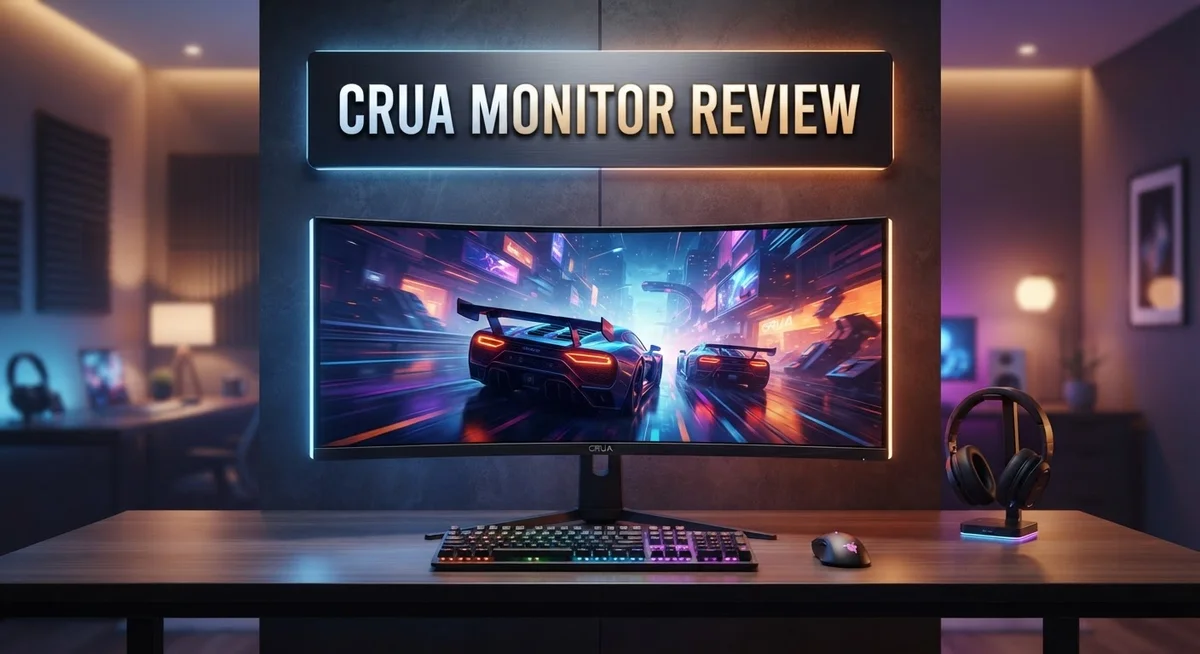
Are you looking for a new curved monitor? The Crua monitor might catch your eye. It promises smooth gameplay and vivid colors.
This monitor comes in sizes from 24 inches to 34 inches. It offers a curved design that pulls you into the action. Gamers often want speed and clarity, and this screen aims to deliver both.
We tested its features to see if it holds up. Refresh rates reach up to 240Hz, which sounds impressive on paper. The 1800R curve and VA panel also promise an immersive view.
But does it perform well over time? Some users report durability issues. Others love the color coverage and smooth visuals.
In this review, we break down the good and the bad. You will learn if this monitor fits your setup. Let’s explore what makes it stand out, and where it may fall short.
In a Nutshell
Here is a quick look at what the Crua monitor offers.
-
Curved viewing experience. It uses a 1800R curve with a VA panel for immersive gaming and movies.
-
Fast refresh rates. You get options from 100Hz to 240Hz, giving smooth motion for fast paced games.
-
Sharp color output. The panel covers 120% sRGB, so colors look vivid and accurate.
-
Quick response time. A 1ms GTG rating helps reduce motion blur during action scenes.
-
Flexible connections and setup. It supports HDMI and DP inputs plus wall mount compatibility for tidy setups.
-
Adjustable stand design. You can change height, tilt, swivel, and pivot to find your best angle.
-
Watch out for durability. Some users noted frequent failures over time, so long term reliability is a concern.
This monitor blends smooth performance with a stylish curve. Just weigh the reliability reports before you decide.
Display Specifications and Panel Technology
The CRUA monitor uses a VA panel technology that sits between IPS and TN panels in the display hierarchy. VA panels excel at producing deep blacks and strong contrast ratios, which makes them popular for gaming and movie watching. The 1800R curve works with this panel type to pull your eyes toward the center of the screen for a more immersive experience.
Color accuracy and vibrancy matter when you spend hours in front of a screen. This monitor delivers 120% sRGB color coverage, meaning it reproduces colors beyond the standard sRGB spectrum. Your games, videos, and creative work will show richer reds, greens, and blues compared to basic monitors. The VA panel helps maintain color consistency even when you view the screen from an angle.
The 1ms GTG response time keeps motion sharp during fast action. GTG stands for gray to gray, which measures how quickly pixels shift between shades. A 1ms rating ranks among the fastest available, so you won’t see ghosting or trailing when objects move rapidly across the screen. This matters most in competitive shooters and racing games.
Refresh rate options range from 100Hz to 240Hz depending on which CRUA model you choose. Higher refresh rates mean smoother animations and less stuttering. A 240Hz panel delivers the smoothest experience, though you need a powerful graphics card to push that many frames. Even 100Hz provides noticeably smoother motion than standard 60Hz office monitors.
The curved design works with these panel specs to reduce eye strain. Your eyes don’t need to refocus as much when the entire display curves toward you. Combined with the VA panel’s natural contrast and the fast response time, this creates a comfortable viewing setup for extended sessions.
Connectivity options include HDMI and DisplayPort inputs. Both support the monitor’s refresh rates and resolution, so you can choose based on what your PC or console offers. Wall mount compatibility adds flexibility if you prefer a minimalist desk setup.

- Smooth Curved Gaming for Everyday Use: This 23.8-inch curved gaming monitor features FHD 1920×1080 resolution, 2800R...
- Vivid Color for Gaming, Work, and Media: With 120% sRGB color gamut, 250 cd/m² brightness, 8-bit color, 16.7 million...
- FreeSync Performance with Eye Comfort: Built with AMD FreeSync technology, this gaming monitor helps reduce screen...
Last update on 2026-09-20 / Affiliate links / Images from Amazon Product Advertising API
Design and Build Quality
The CRUA monitor’s physical construction reveals both strengths and weaknesses worth examining closely. The curved chassis itself looks sleek and modern, with the 1800R curvature creating an attractive profile that appeals to gamers and content creators alike.
The stand deserves particular attention here. You can adjust height, tilt, swivel, and pivot to match your desk setup. This flexibility means most users find a comfortable viewing angle without extra equipment.
Build materials show signs of compromise. The monitor uses standard plastic housing rather than premium metals or reinforced frames. This choice affects durability significantly. Multiple users report failures within months of purchase, which raises red flags about long term reliability.
The panel mounting feels solid during initial setup, but the overall construction doesn’t inspire confidence for heavy use scenarios. The bezels are reasonably thin, keeping the monitor compact on your desk.
Connectivity placement is practical. HDMI and DisplayPort inputs sit on the back panel with clear labeling. Wall mount compatibility adds flexibility if you prefer a mounted setup over a stand.
The curved design itself uses a VA panel technology that maintains structural integrity better than TN panels. However, the supporting frame around the panel lacks the robust engineering found in higher tier monitors. Hinges connecting the stand to the display feel somewhat loose, and some users notice wobbling during use.
Heat management appears adequate for normal gaming sessions. Ventilation slots exist around the back casing, though dust accumulation could become an issue over time.
The overall aesthetic works well in modern gaming setups. The curved screen creates visual appeal that photographs nicely. The matte finish on the bezel reduces fingerprints and glare.
The durability concern remains the biggest issue. While the design looks attractive and the stand offers good adjustment options, the build quality doesn’t match the visual presentation. Users expecting this monitor to last several years may face disappointment. The materials used prioritize appearance and initial function over longevity, which is a critical trade off to understand before purchasing.
Gaming Performance and Refresh Rates
When you fire up competitive games, the CRUA monitor delivers smooth performance thanks to its refresh rate options. You can choose between 100Hz, 144Hz, or 240Hz models depending on your gaming needs. Higher refresh rates mean faster frame updates on screen, which translates to smoother gameplay during intense action sequences.
The 1ms GTG response time keeps motion sharp and clear. This speed helps eliminate ghosting effects when you’re tracking fast moving targets or panning across game environments. You’ll notice the difference most in first person shooters and racing games where quick reactions matter.
AMD FreeSync support eliminates screen tearing during gameplay. Your monitor syncs with your graphics card output, so frames display smoothly without stuttering or visual artifacts. This feature works particularly well if you run an AMD GPU system.
The VA panel technology provides good contrast ratios compared to standard TN panels. Dark areas stay dark, and bright areas remain vibrant. This means you spot enemies hiding in shadows more easily during competitive matches. The 120% sRGB color coverage ensures game graphics display with accurate colors and detail.
The curved 1800R design wraps around your field of vision. This curvature reduces the distance between your eyes and screen edges, creating an immersive viewing experience. Games feel more engaging when you’re surrounded by the action rather than staring at a flat surface.
However, durability concerns affect long term performance reliability. Some users report the monitor fails sooner than competitors in the gaming market. The build quality shows compromises in materials and construction methods. You might experience issues after extended heavy use sessions.
The dimmer panel output compared to other gaming monitors can be a drawback. You may need to adjust brightness settings higher than expected in bright rooms. This affects overall image quality and could cause eye fatigue during marathon gaming sessions.
Despite these limitations, the CRUA monitor handles refresh rates and response times competently for casual to moderate gaming. The smooth motion and color accuracy suit most players who don’t demand premium durability or extreme brightness levels.
Top 3 Alternatives
ASUS ProArt Display

- High-Resolution Display: 27-inch 4K (3840 x 2160) LED backlight HDR display with 178 wide-view IPS panel
- Wide Color Gamut Coverage: 99% DCI-P3 and 99% Adobe RGB coverage for accurate and vibrant color reproduction
- Factory Calibrated Accuracy: Calman Verified and factory pre-calibrated to Delta E < 2 color accuracy for professional...

Last update on 2026-09-20 / Affiliate links / Images from Amazon Product Advertising API
The ASUS ProArt Display offers professional-grade color accuracy for creative work. This monitor delivers wide color gamut coverage and factory calibration. You get consistent results across design, photo editing, and video production tasks.
The display features excellent brightness levels and contrast performance. Adjustable stands let you find your ideal viewing angle quickly. USB-C connectivity simplifies your workflow by combining power, data, and video into one cable.
BenQ SW240 Monitor

- 【Optimized for Both Work and Play】24 Inch 1080P FHD IPS computer monitor features an edge-to-edge display that...
- 【Eye-care Tech】Our exclusive Eye-Care technology reduces eye fatigue for optimal comfort, productivity and allows...
- 【Brightness Intelligence】Optimizes display performance for work and play to protect your vision while providing a...
Last update on 2026-09-20 / Affiliate links / Images from Amazon Product Advertising API
BenQ SW240 brings precision color management to your creative setup. This monitor includes hardware calibration ports for maintaining accurate colors over time. The smaller screen size works well for detailed work and tight workspaces.
You’ll appreciate the built-in color presets for different applications. The monitor supports multiple input options for flexible connectivity. Ergonomic adjustments help reduce neck and eye strain during long sessions.
Dell UltraSharp Monitor

- 4K UHD IPS Black Display with Factory Calibration: 3840 x 2160 resolution and 99% DCI-P3 color coverage calibrated to...
- 120Hz Refresh Rate and 5ms Response Time: Smooth, fluid motion with reduced blur for fast-paced workflows and seamless...
- Thunderbolt 4 Single Cable Solution: Transmits video, data, and up to 140W power simultaneously, with daisy chain...
Last update on 2026-09-20 / Affiliate links / Images from Amazon Product Advertising API
Dell UltraSharp monitors deliver sharp image quality and reliable performance. These displays feature IPS panels that maintain color accuracy from different viewing angles. The build quality feels solid and professional for any workspace.
Dell UltraSharp models offer comprehensive connectivity options including USB-C on select versions. Adjustable stands provide height, tilt, and swivel capabilities. The monitors come with good warranties and customer support, giving you peace of mind with your investment.
Each option serves different needs. ASUS ProArt excels in color precision. BenQ SW240 suits compact workspaces. Dell UltraSharp balances quality and value. Choose based on your specific workflow requirements.
Color Accuracy and Visual Quality
The CRUA monitor’s color accuracy depends heavily on its 120% sRGB coverage. This means the display reproduces colors beyond standard sRGB space, giving you more vibrant visuals for gaming and general use. The VA panel technology plays a crucial role here because VA panels naturally deliver stronger contrast and deeper blacks compared to TN alternatives.
When you look at the screen, colors appear punchy and well saturated. The VA panel excels at showing dark scenes with detail intact. This matters if you play horror games or watch movies with lots of shadows. You get better color separation in dimly lit scenes.
However, the CRUA monitor runs dimmer than many competitors on the market. Brightness levels fall short when you use the monitor in bright rooms or near windows. You may need to adjust ambient lighting to get the best viewing experience. The lower brightness also affects how vibrant colors appear during daytime use.
The curved 1800R design contributes to visual quality in a specific way. Curvature reduces reflections from side angles and creates a more immersive viewing experience. Your eyes perceive colors more consistently across the entire screen because the panel sits at a uniform distance from your face.
Color accuracy remains acceptable for casual gaming and everyday work. The 120% sRGB coverage handles most content well. However, if you do professional photo or video editing, you should consider monitors with factory calibration certificates. The CRUA monitor lacks this level of precision.
The VA panel’s contrast ratio provides excellent black levels. You see more detail in dark areas compared to IPS panels. This creates a more dramatic visual experience during gameplay and movie watching. The tradeoff is that viewing angles aren’t as wide as IPS technology offers, so side viewing causes color shifts.
Overall, the CRUA monitor delivers solid color performance for gaming. The 120% sRGB coverage and VA panel technology work together effectively. Just remember that brightness limitations and lack of professional calibration mean this monitor suits casual users better than professionals seeking color accuracy.
Connectivity and Ergonomic Features
The CRUA monitor offers solid connectivity options that fit modern gaming setups well. You get both HDMI and DisplayPort connections, so you can link your PC, console, or other devices without hassle. The port placement sits in a practical location on the back panel, making cable management straightforward.
Wall mounting compatibility adds flexibility to your desk arrangement. The monitor supports standard VESA mounting patterns, which means you can attach it to an arm or wall bracket if you prefer a cleaner look. This feature gives you more control over your workspace layout.
The adjustable stand deserves attention because it handles multiple positioning needs. You can adjust the height, pivot the screen, swivel it side to side, and tilt it up or down. These movements let you find the perfect viewing angle for your body and reduce neck strain during long gaming sessions. The stand feels responsive when you make adjustments, though the overall build quality raises some concerns about long term durability.
Ergonomic design matters when you spend hours at your desk. The curved 1800R display wraps around your field of vision, which reduces eye fatigue compared to flat screens. Your eyes don’t have to work as hard to focus on different parts of the screen since everything sits at roughly the same distance from your face.
The monitor’s dimensions work well for most gaming desks. Whether you choose the 24 inch or 34 inch ultrawide option, the curved design takes up space efficiently. The curved panel also helps with immersion during gameplay, pulling your attention toward the center of the screen naturally.
One limitation worth noting: the dimmer panel output can affect visibility in bright rooms. You might need to adjust ambient lighting or increase brightness settings for comfortable viewing during daytime hours. The VA panel technology provides excellent contrast, which helps compensate for the lower brightness in darker environments. Overall, the connectivity and ergonomic features work together to create a functional gaming monitor that adapts to different setups and user preferences.
Pros and Cons
Pros
- Curved 1800R design wraps around your vision for an immersive viewing experience
- Smooth refresh rates from 100Hz to 240Hz keep motion sharp during competitive gaming
- 1ms GTG response time eliminates motion blur when you need split second reactions
- AMD FreeSync removes screen tearing for seamless gameplay
- Adjustable stand lets you customize height, pivot, swivel, and tilt to fit your setup
Cons
- Durability issues and frequent failures reported by users over time
- Dimmer panel output makes visibility harder in bright rooms compared to competitors
- VA panel brightness lags behind other gaming monitors in its class
- Build quality concerns affect long term reliability and longevity
Who Should Buy It
The CRUA monitor works best for specific types of users with clear needs and expectations.
Casual gamers benefit most from this display. If you play games like MOBAs, strategy titles, or single player adventures at moderate intensity, the 100Hz to 240Hz refresh rate keeps motion smooth. The 1ms response time handles your inputs without lag. You won’t need cutting edge performance, so the CRUA monitor delivers what you actually use.
Budget conscious buyers find value here. You get a curved screen with decent specs without stretching your wallet. The 120% sRGB color coverage and VA panel contrast make games and movies look engaging. The curved 1800R design wraps your vision for immersion. If you want these features without premium pricing, this monitor fits your situation.
Everyday users who mix work and light gaming appreciate the adjustable stand. You can customize height, pivot, swivel, and tilt to match your desk setup. Wall mounting compatibility adds flexibility too. The monitor handles spreadsheets, web browsing, and casual gaming equally well.
Who should skip it? Professional gamers need better reliability. The CRUA monitor shows durability concerns and frequent failures reported by users. If you compete seriously, you want equipment you can trust completely. Competitive shooters also benefit more from brighter panels. The dimmer output makes visibility harder in bright rooms, which hurts your reaction time advantage.
Content creators and designers should look elsewhere. While color coverage reaches 120% sRGB, the dimmer brightness limits your ability to see details accurately. You need monitors that maintain brightness consistency for color critical work.
High refresh rate enthusiasts at 240Hz might experience disappointment. The dimmer panel and durability questions make this monitor less suitable for extended sessions where you demand maximum performance.
The CRUA monitor serves casual gamers and budget buyers well. It handles everyday tasks smoothly. Just remember that durability concerns and brightness limitations mean it works best for users who prioritize features over longevity.
Final Verdict
The CRUA monitor stands out as a solid pick for gamers who want an immersive curved screen. It brings sharp motion, vibrant colors, and flexible ergonomics to any desk setup.
Its strengths shine in everyday use. Casual gaming sessions, movie nights, and light work tasks all feel smooth on this display.
However, this monitor comes with real tradeoffs. Reliability remains a concern based on user feedback over time.
If you plan to use your monitor for years without issues, weigh this factor carefully. Some buyers report screens failing sooner than expected.
Who wins here? Anyone starting their gaming journey or upgrading from an older monitor will notice a big difference. The curved design and fast refresh rates make games feel alive.
Professionals who need color accuracy for design work should look at other options. Competitive gamers chasing every frame at high refresh rates might also want something more consistent.
Think about how you plan to use this screen daily. Light to moderate use suits this monitor well. Heavy, nonstop gaming marathons might expose its weaker points faster.
The build quality does not match premium monitors from bigger brands. That said, the visual experience it delivers still feels impressive for its category.
Consider your priorities before deciding. Do you want stunning visuals now, or long term durability above everything else?
If style, curve, and smooth gameplay top your list, this monitor delivers. If you need a screen that lasts many years without any hiccups, you might want to explore alternatives.
Bottom line: The CRUA monitor offers an enjoyable gaming experience with a few caveats. Buyers who understand its limitations tend to walk away satisfied.
Match your expectations to what this monitor actually offers. Doing so helps you avoid disappointment down the road.
This screen works best as a stepping stone or secondary display rather than a lifetime investment. Keep that in mind before you decide.
Frequently Asked Questions
Is the CRUA monitor good for streaming and content creation?
The CRUA monitor works best for casual use rather than professional content creation. The VA panel delivers 120% sRGB color coverage, which is decent for everyday tasks. However, the dimmer brightness output limits your ability to see colors accurately in different lighting conditions.
If you create content regularly, you’ll want a monitor with higher brightness and more precise color calibration. The CRUA falls short here compared to monitors specifically built for design work.
Can I use this monitor for both gaming and office work?
Yes, the CRUA handles mixed use well. The adjustable stand lets you position the screen exactly how you need it for long work sessions. The curved 1800R design wraps around your vision, which some users find comfortable for extended screen time.
The 1ms response time and smooth refresh rates benefit gaming, while the 120% sRGB coverage helps with document work and basic photo viewing. Just keep in mind the dimmer panel might strain your eyes in bright offices.
How long will this monitor last before it fails?
This is where the CRUA shows real weakness. Users report frequent failures and durability concerns over time. The build quality does not match premium monitors from bigger brands.
If you plan to use your monitor for years without issues, this is a major consideration. Expect potential problems sooner than you would with established competitors. Treat this as a shorter term investment rather than a long term purchase.
Does the CRUA monitor work with my gaming console?
The CRUA includes HDMI and DisplayPort connectivity, so it connects to most gaming consoles without issues. The 240Hz refresh rate and AMD FreeSync support give you smooth gameplay on compatible systems.
Just check your console’s output specifications before buying. The curved design and fast response time create an engaging gaming experience on PlayStation and Xbox platforms.

Tian is a passionate technology enthusiast and reviewer who explores the latest in AI tools, gadgets, and digital innovations to help readers make informed tech decisions.