Samsung Galaxy S26 Plus Review: Display, Cameras, Galaxy AI and Performance Tested
Are you ready for a phone that feels fast and smooth every day? The Samsung Galaxy S26 Plus aims to deliver exactly that. Many people want a device that handles work, games, and photos without any lag.
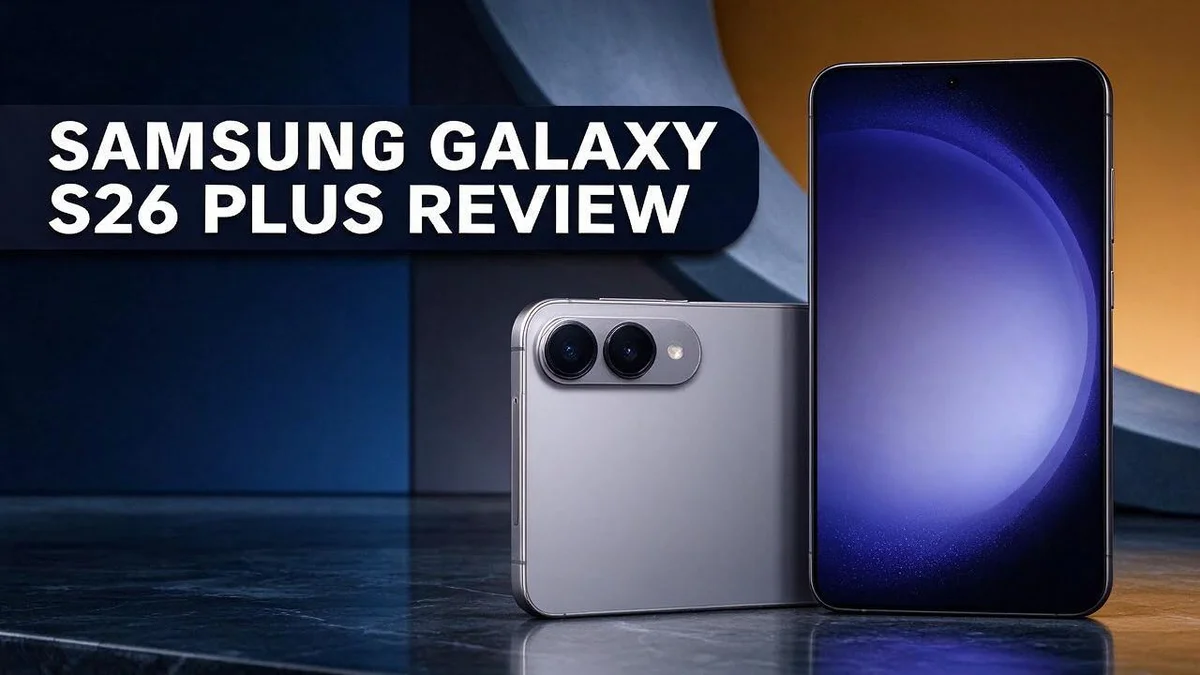
Its bright 6.7 inch display uses LTPO AMOLED technology with a sharp 1440×3120 resolution. Inside sits a 4,900mAh battery that supports Super Fast Charging 2.0.
The phone runs One UI 8.5 on Android 16. It also offers Galaxy AI features and storage options of 256GB or 512GB.
So, is this phone right for you? This review covers performance, cameras, AI tools, and the downsides you should know. Let’s get started.
In a Nutshell
- Strong daily speed: Apps open quickly, and scrolling feels accurate. Routine tasks stay simple and fast, even on busy days.
- Solid battery life: The 4,900mAh battery gives the phone good stamina. Super Fast Charging 2.0 also refills the battery in less time.
- Video that stands out: You can record 8K and 4K video on both the main and selfie cameras. Triple rear lenses also offer flexible framing for different scenes.
- Camera trade-offs: Some rivals take sharper photos, and ITdaily says these cameras lag behind. The dedicated Night mode is also gone, so dark scenes need extra care.
- Mixed AI results: Galaxy AI features offer helpful tools. However, AT&T rates the AI functionality only 2.3 out of 5.
- Who should buy: This phone suits people who want strong video features and a fast, customizable experience. Shoppers who care most about the best camera or AI may prefer the Galaxy S26 Ultra.
Display and Design

- TYPE IT IN. TRANSFORM IT FAST: Enhance any shot in seconds on your smartphone by using Photo Assist² with...
- MAKE IT. EDIT IT. SHARE IT: Turn everyday moments into something personal with creative tools built right into...
- FAST. POWERFUL. AI-READY: Power through your day with AI-accelerated performance from our fastest, smoothest...

Last update on 2026-11-07 / Affiliate links / Images from Amazon Product Advertising API
Many people judge a phone by its screen first. The Samsung Galaxy S26 Plus puts a large, clear panel at the center of daily use.
Colors look lively, and text stays crisp. News pages, photos, and streaming shows look clean and detailed.
Brightness matters most when you step outside. The screen stays easy to read in daylight, so maps and messages remain clear.
Smooth motion comes from the LTPO panel. It adjusts its refresh rate based on what you do.
Scrolling stays fluid. When content sits still, the screen can slow down to save power.
The design keeps things simple. Clean edges and a balanced build feel comfortable during long calls or reading sessions.
Size is the main compromise. ITdaily calls this model an “unnecessary middle step” between the base phone and the Ultra.
Bigger does not always mean better. Some people want extra room, while others prefer a phone that is easier to hold.
A large display can strain your thumb when you reach the top corners. Many users turn on one hand mode to keep control.
Customization adds a personal touch. You can choose display modes, adjust text size, and tune the screen to match your taste.
This helps the phone feel like yours from the first day.
Fingerprints can show on glossy surfaces. A case or a quick wipe keeps the screen looking fresh.
The S26 Plus suits people who value a sharp screen and a comfortable grip. It works well for watching videos, reading articles, and playing games. If you prefer a compact phone, the smaller base model may feel easier to manage.
Performance and Galaxy AI
Performance feels accurate and responsive. Reviewers describe the Galaxy S26 Plus as snappy in everyday use. Your taps register quickly, so typing and scrolling feel natural.
Switching between tasks stays simple. You can move from messages to maps or a web page without waiting. The phone keeps the flow steady, even when you jump between several apps.
Long sessions feel consistent. The phone holds its pace over a full day of calls, chats, and photos. Steady handling matters most when you rely on your phone for both work and play.
Galaxy AI adds helpful extras. Samsung builds these tools into One UI 8.5, so you can use them inside apps you already open. Live translation and photo editing are examples of features many people may use often.
Everyday chores can take less time. AI tools can help you clean up images or draft short notes. Small time savings add up across a busy week.
AI results vary from person to person. AT&T gives the AI functionality a score of 2.3 out of 5. That rating shows that many features still need polish.
Treat AI as a bonus. Try each tool before you decide it matters to you. If you want quick summaries or translations, test them in your normal routine during the first week.
Performance stands out more than AI. Speed and smooth handling give the phone its real strength. Galaxy AI works best as a helpful extra rather than the main reason to choose this model.
Who benefits most from this setup? People who want fast daily performance will feel right at home. Users who expect advanced AI should keep their expectations realistic.
Camera and Video Quality
The camera setup on the Galaxy S26 Plus gives you plenty of room to experiment. Here is what you can expect from each part of the system.
The triple rear cameras cover many situations. You can capture wide landscapes, everyday scenes, and zoomed subjects. Each lens gives you a different look without extra gear.
Selfie autofocus keeps you sharp. The 12MP front camera locks onto your face as you move. This helps video calls and vlogs look clear.
Night mode is gone. Samsung removed the dedicated Night mode, so low light shots rely on standard settings. This matters if you often shoot after sunset or at indoor events.
Steady clips need a real test. Try recording while you walk or ride a bus. This shows how smooth your footage looks in daily life.
Good light makes photos shine. Natural daylight helps colors look true and details stay clear. Indoor or shady spots may show more grain, so try shooting near a window.
Selfie video works well for creators. The front camera pairs well with autofocus. You can record yourself with less effort and still keep the frame sharp.
Clean lenses make a big difference. Small smudges can blur details, especially in dim rooms. A quick wipe before each shot helps your pictures stay clear.
Compare with the Galaxy S26 Ultra. If photos are your top priority, the Galaxy S26 Ultra may suit you better. Pick the Plus if video features and a manageable size matter more.
Who benefits most? Vloggers and casual shooters will likely enjoy the video tools. Photography fans should test the camera in person before they decide.
Test before you commit. Take a few shots in your usual spots. Your own results will show whether this camera fits your daily habits.
Top 3 Alternatives
Google Pixel 10

- Google Pixel 10 is the everyday phone unlike anything else; it has Google Tensor G5, Pixel’s most powerful...
- Unlocked Android phone gives you the flexibility to change carriers and choose your own data plan[2]; it works...
- Unlocked Android phone gives you the flexibility to change carriers and choose your own data plan[2]; it works...
Last update on 2026-11-07 / Affiliate links / Images from Amazon Product Advertising API
Google Pixel 10 is a strong pick for people who love smart photo tools. It runs on Google’s Tensor G5 chip. Features like Magic Eraser and Best Take help you fix photos fast.
Android updates come straight from Google. You also get several years of security patches, so your phone stays safe for longer. Call Screen can also block spam calls for you.
iPhone 17

- This phone is unlocked and compatible with any carrier of choice on GSM and CDMA networks (e.g. AT&T...
- Please check with your carrier to verify compatibility.
- When you receive the phone, insert a SIM card from a compatible carrier. Then, turn it on, connect to Wi-Fi...
Last update on 2026-11-07 / Affiliate links / Images from Amazon Product Advertising API
The iPhone 17 suits anyone who wants a simple and smooth experience. It uses Apple’s A19 chip, which handles games and video editing with ease. Apple also supports its phones for many years.
Everything works together across Apple devices. Messages, photos, and files sync without extra setup. The camera system also takes sharp photos in low light.
OnePlus 13

Last update on 2026-11-07 / Affiliate links / Images from Amazon Product Advertising API
The OnePlus 13 offers fast performance and quick charging. It runs on Snapdragon 8 Elite, a powerful chip for heavy multitasking. Its large screen makes videos and web pages look bright and clear.
Battery life often lasts a full day. Fast charging gets you back to full power in less time. It also suits gamers who want steady frame rates.
Battery and Charging
The Galaxy S26 Plus packs a 4,900mAh battery inside its frame. Think of it as the fuel tank for your daily routine. A bigger tank gives you more room to wander before you need a refill.
Battery life depends on how you use the phone. Heavy gaming and long video calls drain power faster than reading articles. Your habits shape the result more than the number alone.
Short top ups fit into busy days. Plug in during a lunch break or while you get ready in the morning. A quick boost can carry you through an evening out.
Super Fast Charging 2.0 helps the phone refill in less time. You can grab a snack and return to a phone that has gained real power. Use a compatible charger to get the best speed.
Overnight charging works well for most people. Your phone can finish a full charge while you sleep. Keep the device away from hot surfaces, because heat can wear down any battery over time.
Some AI tools may run in the background, so check your app settings now and then. Turning off features you rarely use can save energy. Lowering screen brightness also helps the charge last longer.
Battery saver modes help during long days away from a wall outlet. They limit background activity and trim performance a little. You can switch them on or off in seconds.
Every battery loses some capacity as it ages. Try to keep your charge between 20 and 80 percent when possible. This simple habit may help the battery stay strong for years.
The phone fits well for people who commute, travel, or spend hours on the go. A dependable battery and quick charging keep you connected without constant worry. You can focus on your day instead of hunting for an outlet.
Storage Options and Value
Storage decides how much you can keep on your phone. The Galaxy S26 Plus comes in two sizes, 256GB or 512GB. Each option suits a different way of life.
The 256GB model works well for most daily users. It holds plenty of messages, apps, and photos. If you back up files to the cloud, this size often feels roomy enough.
The 512GB model suits heavy users best. It gives you extra room for large games, long video libraries, and offline playlists. You can also keep work files without deleting things often.
Think about your photo habits first. Many people snap dozens of pictures each week. Video takes far more space than still images, so frequent video makers may need the larger option.
Apps grow over time. Games can take many gigabytes, and updates add more weight. A bigger drive leaves room for these changes without constant cleanup.
Cloud storage can help, but it has limits. You need a steady connection to reach files stored online. Offline access depends on what you keep on the device itself.
Many people ask whether they really need the larger size. Many everyday users never fill a 256GB drive. Heavy gamers and creators often do.
Think ahead before you choose. Moving files later can take time, so pick the size that matches your plans.
Check your current phone too. Look at how much space you use today. If you often see storage warnings, move up to 512GB. If you rarely hit the limit, the smaller model may serve you well.
A quick habit check helps. Open your storage settings and review the biggest apps and files. That simple step shows whether you need more room now or later. Keep an eye on storage over time.
In short, both sizes cover everyday needs. Your photos, apps, and media habits decide the right fit. Pick the size that matches how you live.
Pros and Cons
Pros
- The phone opens apps fast, even during heavy multitasking.
- The large screen makes streaming, reading, and video calls more enjoyable.
- You can change home screens, themes, and widgets to match your style.
- Galaxy AI tools can help with quick translations and simple notes.
- Android 16 with One UI 8.5 gives you a fresh software experience.
Cons
- Camera results trail some rival phones in side by side tests.
- Some reviewers feel the jump from the previous model is small.
- The phone can feel big when you use it with only one hand.
- Upgrade gains may look modest next to the Galaxy S25+.
Who Should Buy It
The Galaxy S26 Plus suits a certain kind of buyer. It fits people who want a large, sharp screen without stepping up to the Ultra model.
People moving from an older phone will feel the biggest change. Newer software and a brighter panel can make daily habits feel fresh again.
Android users who love Samsung features will feel at home right away. The layout and settings follow patterns many owners already know.
Galaxy AI fans should test the tools before they commit. Reviewers rate the AI side lower than the rest of the phone, so keep expectations realistic.
Serious low light photographers may want a different model. The removal of dedicated Night mode makes dim scenes harder to handle.
Video shooters who want 8K footage will find strong specs on paper. Good lighting gives the cleanest results.
Professionals who handle email and calls all day can benefit from a clear, bright screen. Long meetings and quick replies feel easier on a big panel.
Parents who want a capable phone for family photos can enjoy both cameras. Good video helps capture school events and birthdays.
Students who need a reliable daily phone may find this model a solid pick. It handles study apps, messages, and video chats without much fuss.
Shoppers who want a compact phone should look elsewhere. This model keeps a big frame, so pockets and small hands may struggle.
Anyone comparing the base Galaxy S26 should check size first. The Plus model adds screen space, while the base model may suit people who prefer a smaller footprint.
In short, this phone suits people who want a big screen, a familiar Samsung feel, and solid video tools.
Write down your top three needs first. Buyers who want top camera results or strong AI should compare rivals before they decide.
Final Verdict
The Galaxy S26 Plus is a refined phone rather than a bold reinvention. Samsung focuses on polish, comfort, and steady daily use. That approach suits many people who want fewer surprises.
The camera story is the main compromise. Rival phones often produce sharper shots in tricky light. The missing dedicated Night mode also makes dim scenes harder to handle. Still, the cameras deliver strong results in bright conditions.
Reviewers also question the size choice. Some call the middle position an unnecessary step between the base model and the Ultra. That opinion carries weight. Yet the Plus still appeals to people who want a larger display without the Ultra’s extra bulk.
Think about where you stand in the Galaxy lineup. If photography drives your decision, the Galaxy S26 Ultra offers a clearer step up. If you prefer a more compact body, the base Galaxy S26 may feel more natural in your hand.
Owners of a recent Samsung flagship face a simpler question. Waiting another year makes sense unless you need a specific feature right now.
The phone also suits people who value consistency. Samsung rarely breaks what already works. Many buyers prefer that calm, predictable experience over constant change.
Our final take is simple: buy it if you want a dependable, bright, and capable Samsung phone. Skip it if low light photos sit at the top of your list.
Before you commit, test the camera at dusk in your own home. Real world testing reveals more than any spec sheet can show.
Frequently Asked Questions
How long does the battery last during a busy day?
The phone packs a 4,900mAh battery that handles normal daily use well. Super Fast Charging 2.0 helps you refill power quickly when time runs short. Heavy users may still want a charger nearby by evening.
How good are the selfies?
The 12MP front camera uses an f/2.2 lens. Selfie autofocus keeps your face sharp during video calls and quick photos. It works well for everyday social posts and casual clips.
Which storage size should I pick?
The phone comes in 256GB or 512GB. Choose 256GB if you mostly stream music and keep a modest photo library. Choose 512GB if you store lots of videos, large games, or work files on your phone.
Should I pick the Plus or the base Galaxy S26?
Pick the Plus if you want a larger screen for reading, streaming, and multitasking. The base model fits buyers who prefer a smaller body. Compare the screen size with your daily habits before you decide.

Tian is a passionate technology enthusiast and reviewer who explores the latest in AI tools, gadgets, and digital innovations to help readers make informed tech decisions.