TCL QM5K Review: Picture Quality, Gaming Performance, and Smart TV Verdict
Are you looking for a TV that handles movies, sports, and games with ease? The TCL QM5K might be the match you need.
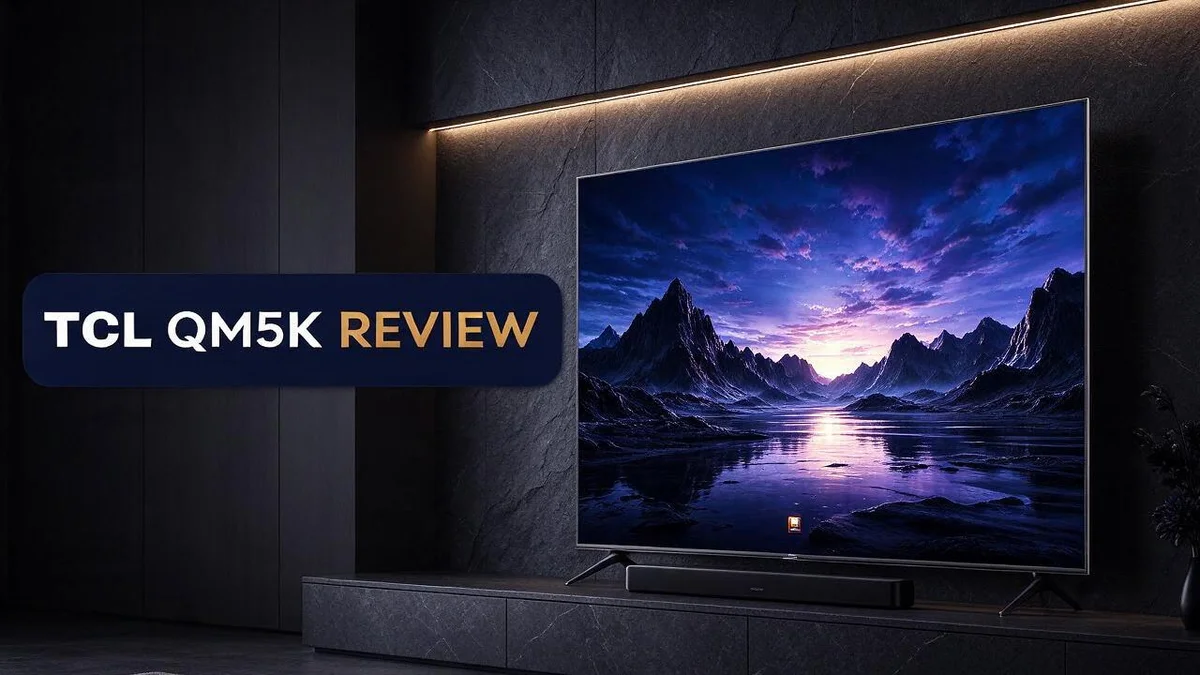
This set uses a QD Mini LED backlight and TCL’s Halo Control System. The result is strong contrast and deep blacks that make dark scenes pop.
Screen sizes run from 50 inches up to 75 inches. So you can pick a size that fits your room. Google TV sits at the center of the experience, which keeps streaming simple.
Gamers care about speed, and this model keeps input lag low. It reaches up to 144Hz at 1440p and lower. Still, you should know about its limits before you buy.
In this review, we break down picture quality, gaming performance, and daily use. We also compare it with nearby rivals. By the end, you will know if the QM5K earns a spot in your living room.
In a Nutshell
- Deep blacks and strong contrast make dark movie scenes look rich. Shadows keep their detail instead of turning muddy. Colors also look natural in most rooms.
- Bright SDR picture quality helps during daytime viewing. Sports and cable shows look lively even with the lights on.
- Google TV offers a clean home screen. Streaming apps sit in one place, so finding something to watch takes little effort.
- 144Hz gaming works only at 1440p or lower. Players who want high refresh rates at 4K should look at other options.
- The VRR range is narrow at 48 to 60Hz on PS5. Frame rates outside that window may cause stutter or screen tearing.
- The QM6K adds more advanced gaming tools for players who want extra control. It also edges out the QM5K in overall performance.
- The Q651G trails in brightness for both SDR and HDR content. This makes the QM5K a smarter pick for bright living rooms.
Picture Quality and Contrast

- TCL QM6K QD-MINI LED TV SERIES - AFFORDABLE PREMIUM PERFORMANCE FOR SPORTS, GAMING & STREAMING. Experience...
- QD-MINI LED. IT’S MINI LED PLUS QLED COLOR - BREATHTAKING BRIGHTNESS AND COLOR IN ANY LIGHT. Combines...
- TCL HALO CONTROL SYSTEM - BETTER BLACKS. SHARPER DETAIL. NO BLOOMING. Advanced local dimming eliminates...

Last update on 2026-10-13 / Affiliate links / Images from Amazon Product Advertising API
Picture quality is where the TCL QM5K really shines. Colors look lively and natural across most content. The set handles skin tones with care, so faces look warm and real.
Next, look at how the screen handles bright highlights. The panel reaches strong peaks in HDR scenes. Sparks, sunlight, and neon signs pop off the screen.
Color volume matters too. Many TVs show bright colors only at low brightness. This model keeps rich reds and greens even when the image gets bright.
Local dimming plays a big role here. It controls which zones glow and which zones stay dark. When the system works well, a bright star sits against a truly dark sky.
Blooming can still appear around bright objects on dark backgrounds. You might notice a soft glow around subtitles or street lights. It is mild for most viewers, but it does show up.
Viewing angles are a useful test. Colors and contrast hold up well when you sit off center. Family members on a couch can share the same picture without big shifts.
Room light changes everything. A bright living room with big windows can wash out darker scenes. Closing blinds or using a softer lamp helps the set look its best.
Streaming quality also affects the final look. Apps send HDR content, but a weak connection may lower the detail. A steady connection keeps 4K streams sharp.
Older shows and 1080p cable channels look good after upscaling. The processor adds detail and smooths edges. Text stays clear, and faces do not look soft.
Motion handling is solid for everyday watching. Action scenes stay fairly clean with little smearing. Fast sports look smooth, though very quick pans may show slight blur.
Picture modes give you control. Movie mode usually offers the most natural colors. Spend a few minutes adjusting brightness and sharpness to match your room.
Overall, the picture quality feels strong for its size class. Most people will enjoy movies, shows, and games without major issues. Dark rooms bring out the best results.
Gaming Performance
Gaming is where many players start their search for a new screen. The TCL QM5K supports HDMI 2.1, which helps modern consoles send their best signals.
Connect your console to an HDMI 2.1 port first. Then check the console display settings so the output matches the TV. This quick setup saves frustration later.
Next, switch on the game mode. This mode reduces extra processing, so controls feel more direct. Many players notice the difference right away when they leave a movie preset behind.
Resolution and smoothness involve a trade off. Sharper 4K images look great in slow adventures. Faster modes favor smoother motion, so pick the setting that fits each game.
Fast shooters and racing games show the strongest benefits. Quick camera turns stay clear, so you can track targets with less blur. Slower titles also look rich because the contrast adds mood to night scenes.
HDR gaming deserves attention too. Bright highlights like explosions, neon signs, and sunlight pop on screen. Dark corners keep their detail, so hidden enemies stay visible without washing out the scene.
Screen size changes how games feel. Larger models fill more of your field of view, which pulls you into the action. Sit at a comfortable distance so menus, maps, and small text stay easy to read.
Test your setup with a simple game before a long session. Watch how quickly your character responds to button presses. This quick check shows whether the settings suit your play style.
Long sessions need comfort too. Adjust brightness so your eyes do not tire during late night play. Small changes in the picture mode can make a big difference over several hours.
Keep the TV software current for the best gaming experience. Updates can improve how the set handles inputs and game modes over time.
Overall, the TCL QM5K offers a strong blend of speed and picture quality for most players. Competitive gamers who want extra tools may prefer the QM6K, which adds more advanced gaming features.
Smart TV Interface and Features
Everyday use depends on how fast you can find what you want. The TCL QM5K makes that search simple.
The voice remote saves time. You press one button and speak a title, an actor, or an app name. Results appear across streaming services, so you do not open each app one by one.
Viewers can also ask for shows by mood or genre. Phrases like “funny movies” or “space documentaries” bring up useful picks.
Recent apps stay close at hand. The top row shows the services you open most often. You can move your favorite apps to the front with a few button presses.
Profiles keep each person’s taste separate. Each family member can sign in with a personal account. The home screen then shows picks based on that person’s watch history.
Watch history improves picks over time. Shows you finish or pause tell the system what you enjoy. Over time, the suggestions become more accurate.
Parental controls add another layer. Parents can set content ratings and lock certain apps with a PIN. This helps families manage what younger viewers watch.
Casting makes sharing easy. Your phone can send photos, videos, or music to the big screen. Both devices must share the same wireless network. Photos look sharp on the large panel.
Smart home control adds convenience. Google Assistant can dim lights or check a doorbell camera from the couch. Your other devices must work with Google Home.
Software updates keep features fresh. Updates can add new apps, better menus, and fixes for bugs. Turn on automatic updates so you never miss them.
Setup takes only a few minutes. Sign in with your Google account and pick your apps. The guided steps keep things simple for new users.
Final thoughts on daily use. Strong interface features make this TV easy to live with. Search, profiles, and casting work together well. Most households will find the routine smooth. It fits well into busy homes and quiet evenings alike.
Top 3 Alternatives
Looking for other options? These three TVs are strong choices. Each one offers a different mix of picture quality, smart features, and ease of use.
Hisense U6N

- HI - QLED MINILED: Striking contrast and vivid, lifelike color put every scene in a new light. Whether it's a...
- NATIVE 144HZ REFRESH RATE: Fast breaks, high-speed chases, live finales — every frame stays crisp and fluid...
- BUILT-IN SUBWOOFER: Immersive deep bass from the built-in subwoofer pulls you into the heart of the moment...
Last update on 2026-11-07 / Affiliate links / Images from Amazon Product Advertising API
The Hisense U6N uses a bright mini LED panel. Bright scenes look vivid, and colors pop. It runs Google TV, so you can find and stream your favorite apps fast. Gamers also like its smooth motion for fast-paced action.
Samsung Q60D

- DUAL LED: Get a natural, realistic picture and accurate contrast that adapts automatically to match your...
- 100% COLOR VOLUME w/ QUANTUM DOT: Take in breathtaking color that stays true at any level of brightness...
- QUANTUM PROCESSOR LITE w/ 4K UPSCALING: Automatically transform your content into 4K and improve your sound...
Last update on 2026-11-07 / Affiliate links / Images from Amazon Product Advertising API
The Samsung Q60D is a QLED TV with quantum dot color. It delivers sharp 4K images for movies and live sports. Its Tizen system feels clean and easy to learn. This model fits well in a living room or bedroom.
Roku Plus Series

- Breathtaking picture: Mini-LED backlighting brings out the rich detail on this 55" flat screen 4K TV, while...
- TV, simplified: With setup that only takes minutes, a simple-to-navigate Home Screen, and an uncluttered...
- A world of free entertainment: Enjoy a huge selection of free live TV, news, sports, movies, shows, and much...
Last update on 2026-10-13 / Affiliate links / Images from Amazon Product Advertising API
The Roku Plus Series keeps things simple. Roku OS puts all your streaming channels on one home screen. The voice remote can control power and volume on many TVs. It offers 4K HDR picture quality, so it suits viewers who want easy setup and clear images.
Each TV gives you a solid viewing experience. Pick the one that matches your room, your viewing habits, and your favorite apps.
Design and Size Options
Choosing the right size matters just as much as the picture. The TCL QM5K comes in four sizes: 50″, 55″, 65″, and 75″. Each size suits a different room and seating plan.
Start with your viewing distance. Measure from your sofa to the wall where the TV will sit. A smaller screen works well when you sit close. A larger screen needs more distance to look its best.
The 50 and 55 inch models fit bedrooms, dens, and small apartments. They keep the room balanced and leave space for furniture.
The 65 inch model fits most living rooms. It fills the wall nicely without feeling too big for the space.
The 75 inch model creates a theater feel. It suits open floor plans and longer seating areas. Movie nights and live sports feel more immersive from a comfortable distance.
Eye level matters too. Aim for the center of the screen to sit near your eye level when you sit down. This small step reduces neck strain during long shows.
Choose between a stand and a wall mount. The included stand works well on a media console. Check that the stand base fits the width of your cabinet before you set it up.
A wall mount frees up floor space and gives a sleek look. Look for the VESA mount pattern on the back of the TV. Pick a bracket rated for the weight of your chosen size.
Plan your cables before you mount the set. Leave room behind the TV for power and HDMI cables. Keep the HDMI 2.1 port easy to reach, so you can swap devices later.
Measure before you decide. Mark the screen size on painter’s tape along the wall. Walk around the marked area and check how it looks from every seat. This quick test shows whether the size feels right.
The right choice feels comfortable from every seat. Take your time, and let your room guide the final pick.
Pros and Cons
Pros
- Deep blacks make dark scenes look rich.
- Strong contrast gives images real depth.
- Bright SDR pictures stay vivid in sunny rooms.
- Low input lag keeps controls feeling quick.
- Colors look natural and lively.
Cons
- The 144Hz mode only works at 1440p or lower.
- The VRR range runs narrow, from 48 to 60Hz.
- Some advanced gaming extras are missing.
- The QM6K offers the stronger gaming feature set.
Who Should Buy It
The TCL QM5K suits people who want a rich picture for everyday viewing. It fits movie fans who often watch in dim rooms. Dark scenes look full of depth and detail.
Casual gamers make a great match. Players on a PS5 can enjoy smooth action at 1440p. Quick controls keep the fun going without needing every extra feature.
Upgraders will notice the difference fast. Older LCD screens often look flat and washed out. This set brings punchy color to streaming shows, sports, and family movie nights.
Shoppers comparing it with the TCL Q651G will find a brighter choice. The QM5K looks brighter in both SDR and HDR. That extra light helps when colors need to pop.
Movie lovers who prefer a moody look will feel at home. Night scenes, thrillers, and nature documentaries show off the strong contrast. Shadows keep their detail instead of turning into black blobs.
Streaming fans who watch late at night will like the deep blacks. Dim lighting feels cozy rather than harsh. Late sessions stay calm and relaxed.
Sports fans can enjoy lively broadcasts. Green fields and bright team uniforms look true to life. Fast scenes stay clear on most streaming content.
Households with mixed viewing habits often find it flexible. Movie nights, sports, and gaming can all happen on one screen. Each person gets a good picture without swapping sets.
Heavy gamers may want a different model. Anyone who needs 144Hz beyond 1440p should look at the QM6K. Competitive players who chase every frame may feel limited.
Buyers who want the most advanced gaming tools should compare first. The QM6K offers a fuller feature set for serious players. Take time reviewing both models before you decide.
Anyone who values simplicity will appreciate the setup. The design stays clean and uncluttered. Pick a stand or wall mount and start watching within minutes.
In short, this TV suits relaxed viewers. It fits people who want strong picture quality and simple casual gaming. Heavy gamers should compare other options before they buy.
Final Verdict
Our final verdict is clear: the TCL QM5K is a strong pick for most viewers. It combines a sharp picture, an easy interface, and solid gaming basics. Few sets in this range do so much well.
It shines for people who watch first and play second. Families, movie fans, and streamers will feel right at home here. The picture holds up through daily shows, live sports, and busy game nights.
Still, it has clear limits. Competitive players who live for fast action may want more headroom than this set offers. Its strengths lie in picture quality and everyday comfort, not in top-tier gaming performance.
Think about your long-term plans before you buy. A television this size stays in your home for years. Choose the features you will use every day, not just the ones that look good on a spec sheet.
Google TV keeps your favorite apps within easy reach. Setup takes little time, and the menus stay simple to navigate. Anyone who dislikes complicated settings will appreciate that part.
Compare it with its neighbors before you decide. Look closely at the QM6K if advanced gaming tools top your list. Consider the Q651G if you want a simpler option. Each model serves a different kind of viewer, so match the choice to your habits.
Measure your space and plan the mounting now. Confirm where the set will sit, how far you will sit from it, and where the cables will run. A little planning prevents frustration later.
Read the return policy and keep your receipt. A short trial period gives you peace of mind. Test the set with your own shows and games during that window. If the picture pleases you, you can keep it with confidence.
Bottom line: the TCL QM5K deserves a spot on your shortlist. It suits everyday viewing, casual gaming, and cozy movie nights. Match it to your room, your routine, and your play style, and you will likely enjoy it for a long time.
Frequently Asked Questions
What sizes does the TCL QM5K come in?
The QM5K comes in four screen sizes. You can pick a 50 inch, 55 inch, 65 inch, or 75 inch model. Choose the size that matches your room and your seating spot.
Does the TCL QM5K support HDMI 2.1?
Yes, the set includes HDMI 2.1 support. This gives your console and streaming devices a modern connection. Check that your cables and devices also support HDMI 2.1 so you get the full benefit.
Is the 75 inch model too big for a small room?
A 75 inch screen can feel huge in a small space. Larger screens need more distance to look natural. Sit back far enough that the picture fills your view without strain. If your room is tight, the 55 inch or 65 inch size may feel more comfortable.
How does the QM5K compare with the Roku Plus series?
The Roku Plus series sits in a similar class of TVs. The QM5K stands out for its picture quality. Compare both sets side by side in a store or in side-by-side reviews. Focus on the picture, the apps you use, and the features you care about most.

Tian is a passionate technology enthusiast and reviewer who explores the latest in AI tools, gadgets, and digital innovations to help readers make informed tech decisions.