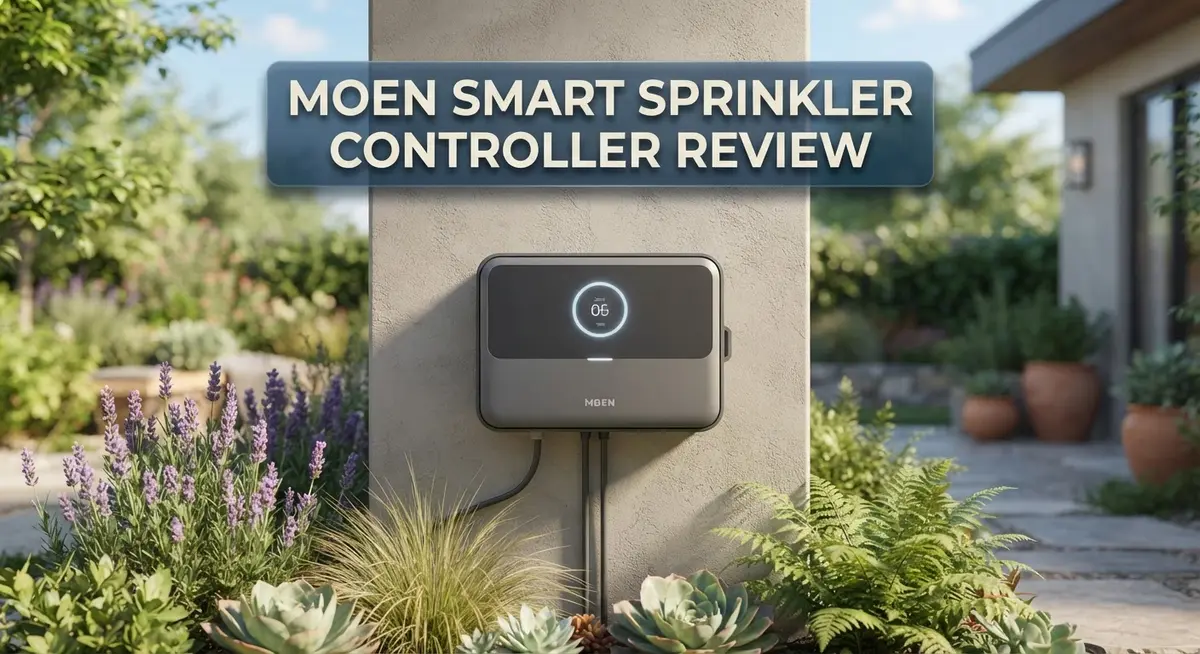
Moen Smart Sprinkler Controller Review: Features, Setup, and Performance
Want to water your lawn without lifting a finger? The Moen Smart Sprinkler Controller promises to make that dream real.
This smart device connects to your WiFi. You control it through the Moen Smart Water App on your phone.
Setup takes about 30 minutes. You get 8 zone or 16 zone models to fit your yard size.
The controller lets you manage each zone independently. You can schedule watering times or skip a day if rain is coming.
Sounds perfect, right? Well, not every feature works perfectly all the time.
Some users report zones turning on randomly. Others mention app connection hiccups.
This review digs into real performance. We cover the good, the bad, and what you should know before buying.
Let’s see if this smart controller truly earns a spot in your garden setup.
In a Nutshell
Here is the quick rundown of what you need to know about the Moen Smart Sprinkler Controller.
-
Smart control at your fingertips. You get an 8-zone or 16-zone option. Both work through the Moen Smart Water App on your phone.
-
Soak feature adds flexibility. This splits watering schedules across zones. Your lawn gets even coverage without long wait times.
-
Weather skip saves water. The system checks weather data. It skips watering when rain is already doing the job.
-
Reliability needs attention. Some zones turn on outside their set schedule. This happens without warning and can waste water.
-
Connectivity hiccups exist. Professionals have flagged app and WiFi issues. You might need to power cycle the unit sometimes to fix this.
-
Review data is thin. Not many users have shared feedback yet. This makes it harder to predict long term performance.
In short, this controller offers smart features and zone flexibility. But connectivity issues and limited reviews mean you should weigh your options carefully before buying.
Smart Features and App Control
The Moen Smart Sprinkler Controller puts watering control directly in your pocket. You download the Moen Smart Water App on your phone and manage your lawn from anywhere.
Remote activation is one of the standout features. Need to water your grass while you’re at work? Open the app and start your zones instantly. No need to run outside or adjust a timer on the controller itself. This convenience alone makes smart control worth considering.
Zone by zone control lets you customize each section of your lawn separately. Your front yard might need different watering than your back garden. With the Moen controller, you set schedules for each zone independently. Some areas get morning watering. Others get evening cycles. You decide what works best.
The soak feature adds practical flexibility to your watering routine. Long watering sessions can lead to runoff and water waste. This feature breaks up extended watering times across your zones. Water soaks in properly instead of running off. Your lawn absorbs more moisture with less waste.
Weather skip technology automatically pauses your schedule when rain arrives. The system checks weather data and skips watering on rainy days. You save water without manual intervention. This happens in the background while you focus on other tasks.
However, app and connectivity concerns deserve attention. Some users report that zones activate randomly outside their scheduled times. The app sometimes struggles to communicate reliably with the controller. These issues may require power cycling the device to restore normal function. Professional installers have noted these hiccups in real world use.
The app interface itself is straightforward. Most users find navigation simple once they understand the basic layout. Scheduling takes just a few taps. Adjusting zones happens quickly. The design doesn’t overwhelm you with unnecessary buttons or confusing menus.
Limited user feedback makes it harder to assess long term reliability. Few reviews exist online compared to other smart sprinkler systems. This means you’re working with less real world data when making your decision. The technology works when it functions properly, but consistency remains a question mark for potential buyers.

- CONVENIENT: The smart sprinkler for yard has an 8-zone irrigation model that fits any size yard for different...
- EASY TO INSTALL: Smart irrigation controller easily installs in 30 minutes or less
- MOEN SMART WATER NETWORK APP: Operation through Moen Smart Water Network App provides remote activation of...
Last update on 2026-10-09 / Affiliate links / Images from Amazon Product Advertising API
Installation and Setup
Getting your Moen Smart Sprinkler Controller up and running is straightforward. The installation process takes roughly 30 minutes from start to finish. You won’t need special tools or advanced technical skills to complete it.
Start by turning off power to your existing sprinkler system. Remove the old controller and note which wires connect to each zone. The Moen unit comes with clear labeling inside the panel. Match your wires to the corresponding terminals. This step ensures each zone activates correctly.
WiFi connection happens next. Download the Moen Smart Water App on your smartphone. The app walks you through pairing your controller to your home network. Make sure your WiFi signal reaches your sprinkler location. Weak signals can cause connectivity problems later.
Once connected, the app lets you name each zone. Call them “Front Lawn” or “Vegetable Garden” for easy identification. This naming step makes scheduling simpler when you’re managing multiple areas. You can activate zones individually or create groups.
Setting up schedules is where the app shines. Choose your watering days and times. The controller offers zone by zone control, so different areas get different schedules. The soak feature lets you split long watering sessions. This prevents water runoff and improves absorption.
Weather skip setup adds another layer of convenience. The system checks local weather data automatically. Rain or storms trigger a skip, saving water and protecting your lawn from overwatering.
One important note: professionals have flagged occasional app glitches and WiFi connectivity issues. Some users report needing to power cycle the unit periodically. Keep the controller in a location with stable power supply and decent WiFi coverage.
The physical installation itself remains simple. Most homeowners complete it without calling a professional. The real consideration comes down to ongoing app reliability and connection stability. Test your setup thoroughly during the first week. Make small adjustments to schedules as needed. This helps you understand how your specific lawn responds to the controller’s watering patterns.
Zone Configuration and Scheduling
Once your Moen Smart Sprinkler Controller is connected, zone configuration becomes your main task. The app walks you through naming each zone so you can identify your lawn sections easily.
Each zone operates independently. This means you control the front yard, backyard, and side garden separately. You can run different schedules for different areas based on soil type or sun exposure.
Setting schedules is straightforward. You pick your watering days and times for each zone. The app lets you adjust duration per zone. Some areas need 20 minutes while others need 40 minutes. The controller handles this variation without issues.
The soak feature deserves attention here. Instead of running one long watering session, it splits the schedule into multiple shorter cycles. This prevents runoff on sloped areas. Water soaks deeper into the soil between cycles. Your lawn absorbs more water overall.
Weather skip automatically pauses your schedule when rain arrives. The system checks local weather data. If rain is forecasted or detected, zones skip their scheduled run. This saves water and prevents overwatering.
You can activate zones remotely through your phone. Away on vacation? Turn off watering with one tap. Unexpected dry spell? Start a zone immediately without waiting for the schedule.
One caution: professionals have noted occasional glitches with zone activation. Some users report zones turning on outside their set schedule. Power cycling usually resolves these issues. The app sometimes needs reconnection to WiFi.
The controller supports 8 or 16 zones depending on your model. Larger properties benefit from the 16-zone option. Smaller yards work fine with 8 zones.
Configuration takes about 30 minutes total. Naming zones, setting schedules, and enabling weather skip happen quickly. The interface is simple enough for most users. No technical background required.
Before you finalize settings, test each zone manually. Make sure water flows to the correct area. Confirm timing matches your expectations. This quick check prevents surprises when schedules actually run.
Top 3 Alternatives
Rachio Smart Sprinkler Controller

- DITCH THE DIAL – Upgrade to smart irrigation with the free Rachio app for precise, easy control.
- AUTOMATIC WEATHER SKIPS – Patented Weather Intelligence skips watering for rain, wind, freeze & more.
- SAVE WATER YEAR-ROUND – Adaptive schedules help your yard thrive in April showers & July heat.

Last update on 2026-10-13 / Affiliate links / Images from Amazon Product Advertising API
Rachio offers smart watering that learns your yard’s needs. This controller connects to your Wi-Fi and adjusts watering based on weather conditions. You can control zones from your phone, so you water your lawn only when necessary.
The app shows you exactly how much water each area receives. Rachio skips watering when rain arrives, which saves water and money. It works with Alexa and Google Home for voice commands.
Hunter Hydrawise Pro

- 12 ZONE CONTROL FOR COMPLETE LANDSCAPE COVERAGE: Easily manage up to 12 irrigation zones with precision. Ideal...
- WIFI CONNECTED FOR REMOTE ACCESS ANYWHERE: Control your irrigation system from your smartphone, tablet, or...
- PREDICTIVE WEATHER TECHNOLOGY SAVES WATER: Smart scheduling automatically adapts to local weather conditions...
Last update on 2026-10-09 / Affiliate links / Images from Amazon Product Advertising API
Hunter Hydrawise Pro brings professional-grade control to your home. This system monitors soil moisture and weather patterns in real time. You get detailed reports on water usage and plant health across your landscape.
The interface lets you customize watering schedules for different zones. Hydrawise Pro connects with smart home systems and offers app-based management from anywhere. The system learns your yard’s specific conditions over time.
Orbit B-hyve Smart Controller

- Intelligent Irrigation Control: The Orbit Smart Sprinkler Controller manages watering with a powerful smart...
- Indoor/Outdoor Installation: Designed for versatile placement with a protective weatherproof case, this...
- Smart Scheduling & Management: Easily create custom irrigation schedules using an app controlled interface...
Last update on 2026-10-13 / Affiliate links / Images from Amazon Product Advertising API
Orbit B-hyve keeps irrigation simple and affordable. This controller works with your existing sprinkler system and connects via Wi-Fi. You adjust watering schedules through the mobile app with just a few taps.
B-hyve includes weather intelligence that stops watering during rain or cold snaps. The system tracks water consumption and sends alerts about system issues. This option works well for homeowners wanting easy setup without complicated features. It integrates with Alexa for hands-free control of your outdoor watering.
Each of these controllers brings smart features to your sprinkler system. They all offer app control, weather adjustments, and integration with popular smart home platforms. Your choice depends on how much detail you want in lawn monitoring and zone customization.
Reliability and Connectivity Issues
Reliability forms the backbone of any smart home device, and the Moen Smart Sprinkler Controller shows some concerning patterns worth examining. Users have reported zones activating randomly outside their scheduled times, which disrupts carefully planned watering routines. This unpredictable behavior suggests deeper connectivity or firmware issues that go beyond simple user error.
WiFi stability appears to be the primary culprit behind many reported problems. The controller relies on consistent internet connection to function smoothly. When your WiFi signal weakens or drops, the device struggles to maintain communication with the Moen Smart Water App. This creates a gap between what you schedule and what actually happens in your yard.
Power cycling emerges as a common workaround among users experiencing glitches. Turning the controller off and back on temporarily resolves some activation issues. However, needing frequent restarts suggests the device doesn’t handle connection interruptions gracefully. A reliable system should recover automatically without manual intervention.
App connectivity concerns run parallel to hardware reliability issues. Professionals have flagged occasional app crashes and delayed responses when sending commands to your zones. The lag between tapping a button and zone activation can range from seconds to minutes. This unpredictability makes remote watering management feel unreliable.
The limited user review base makes comprehensive reliability assessment difficult. With fewer long-term owners sharing experiences, patterns take longer to emerge. What we do know comes largely from professional installers and early adopters who’ve encountered problems.
Weather skip functionality adds another layer of complexity to the reliability picture. While the feature itself works in theory, integration with WiFi connectivity sometimes fails. The controller may miss rain events or skip schedules inconsistently.
For users prioritizing rock-solid reliability, these issues warrant serious consideration. The Moen Smart Sprinkler Controller performs well during optimal conditions. However, when WiFi drops or app communication falters, your watering schedule becomes uncertain. Potential buyers should factor in occasional troubleshooting and potential manual zone activation as part of regular use.
Weather-Based Watering and Soak Feature
The weather-based watering system in the Moen Smart Sprinkler Controller works by monitoring local conditions and automatically skipping scheduled watering when rain falls. This feature prevents your lawn from getting overwatered and saves water overall.
You set up weather skip directly in the Moen Smart Water App. The controller checks weather data for your location automatically. When rainfall meets your preset threshold, the system pauses upcoming zone schedules. You return to normal watering once dry conditions return.
The soak feature operates differently and offers unique benefits for your lawn care routine. This function splits longer watering sessions into multiple shorter cycles. Instead of running one zone for 60 minutes straight, the soak feature might water for 20 minutes, pause for 30 minutes, then water again for another 20 minutes.
This approach helps water penetrate deeper into soil rather than running off the surface. Hard or clay-heavy soil especially benefits from this staggered watering pattern. You can customize soak intervals for each zone based on your soil type and landscape needs.
The independent zone control pairs well with both features. You might enable weather skip for your front lawn while keeping the soak feature active for your garden beds. Each zone operates on its own schedule and responds to weather conditions separately.
One practical advantage: the weather-based system reduces manual oversight. You don’t need to remember canceling watering after rain. The app sends notifications when weather skip activates, keeping you informed of changes.
Professionals have noted that weather data accuracy depends on your location’s proximity to weather stations. Urban areas typically receive more precise readings than rural zones. The system works best when paired with manual adjustments during unusual weather patterns.
The soak feature’s effectiveness increases when you understand your soil’s water absorption rate. Sandy soils absorb water quickly, so soak intervals can be shorter. Clay soils need longer pause periods between watering cycles.
Testing these features in your first month helps you find the right settings. Most users discover their ideal configuration within 2 to 3 watering cycles.
Pros and Cons
Pros
- Setup completes in roughly 30 minutes with straightforward configuration steps
- Remote zone activation through the Moen Smart Water App gives you control from anywhere
- Independent zone control lets you customize watering schedules for different lawn areas
- Weather skip automatically pauses watering when rain arrives, reducing manual adjustments
- Soak feature distributes long watering sessions across zones to prevent runoff
Cons
- Zones occasionally activate randomly outside your scheduled times, creating unpredictable watering patterns
- WiFi connectivity issues emerge as the primary reliability concern reported by users
- Limited customer reviews make it hard to assess long term performance across different setups
- Power cycling becomes necessary when glitches occur, requiring manual troubleshooting steps
Who Should Buy It
The Moen Smart Sprinkler Controller works best for homeowners who want basic app control over their watering zones. If you enjoy managing your lawn from your phone, this system delivers that capability. You can activate zones remotely and adjust schedules without visiting your controller outside.
This controller suits you if you have multiple lawn areas with different watering needs. The independent zone control lets you customize each section separately. Some zones might need more water than others, and this device handles that flexibility well.
You should consider this system if you appreciate hands-off weather features. The weather skip function automatically pauses watering when rain arrives. This reduces the guesswork about whether you need to water today.
The soak feature appeals to homeowners dealing with runoff problems. If water typically runs off your lawn instead of soaking in, this feature helps. It spreads long watering sessions across multiple cycles so water penetrates deeper into soil.
Installation matters for your decision too. The roughly 30 minute setup process means you don’t need professional help. If you prefer quick DIY projects, this controller fits your situation.
However, skip this system if you prioritize absolute reliability. The reported random zone activations outside scheduled times create unpredictable watering patterns. Some users experience zones turning on when they shouldn’t, wasting water and creating brown spots.
WiFi connectivity concerns also matter for your choice. Professionals have noted that app and connection issues occur regularly. If your internet connection fluctuates or you live far from your WiFi router, these problems multiply.
You should avoid this controller if you want minimal troubleshooting. Power cycling emerges as a common workaround when glitches happen. This means you’ll occasionally need to restart the device to restore normal function.
Best fit Homeowners seeking basic app control, multiple zone management, and weather skip features who accept occasional reliability hiccups. Skip it if You demand rock-solid performance, live in areas with spotty WiFi, or can’t tolerate unexpected watering cycles.
Final Verdict
The Moen Smart Sprinkler Controller offers real convenience for your lawn care routine. It brings smart features to a task that used to require manual effort.
Still, this device comes with a mixed track record. The limited review data makes it hard to predict long term performance for every household.
If you value smart home integration and flexible zone management, this controller fits your needs well. It rewards users who enjoy testing new tech and adjusting settings as needed.
Patience matters with this product. Early setbacks like random zone activation or connectivity hiccups may happen during the first few weeks of use.
Before you buy, check your home’s WiFi strength near the installation spot. A stable connection reduces many of the reported issues significantly.
It also helps to confirm compatibility with your existing sprinkler wiring. This step prevents installation surprises and saves time later.
Think about your comfort with troubleshooting. If occasional power cycling or app resets sound manageable, this controller can work well for your yard.
However, if you want a system that runs perfectly without any hands on adjustment, this may not be your best match right now. Reliability concerns remain a valid point to consider.
Keep an eye on future software updates too. Moen may address some of these early complaints through app improvements over time.
For now, this controller suits early adopters more than cautious buyers. It appeals to people who enjoy smart irrigation technology despite a few rough edges.
If your main goal is simple scheduling with occasional remote control, this device delivers that experience. Just stay ready for occasional troubleshooting along the way.
In short, the Moen Smart Sprinkler Controller shows strong potential but still needs refinement. Weigh your tolerance for minor glitches against the convenience it offers.
If you decide to try it, monitor its performance closely during the first month. This helps you catch and resolve any connectivity issues early.
Frequently Asked Questions
Does the Moen Smart Sprinkler Controller work with my existing sprinkler system?
Yes, it works with most standard sprinkler wiring setups. The controller connects to your current valve wires without major changes. Before you buy, confirm your existing wiring matches the controller’s compatibility. Installation takes about 30 minutes for most homeowners.
Can I control the sprinkler zones from my phone?
Absolutely. The Moen Smart Water App lets you activate zones remotely from anywhere. You can turn on specific zones or adjust schedules without being home. This remote access is one of the main benefits if you travel or forget to water your lawn.
What happens if my WiFi goes down?
The controller needs WiFi to function properly. If your connection drops, you lose app control and automated features. WiFi reliability is a known concern with this model, so check your signal strength near the installation spot before purchasing.
How does the weather skip feature work?
This feature automatically pauses watering when rain arrives. The controller monitors local weather data and skips scheduled watering cycles. You don’t need to manually stop the system during rainfall, which saves water and effort.
Why do zones sometimes activate on their own?
Some users report random zone activation outside scheduled times. This issue often requires power cycling the controller to fix. If absolute reliability matters to you, research user experiences carefully before deciding on this model.

Tian is a passionate technology enthusiast and reviewer who explores the latest in AI tools, gadgets, and digital innovations to help readers make informed tech decisions.