Andonstar AD246S Review: Is It Worth Your Money?
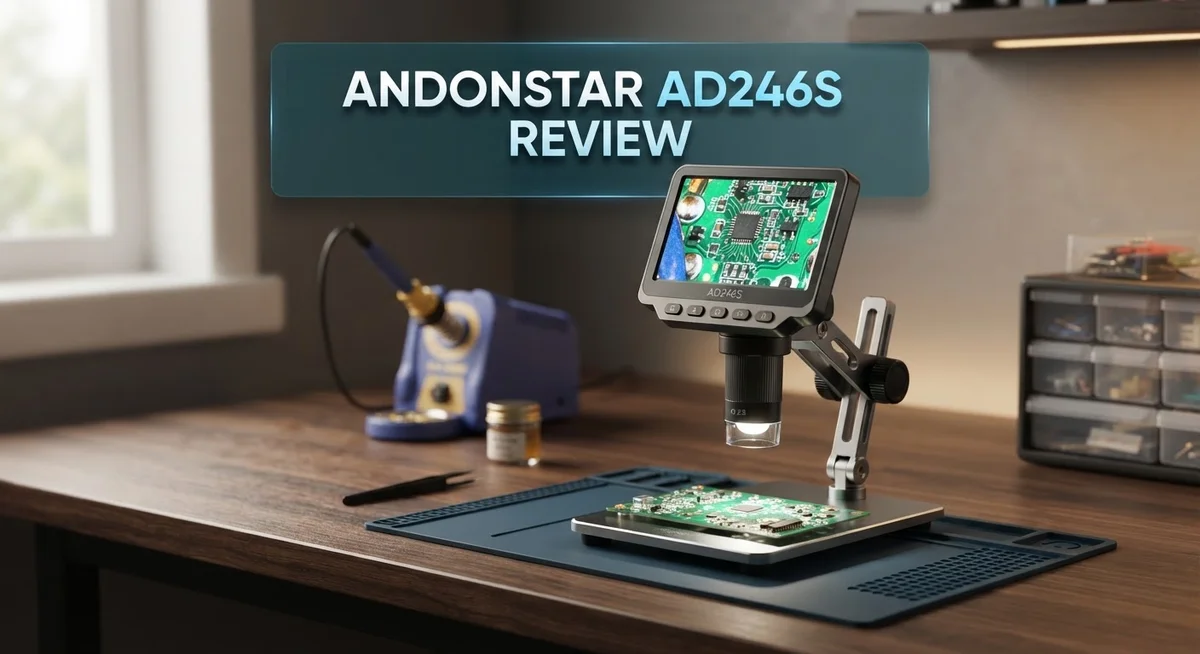
Do you want a microscope that handles coins, plants, and soldering work? The Andonstar AD246S-M claims to do it all. This digital microscope comes with three interchangeable lenses and up to 2000X magnification.
It connects through HDMI and promises clear, colorful images on screen. Many hobbyists want one tool for many tasks. This model tries to be that tool.
But does it really perform well across different uses? We tested the AD246S-M to find out. This review looks at its magnification power, lens system, and display quality.
We also check for common issues like camera vibration and focus range problems. You will learn where this microscope shines. You will also learn where it struggles.
By the end, you will know if the AD246S-M fits your needs. Let’s jump into the details.
In a Nutshell
The Andonstar AD246S-M packs serious power into a simple design. Here is what you need to know at a glance.
-
Magnification reaches up to 2000X. This lets you see tiny details on coins, plants, and circuit boards.
-
Three interchangeable lenses come included. You get the A lens, D lens, and a standard lens for different tasks.
-
HDMI connectivity sends images straight to your screen. Colors look vibrant and clear during normal use.
-
The highest magnification lens has a narrow focus range. You will need steady hands and patience to get sharp images at 4 to 5mm.
-
Some users report camera vibration. This can make fine focusing tricky, especially at high zoom levels.
-
Working distance is limited for close up tasks like soldering. You may need extra lighting or a stand for better results.
Overall, the AD246S-M works well for hobbyists who need versatility. It handles multiple subjects, but it does have a few quirks to manage.
Magnification Power and Optical Performance
The Andonstar AD246S-M delivers impressive magnification that reaches up to 2000X. This power level lets you examine tiny details that are invisible to the naked eye. You can inspect coin surfaces, plant cells, and electronic components with ease.
The microscope uses three interchangeable lenses to achieve this range. Each lens serves a specific purpose. Lens A works for general viewing tasks. The D lens handles detailed inspection work. The standard lens provides balanced performance across different subjects.
Optical clarity stands out as a real strength here. Colors appear accurate and vibrant on your connected display. Images stay sharp across the magnification range, which matters when you’re switching between lenses. The HDMI connection sends video directly to your screen without quality loss.
However, magnification power comes with a trade off. The highest magnification lens has a very narrow focus range of just 4 to 5 millimeters. This means you must position your sample extremely close to the lens. Even slight movements can throw your view out of focus. Patience becomes essential when working at maximum magnification.
Working distance also shrinks at higher power levels. This creates challenges for certain tasks. Soldering work, for example, becomes difficult because the lens sits too close to your work area. You cannot easily access the component you’re trying to inspect.
Some users report camera vibration issues during operation. Vibration degrades image quality and makes detailed work frustrating. This problem tends to appear when the microscope sits on unstable surfaces or when you move the focus wheel quickly.
The optical performance shines for general inspection work. Coin collectors appreciate the detail they can see. Plant enthusiasts find it excellent for examining leaf structures and flower parts. Biological slides show clear, colorful results.
The AD246S-M balances magnification power with practical usability. You get serious optical capability without overwhelming complexity. The three lens system provides flexibility for different inspection needs. Just remember that maximum magnification requires steady hands and careful focus technique.

- 【Andonstar 3 Lens Digital Microscope for Adults】: Lens L for Soldering and Repairing: Can be used to...
- 【UHD 2160P Digital Microscope】: Ultra high definition 2160P Video Record, while supporting HDMI output to...
- 【Soldering Microscope with Pro Boom Arm Stand】: Andonstar's newest upgraded bracket, size: 7*7.8*13inch...

Last update on 2026-10-09 / Affiliate links / Images from Amazon Product Advertising API
Interchangeable Lens System and Versatility
The interchangeable lens system makes the AD246S-M stand out from basic microscopes. You get three different lenses included. Each lens serves a specific purpose and magnification level.
Switching between lenses takes just seconds. You unscrew one and attach another. This modular approach means you adapt the microscope to your task without buying separate equipment.
The A lens handles general inspection work. The D lens pushes magnification higher for detailed examination. The standard lens sits in the middle for balanced performance. This variety lets you work with coins, plant samples, biological slides, and circuit boards all with one device.
Working distance changes significantly when you swap lenses. Lower magnification lenses let you position your subject further from the optical elements. Higher magnification lenses require your sample to sit much closer. This matters when you work on delicate items or need room for tools.
Soldering work presents a real challenge here. The highest magnification lens has a narrow focus range of just 4 to 5 millimeters. Your soldering iron and hand tools need space to move. Many users find this limitation frustrating for precision electronics work.
The lens system also affects stability. Camera vibration becomes more noticeable at higher magnifications. Even small movements get amplified on screen. You need a solid work surface and steady hands to get sharp images.
For hobbyists who inspect different materials regularly, this versatility saves money and space. Collectors examining coins can switch to naturalists studying plant structures without repositioning equipment. The flexibility appeals to makers, students, and curious people who work across multiple projects.
The trade off is learning each lens’s quirks. You discover which lens works best for your most common tasks. You also accept that some jobs require careful technique to get clear results. The system rewards patience and practice with excellent image quality across your varied work.
Display Quality and HDMI Connectivity
The Andonstar AD246S-M connects to your monitor or TV through HDMI. This means you see live footage on a larger screen instead of squinting through an eyepiece. The image transfer happens instantly, so you get real-time viewing without lag.
Display quality depends on what you’re examining. For coins and stamps, the colors pop nicely. Plant cells show good detail and clarity. Soldering work looks sharp when the focus locks in properly. The screen resolution stays consistent across different magnification levels, which is helpful for switching between tasks quickly.
HDMI connectivity works smoothly in most situations. You can connect the microscope to any standard monitor, projector, or television. This flexibility means you can show your work to others easily. Group inspections become practical instead of passing the microscope around.
One thing to watch: the display quality drops when you push magnification to its highest levels. At 2000X, small movements create big shifts on your screen. This is where camera vibration becomes noticeable. The image might drift or shake slightly, making it harder to keep your subject centered.
Focus becomes critical at higher magnifications. The narrow focus range means your screen image goes blurry fast if the microscope moves even slightly. You’ll need a stable surface and steady hands. Some users report that even minor vibrations from nearby equipment affect the display quality.
The color accuracy stays good throughout the magnification range. You won’t see strange color shifts or distortion. This matters when you’re comparing samples or documenting findings.
For general inspection work, the display quality and HDMI setup work well together. You get a clear, colorful image on your monitor without extra equipment. The connection is reliable and straightforward to set up.
If you plan to examine delicate specimens or perform precision work, the display quality remains solid. Just understand that stability issues at maximum magnification will challenge you. The HDMI output itself performs reliably, but what you see depends on how steady you keep the microscope.
Top 3 Alternatives
Andonstar AD249S

- 【Andonstar Top Series- 3 Lens Digital Microscope】: Lens L (60-240x) for Soldering and Repairing, Lens A...
- 【UHD 2160P HDMI Digital Microscope】: Capture ultra-high-definition 2160P videos, with HDMI support for...
- 【Andonstar AD249S-M Newly Upgraded to Versatile Soldering Station】: Experience the all-new upgrade of the...
Last update on 2026-10-09 / Affiliate links / Images from Amazon Product Advertising API
The AD249S brings solid performance for users who want a step up from basic models. This digital microscope offers clear image quality and straightforward controls that make it easy to use right out of the box.
You get reliable magnification options and a stable platform for detailed work. The display shows sharp visuals, and the build feels sturdy enough for regular use. Many users appreciate how quickly they can focus on their projects without fussing with complicated settings.
Andonstar AD249S Plus
- 【Andonstar Top Series- 3 Lens Digital Microscope】: Lens L (60-240x) for Soldering and Repairing, Lens A...
- 【UHD 2160P HDMI Digital Microscope】: Capture ultra-high-definition 2160P videos, with HDMI support for...
- 【Andonstar AD249S-M Newly Upgraded to Versatile Soldering Station】: Experience the all-new upgrade of the...
Last update on 2026-10-09 / Affiliate links / Images from Amazon Product Advertising API
The AD249S Plus adds extra features that make it more versatile than its standard version. This model includes enhanced capabilities that appeal to professionals and serious hobbyists alike.
You benefit from improved display technology and better image processing. The additional functions help you capture more detail and work more efficiently. Users report that the upgrade feels worthwhile if you spend significant time on precision tasks. The interface remains simple, so you don’t sacrifice ease of use for better performance.
Andonstar AD409

- 【2025 Newly Upgraded to Slide Rail Arm Stand】 Innovative Movable sliding rail boom arm stand, providing a...
- 【Industrial-Grade Smooth Movement】All-metal glide rails deliver buttery 360° positioning by adjust the...
- 【Rock-Solid Clamping, Full Metal Rail Stability】Dual metal C-clamps grip workbenches up to 3.9" (10cm...
Last update on 2026-10-09 / Affiliate links / Images from Amazon Product Advertising API
The AD409 represents a different approach in the Andonstar lineup. This model focuses on delivering exceptional magnification and clarity for demanding applications.
The larger screen real estate gives you more room to see fine details. The optical system performs well across various lighting conditions. Users who need serious magnification power often choose this option because it handles complex inspection work without compromising image quality.
Each of these models serves different needs. Your choice depends on how much magnification you require, how often you’ll use the device, and what specific features matter most for your work.
Focus Range and Working Distance Limitations
The Andonstar AD246S-M has a notably narrow focus range that impacts how you work with it. When you use the highest magnification lens, the depth of field shrinks to just 4 to 5 millimeters. This means your subject must sit at an extremely precise distance from the lens.
Finding the perfect focus point becomes tricky at high magnification. Even tiny movements cause the image to blur. You’ll need a steady hand and patience when adjusting the focus dial. Many users report that this tight focus range requires practice to master.
The working distance limitations present real challenges for certain tasks. At maximum magnification, the lens sits very close to your specimen. This creates problems when you need room to maneuver tools or components. Soldering work suffers the most from this constraint. You cannot position a soldering iron or work easily when the lens hovers so near your workpiece.
The different lenses offer some relief from these limitations. The A lens provides more working distance than the high magnification option. The D lens and standard lens also give you additional space to operate. Switching lenses lets you choose the right balance between magnification and practical working room.
For inspection work on flat surfaces, the narrow focus range matters less. Coins, circuit boards, and plant samples sit still and flat. You adjust focus once and leave it. The problem grows when you examine three dimensional objects that need tool access.
Users who plan detailed electronics work should understand this trade off. You gain incredible magnification but sacrifice working space. This makes the AD246S-M better suited for observation than for active hands on work at the highest power levels.
The focus range works acceptably for hobbyists doing general inspection. You’ll adapt to the precision required fairly quickly. However, professionals who need frequent tool access should consider this limitation carefully. Understanding your specific use case helps you decide if this microscope fits your needs.
Stability and Vibration Issues
Vibration and stability present real challenges with the AD246S-M that you need to understand before purchasing. Users frequently report that the microscope picks up even slight movements from your work surface. A gentle tap on your desk translates into visible shake on your monitor screen.
The camera sensor appears sensitive to external vibrations. This becomes especially problematic when you’re trying to focus at higher magnifications. Any instability gets magnified right along with your specimen. Your image quality suffers immediately when vibration occurs.
The interchangeable lens system actually contributes to some stability issues. Each lens has different weight and balance characteristics. Swapping between the A, D, and standard lenses changes how the microscope sits on your work surface. Some users find certain lens combinations more stable than others.
The mounting system on the AD246S-M feels somewhat light and flexible. This design choice helps keep costs down, but it means the microscope doesn’t grip your work surface with absolute rigidity. The base could be more substantial to reduce wobbling during operation.
Environmental factors make vibration worse. Working near fans, air conditioning units, or in areas with foot traffic amplifies the shake. If your workspace sits on an older desk or table, vibration becomes even more noticeable. Some users solve this by placing the microscope on a separate, heavier stand.
For soldering and detailed electronics work, vibration creates real problems. Your iron movements transfer through the work surface to the microscope. The combination of narrow focus range plus vibration makes maintaining a clear image difficult.
You can minimize vibration issues through smart setup choices. Place the microscope on a sturdy, dedicated surface away from movement. Avoid working near vibration sources. Some users add rubber isolation pads underneath to absorb minor shakes.
The vibration problem isn’t a dealbreaker for casual inspection work. Examining coins, plants, or biological slides doesn’t require rock solid stability. However, if your plans involve precision electronics work or extended detailed inspection sessions, the stability limitations deserve serious consideration before you commit.
Pros and Cons
Pros
- Multiple interchangeable lenses (A, D, and standard) let you switch between coins, plants, biological slides, and soldering work
- Reaches up to 2000X magnification with good display resolution and color clarity across all zoom levels
- HDMI connectivity works smoothly to any monitor or TV for comfortable viewing
- Entry level option that delivers solid magnification performance for general inspection tasks
Cons
- Camera sensor picks up vibrations easily, which creates blurry images during detailed electronics work or soldering
- Narrow focus range (4 to 5mm on the highest magnification lens) means tiny movements cause the image to blur quickly
- Working distance limitations make certain applications like soldering difficult, especially with the high magnification lens
- Mounting system feels somewhat light and flexible, which adds to stability challenges in sensitive work environments
Who Should Buy It
The Andonstar AD246S-M works best for specific types of users. If you inspect coins, plants, or biological samples regularly, this microscope suits your needs well. The interchangeable lens system gives you flexibility across different inspection tasks.
Hobbyists and casual inspectors find real value here. You get solid magnification up to 2000X with clear color display. The HDMI connection lets you view everything on a larger screen comfortably. This setup works great for educational purposes or weekend projects.
However, certain users should think carefully before buying. If you do detailed electronics work or soldering regularly, the vibration sensitivity creates problems. The camera picks up small movements easily, which causes blurry images at high magnification. This becomes frustrating when precision matters most.
The narrow focus range (4 to 5mm at maximum magnification) affects your workflow. You need patience and steady hands to find the right focus point. Tiny movements blur the image quickly. For inspection work on flat surfaces, this matters less. For 3D objects or soldering joints, it becomes more challenging.
Professionals doing high precision work should explore other options. The working distance limitations also restrict what you can examine comfortably. Soldering work especially suffers because you need room to maneuver tools around the microscope.
Casual users working with flat or relatively stationary subjects fit this microscope perfectly. Students examining specimens benefit from the multiple lens options. Collectors inspecting coins or stamps appreciate the magnification quality.
The AD246S-M shines when vibration isn’t a major factor. Set it up on a stable surface away from vibration sources, and performance improves noticeably. If your workspace has foot traffic or nearby machinery, expect more image instability.
Consider your actual use case honestly. Will you work with moving parts or delicate electronics? Do you need extreme precision? The AD246S-M handles general inspection beautifully. It struggles with applications requiring rock solid stability and precise focus control. Match your needs to what this microscope actually delivers, and you’ll make the right choice.
Final Verdict
The Andonstar AD246S-M earns its place among solid entry level microscopes. It handles general inspection tasks well and gives you three lenses for different projects.
Coin collectors, plant enthusiasts, and biology fans will enjoy the clear images this device produces. The color clarity stays sharp even at high zoom levels.
Soldering work tells a different story. The vibration sensitivity and narrow focus range make precise electronics tasks frustrating. You will fight the camera more than you fight the actual circuit board.
Compare this to the Andonstar AD249S-M Plus. That model offers a larger screen and better stability for professional use. If precision matters most, look there instead.
The TOMLOV DM9 Max also competes well in this space. It provides similar magnification with fewer vibration complaints based on user feedback.
So who should buy the AD246S-M? Think about your actual projects first.
Hobbyists who inspect stationary objects get great value here. You will appreciate the lens variety and strong display quality without complex setup requirements.
Professionals doing fine soldering work should pause before buying. The focus range limitations will slow your workflow and cause unnecessary frustration during detailed tasks.
Casual users win big with this microscope. Setting it on a steady desk and examining coins or specimens works beautifully. The vibration issue barely matters when your subject sits still.
The lens system adds real flexibility too. Switching between standard, A, and D lenses lets you tackle different subjects without buying multiple devices.
Our final take stays simple. The AD246S-M delivers solid performance for casual and educational use. It struggles with precision electronics work due to stability concerns.
Match this microscope to your actual needs. Hobby inspection and biological viewing suit it perfectly. Professional soldering demands a different tool.
Choose based on honest assessment of your projects. This approach saves you frustration and ensures you get a microscope that fits your real world tasks.
Frequently Asked Questions
Does the AD246S-M work well for soldering projects?
The narrow focus range creates challenges here. At maximum magnification, you get only 4 to 5mm of sharp focus. Soldering requires steady hand movements and precise positioning. Camera vibration also becomes a real issue during detailed electronics work. If soldering is your main task, explore other options first. The microscope works better for stationary inspection rather than active repair work.
Can I use this microscope with my TV or monitor?
Yes, HDMI connectivity makes this simple. You plug the microscope directly into any monitor or TV. The image displays clearly on larger screens, which helps reduce eye strain. This setup works smoothly without complicated software or drivers. Comfortable viewing on a big screen is one of the AD246S-M’s genuine strengths.
What subjects does the AD246S-M handle best?
The three interchangeable lenses give you real flexibility. Coin collectors get excellent detail. Plant enthusiasts see leaf structures clearly. Biology students inspect slides without problems. The microscope shines with flat or stationary objects. Moving subjects or precision electronics work present more difficulty. Your actual projects should guide your decision here.
How stable is the image during use?
Camera vibration is a known concern. The sensor picks up movement easily, creating blurry images during detailed work. Set your microscope on a stable surface away from vibration sources. Keep your workspace free from foot traffic or machinery noise. Casual inspection tasks work fine. High precision work demands a steadier platform.
Who gets the most value from this microscope?
Hobbyists and casual inspectors find real value here. If you work with stationary subjects and avoid precision soldering, this microscope delivers. Professionals doing fine electronics work should consider alternatives. Coin collectors, plant lovers, and biology fans enjoy the clear images this device produces.

Tian is a passionate technology enthusiast and reviewer who explores the latest in AI tools, gadgets, and digital innovations to help readers make informed tech decisions.