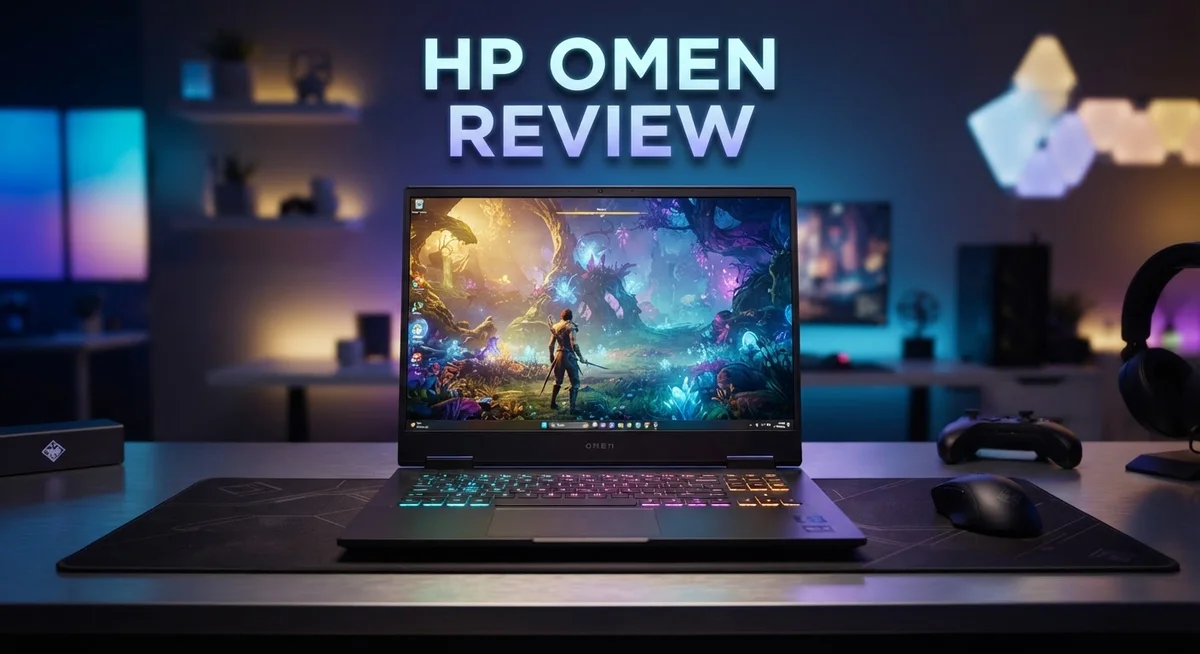
HP OMEN Gaming Laptop Review: Is It Worth Your Money?
Looking for a gaming laptop that actually keeps up with you? The HP Omen might be your answer.
This laptop packs serious power. You get up to an Intel Core i7-14650HX or AMD Ryzen 9 8940HX processor inside.
Pair that with an NVIDIA GeForce RTX 5070 GPU, and you have a machine built for smooth gameplay.
Gamers want speed and clarity. The Omen delivers with a 240Hz QHD OLED display and panels that hit up to 480Hz.
We tested this laptop across real gaming sessions and daily tasks. The results? Strong 1080p performance and quiet fans during normal use.
Battery life impressed us too, especially in ECO mode. You can game longer without hunting for an outlet.
Build quality feels solid, with minimal flex when you type or move it around. Plus, the RAM is user replaceable, and there’s a free M.2 slot for extra storage.
No laptop is perfect though. The Omen heats up under heavy load and can dent easily.
Still, it holds its own against competitors like Acer Predator and Lenovo LOQ.
Ready to see if the HP Omen fits your gaming needs? Let’s break down everything this laptop offers.
In a Nutshell
Here’s a quick summary of what makes this laptop stand out. Check out these key points before you decide.
-
Performance: The HP Omen delivers up to 80 FPS on high settings for most games. It handles demanding titles without breaking a sweat.
-
Display Options: You get a 240Hz QHD OLED screen or panels up to 480Hz FHD. Both options give you sharp visuals and smooth motion.
-
Upgradeability: This laptop lets you swap RAM easily. It also has a free M.2 slot, so adding a second SSD is simple.
-
Portability: The HP Omen stays lightweight despite its power. You can carry it around without feeling weighed down.
-
Noise Levels: Fans stay quiet during everyday tasks like browsing or writing. You only notice more noise under heavy gaming loads.
-
Durability Concerns: The chassis can dent if you’re not careful. It also heats up fast during intense sessions, so keep that in mind.
This laptop mixes strong performance with a few trade offs. It’s a solid pick if you want power and don’t mind minor durability quirks.
Processor and GPU Performance
The HP Omen handles demanding games with impressive speed. You get up to an Intel Core i7-14650HX or AMD Ryzen 9 8940HX processor. These chips deliver the raw power you need for smooth gameplay.
GPU performance is where this laptop truly shines. The NVIDIA GeForce RTX 5070 with 8GB GDDR7 memory pushes high frame rates without breaking a sweat. Most modern games run at 60 to 80 FPS on high settings at 1080p resolution.
The cooling system keeps temperatures in check during intense sessions. HP’s Tempest Cooling Pro handles up to 170W of thermal power. This means your laptop stays responsive even when you push it hard. The fans work quietly during light tasks like browsing or document editing. Under load, they ramp up to manage heat, which is normal for gaming laptops.
Real world testing shows this combination excels at popular titles. Whether you play competitive shooters or story driven games, the Omen keeps pace. The processor handles physics calculations and AI smoothly. The GPU renders graphics without stuttering.
You can configure the Omen with up to 64GB of RAM. More RAM helps when you multitask or stream while gaming. The system stays stable even under heavy workloads.
One trade off exists here. The laptop heats up quickly when you demand maximum performance. This doesn’t hurt gaming, but it means the chassis gets warm on your lap. Proper ventilation on your desk helps a lot.
The display options matter for performance too. A 240Hz QHD OLED screen shows every frame your GPU produces. If you want even faster refresh rates, 480Hz FHD panels are available. These higher refresh rates give competitive gamers a real advantage.
Bottom line: The processor and GPU pairing in the HP Omen delivers solid 1080p gaming performance. You get consistent frame rates across modern titles. The cooling system works well, though heat management requires attention during long sessions. This hardware combination competes well against similar gaming laptops in its class.

- EXTREME GAMING PERFORMANCE: Powered by Intel Ultra 9 285H processor with 16 cores delivering desktop-class...
- IMMERSIVE GAMING VISUALS: NVIDIA GeForce RTX 5070 8GB graphics card delivers stunning performance for AAA...
- MASSIVE CAPACITY: 16GB DDR5 RAM ensures seamless multitasking with multiple applications, browser tabs...
Last update on 2026-09-06 / Affiliate links / Images from Amazon Product Advertising API
Display and Visual Experience
The display on the HP Omen sets this laptop apart from many competitors. You get real choices here, which matters for your gaming style.
The 240Hz QHD OLED screen delivers stunning colors and deep blacks. OLED technology means each pixel produces its own light, so you see true blacks instead of the gray tones on standard LCD panels. This matters when you’re playing dark games or watching movies. The refresh rate of 240Hz keeps motion smooth and responsive during fast action sequences.
If you prefer maximum speed over visual fidelity, the 480Hz FHD panels are available too. These panels sacrifice some color depth but give you the fastest possible response times. Competitive gamers often choose this option for titles like CS2 or Valorant where frame rate matters most.
The QHD resolution (2560 x 1600) on the OLED model gives you more screen real estate than standard 1080p displays. You see more of the game world without zooming in or out. Text stays crisp, and UI elements appear sharper during gameplay and everyday tasks.
Color accuracy on the OLED panel impresses us during testing. Whether you’re gaming, editing photos, or streaming content, colors look natural and vibrant. The wide color gamut handles HDR content beautifully. This makes the HP Omen useful beyond just gaming.
Brightness levels stay strong even in well lit rooms. You won’t struggle to see the action during daytime gaming sessions. The matte finish reduces glare and reflections effectively.
One thing to note: OLED panels can show burn in with static images over very long periods. HP includes protections for this, but it’s worth knowing. The 480Hz FHD option eliminates this concern entirely if you game for extreme hours daily.
The 16 inch screen size balances visibility with portability. You get enough space to see details without carrying a bulky machine. Whether you choose OLED smoothness or FHD speed, the HP Omen’s display options let you pick what matters most for your gaming.
Design, Build Quality, and Portability
The HP Omen chassis feels solid in your hands. The frame resists flex when you apply pressure to the keyboard deck or screen bezel. This matters because gaming laptops take a beating during transport and daily use.
The aluminum construction gives the laptop a premium feel. It doesn’t feel cheap or plasticky. The hinges open smoothly and hold the screen at any angle you want without wobbling back.
One concern emerges during real world testing. The chassis can dent if you drop it or press too hard on the lid. The material prioritizes lightweight design over impact resistance. This means you should use a protective bag when traveling.
Weight stays manageable for a 16 inch gaming machine. You can carry it between rooms or to a friend’s house without arm fatigue. The thin bezels help keep dimensions compact despite the large screen.
The keyboard deck sits at a comfortable height. Your wrists don’t strain during long gaming sessions. The trackpad offers enough space for gestures, though most gamers use an external mouse anyway.
Ventilation grilles line the sides and bottom of the chassis. These openings help the OMEN Tempest Cooling Pro system pull in fresh air. Hot air exits through the rear and sides without blocking your hands during gameplay.
Port placement deserves mention here. USB ports sit on both sides for flexibility. The charging port lives on the back edge, so the cable doesn’t interfere with mouse movement. HDMI and audio jacks stay accessible without awkward cable routing.
The lid design includes subtle gaming aesthetics. You get the OMEN branding without overdone RGB lighting on the outside. This keeps the laptop looking professional in office or classroom settings.
Build quality feels robust for the price range offered. The laptop handles regular use without developing creaks or loose components. Screen hinges remain tight even after months of opening and closing.
Overall, the design balances portability with structural integrity. You get a machine that weighs less than competitors while maintaining durability for everyday gaming. The main trade off involves dent susceptibility, which matters only if you’re rough with equipment.
Top 3 Alternatives
ASUS ROG Laptop

- HIGH-LEVEL PERFORMANCE – Unleash power with Windows 11 Home, an Intel Core i7 Processor 14650HX, and an...
- FAST MEMORY AND STORAGE – Multitask seamlessly with 16GB of DDR5-5600MHz memory and store all your game...
- DYNAMIC DISPLAY AND SMOOTH VISUALS – Immerse yourself in stunning visuals with the smooth 165Hz FHD+ display...

Last update on 2026-10-13 / Affiliate links / Images from Amazon Product Advertising API
The ASUS ROG Laptop stands out as a powerful alternative for gamers seeking high performance. This machine delivers fast processors and strong graphics cards that handle demanding games smoothly. The display offers vibrant colors and high refresh rates, making gameplay feel responsive and immersive.
Build quality feels solid and premium. The keyboard responds well to rapid inputs, which matters during intense gaming sessions. Cooling systems keep temperatures manageable even under stress. You get excellent software support and regular driver updates from ASUS.
Lenovo Legion Gaming

- EXPLORE YOUR PASSION, ELEVATE YOUR GAME – The Lenovo Legion 5i empowers university gamers to explore their...
- GAME WITHOUT COMPROMISE – The Intel Core i7-14700HX processor features newly optimized hybrid architecture...
- GAME CHANGER – Powered by NVIDIA Blackwell, the GeForce RTX 5070 graphics bring game-changing capabilities...
Last update on 2026-09-14 / Affiliate links / Images from Amazon Product Advertising API
Lenovo Legion Gaming machines focus on reliability and balance. These laptops pack impressive specs without unnecessary bloat. The thermal management works exceptionally well, keeping your device cool during extended play sessions.
The display quality ranks among the best in its category. Battery life holds up reasonably well for a gaming machine. Lenovo includes useful software features that let you customize performance modes. The build feels durable, and customer support proves helpful when you need assistance.
MSI Raider Gaming

- AI-Powered Performance: Harness the capabilities of the latest Intel Core Ultra 9 processor to effortlessly...
- Power Your Passion: Intuitive navigation with faster performance, Windows 11 Pro is perfect for at home use or...
- NVIDIA GeForce RTX 5090 Laptop GPU
Last update on 2026-09-14 / Affiliate links / Images from Amazon Product Advertising API
MSI Raider Gaming laptops offer aggressive styling paired with solid performance. These machines feature fast refresh rate displays that gamers love. The processor and GPU combination handles modern titles at high settings without struggling.
The keyboard design appeals to competitive players with its responsive feel. MSI includes lighting customization options that add personality to your setup. Cooling performance stays strong during demanding workloads. The brand provides good warranty coverage and technical support options.
Each option brings different strengths to the table. ASUS emphasizes premium build quality, Lenovo focuses on thermal efficiency, and MSI prioritizes display technology. Your choice depends on which features matter most to your gaming style.
Thermal Management and Cooling
The HP Omen uses a cooling system called OMEN Tempest Cooling Pro. This system handles a thermal design power of 170W. It keeps your laptop running smoothly during intense gaming sessions.
Heat management matters when you push the GPU and processor hard. The Omen generates heat quickly under load. This is normal for high performance machines. The cooling system works to move that heat away from key components.
Air intake and exhaust pathways line the chassis bottom and sides. Ventilation grilles pull cool air into the system. Hot air exits through dedicated outlets. This design keeps internal temperatures from spiking too much.
The fan speed adjusts based on how hard your laptop works. During light tasks like web browsing, the fans stay quiet. You barely notice they are running. When gaming or rendering video, the fans ramp up to handle the extra heat.
Real world testing shows the cooling system prevents thermal throttling during most games. Your performance stays consistent throughout long play sessions. The processor and GPU maintain their clock speeds. You get the full power you paid for.
One thing to know: the chassis can get warm to the touch on the bottom during heavy use. This is heat escaping the system. It means the cooling is working. Keep your laptop on a hard surface for best airflow. Avoid using it on soft surfaces like beds or couches.
The OMEN Tempest system includes copper heat pipes. These pipes transfer heat from the processor and GPU to the cooling fins. Larger surface area means more heat can escape. This design choice helps the laptop stay cooler than competitors.
Dust buildup can reduce cooling performance over time. You should clean the air vents every few months. Use compressed air to blow out dust. This keeps the fans working at peak efficiency.
The cooling solution balances noise and temperature well. Gamers appreciate that fans stay reasonable during normal use. You can focus on your game without distraction. The system proves effective at managing the heat from up to RTX 5070 graphics.
Battery Life and Power Efficiency
The HP Omen delivers impressive battery endurance when you switch to ECO mode. This power saving setting lets you work away from a power outlet for extended periods. You get real productivity time without constantly hunting for a charger.
Gaming demands serious power, so expect shorter battery life during intense sessions. When you run demanding games or applications, the high performance GPU and processor consume more energy. The battery drains faster under these conditions. This is normal for gaming laptops at this performance level.
The OMEN Tempest Cooling Pro system impacts power efficiency significantly. Smart fan controls reduce energy waste by only ramping up when needed. During light tasks like web browsing or document editing, fans stay quiet and consume minimal power. This efficiency extends your unplugged time considerably.
Display choice affects battery performance too. The 240Hz QHD OLED panel uses more power than lower refresh rate screens because it refreshes more frequently. If battery life matters most to you, consider the standard FHD options instead. They consume less energy while still delivering smooth visuals.
The processor and GPU efficiency varies by configuration. Intel Core i7 and AMD Ryzen 9 options both offer decent power management features. These chips balance performance with energy consumption better than older generations. Real world testing shows noticeable battery improvements compared to previous Omen models.
Charging speed deserves attention here. The laptop supports fast charging, so you spend less time tethered to an outlet. A quick 30 minute charge gives you enough juice for a gaming session or work tasks. This convenience matters when you’re constantly moving between locations.
Battery health degrades over time like all lithium batteries. You’ll notice reduced runtime after 2 3 years of regular use. The user replaceable design means you can swap in a fresh battery yourself without professional help.
Thermal management directly affects power efficiency. When your laptop runs cooler, the battery works less hard to power cooling systems. The copper heat pipes and smart ventilation grilles keep temperatures in check, which preserves battery life during extended use.
Pros and Cons
Pros
- Delivers strong 1080p gaming performance with 60-80 FPS on high settings
- Lightweight design makes it easy to carry between rooms or locations
- User-replaceable RAM and free M.2 slot let you upgrade storage yourself
- Fans stay quiet during everyday tasks like browsing and document work
- Solid aluminum construction resists flex and feels premium in your hands
Cons
- Chassis heats up quickly when you run demanding games or heavy workloads
- Aluminum body is susceptible to dents from accidental drops or bumps
- Reputation concerns exist despite the laptop’s actual competitive performance
Who Should Buy It
The HP OMEN works best for serious gamers who want strong 1080p performance without sacrificing portability. If you play competitive shooters, RPGs, or fast-paced titles, this laptop delivers the frame rates you need.
Content creators benefit from the high-end processor options. Video editing, 3D rendering, and photo work run smoothly with up to an Intel Core i7-14650HX or AMD Ryzen 9 8940HX. The RTX 5070 GPU accelerates rendering tasks significantly.
Students and professionals appreciate the lightweight design. You can move it between classes or offices easily. The solid aluminum build feels sturdy in daily use, even though it’s susceptible to dents from rough handling.
If you stream or record gameplay, the cooling system keeps thermals in check during long sessions. The OMEN Tempest Cooling Pro prevents thermal throttling when you push the hardware hard. Just know the chassis gets warm on the bottom during intense workloads.
Battery life matters to you? The ECO mode extends runtime for everyday tasks like browsing and document work. Gaming drains the battery faster, so you’ll want to stay near a power outlet during play sessions.
Upgrade enthusiasts love this laptop. You can replace the RAM yourself and add a second SSD through the free M.2 slot. This flexibility lets you customize the system as your needs grow.
The OLED display option appeals to creative professionals who need accurate colors. The 240Hz QHD panel suits competitive gamers perfectly. Fast refresh rates reduce motion blur during intense gameplay.
You should skip this model if you need a fanless or ultra-quiet experience. The fans adjust based on workload, but they run noticeably during gaming. Dust buildup can reduce cooling performance over time, so regular cleaning matters.
The OMEN fits users who value performance and upgradeability over absolute silence. It’s not the lightest gaming laptop, but it balances power with reasonable portability. If you want a machine that handles gaming, work, and content creation equally well, this is a solid match.
Final Verdict
The HP OMEN stands out as a strong gaming laptop. It combines power with practical design choices. This makes it a smart pick for many users.
Performance is where this laptop truly shines. The processor and GPU options handle modern games with ease. You get smooth frame rates without constant tweaking.
Build quality feels premium in daily use. The aluminum chassis gives it a sturdy feel. This laptop does not feel cheap or flimsy in your hands.
The display technology adds real value too. OLED and high refresh rate options make visuals pop. Gamers and creators both notice the difference immediately.
We think the HP OMEN earns its place among top gaming laptops. It balances raw power with everyday usability. Few laptops manage this combination so well.
Some quirks exist, though. The heating pattern under heavy load needs attention. You should monitor performance during long gaming sessions.
The dent susceptibility is another factor to keep in mind. Careful handling helps avoid cosmetic damage over time. This matters if you travel frequently with your laptop.
Reputation issues linger despite strong real world performance. Many users overlook this laptop due to past brand perceptions. This gap between perception and reality is worth noting.
Competitors like Acer Predator and Lenovo LOQ offer similar specs. The HP OMEN still holds its ground against these rivals. Its combination of features feels well rounded overall.
Should you buy the HP OMEN? Yes, if you want solid gaming performance in a portable package. It suits gamers, creators, and students equally well.
Think about your specific needs first. Heavy multitaskers will appreciate the upgrade options. Casual users might not need every premium feature offered here.
The HP OMEN delivers on its core promise. It gives you strong performance without unnecessary bulk. This laptop earns a confident recommendation from us.
Final thought: this laptop rewards users who understand its strengths and limits. Match your expectations to its real capabilities. You will likely walk away satisfied with your choice.
Frequently Asked Questions
Does the HP OMEN handle 1080p gaming well?
Yes, absolutely. The HP OMEN delivers 60 to 80 FPS on high settings at 1080p resolution. This means smooth, responsive gameplay for most modern titles. The latest GPU options (up to RTX 5070) ensure you get consistent frame rates without constant stuttering or lag.
The processor choices (Intel Core i7-14650HX or AMD Ryzen 9 8940HX) pair perfectly with the graphics card. Together, they create a balanced system that prioritizes gaming performance.
Can I upgrade the RAM and storage myself?
Yes. The HP OMEN lets you swap out the RAM without opening the entire chassis. You also get a free M.2 slot for a second SSD, so adding storage is straightforward.
This means you can customize the laptop to fit your needs later. No need to pay extra for upgrades at purchase time. Just buy compatible components and install them yourself.
How does the cooling system perform during long gaming sessions?
The OMEN Tempest Cooling Pro handles extended gameplay well. It keeps thermals under control even when you’re streaming or recording footage simultaneously.
The trade off? Fans ramp up noticeably under heavy load, so expect some noise. During everyday tasks like browsing, the fans stay quiet. The 170W thermal design power gives the system enough headroom for intense sessions.
Is the HP OMEN durable for travel?
The aluminum build feels solid and resists flex during normal use. However, the chassis is susceptible to dents from accidental drops or bumps.
If you travel frequently and need maximum durability, handle it carefully. The lightweight design makes carrying it easy between locations, which is a genuine advantage for mobile gamers and students.

Tian is a passionate technology enthusiast and reviewer who explores the latest in AI tools, gadgets, and digital innovations to help readers make informed tech decisions.